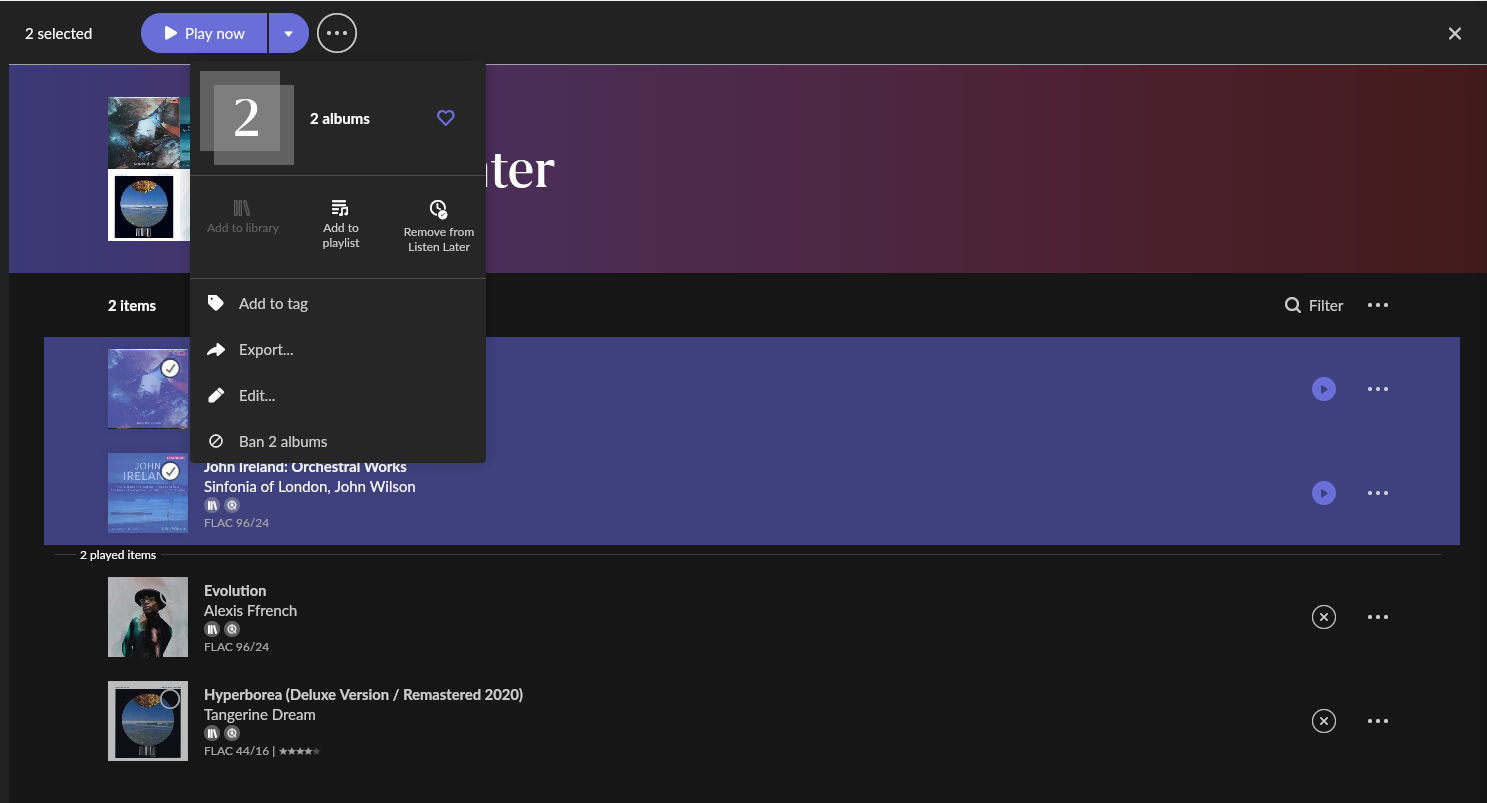
Go to the Listen Later list and click the “3 dots” menu by the album you want to remove, then click the “Remove from Listen Later”…
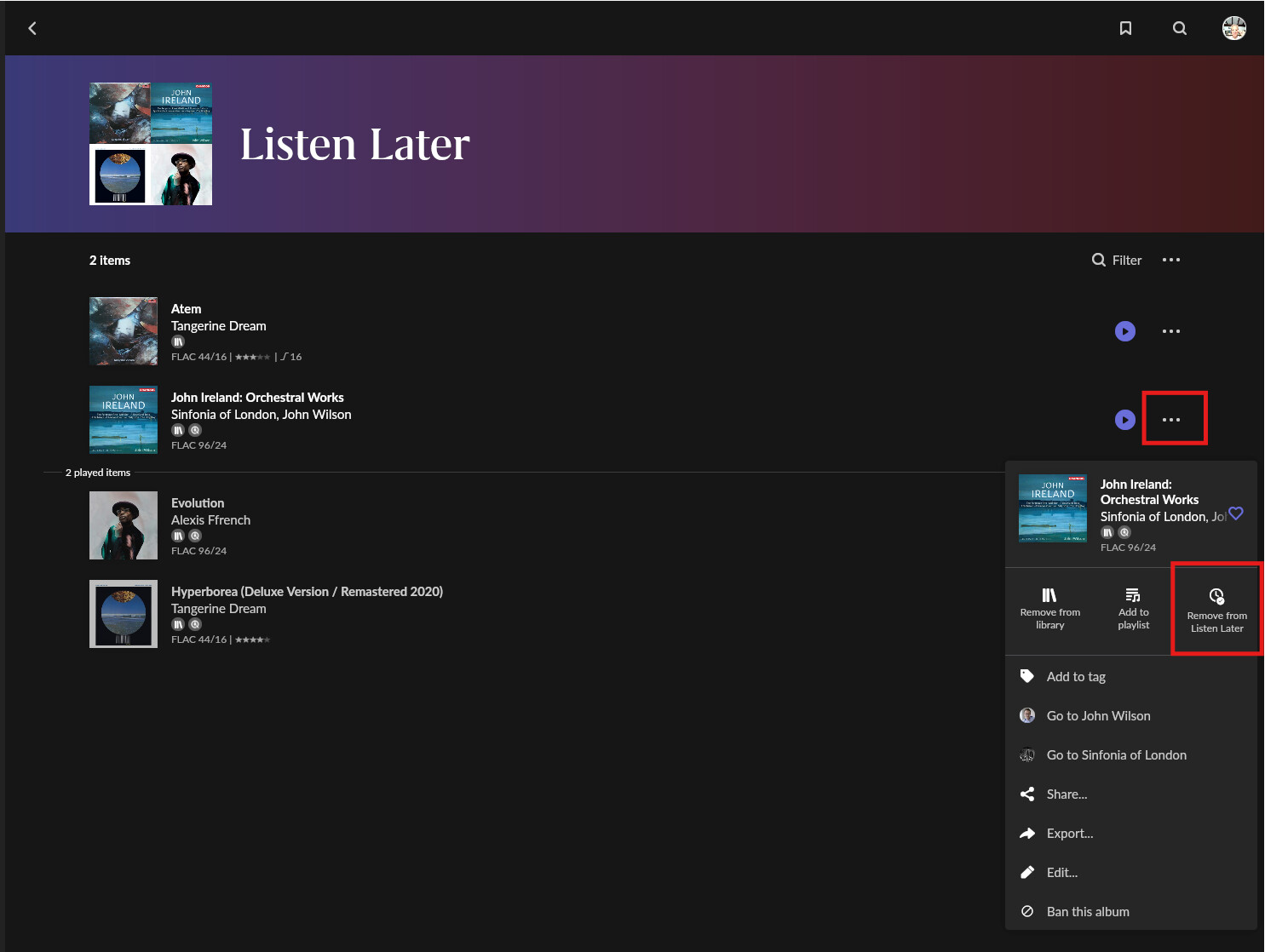
Note: this also works when selecting multiple albums:
Go to the Listen Later list and click the “3 dots” menu by the album you want to remove, then click the “Remove from Listen Later”…
Note: this also works when selecting multiple albums:
I’d like to see an option to pin an album to be on the first, second… postion. Also an option to add a radio station would be nice.
While I 'm sure this will be a great feature for those interested but for those who don’t the section on the homescreen will remain empty, a waste of space. Please add an option to hide it.
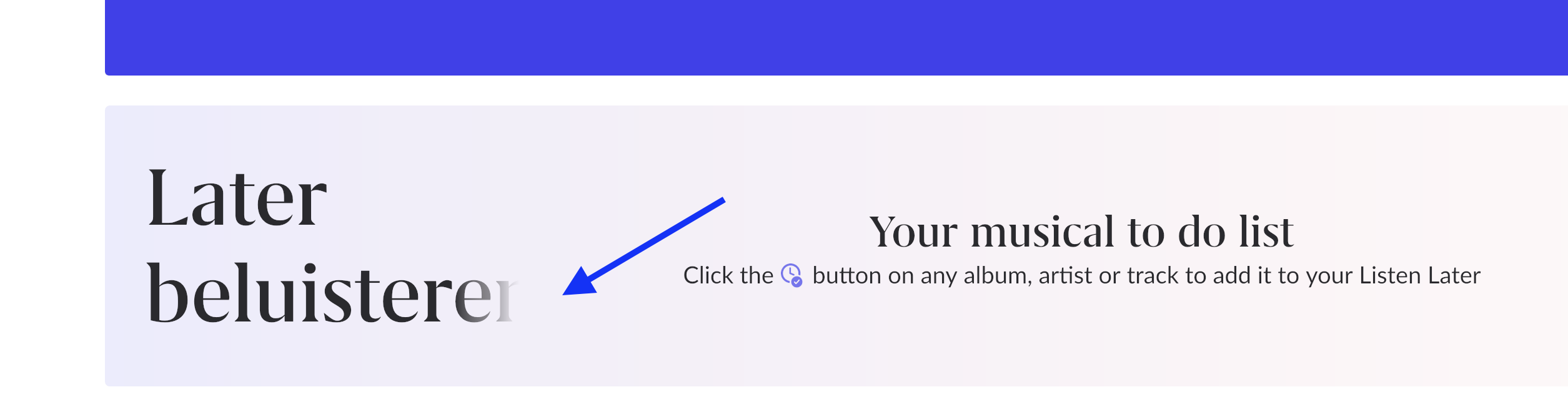
Also Dutch translation misses a letter on my MacBook 
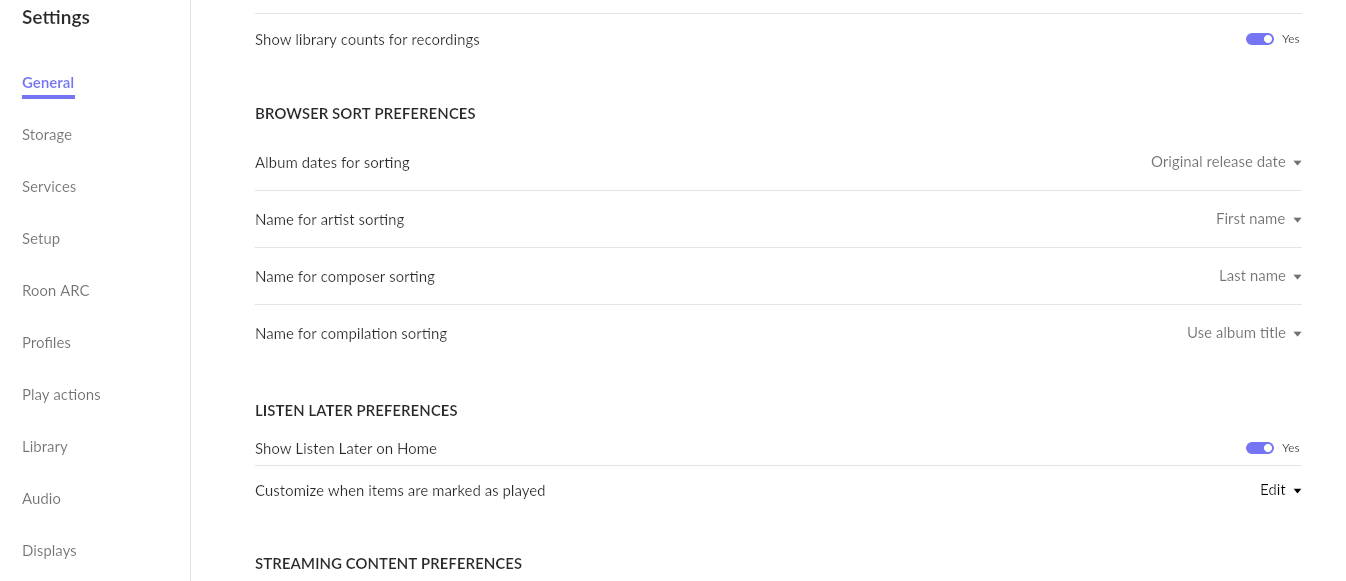
There is already the option to hide / show the banner in the home. It is located in the “General” section
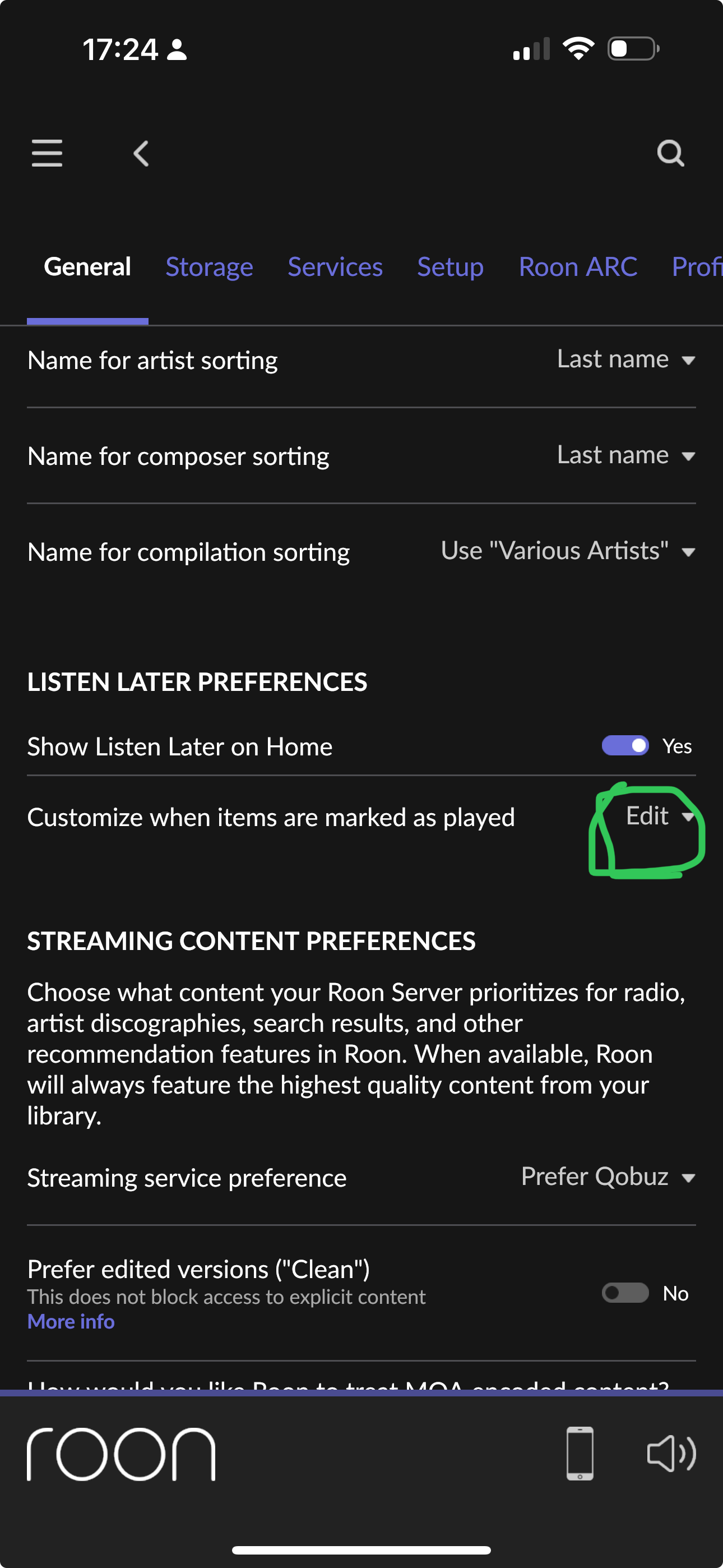
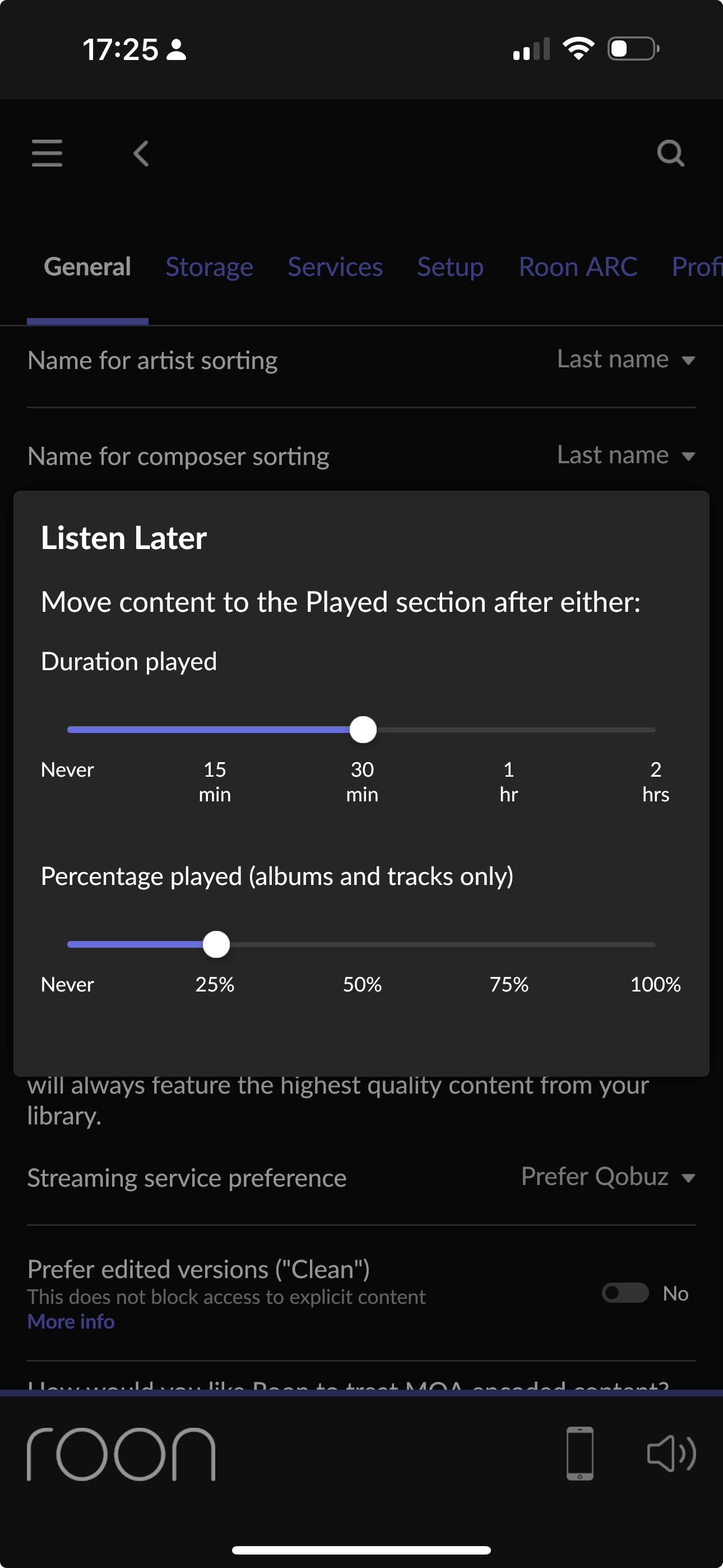
You can hide the Listen Later feature from Settings > General. Scroll down to Listen Later Preferences.
I did some specific tests:
Album in Listen Later. Played album from “My Albums”= moved to the “played” section
Track in Listen Later. Played track from “My Tracks”= moved to the “played” section
Track in Listen Later and in a playlist. Played Playlist from Playlist section = moved to the “played” section
3-track album with 2 tracks banned added to Listen Later. Played album (valid track only)= moved to the “played” section
3-track album with all 3 tracks banned in Listen Later. When play the album, “Nothing to play” message appears and stays in “unplayed” section.
Track banned in Listen Later. Played and moved to the “played” section
At first I had doubts about the banned tracks, but thinking about it the behavior is the same as what happens outside the Listen Later section.
Pay attention to the fact that if an album or track added to listen later is played (even via radio or shuffle) outside of this section, it will also take effect here and will be moved to the played section.
Hi, I’ve checked a bit the LL feature. Nice one 
One thing I’d consider to improve a bit is how and when to mark a song as “listened” and move it to the “removables” list. Correct me if I’m wrong but now it has to be fully completed in order to move on. If I skip to another song before the end, it still remains on the LL list. (edge case, a song with a long exit, period of silence at the end, etc)
Also, if I got it right, I have to hit the “play” button to start observing that I’m “listening now” to it. If it comes up auto (e.g. through radio functionality) it will stay at the list (well I know that’s very opinionated behavior).
I’ve noticed this too.
same problem for me too
This is great. Looks like I can clear up a few playlists!
Wow! Totally missed there are settings for LL! Thank you 
edit
oh I was on ARC. maybe it’s not respecting those settings. will test it.
My old way: Find a thing, add a descriptive bookmark and, at some point in future, maybe click on that bookmark and listen.
New: This feature is a billion times better. I already converted all the bookmarks I never got back to. Having more data, even album art, against the list really helps in getting through the things I never got to. This will probably get me to use ARC again.
Future: Notes or tags. Sometimes its a “listen later” because someone suggested it and is awaiting my feedback. Sometimes I need to listen to it before going to a show. Sometimes its just a “whenever I have the time which will probably be never”.
Nice work indeed!! Love this feature.
If you are talking about Among Giants. They are two different versions. One is In your library and one is not.
Woah this is a neat feature that I didn’t know I needed! Thanks!
Ah, well that’s the oddity then - it’s the same album version (there’s only one), I just added to my library. It seemed to vanish from pending once I added another album to listen later.
Love love love this feature! I have been trying to do the same thing with dedicated playlists, but this is so much more elegant and efficient. Thank you, Roon team!
I’ll admit I haven’t used this feature much yet, so consider myself a casual user.
It would be nice if when I had no items in my Listen Later that I could dismiss the box on the home screen, and it wouldn’t take up space. And only show up when I add items to my Listen Later. Right now I only have a binary setting to turn it on/off entirely on the home screen. It would be useful if after dismissing the initial splash box telling me about the feature, that the listen later section would only show up when items were added to my list, and once I listen to everything and they are gone from the list, the section disappears again.
Just gotta say I love this feature. I have been using playlists to manage this, and it’s a lot of extra thought and clicks, especially given how the item in the playlist and the item you add to your library are two discrete items, so you can’t tell if the item in your playlist is now finally in your library, because the item in the playlist is literally a different item.
anyway, this sort of interaction (and the consistency across room/arc) is big for me.