Netgear router, connected to Mac Pro via ethernet cable
Connected Audio Devices
Metric Halo ULN-8 connected via MHLink ethernet
Number of Tracks in Library
Maybe 10k tracks?
Description of Issue
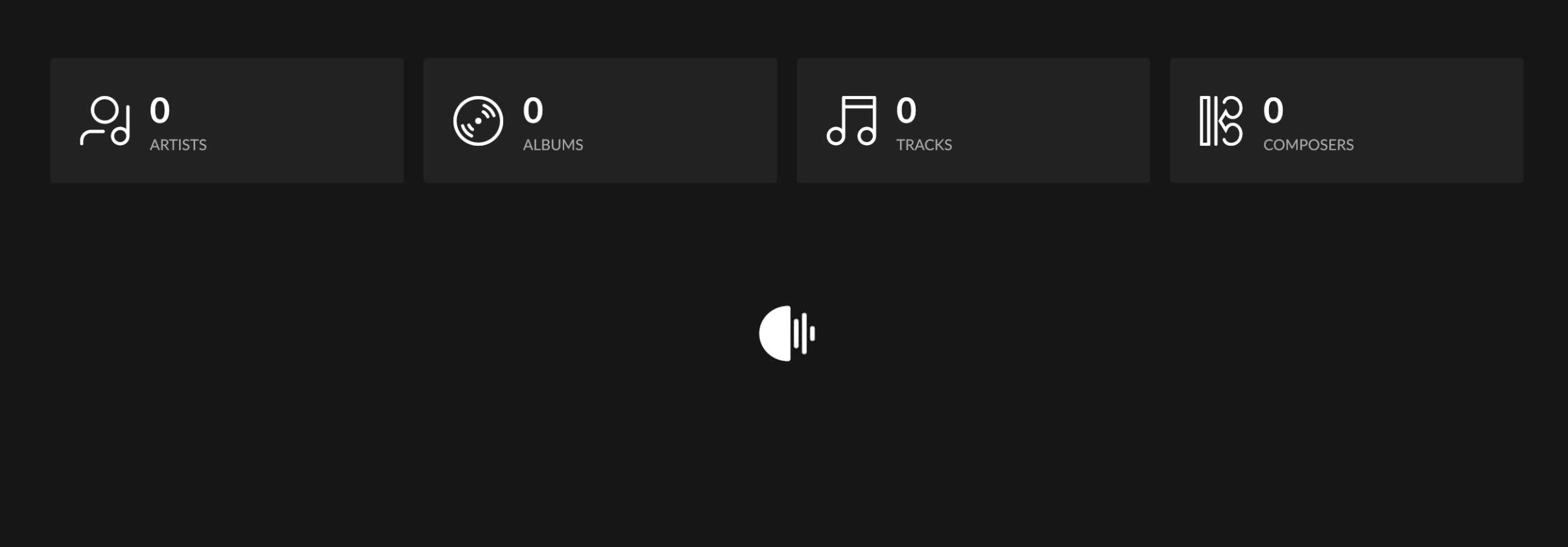
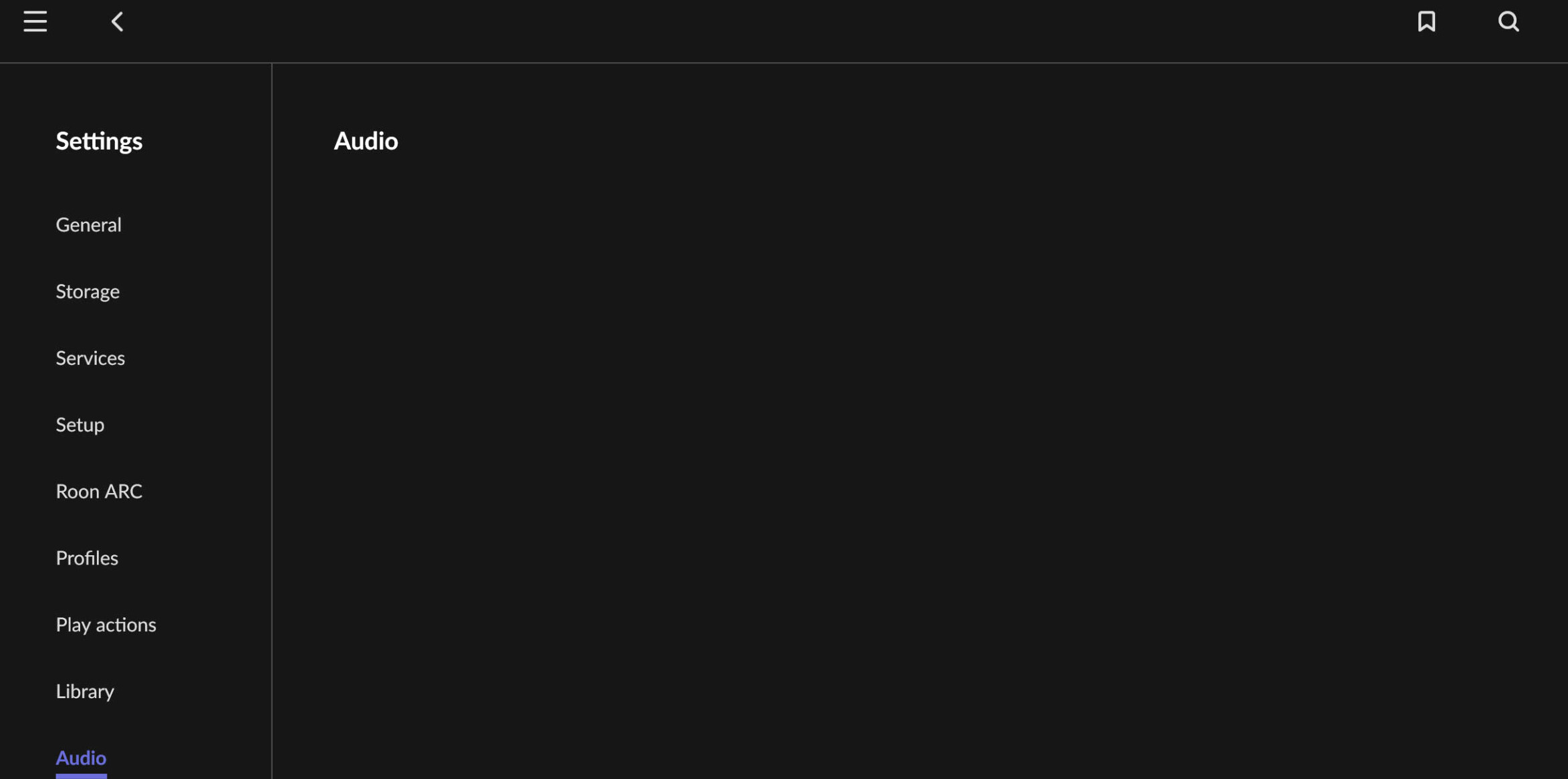
App stopped working a few days ago. I sat down today to troubleshoot, to discover the app logged me out of my account and all services (Tidal, Qobuz, et al), and appears to want to set up the same machine I’ve been using for years as a new Core. I logged back in and reconnected to the library. No audio devices appear to be available, including the system outputs. Restarting the computer, reinstalling the app, neither has resolved the issue.
Library appears to be processing, and still shows no content after maybe 10 min of waiting.
On multiple re-launches of the app, the app hangs with nothing showing, and must be restarted.
Can confirm the audio device is functioning and available at the system level. Can also confirm the music library directory is available at the system level.
I feel your pain. if you’ve seen my
postings of the last few months the problems continued to escalate until this weekend when roon crashed completely.
in desperation I deleted roon from my core and installed a new copy. upon signing in I was able to find my devices, connect to my services and enjoy what has eluded
me for some time.
give it a try if all else fails. good luck. andrew.
Thanks for commiserating. I already uninstalled and reinstalled Roon, which didn’t seem to make any difference. Is there a further removal step I need to do?
My “core” is just a computer, not external hardware.
Hopefully someone from Roon gets back to me on this soon. Missing the music…
working with roon support is like swimming through molasses. I became so frustrated that I gave up. I use a small green computer sonictransporter i5 as my roon core. in their faq section they provide information and steps for these kinds of issues. here is the link:
I can’t imagine that their approach is so different from computer, nucleus or any of the other systems. this was very easy, pretty quick, and did the job. this evening I listened to hours of uninterrupted music for the first time in a long time.
you should know that by doing this, even after signing in, that my listening history was gone. preferences, settings, etc. needed some attention. bottom line is that roon is back and working as it should again
and ps- as my issue is relatively recent, and more issues pop up on the forum everyday, it’s a good bet that roon is moving a bit too fast and tripping things up. it’s an amazing program with a great interface, best in the business, but it has gotten buggy over the years.
Thanks for the link–will see if this helps. I feel similarly about Roon. Amazing program, great interface, hamstrung by software issues. I remain hopeful that they’ll get it sorted out.
I too have already had to completely rebuild my database and have manually rebuilt all playlists. Since then, I only use playlists in Qobuz, because they are maintained there and then appear again in Roon.
I’m sorry you’re having so much trouble. The database can be destroyed after a simple power failure if the core has not been shut down properly beforehand (which is of course impossible).
my roon play lists are gone but my qobuz playlists are still there. as the other poster suggested, rebuild the playlists in qobuz or tidal. that way, when your core become inevitably corrupt again your losses will be contained.
The question becomes when did the database become corrupted and do your back-ups go back to before then? You may have a back-up from before the corruption. As I’m paranoid I run mine to two different drives and one of those runs every 10 days and keeps up to 10 backups. Even if useless now, consider it for the future as corruption of any database will eventually happen
Very good advice about the backups, I do them in a similar sequence. In my case, however, the problem was that the database was slowly and insidiously causing problems and I couldn’t figure out when it had started. After setting up a new database at the request of the support team, I decided not to restore a backup and that was a lot of work, but the end result was a working Roon installation.
What annoyed me most was that I lost my history, and all my play statistics.
Fortunately, I don’t have very many playlists, but if I had many, I would have spent a very long time manually rebuilding them.
Thanks everyone for the comments. I lost about two years’ worth of playlists. I’m considering doing my best to export those playlists and rebuild the whole database from scratch, lest I run into corruption issues again. Impossible to say when things started to go bad, but I’ve had issues with Roon’s stability for years and years. Now is probably a good time to take off and nuke the site from orbit. It’s the only way to be sure.
The team is pulling diagnostics to investigate more precisely and determine conclusively if there’s corruption.
In the meantime, please try a full refresh of your Roon database, as this will be a more thorough step than exporting playlists to create a database from scratch:
Reinstall the Roon App from our Downloads Page to generate a new Roon folder
Verify if the issue persists on a fresh database before restoring the backup
This will generate a fresh RoonServer instance - this procedure is worth performing regardless of whether you’ve already created a new Roon library on your machine. We’ll follow up from there.
And now I’m getting “There was an issue loading your library” notifications both with my existing library AND after removing the old library, deleting the app, reinstalling, and setting up a completely new library. Help.