Hi! What’s not quite right with Roon?
· None of the above quite fits
None of the above quite fits
· None of these quite match
Tell us what's going on
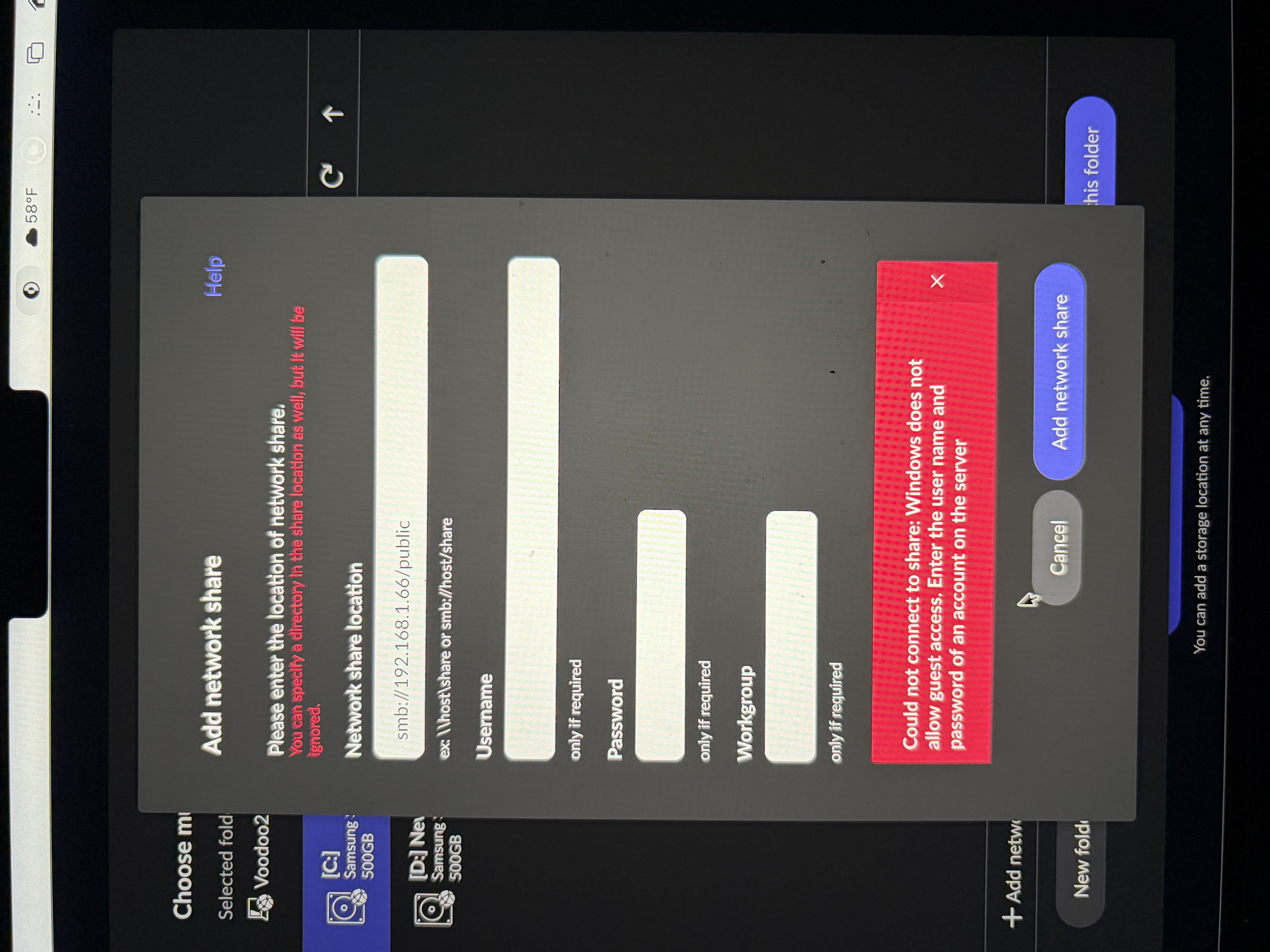
· I'm having trouble reconnecting my LUMIN L2 Music NAS to my Roon Server, running on a Voodoo Music Server (Windows).
This setup has worked previously, but Roon now fails to connect to the network share.
NAS Details:
Device: LUMIN L2 Music NAS
IP Address: 192.168.1.66
Hostname: LUMIN-L2-MUSIC
Network Share: \\192.168.1.66\public
Music Folder: public\Music
The NAS is accessible from my Mac, but Roon returns a network connection error. I've tried both SMB and Windows UNC paths, along with different login credentials.
Can you please advise on the correct configuration and whether this relates to the known LUMIN L2 SMB compatibility issue?
Tell us about your home network
· There's no home networking problems