M3U Playlists Not Completely Imported from J River Media Center (ref#EGKXMB)

Hi! What’s not quite right with Roon?

· Music won’t play or issues with my library

Music won’t play or issues with my library

· Local files won't import or appear

Tell us what's going on

· My m3u playlists aren't imported, only a few are. I have read the Help and it says; "or if you think M3U is being ignored by Roon, you should open the M3U in a text editor and confirm that the path for a given song matches the path for that track displayed in Roon. When it comes to absolute paths versus relative paths, we recommend you use relative paths to avoid issues with missing playlists". I have created those m3u with J River Media Center using the "Store paths relative to exported playlist location", like this: ".\11 - How Long Has This Been Going On .flac". Every playlist is from the same album and stored in the same folder, ignoring tracks I don't like and in a different order, so it should work, but it doesn't, please help...

Tell us about your home network

· Movistar optical fibre router

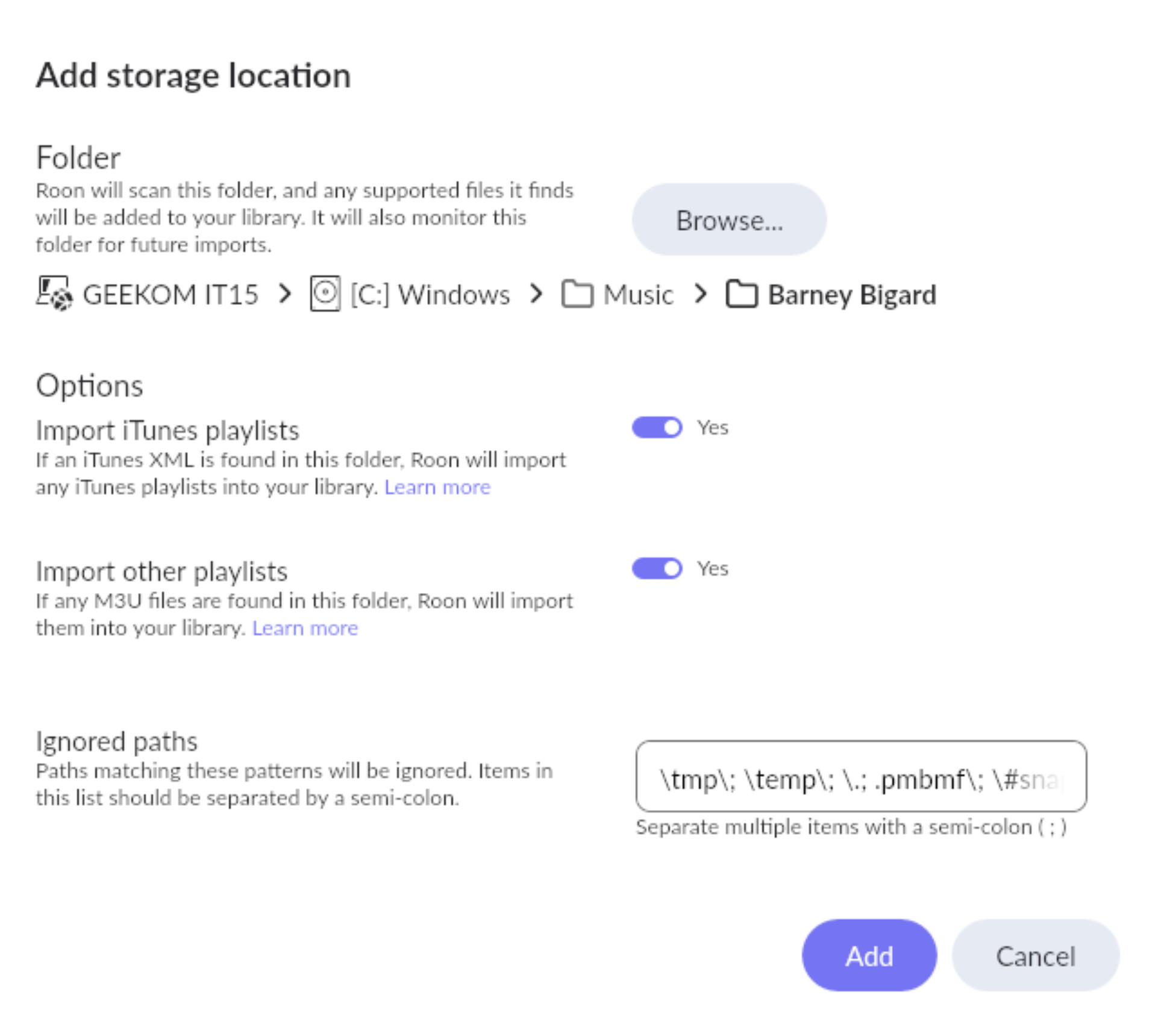
I have made a test, just pointed to a single folder to import:

And created two playlists, one with relative path and another without, all songs in that folder, different order and some missing:
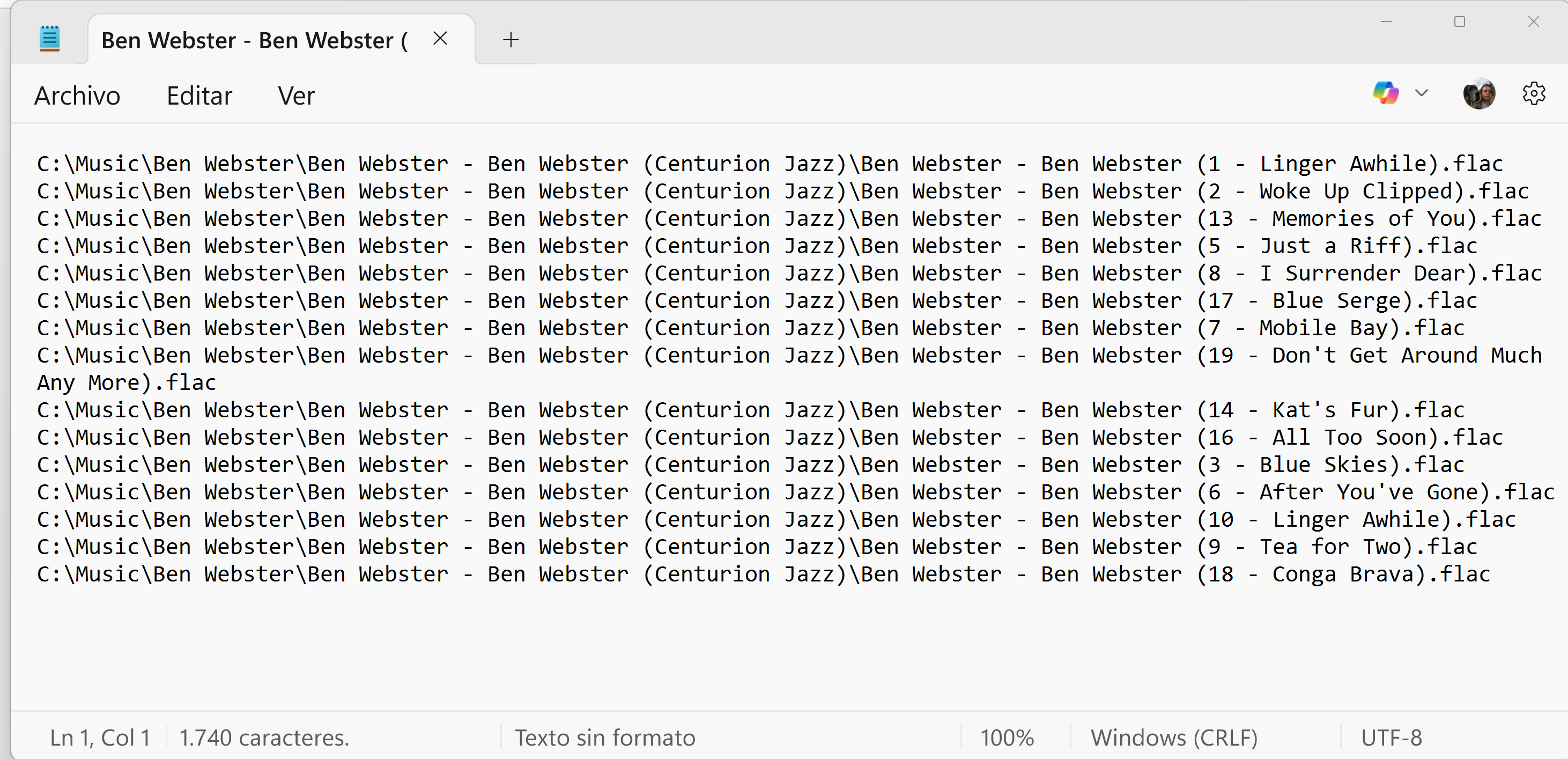
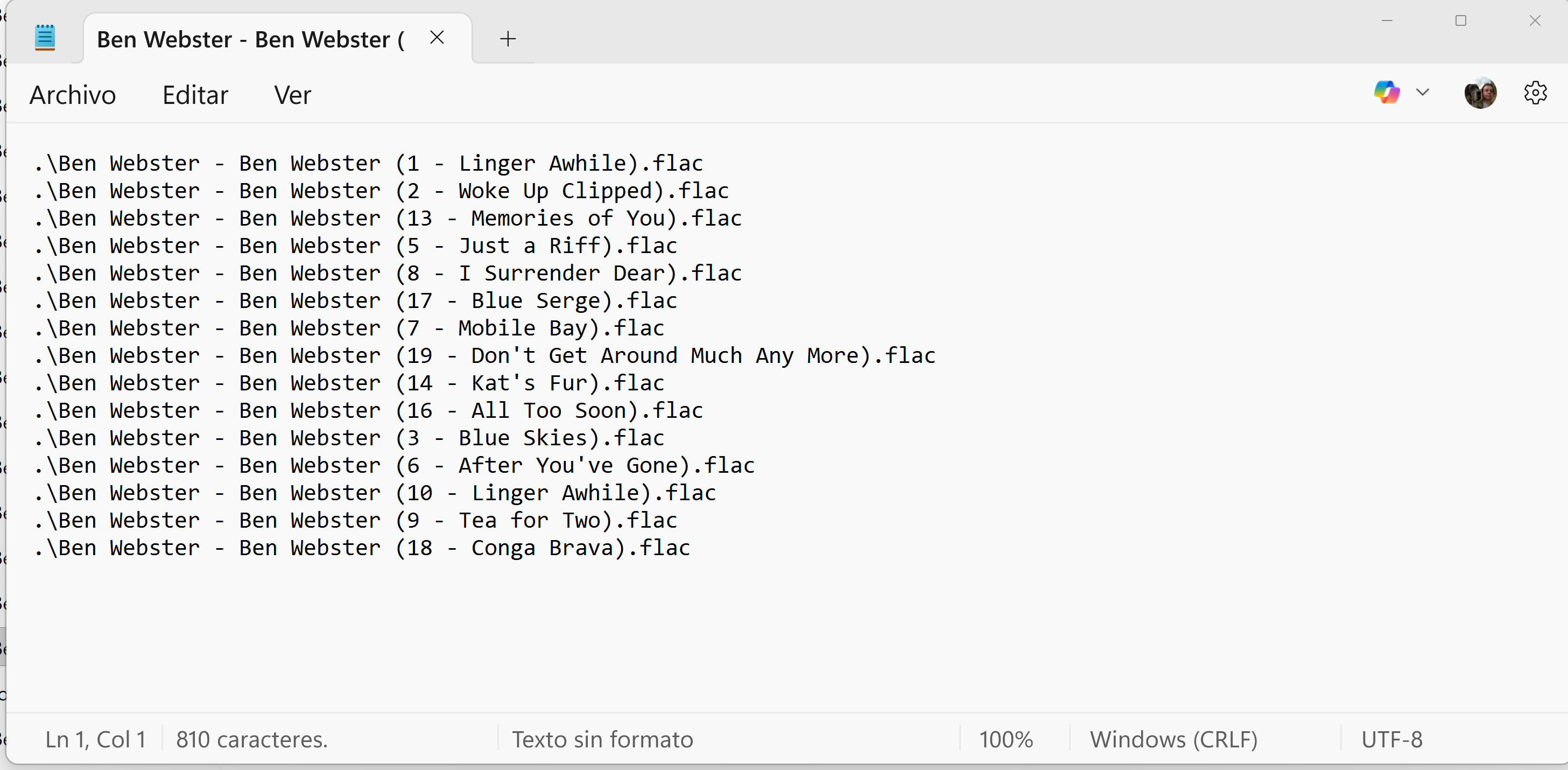
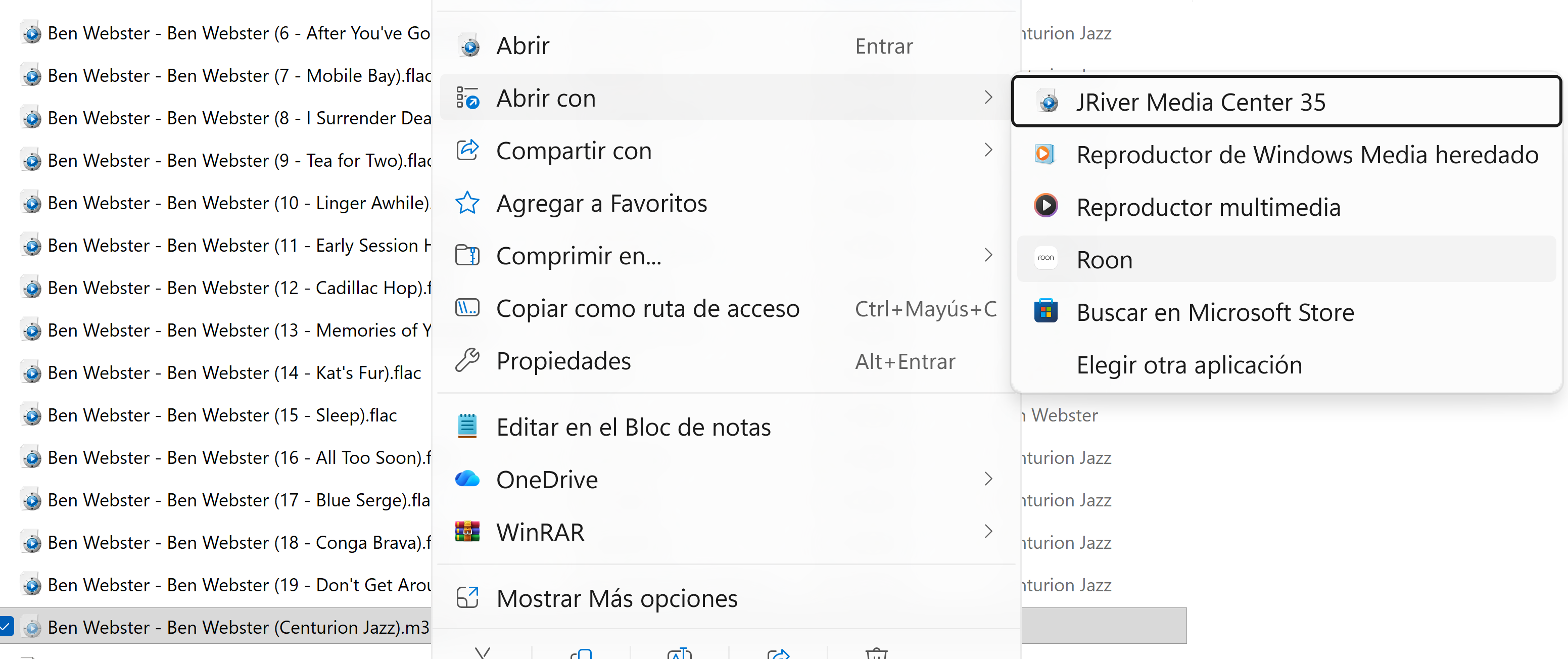
Forced rescan but that playlist still doesn’t appear. When you open the folder in Roon that flle doesn’t show (the cover yes) and you cannot open that playlist from the Windows Explorer (as it can be done with J River Media Center) even if it shows the possibility:
I would like to migrate to Roon, but not being able to play/import all my playlists is a real PITA, please help…
Hello @George1961

It might be helpful to have the file(s) for testing on our end as well, can please upload them here and let us know?

https://workdrive.zohoexternal.com/collection/nocvrfc5b2ddab55140af8640f1d7ce13291e/external

1 Like

Thanks Vadim, I have added a single folder with 6 albums on it:

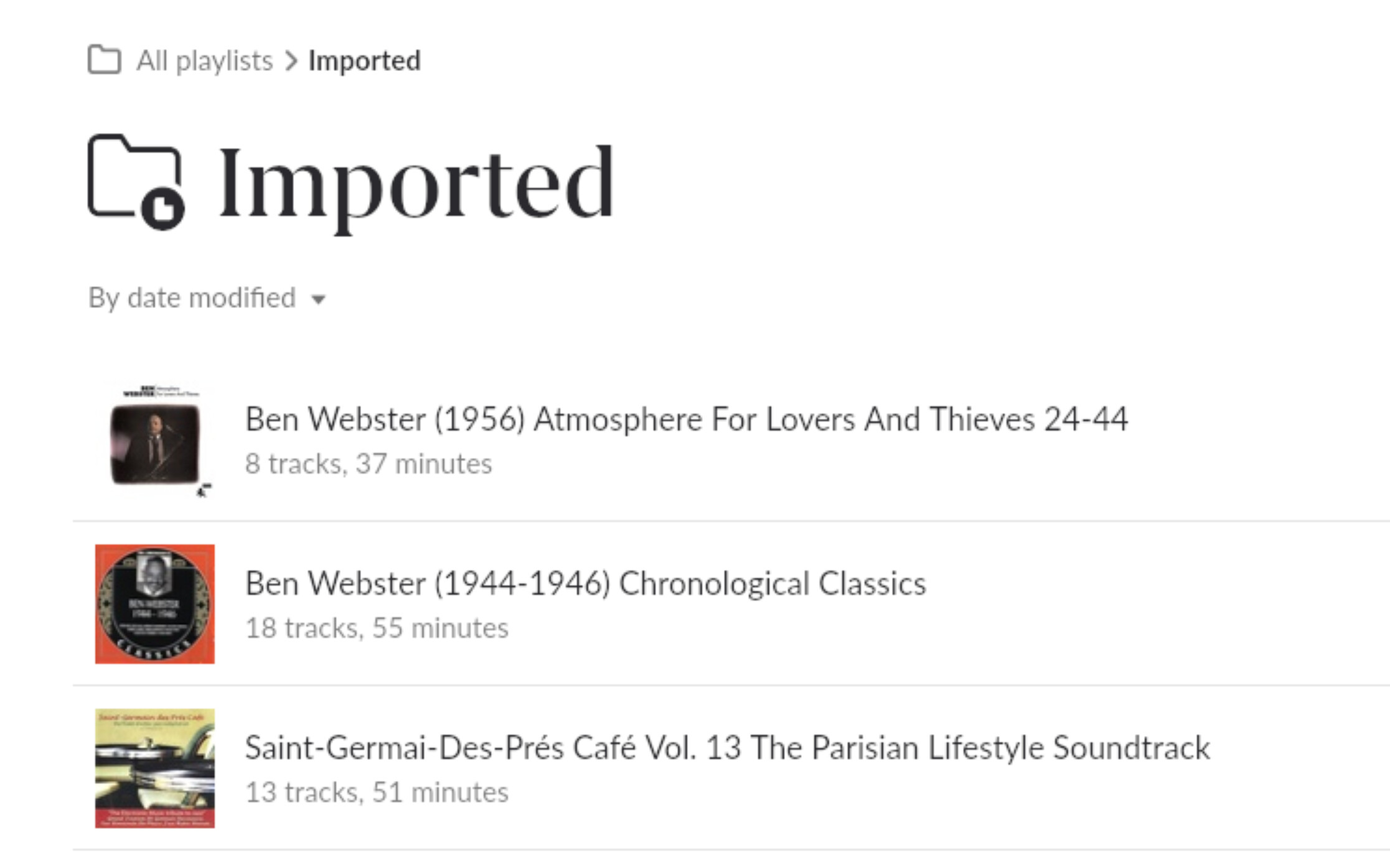
forced rescan but no one appeared (ordered by date modified, I modified them today)

It is a massive failure, all my albums have a m3u file inside (different order, missing songs and all in the same folder), I’ve got these:

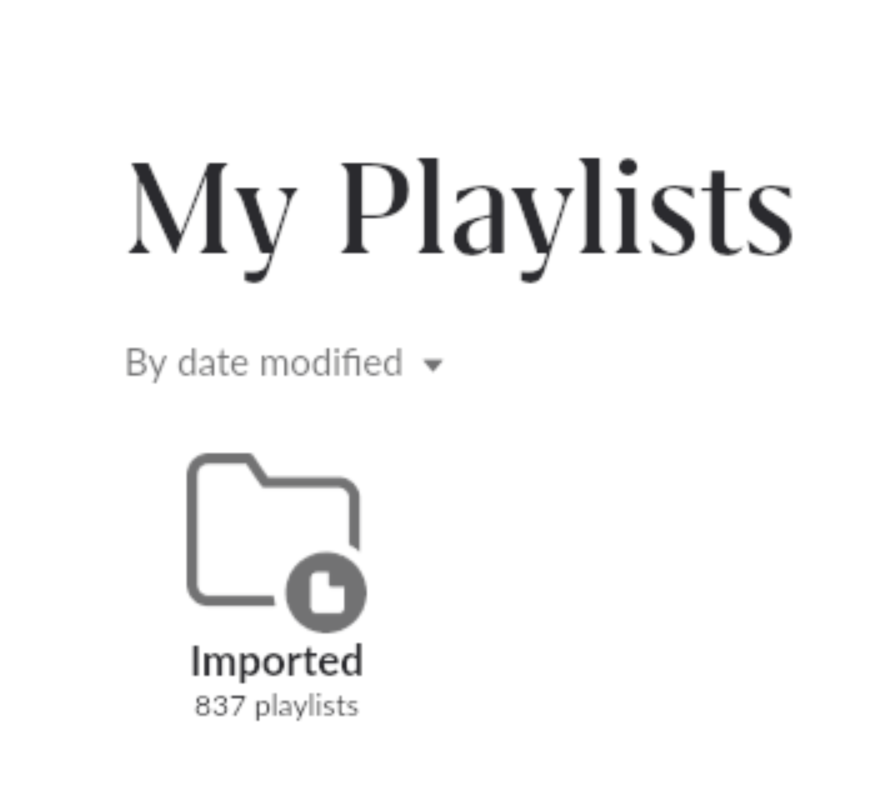
but only 89 playlists were imported:

I have already uploaded the m3u files on those albums as you requested, hopefully it helps.

There’s no way I can open those missing playlists and import them manually. My trial period is finishing, and I would like to buy a lifetime license, but with this problem happening, I don’t think I will. Although I enjoy your app, thanks for your help anyway…

I don’t know if this is playing a role in @George1961‘s scenario":

Namely:

  • The M3U playlist isn’t an exact copy of the tracklist in the directory where the M3U is stored – example: if you have an M3U playlist stored in a folder with an album, and the playlist simply duplicates the album’s tracks, it won’t be imported.

…since the .m3u is in a different order, I figure that rule might now apply. But perhaps it does?

1 Like

Thanks DDPS for your input, all my m3u are from tracks on the same folder, disordered and with someone missing, so they don’t match this rule:

“Roon ignores any M3U sheets that are exact duplicates, in the exact running order, of the folder contents.”

Edit: I have found an imported extended m3u playlist I haven’t done, and apparently should be ignored by Roon:

#EXTM3U
#EXTINF:170,Billie Holiday & Lester Young - He ain´t got rhythm
01 - He ain´t got rhythm.flac
#EXTINF:189,Billie Holiday & Lester Young - This year´s kisses
02 - This year´s kisses.flac
#EXTINF:171,Billie Holiday & Lester Young - Why was I born?
03 - Why was I born .flac
#EXTINF:176,Billie Holiday & Lester Young - I must have that man
04 - I must have that man.flac
#EXTINF:188,Billie Holiday & Lester Young - Sun showers
05 - Sun showers.flac
#EXTINF:195,Billie Holiday & Lester Young - Yours and mine
06 - Yours and mine.flac
#EXTINF:189,Billie Holiday & Lester Young - Mean to me (price master)
07 - Mean to me (price master).flac
#EXTINF:188,Billie Holiday & Lester Young - Mean to me
08 - Mean to me.flac
#EXTINF:182,Billie Holiday & Lester Young - Foolin´ myself
09 - Foolin´ myself.flac
#EXTINF:183,Billie Holiday & Lester Young - Easy living
10 - Easy living.flac
#EXTINF:185,Billie Holiday & Lester Young - I´ll never be the same
11 - I´ll never be the same.flac
#EXTINF:155,Billie Holiday & Lester Young - Me. myself and I
12 - Me, myself and I.flac
#EXTINF:153,Billie Holiday & Lester Young - Me. myself and I (price master)
13 - Me, myself and I (price master).flac
#EXTINF:171,Billie Holiday & Lester Young - A sailboat in the moonlight
14 - A sailboat in the moonlight.flac
#EXTINF:159,Billie Holiday & Lester Young - Born to love
15 - Born to love.flac
#EXTINF:172,Billie Holiday & Lester Young - Without your love (price master)
16 - Without your love (price master).flac
#EXTINF:173,Billie Holiday & Lester Young - Without your love
17 - Without your love.flac
#EXTINF:184,Billie Holiday & Lester Young - Getting some fun out of life
18 - Getting some fun out of life.flac
#EXTINF:155,Billie Holiday & Lester Young - Who wants love?
19 - Who wants love .flac
#EXTINF:134,Billie Holiday & Lester Young - Trav´lin´ all alone
20 - Trav´lin´ all alone.flac
#EXTINF:161,Billie Holiday & Lester Young - He´s funny that way
21 - He´s funny that way.flac
#EXTINF:171,Billie Holiday & Lester Young - I can´t get started
22 - I can´t get started.flac

1 Like

Hello @George1961

I understand how frustrating it is to transition your library only to have your carefully curated playlists stay behind. It sounds like you’ve followed the “best practice” of using relative paths, so let’s dig into why Roon isn’t picking them up.

The community and support team need a bit more “under the hood” data to see where the disconnect is happening. Based on your screenshots and the feedback from other users, here is the best way to get this resolved:

Instead of just sending the .m3u file, please select one specific folder where the playlist is failing to import. Create a ZIP archive of that entire folder, including:

  • The .m3u file.
  • The actual .flac or audio files referenced in that playlist.
  • Any .jpg or folder art present.

By seeing the exact file structure and the text inside the M3U simultaneously, we can determine if Roon is struggling with the .\ prefix or a character encoding issue (like UTF-8 vs. ANSI).

1 Like

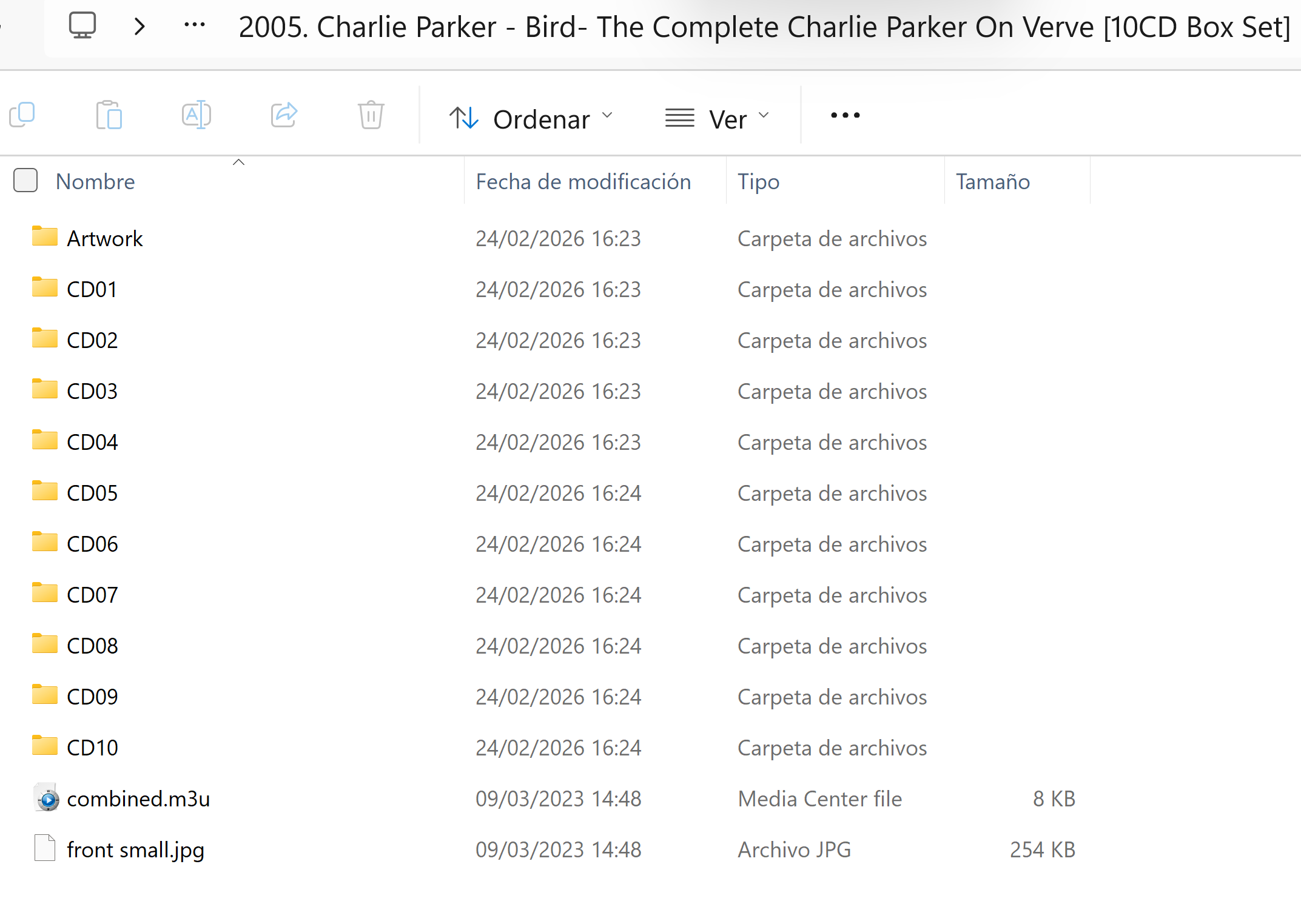
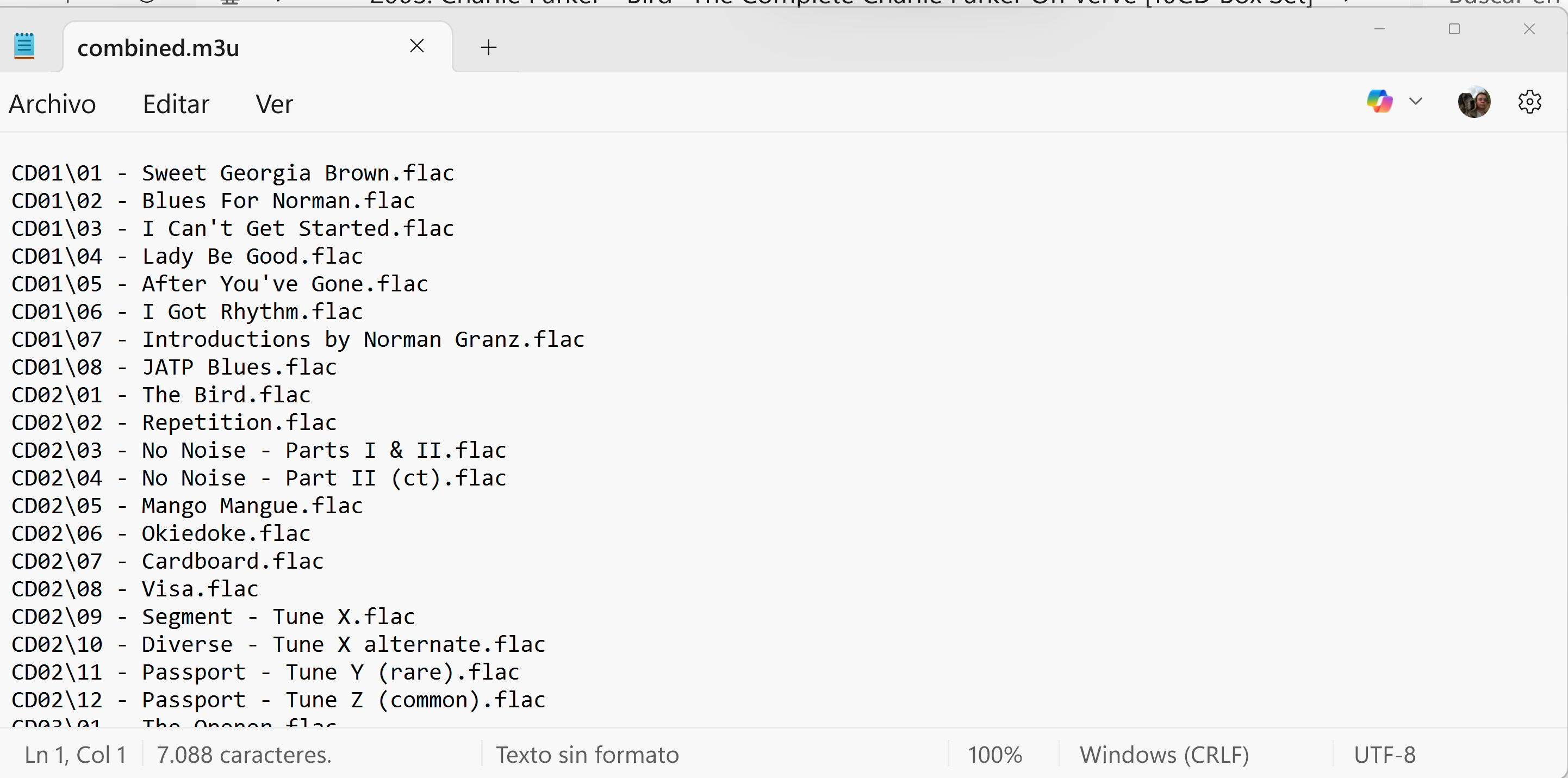
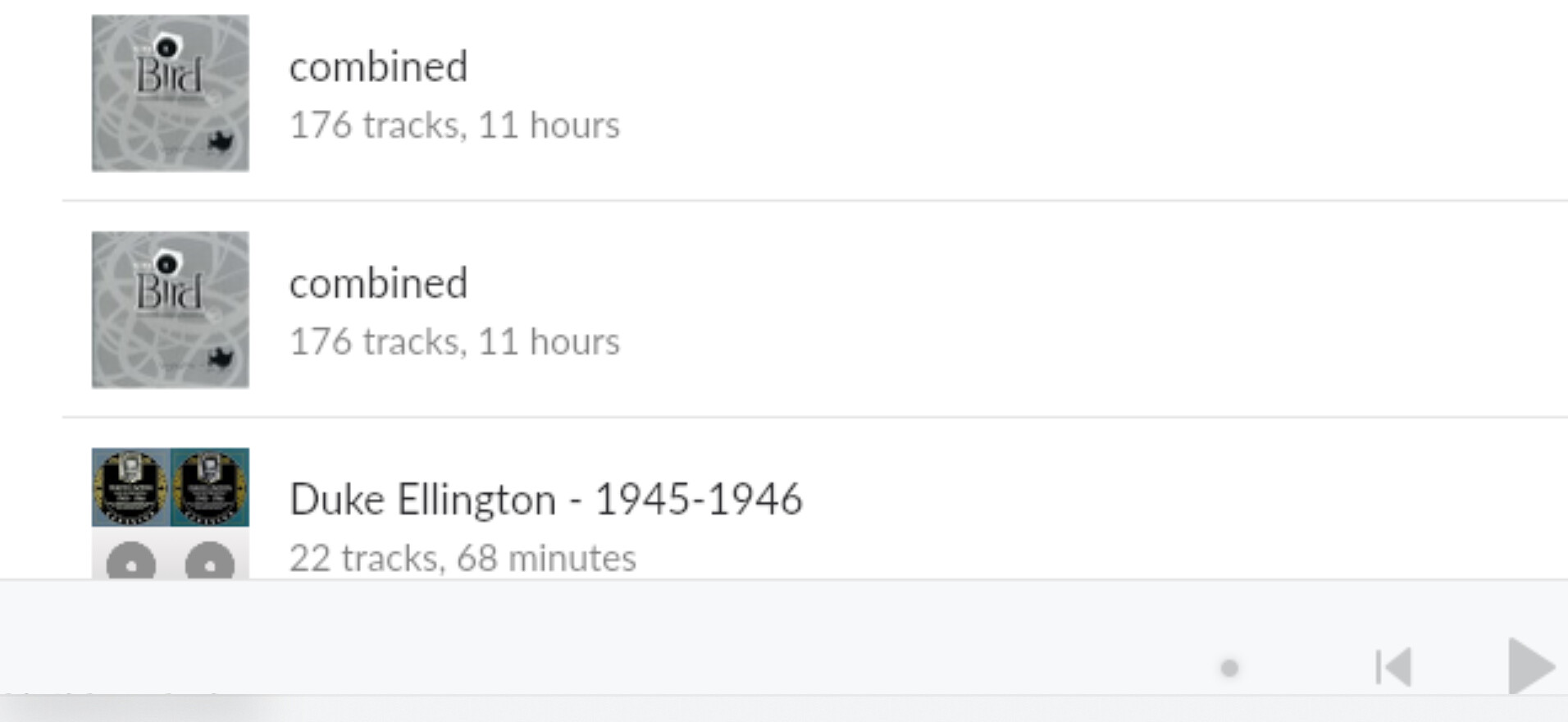
Thanks benjamin, already done it. All my m3u are UTF-8, I changed one of them to ANSI, added that specific folder in STORAGE but Roon still doesn’t detect it. What’s more, there’s a compilation m3u I haven’t created, and it’s a compilation of 10 CD’s, the playlist is outside those folders and refers to all of them, so it doesn’t match the rules…

Maybe the solution would be a switch where you can choose to bypass those rules, I prefer to delete playlists that I don’t need rather than missing them and not being able to import them…

@George1961 ,

Would it be possible for you to upload to our storage only those playlists and media files folders which are not recognized by your Roon Installation here:
https://workdrive.zohoexternal.com/collection/nocvrfc5b2ddab55140af8640f1d7ce13291e/external
?

The one from your last screenshots would be enough.

Thanks.

Already done, think about I have more than 700 playlists not imported… :face_with_raised_eyebrow:

@George1961,

Thanks for uploading the sample library and playlists - that helped a lot.

After reviewing the M3U files, we can see that a number of playlist entries don’t consistently resolve to a single audio file (for example, relative paths like .\Track.flac combined with duplicate filenames in different subfolders). When that happens, Roon may be unable to match some playlist entries to the correct tracks, and the playlist can be skipped or imported incompletely.

To make this easier to diagnose (and to generate “clean” playlists), I put together a small Python script that:

  1. Prompts you for the absolute path to the folder that contains your music + playlists
[img]https://storage.googleapis.com/support_tool_prod/0a4bc6fd05008717962f724943b9c856473ffebb34b764375f68accb1934cddb.png[/img]
  1. Scans all .m3u/.m3u8 files and validates every referenced track path
  2. Creates a new folder at that same root level called fixed_playlists and writes new, repaired copies of the playlists there (your original files are not modified)
[img]https://storage.googleapis.com/support_tool_prod/f99e204c3c8a5cabf74cc2c8d3d3695eac3b96047d7da80804f9ad934a72b77c.png[/img]
  1. Generates two reports:
    • fixed_playlists_report.txt (what was fixed / what could not be resolved)
    • fine_playlists_but_duplicated.txt (playlists that were already OK, so you can delete those from fixed_playlists to avoid duplicates in Roon)

Even though the script does not modify your originals, we still recommend making a backup first.

You can download the script here:

After running it, please point Roon to the fixed_playlists folder (Settings → Storage → Add Folder / Force Rescan) and check Playlists → Imported.

If you run into any issues running the script or if the report still shows unresolved entries, send us the report and we’ll advise the next steps.

Thanks,

Looking forward to your reply.

@alex_h, I sincerely appreciate your time dedicated to creating that script and trying to solve the problem, I’m afraid Roon is too finicky while importing playlists, I’m 65 years old and unable to run a Python script, and I suppose the regular user coming from another player with lots of playlists will also be overwhelmed by that solution.

Jazz is full of standards, you can have the same song played by many different interpreters, so that is not a correct way to discard playlists…

I have disabled all my folders and just left one with 14 albums with recently created playlists, just one was imported :expressionless_face:. I will upload it so you can check it on your side.

The only available solution might be that switch, where you can opt out and just import all the playlists as they are without any Roon selection. IMHO If you only import the 10% of the playlists that means there are too many restrictions, people will have the same problems I am running with as it was mentioned, I’m not the only one facing them.

It’s absurd that you cannot open a playlist from your Windows Explorer or Roon, only if it has already been imported. Please forgive my criticism and English, I’m frustrated by using an excellent app with a wonderful interface, but that will not fulfil my needs while ignoring my playlists, cheers… :clinking_beer_mugs:

Edit: A kind forum member suggested to ask Claude AI to mend a playlist to match Roon requeriments but failed, here’s the conclusion:

“At this point I’m fairly stumped, and I think this may genuinely be a Roon bug. Everything is correct:

  • :white_check_mark: File content and format

  • :white_check_mark: File encoding (UTF-8)

  • :white_check_mark: File location (same folder as tracks)

  • :white_check_mark: Roon can see all the tracks

  • :white_check_mark: “Import other playlists” is enabled

  • :white_check_mark: File size is correct

I’d recommend going back to your Roon forum thread and sharing all of this detail with Vadim and the support team — specifically that Roon can see the tracks fine, the M3U is correctly formatted, and it’s simply not showing up in playlists despite everything being correct. They can pull diagnostic logs from your Roon Core which would show exactly why the file is being skipped.”

Finally solved the issue with Claude AI, wasn’t easy but it works, you can close the thread…

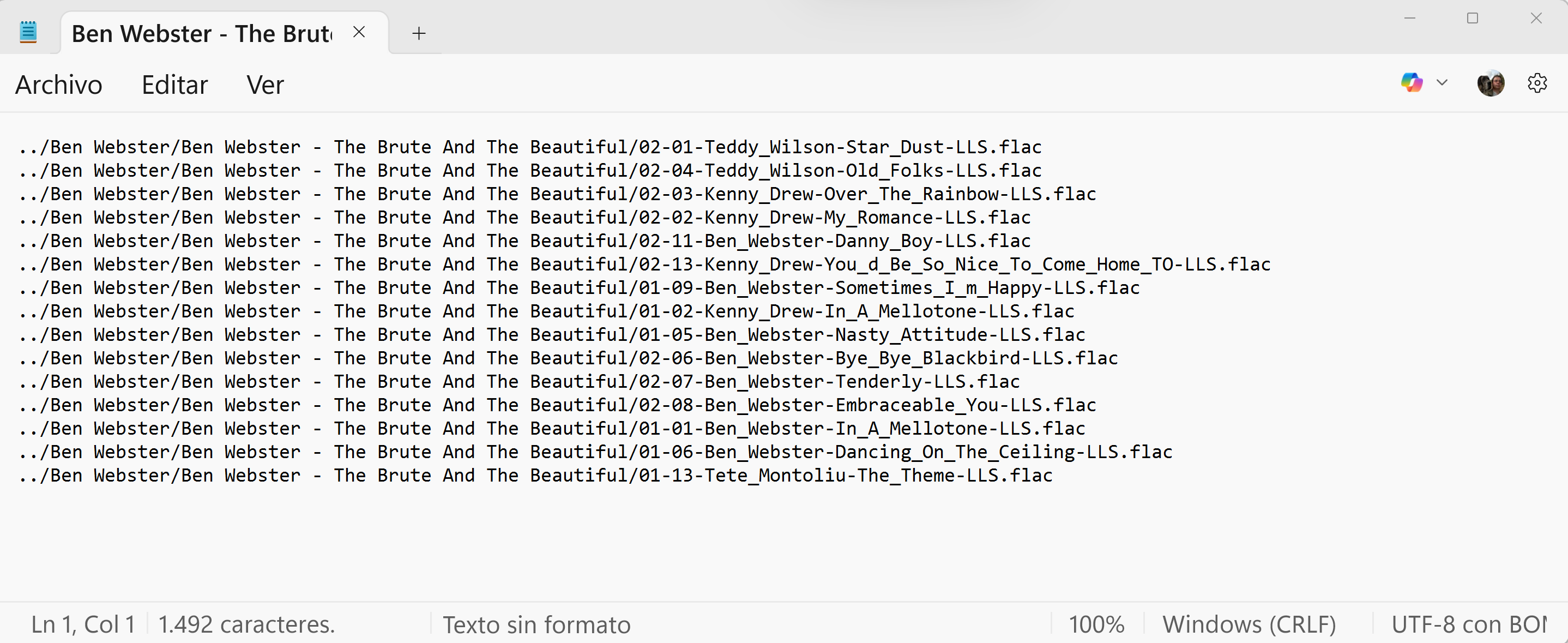
This is the kind of playlist structure that Roon likes, notice it’s coded in UTF-8 with BOM:

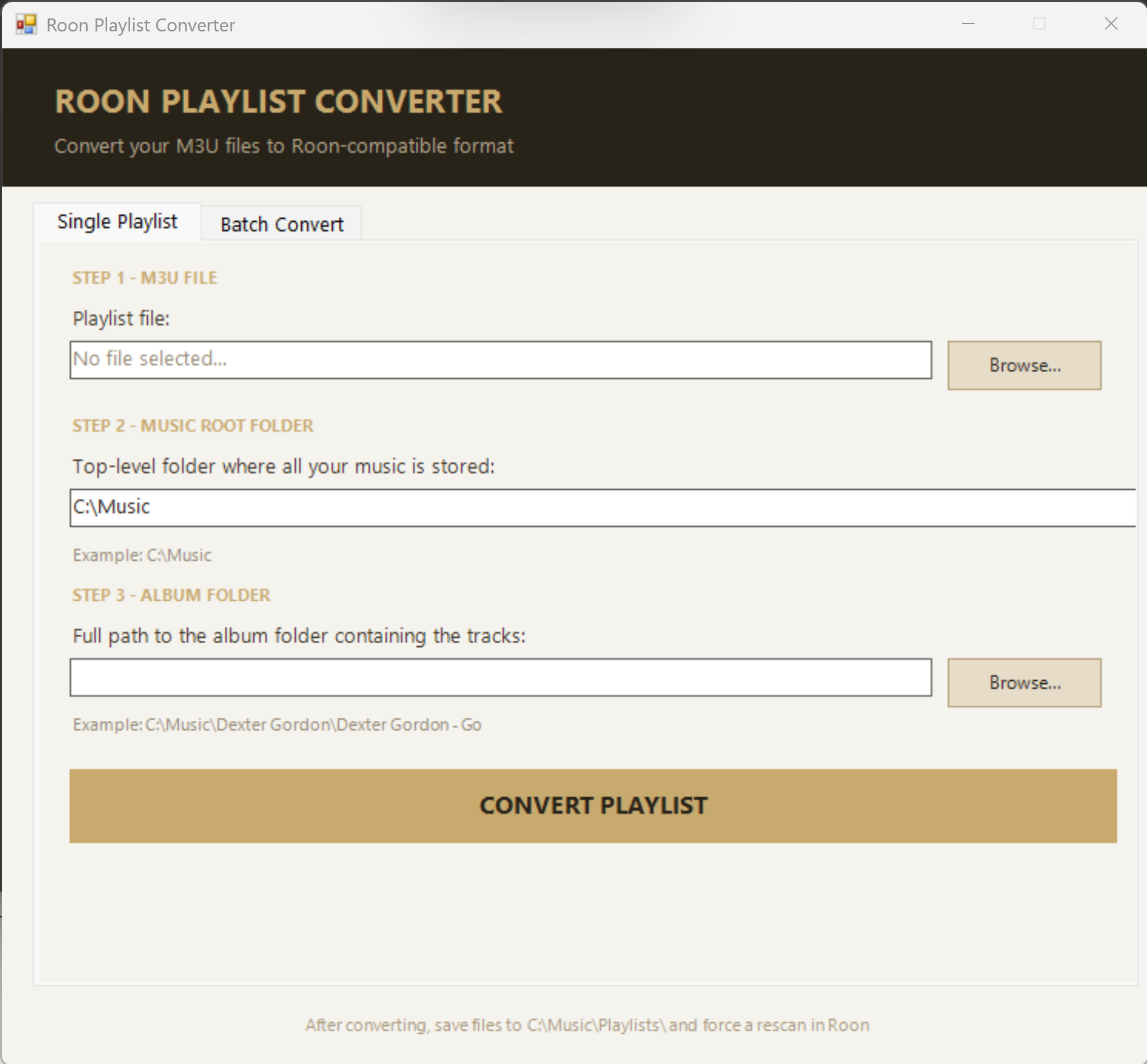
Finally Claude AI created a working batch and single playlist converter:

This topic was automatically closed 24 hours after the last reply. New replies are no longer allowed.