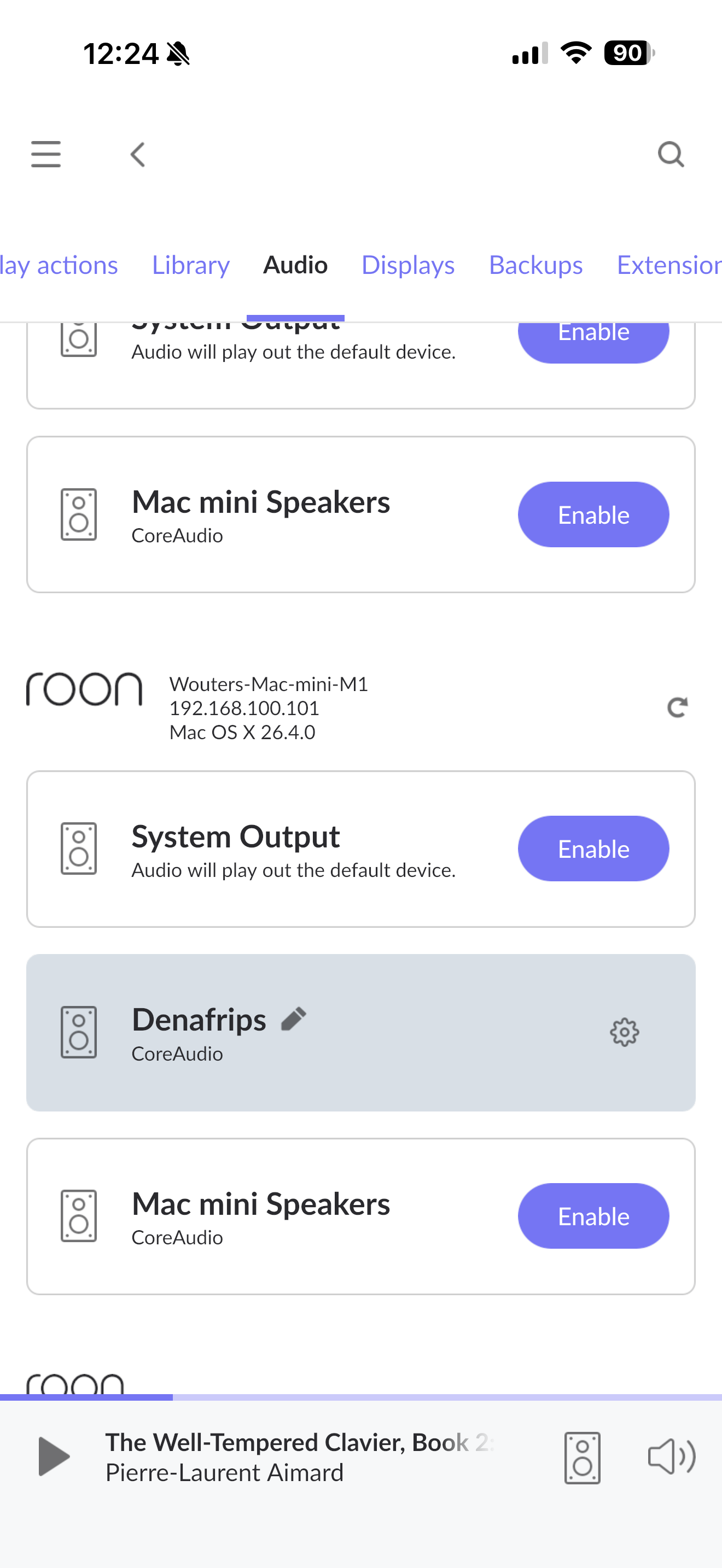
· MacOS 26.4 - fails to play after change of sample rate
Tell us about your home network
· Problem also happens with playback from local SSD (using MacMini M1 as server, 2nd as Roon Bridge connected via CAT 8 direct. Server connected via WiFi to router 1m away with fibre connection)
· MacOS 26.4 - fails to play after change of sample rate
Tell us about your home network
· Problem also happens with playback from local SSD (using MacMini M1 as server, 2nd as Roon Bridge connected via CAT 8 direct. Server connected via WiFi to router 1m away with fibre connection)
Additional information: DAC connected via USB; when sample rate changes there is no output available on other output devices such as Roon Server itself. Playback as normal after reboot or when changing Audio settings for the DAC e.g. Integer mode toggled and saved.
Thanks for the update and screenshots! This behavior, where a sample rate change hangs the audio output across the entire system, usually points to a CoreAudio lock-up or a synchronization “handshake” failure between the Mac and the DAC’s USB interface.
Since toggling Integer Mode or saving a setting “wakes” the device, you are essentially forcing Roon to re-initialize the driver handshake.
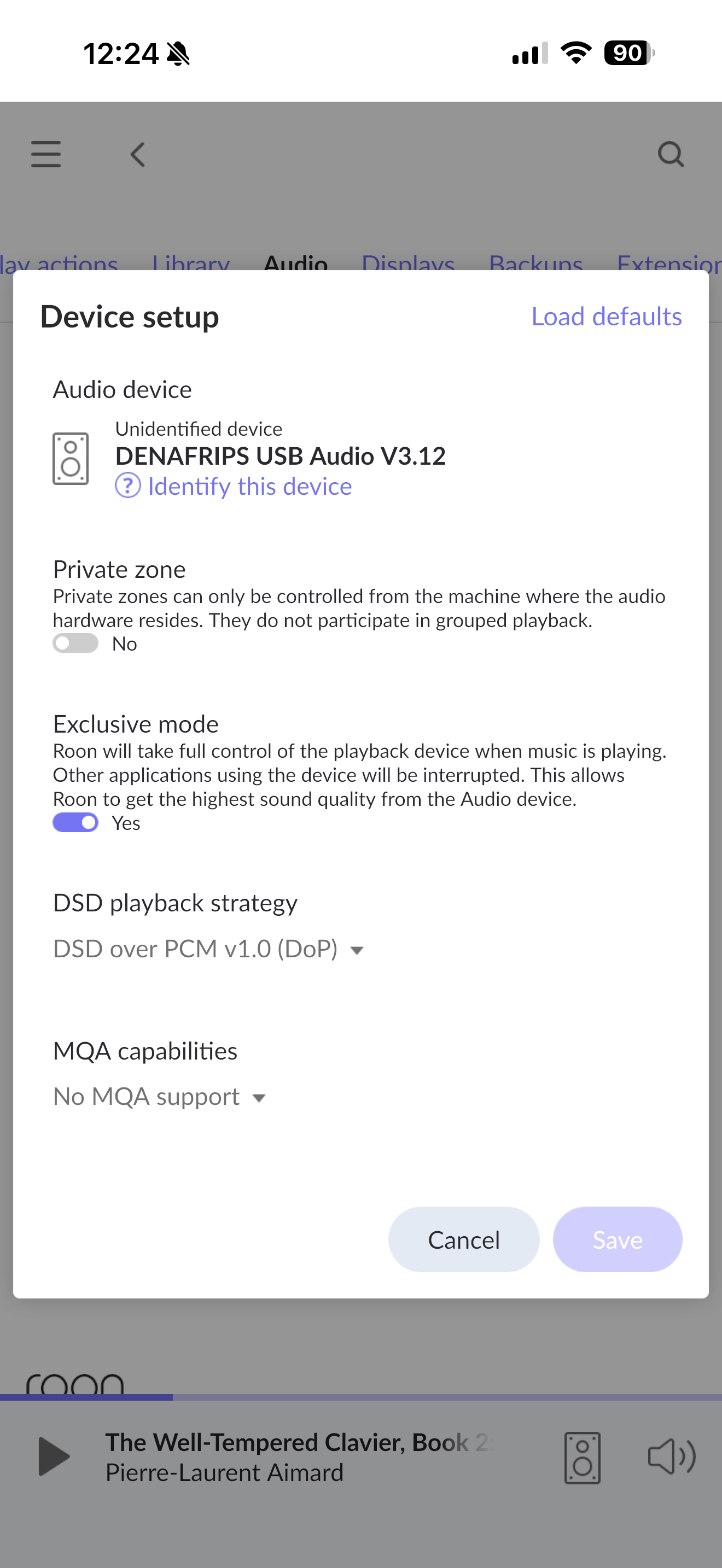
In your screenshots, I noticed Exclusive Mode was toggled No in one view and Yes in another.
Ensure Exclusive Mode is strictly set to Yes.
Without Exclusive Mode, macOS tries to mix Roon’s audio with system sounds. When the sample rate changes, the macOS mixer and Roon may fight for control, leading to the "silence" you're experiencing.
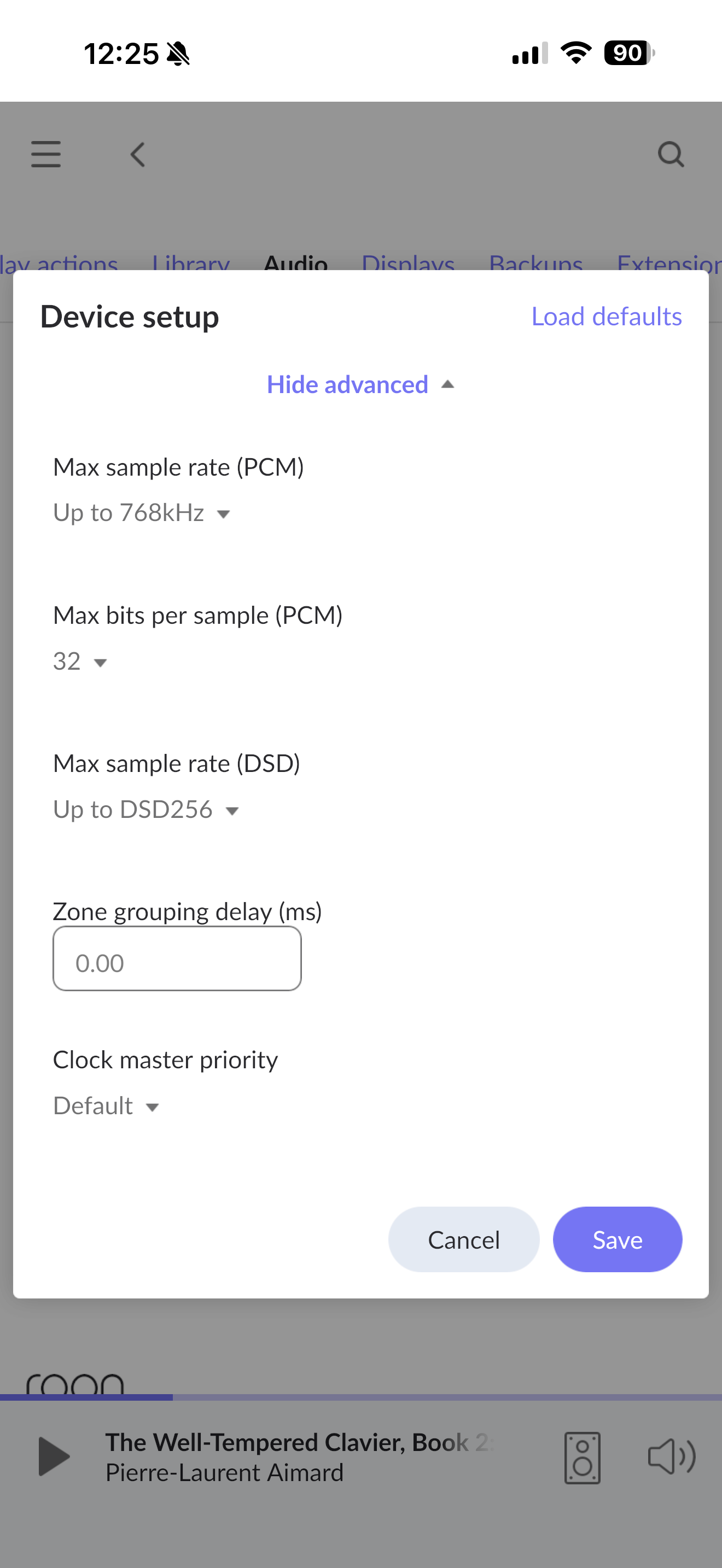
I’d also see if trying to reduce Resync Delay to 500ms or 0ms to see if a faster transition prevents the driver from timing out. Conversely, if the Denafrips is “clicking” but not playing, keep it high.
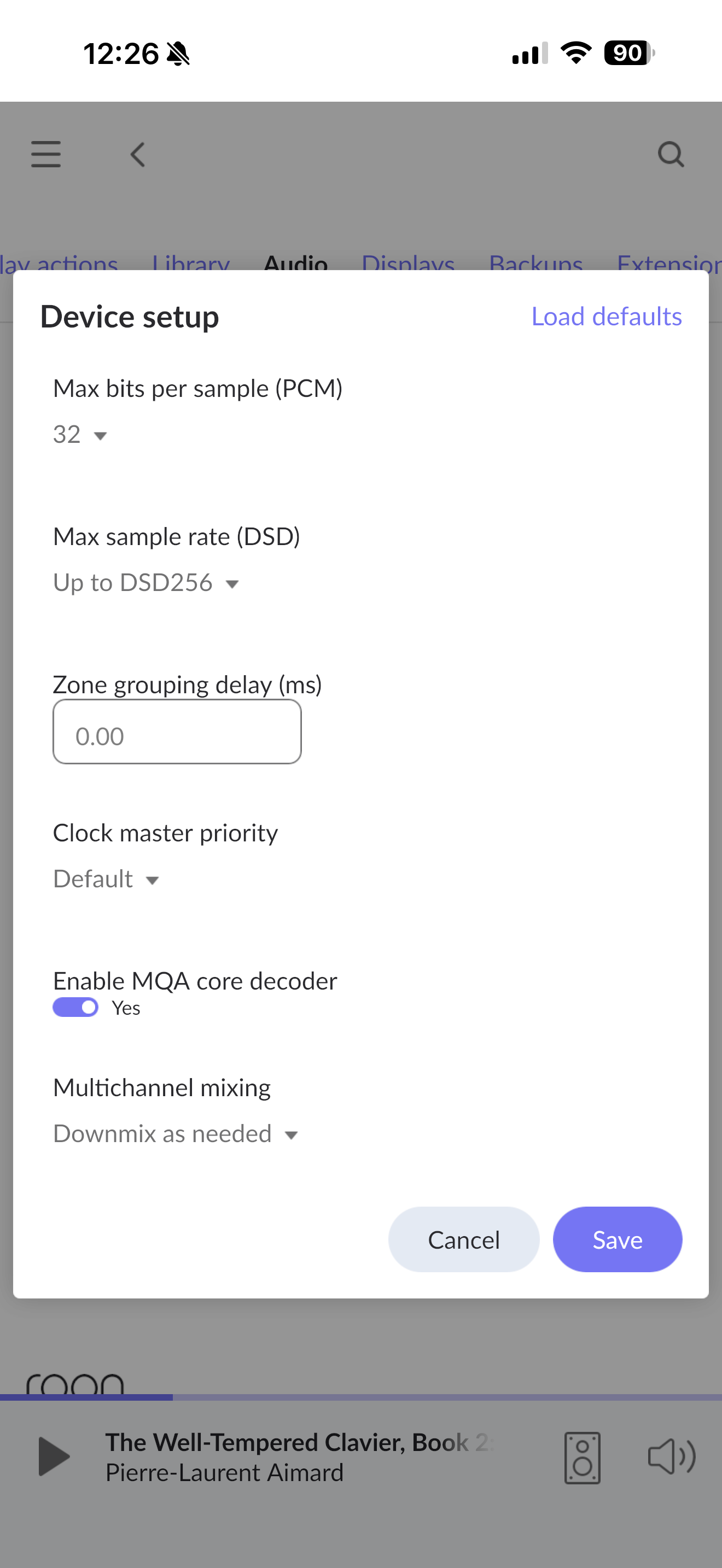
The screenshot also shows the Max Sample Rate at 768kHz. While the Denafrips can handle this, the USB handshake at these extreme limits can be fragile on macOS.
Temporarily set Max Sample Rate (PCM) to 192kHz and Max Sample Rate (DSD) to DSD128.
Then, play a playlist that alternates between 44.1kHz and 192kHz. If it no longer hangs, the issue is likely the USB cable bandwidth or the Mac's handling of the highest-tier sample rates.
I would also test a hard-wired connection from your Server to your router via Ethernet.
We’ll be monitoring for your reply and results, thank you!
This thread has been reopened at your request. Can you please reproduce the issue and let us know the exact local time + date + track you observe this next? We’ll enable diagnostics to see if there are further clues in the logging.
Hi Nori’s, thank you for reaching out promptly. I upgraded my Roon server and Roon Bridge to macOS 26.5, and now changing track with different sample rates are fine - I tried 4 tracks so far. I did report the problem to Apple, but you never know what changes between releases - fingers crossed.
Single ‘hiccup’ today Saturday May 16th 17.55 British Summer Time. I had to restart the track a few times. The 2 tracks played were from local SSD - wired from Roon Server to Roon Bridge Gbit.
Based on the recent diagnostics, it looks like the hiccup was not limited to playback itself. The localhost and your Mac mini disconnected around the same time, as well as the Denafrips and Mac Mini RAATServer, which points to a broader network interruption.
That lines up with the brief interruption you saw on Saturday at 17:55, even though the tracks were playing from your local SSD over a wired connection to Roon Bridge.
Do your router logs show a network disconnect around the time? Is it possible to connect your Server via Ethernet directly to the router if you haven’t tried this yet?
Just checking in on this. Were you able to take a look at your router logs for a disconnect around that Saturday 17:55 interruption, and have you had a chance to try connecting your Server directly to the router over Ethernet? If you’ve seen any new clues since then, send them over and we’ll take another look, thanks.
Thanks for checking - I just changed provider, so had to return the router. However had a similar occurrence once more today at 2.27 pm British SummerTime, from local storage playback. From server to Roon Bridge via Gbit Ethernet.
Thanks for the update! We were able to review a fresh Roon Server diagnostic report and saw the core pattern here. Bridge RaatServer dropping briefly, then recovering, followed by a long RTT/clock-resync storm, is the same mechanism @noris identified after the May 16 event. It’s not a sample rate issue (the May 26.5 fix resolved that). It’s the Bridge’s RAAT connection momentarily collapsing.
With that, the direct Ethernet link (192.168.100.x) between the two Mac minis experiences periodic brief stalls. These manifest as either:
A TCP keepalive timeout (no data received for >10000ms) causing a reconnect
A port going Connection refused (the RAATServer process on the Bridge restarted)
When the Bridge RAATServer restarts or the direct link stalls, this is what cascades:
The Server's RAAT control connection to the Bridge drops
RAAT clock sync loses its reference, drift and RTT spike wildly (as seen in the massive 5014 ppm / 237ms RTT burst on May 30 12:18–12:23)
Playback continues on buffered data for a moment, but if the disruption lasts long enough or the buffer empties, audio stops
The Bridge rediscovers itself and reconnects, usually within seconds to a few minutes
The direct cable link is the common thread. Every drop event in these logs involves 192.168.100.101 going unresponsive, never 192.168.1.118. The router-subnet path appears stable; it's the direct cable that's intermittently failing.
The most actionable test: Disconnect the direct Ethernet cable between the two Mac minis entirely. Run Server and Bridge connected only through the router via Gbit Ethernet. The 192.168.100.x subnet should disappear, Roon will use 192.168.1.x for everything, and if the dropouts stop, the direct cable (or its network configuration) is definitely confirmed as the cause. If they continue, it rules out the cable.