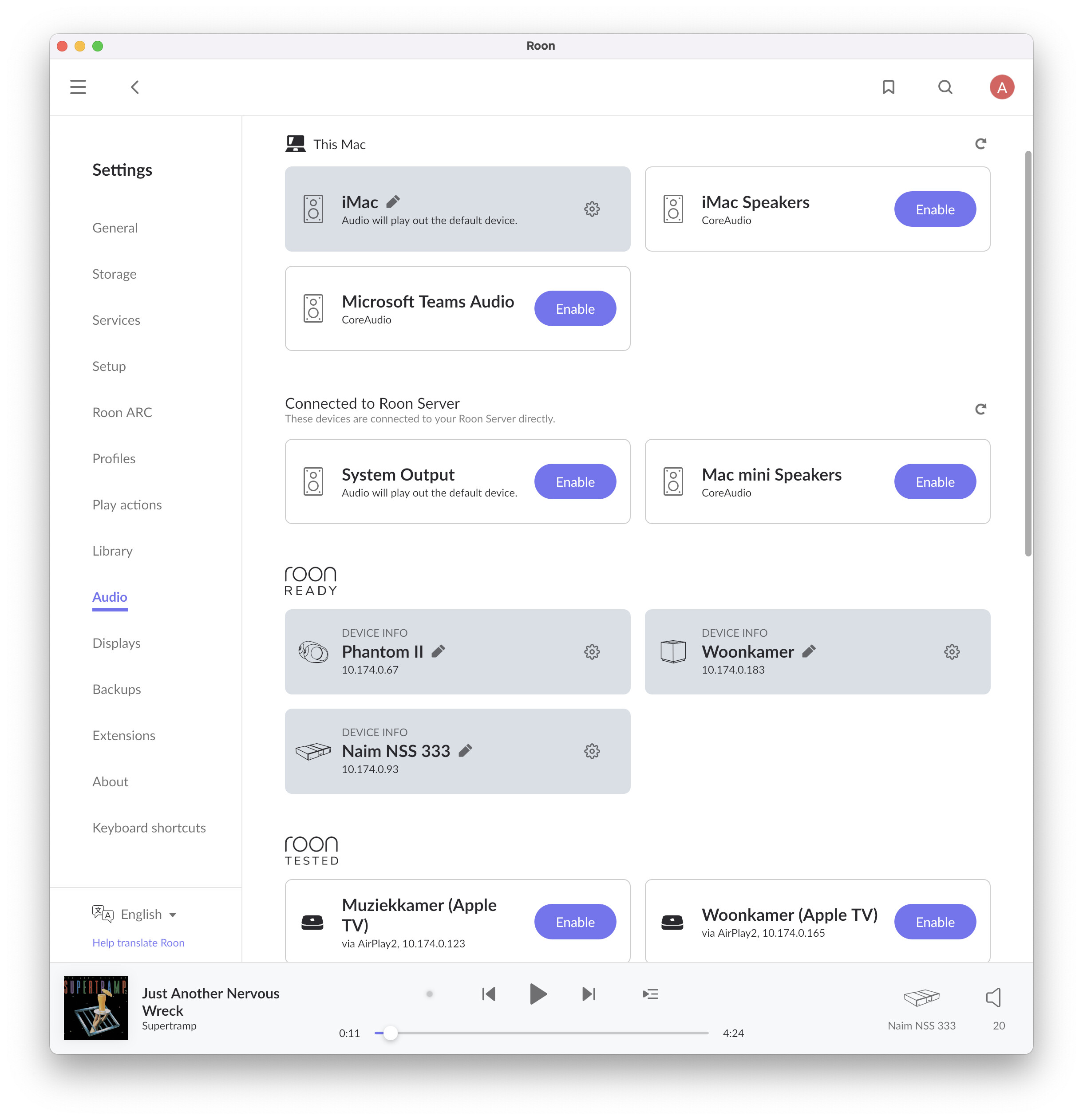
I am running Roon Server on a new Mac mini M4, currently on macOS Tahoe 26.2. I upgraded from Sequoia hoping this would fix the long-standing issue where all audio devices disappear after a reboot, but unfortunately the problem still occurs.
There is one reliable workaround so far:
Stop RoonServer (Quit from the menu bar)
Toggle Local Network access for RoonServer in System Settings → Privacy & Security
Start Roon on the Mac mini (this also starts the server)
After this, all Roon Ready devices immediately reappear.
Looking through the Roon log files (specifically RAATServer logs), I can see that the Roon Ready endpoints are discovered on the network, but RAAT fails to connect to them until the above sequence is performed.
It appears that RAATServer is spawned by RoonServer and is not registered as a separate application for Local Network permissions. My suspicion is that RAATServer sometimes starts before macOS Local Network permissions are fully materialized for helper processes, and remains in that state until restarted.
I don’t know whether registering RAATServer as a separate process would be feasible, but the above workaround is 100% reproducible and restores functionality every time. Not ideal, but at least workable.
Thank you for taking the time to share your thoughts here.
OS local network security issues with RoonServer/RAATServer are less common on Tahoe than Sequoia, but still sometimes reported. Apple introduced significantly tighter restrictions to stateful local network policing with Sequoia, then incrementally fit them to size; many Roon users noted the issue was less frequent after 15.7. The team still has a ticket open. Long-term, the changes we release should resolve the underlying condition on both Sequoia and Tahoe.
The workaround you’ve suggested remains the most stable workaround for now.
The key distinction is whether you notice all locally controlled Zones (including System Output/Mac Speakers) disappear. This would entail that RAATServer’s interaction with coreaudio through the loopback has been completely severed.
But, while producing these images and rebooting the Mac mini (Roon server), I found something interesting. Usually I stop the Roon app on the Mac mini because I don’t need it there, but during these reboots, I forgot to do so, and due to the settings, after the reboot not only RoonServer is started on the Mac mini, but also Roon, the app. And in that case, all music devices do appear.
I tried this several times, and it is reproducible:
Reboot without Roon app running → no audio devices found.
Reboot with Roon app running → all audio devices found.
Maybe this will help find the solution by your development team.