I am new to Roon and find options to simply play music an absolute nightmare. one click action, play now, play from here, add next, queue, shuffle and radio - I don’t get the pedantic nature of having so many options?
I curate my own playlists and listen to music in the order I’ve curated them
I want my playlists to play in the order they appear
I don’t want to use the queue function at all - don’t even want it as an option (even though I have queue as an option switched off in all categories, it still rears its ugly head.
When I listen to an album and hit track one I expect to hear the album the
I don’t want access to algorithm related auto selections
I don’t want to hear music after an album or a playlist
I don’t want a surprise track I never selected or included in MY MUSIC selection interrupt a playlist (how could this happen)
When I want Roon to do two things - play a playlist from here, play an album or play a track on an album - I don’t care if it plays the next track. I’ll stop it manually
Switching between playlists, albums and tracks is clunky and often the play option is not there
I am at a loss - the sound is so good but the lack of control or providing too many options that I lose control is doing my head in.
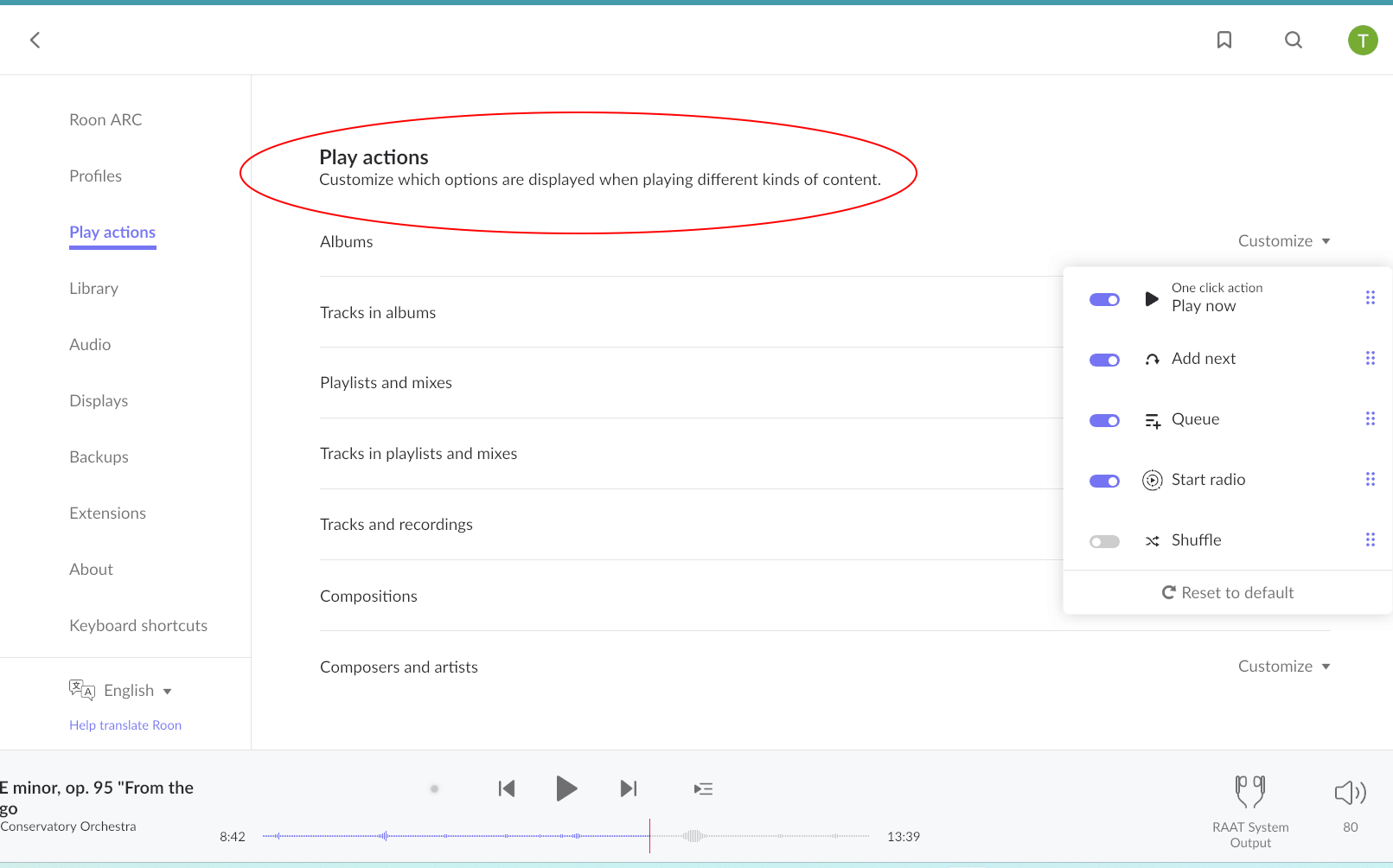
You can go to Settings > Play Actions and deactivate those you don’t want as well as sort them in the order you want. The action you move to the top becomes the “one click action”, i.e., the default if you just click once.
The play actions are useful to lots of folks, sorry to hear you’re not one of them.
I like to select numerous albums, using queue to create the total list for hours or days before playback starts. Then select play to hear in order or shuffle to mix them up.
Everyone has their preferred way of using the Roon options for their musical enjoyment and each is totally acceptable.
I too like to have lots of options, but I admit I found it a little baffling, until I decoded the terms, which I think mean:
from here — perform the action (e.g. play, add next, or queue) on all the current list of tracks from this point, rather than just the individual track; if from here isn’t specified, or it’s now, then it’s just the currently selected track(s)
where the actions are:
play — stop the currently-playing track, delete all of the queue, and start playing the track(s) immediately.
add next — add the track(s) to the start of the queue, after the currently playing track
queue — add the track(s) to the end of the queue
and you can view the queue with ctrl-E/cmd-E
you can adjust the one-click actions, i.e. what happens when you click the play icon to the left of the track, in Settings — Play actions; it generally defaults to play from here
Perhaps this is obvious to many, but it wasn’t to me.
If you use the top option, I think its set to “play now” by default, if not you can order it as other have explained. You dont need to think about any options.
I love that these option exists and I use them all the time when im listening to music and building a live queue for that listening session. Sometimes I would want a track to be next, the next one I would just put at end of queue.
My default is play now, as usually I want the album to play from first track and in order.
welcome to ROON. ROON is a very complex piece of software designed to give you many options how and what music to play back. It’s perfectly normal not to need all options, but the thing is: other people may want options you don’t personally need.
The “pedantic nature of having so many options”, as you call it, is simply there so as many people as possible can have the options they want/need.
For example, you say “I curate my own playlists and listen to music in the order I’ve curated them I want my playlists to play in the order they appear”, and that’s fine.
By no means all, but still the majority of my own playlists, on the other hand, are explicitly designed to be shuffled, and I do not want them to by played in the order in which they appear, or any other specific order.
ROON gives both of us the options we want.
But fortunately for you, and as @Suedkiez pointed out, you can just configure ROON to show only the options you want/need and hide the options you don’t want/need.
I’m also fairly new to Roon - a lot of your replies are from people who are quite familiar and established to Roon - I’ve also had many questions and the responses have been from the same group. So maybe hearing from someone who is new would help?
To be honest, I don’t really understand the issue - you want to hear a playlist? So just hit Play. You don’t like hearing more music after what you played? You can configure/ignore that.
For me at least - those other options are useful when you’re in a flow of a specific album and want to add to end of that listening. And I really like how the the Add to Queue shows a time of when you can expect to hear a track. So if its a long way off, you can decide whether you want to hear sooner.
I’m also on a 3 month trial. I’m really liking it. I don’t like the cost, I don’t like the fact I need to run an extra piece of equipment and the Start radio function is really poor. I also don’t like how discovery is better on Apple Music and I need to pay for that service. But other than that, I’m finding it such a unique experience. I’ve been trying to find alternatives. There really are none - I’ve tried to now, JPlay, Audirvana, Plexamp, JRiver, Foobar - they just don’t seem to cut it. I’m trying so hard to find! If you know please let me know.
Plexamp is probably the closest, but until Qobuz and Tidal is integrated, it’s not there.
Contrary to popular belief, Roon’s intuitive design is one of the reasons that makes me love the software over others.
Getting your head around initial setup and fine tuning the few customisations available to suit the user’s preference, then it’s a simple UI.
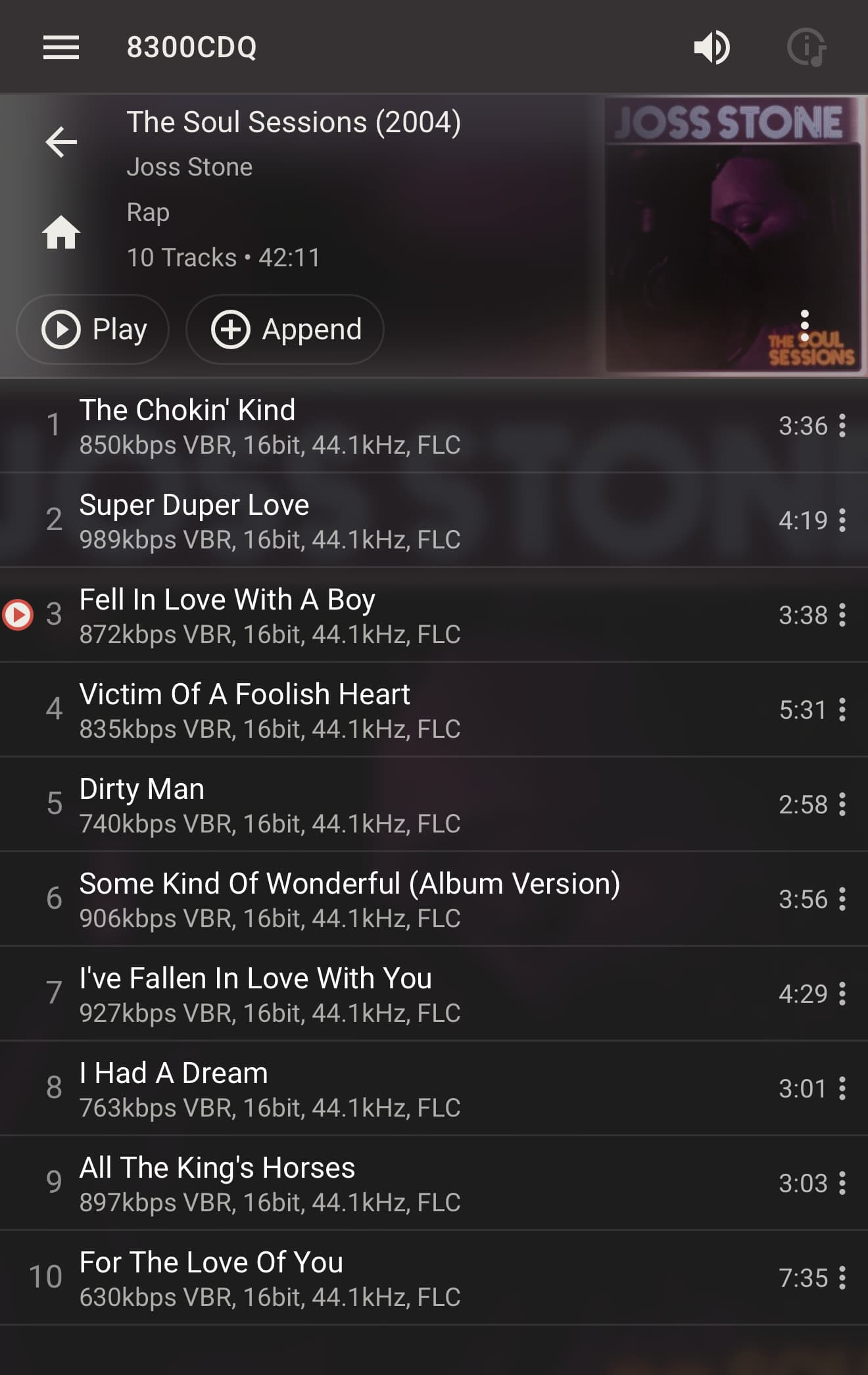
For contrast, Lyrion Music Server uses the terminology “append” when adding an album/track to the queue. Terrible IMHO, but it has a single function ‘add to end of queue’. It’s simple and works.
What is intuitive for someone depends on how they have been socialised. I have always found it counterintuitive that Roon is the only software that does not use the secondary click for the contextual menu. It’s even standard on mobile platforms nowadays. It’s like driving on the left lane in a country where all other cars drive on the right.
I’ve always thought the Roon UI feels ad hoc, as if various sections were designed by individuals and then the whole thing thrown together with no real thought as to the cohesiveness of the entirety. Far too many clicks to get anywhere, lots of wasted space, and not always intuitive, even for a lifer like myself. Hopefully if we ever see a 3.0 version it will be rebuilt from the ground up, with intuitive streamlining as the goal.
Hi there,
I can imagine the overwhelming options you have.
So far all of your issues are manageable in settings.
It might be a nice journey to explore those settings and makes Roon your favorite music player.
Would be easy to give you directions on all issues you brought up but please explore and you will find out what suits best to you
If still needs help, please limit your questions or complains and for sure you will get all the answers you are looking for