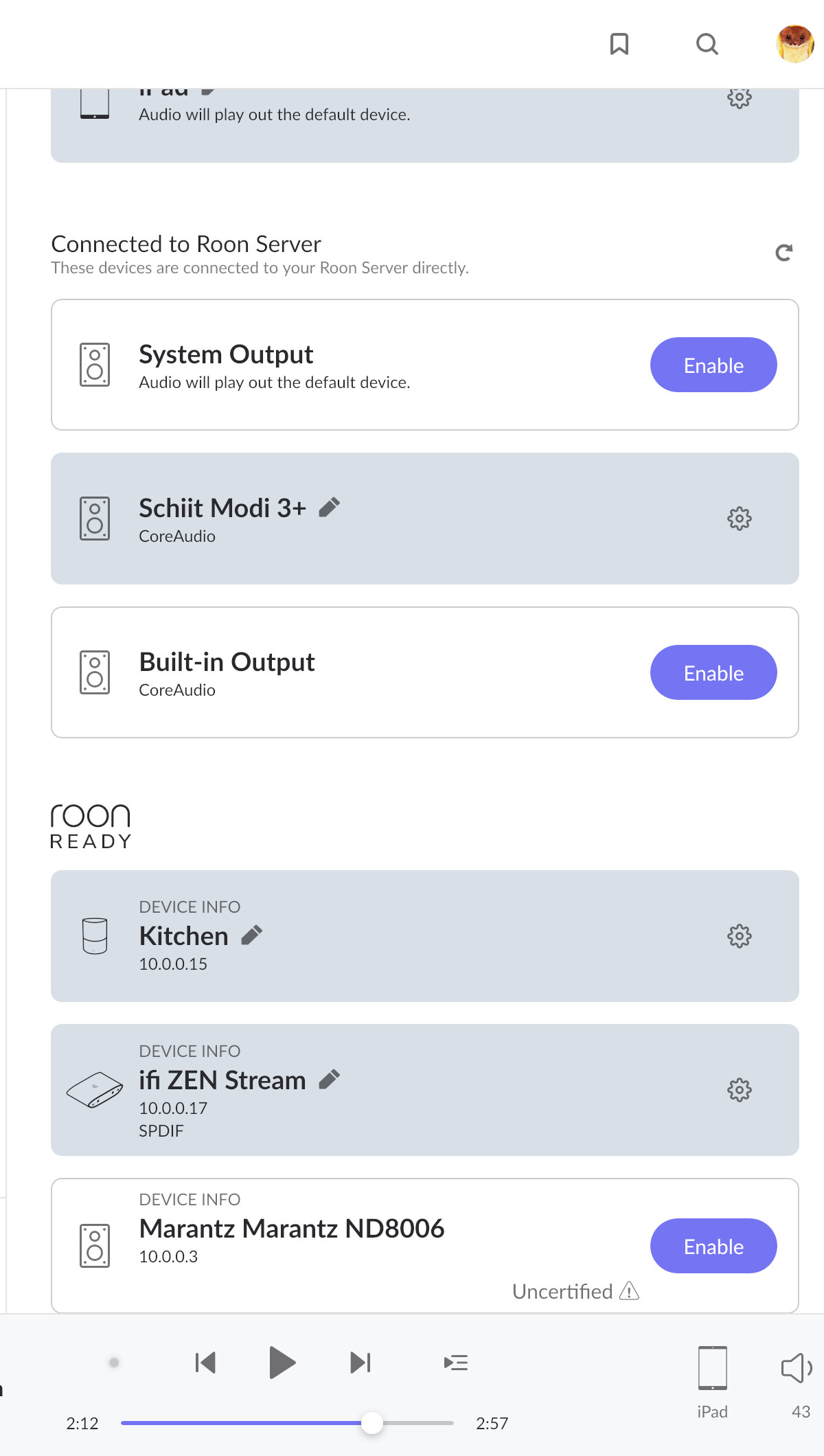
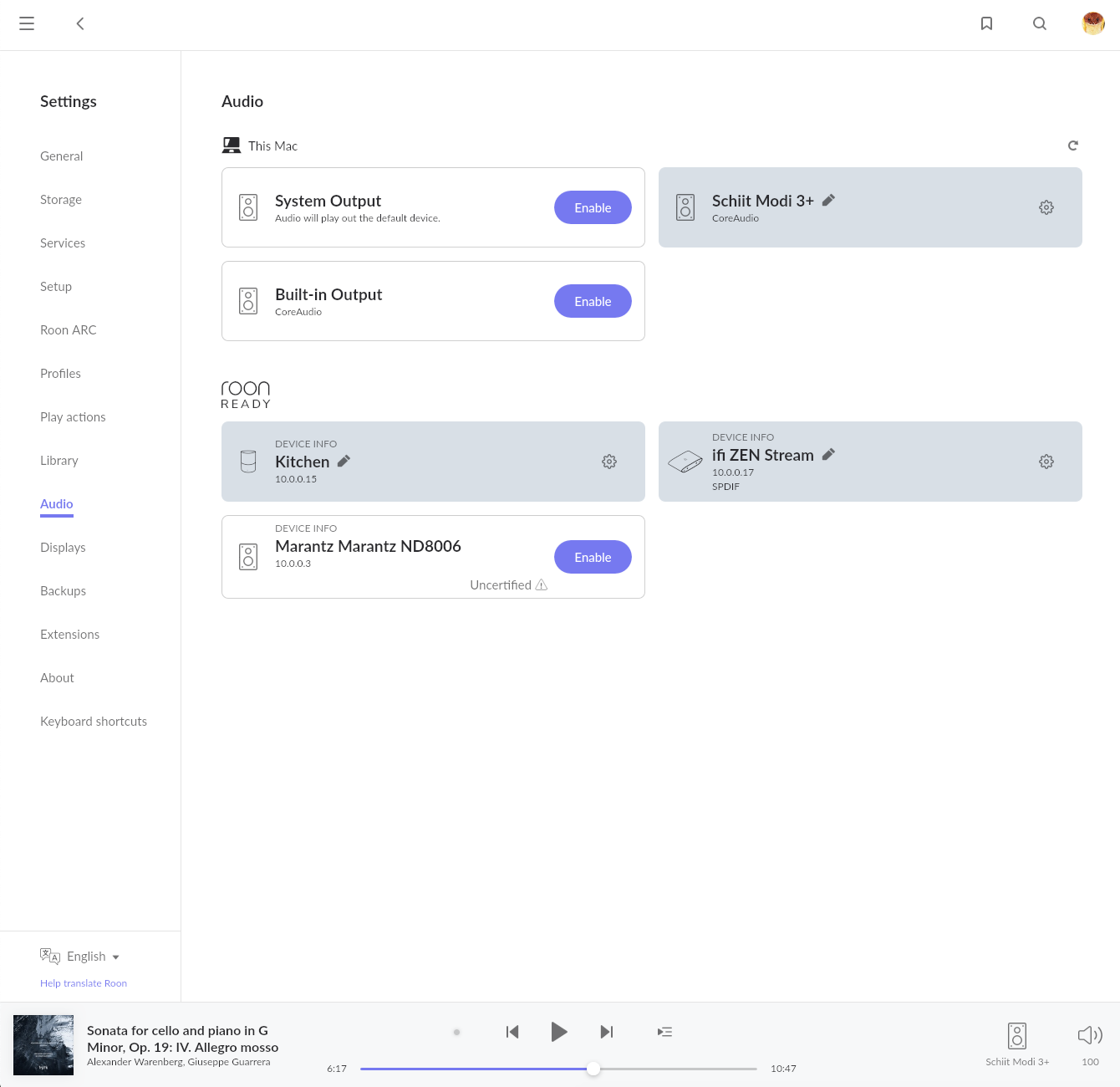
I have been contentedly using my Roon Tested Marantz ND8006 as a Roon endpoint via Airplay since I first began using Roon a couple of years ago. With the most recent update to Build 1382 I now find the 8006 listed with my Roon Ready devices in Audio Settings but flagged as Uncertified and it cannot be enabled.
I’d like to know whether there are changes I need to make in my settings to make this unit available again. It’s in the living room where a lot of our casual and background listening goes on, and if it’s permanently inaccessible via Roon that makes Roon a lot less valuable to me.
Thanks Carl but I confess that I’m unsure how to do this. It had always connected automatically until now. Something is definitely different now and I’m unclear what it is because I’d never paid much attention to it previously.
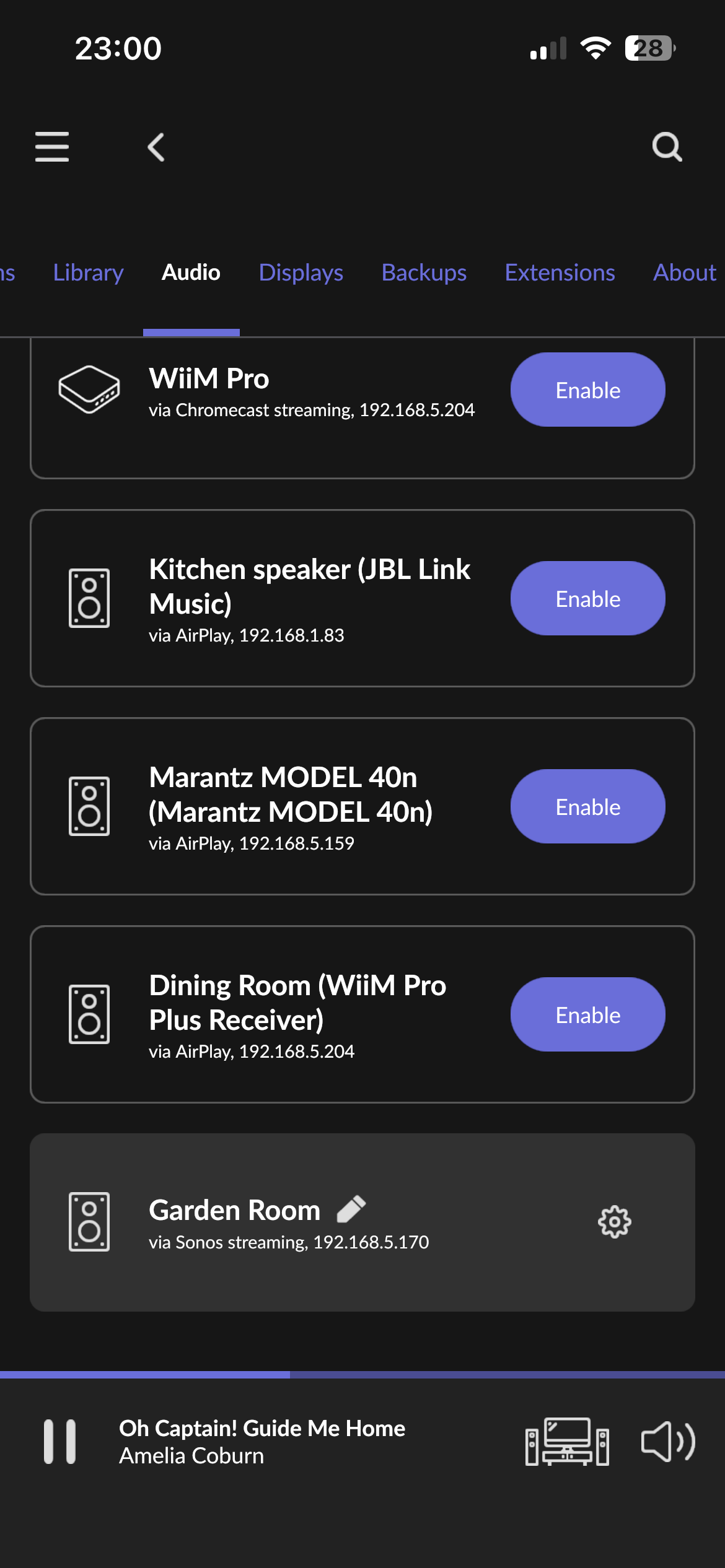
When you set it up initially, you probably had to enable it as an AirPlay device in your Roon > Settings > Audio. Otherwise you wouldn’t have been able to use it for Roon output.
In the past, it was not available in the Roon Ready section of that settings page. Now it is, but it it’s not certified yet and hence does not yet work in that mode. But that doesn’t matter because you can simply ignore that and keep using it as an AirPlay device as always.
Nothing should have changed about the AirPlay settings. Please post screenshots of your Roon > Settings > Audio page. You probably have to scroll and make several screenshots so that we can see all of it.
Huh. Now I’m stumped because there should still be sections below Roon Ready where the other connection methods live, including AirPlay. But there’s nothing, clearly.
I’m not a Marantz owner, so paging resident expert @Simon_Arnold3
Both Denon and Marantz Roon Tested disappeared with the last Heos update for many likely some side affect of them releasing RAAT code early for testing. It should show up under Other Network Devices as my Model 40n does here.
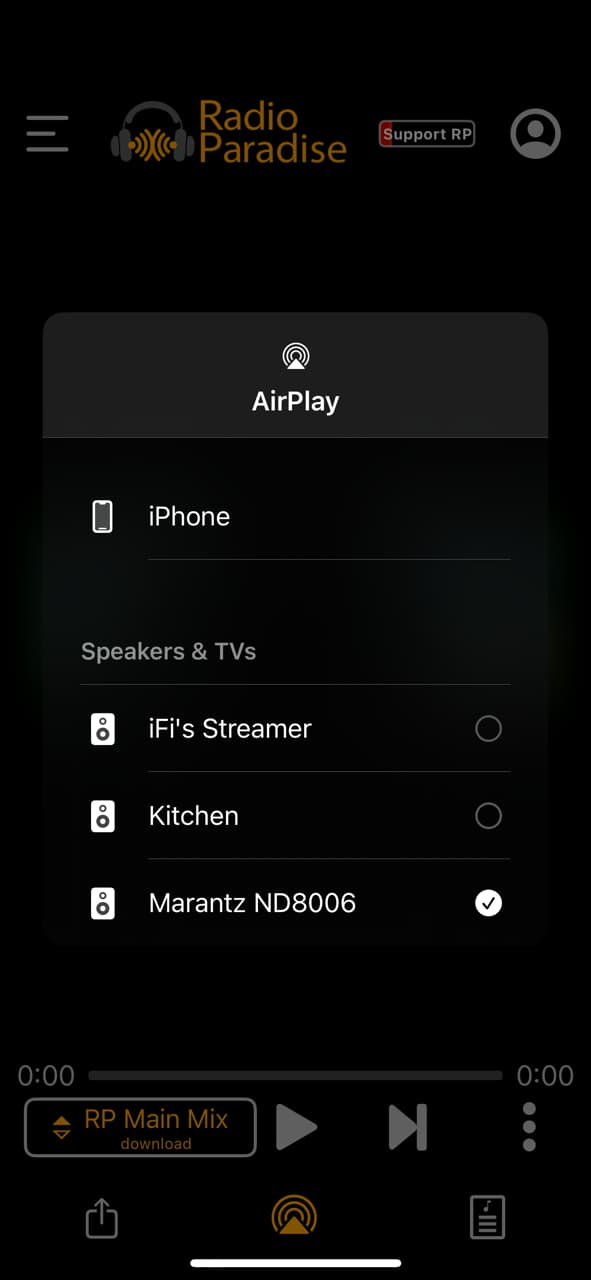
@Stephen_Garrison, do you have any Apple devices (Mac, iOS, etc.) that you can use to see if the ND8006 shows as an audio output via AirPlay? This is outside of Roon. I want to confirm that AirPlay is visible on your network.
Yeah, I did recall that it moved from the Roon Tested to Other section, but was stumped by it not showing there, either. I didn’t think of rebooting everything, thanks
Discovery issues do seem to crop up with Roon updates quite often. No idea why but it seems to. I had a spate of all my chromecasts disappearing every update. Switched them to their own network vlan and never had an issue since.
Good news! I unplugged the Marantz and ran the setup procedure, reconnecting to my network using my iPhone, then restarted my iMac, where the Roon Core resides, and lo and behold the “other network devices” category reappeard, including the Marantz “via AirPlay” along with a couple of others.
I restarted my iPhone and “other network devices” appears there as well, so I’d say we’re back on track.