Currently I just have roon at home, and at the “cabin” I use a streamer that can accommodate roon ARC to play my library. But I was contemplating the idea of being able to use roon in both locations and for it to be exactly the same in both places.
Let’s say “HOME” is the main system, where I’d rip my cd’s and whatnot.
I have both a local library and use Tidal/Qobuz.
Fast internet at both.
I know I need to purchase a second subscription and hardware and run roonserver in both locations.
I don’t want to carry a backup between locations every time I go.
I’d want to be able to add things to the db in both and have them mirror each other.
I guess I’d need dropbox or something similar to keep files and database mirrored, and then have a schedule to download them from dropbox to CABIN system.
So, what would be your strategy to keep things synched? What would you use to auto-upload/download files and db to keep things synched. Could be daily, but I would love for it to be instantaneous.
mjw
(You want nice, supportive? Call a damn helpline.)
2
This won’t work. The database is large and many thousands of files. Trying to syncronize the database is an unrecoverable problem waiting to happen.
You’d probably fare better restoring a backup each time you switch locations, although I have never restored the database from a cloud service, and for sure, Dropbox would not work, unless the data were local at both locations.
In this scenario, you would not need a separate Roon licence.
Alternatively, you may find that buying two routers that offer a site-to-site VPN a suitable solution. Of course, your Internet connection would need to be good, and this may only work if each site uses a different subnet, which breaks Roon.
Few years back i was running Roon on either of two NUC i have at home. The process was to stop any running Roonserver, rsync whole Roon folder to the NUC which should become active and then start Roon there. Switching to another NUC required simply the same steps. It’s not really supported way, but for me this worked nice, the rsync was fairly quick with about 10k albums in Library (less than minute).
I had the whole thing scripted in a way that Roon was by default running on NUC which is powered on 24x7 and running also another services (lot of them) and when i woke up another NUC, it automatically switched Roonserver to it (with the rsync steps etc).
Many years ago I wrote-up a, admittedly complicated but well thought out (if I do say so myself), feature for supporting just this but Roon never picked it up.
You can mirror the files pretty easily but the DB Roon uses doesn’t “mirror” nicely. It’s an in-memory database and not flushing the memory to disk before doing anything with it, including trying to mirror it, can cause corruption. The easiest way to flush the database to disk is to force a backup.
Now, if you’ve got decent Internet in both locations you could “mirror” or keep the files in sync pretty easily. Then you could have each server backup to the other and restore when you change locations. This may still not be a great solution because I think that backup includes endpoint details for endpoints that will be coming and going. It should handle that but just one area I can think of that may throw a fit.
Anyway, any solution you come up with make sure you grab the DB after shutting down Roon. A straight “copy”, because of the in-memory thing, is sure to cause you issues on both servers.
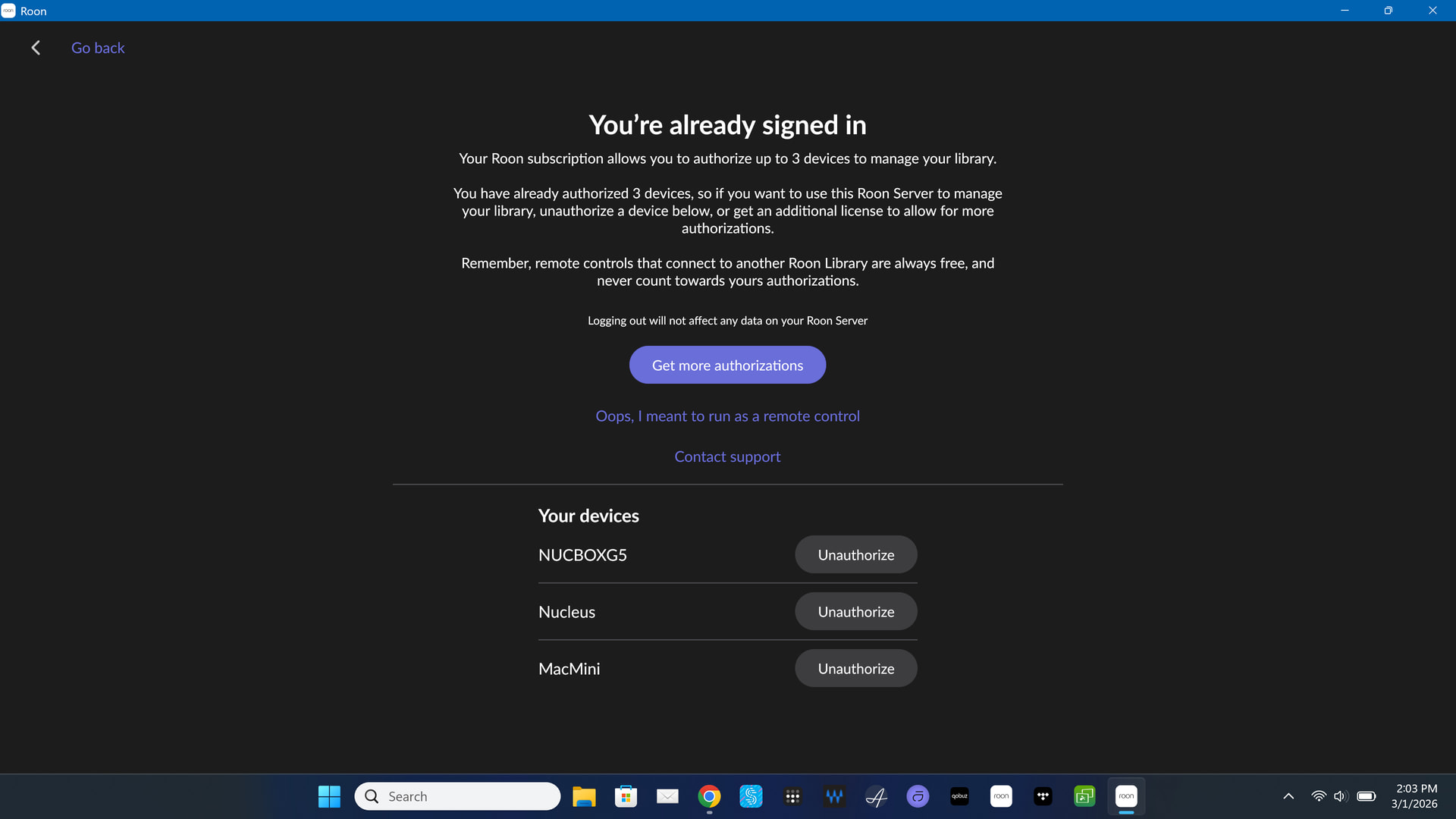
First of all, Tidal and Qobuz will automatically stay in sync if the servers are on and running Roon. It’s only your local files that need to be added to both servers. Secondly, if you don’t want to use Roon at both locations at the same time, you don’t need two subscriptions. You can simply authorize the one you want to use and unauthorize the other one.
I don’t think there is any easy, slick way to automate this process. If you want an “exact” duplicate, you would need to backup the Roon server you are leaving behind, and restore the other Roon server when you arrive at the second location. Then, when ready to go home, you would do the reverse.
Another option is to use a laptop as your Roon server and haul it back and forth. If you only want to keep your Roon library in sync and not all the edits and listening history, etc., in your database, then you could simply keep your local files on a USB drive and haul it back and forth.
When my MIL was still living, we were spending two weeks a month at her home in NC. I used my Nucleus at home and carried a laptop for use at her home. I have very few local files and never add more, so it was just a matter of booting up the laptop and letting Tidal and Qobuz update the laptop before leaving home and while connected to my internet provider.
An easy way to do this would be to just use Tidal and Qobuz at the “cabin” and not worry about using your local files and not worry about keeping the database in sync.
I’ve had setups at home and in my studio for a few years now.
Endpoint setup is stored in the database, so if you restore a database - you also overwrite the local endpoints.
I’ve ended up treating my home setup as the master. Once or twice a year I restore a home backup in the studio - and then edit the local endpoints, backup setup etc.
I don’t do a lot of editing, or depend on playlists updating in the studio so this works fine.
I have a daily sync process that copies new music to the studio server, plus of course Qobuz setup copies automatically.
I also wrote up a suggestion on similar lines in Feedback > Feature Suggestions and, when it was pointed out that @ipeverywhere had already made the similar suggestion, I added a post with a link to that one as well.
The thread with my suggestion and the link to that of @ipeverywhere can be found at:
I have used Syncthing to sync folders between computers and its a great piece of software, could it be possible to have the Roon db folder synched between the two locations?
mjw
(You want nice, supportive? Call a damn helpline.)
9
No, because Roon uses LevelDB, which is an in-memory database, and what’s on disc may not be up-to-date. In other words, synching like this may introduce corruption that isn’t evident for a long time.
The only reliable method is to use a backup, but this does require manual intervention.
mjw
(You want nice, supportive? Call a damn helpline.)
10
I guess another possible option is running Roon–including the database–inside a container. In theory, you could shutdown one container, and copy this between locations. However, this is not synchronization, and the container could be very large.
A block level synchronization app may help, so long as the containers are shut down. Rsync could do this.
This doesn’t resolve the issue of different endpoints, although you could set them all up at one location to start the process.
I’m fortunate that I don’t have the OPs problem … or two properties.
Ok, i’m realizing I don’t need two subscriptions, but do I need to “deauthorize” one BEFORE authorizing the other?
Or is it a situation where you get a message saying “authorizing this core will automatically deauthorize the other core”? (This is more like a garage/workshop than a cabin, and I go back and forth multiple times a week. So I don’t want to have to remember to deauthorize at the location I’m leaving. That would be a non-starter.)
I would be fine just creating a core at the workshop and starting it up from a backup of the most recent database at home.
I could make a copy of the files on a small drive, and occasionally, bring that drive home to get any new files added. I wouldn’t add any files at the workshop, and I’m not ripping CDs there, either. It’s really just for listening and using the familiar interface.
I think abandoning the idea of trying to “sync” in real time (either the db or the files) is the right call.
Yes. It says „your license is connected to A“, and there is an „Unauthorize“ button which will remove it from A and move the license to B. If you search the forum for „Unauthorize“ you will find a hundred cases with screenshots.
I have a line on a really nicely spec’d 2018 Mac Mini, and it should work great.
I’ve been reading up on this (it’s been a long time since I set up roon from the beginning!), but just have a question…
I know that when i install and run the app for the first time, it’ll ask if I want to restore from a db… which I’ll do. But…
Would you restore from the old backup location (even though it might be across the network) or would you just copy over the db backup folder from the existing location to a new backup location (like an external drive attached to the mac mini), and then restore from there? (Much faster, etc…)
Or will that copied backup confuse any new incremental backups from the new install?