What best describes your playback issue?
· The queue is skipping tracks
What type of Zone is affected by this problem?
· *All of my Zones* are affected.
Does the issue affect all file formats?
· The issue affects *multiple/all* file formats.
Does the issue happen with local library music, streaming service music, or both?
· *Only local library *music is affected.
Where is your local content stored?
·
Please try playing content of a lower sample rate (44.1kHz or 48kHz), does this work as expected?
· The issue only impacts higher sample rates
Do you have an approximate timestamp of when the issue last occurred?
· It's been over a week since this happened. Qobuz playlists still do not appear despite restarting and resetting Qobuz
What are the make and model of the affected audio device(s) and the connection type?
· host: Mac mini 2012 streamer: Ustars C19 rpi4 under Gentooplyer and Diretta
Describe the issue
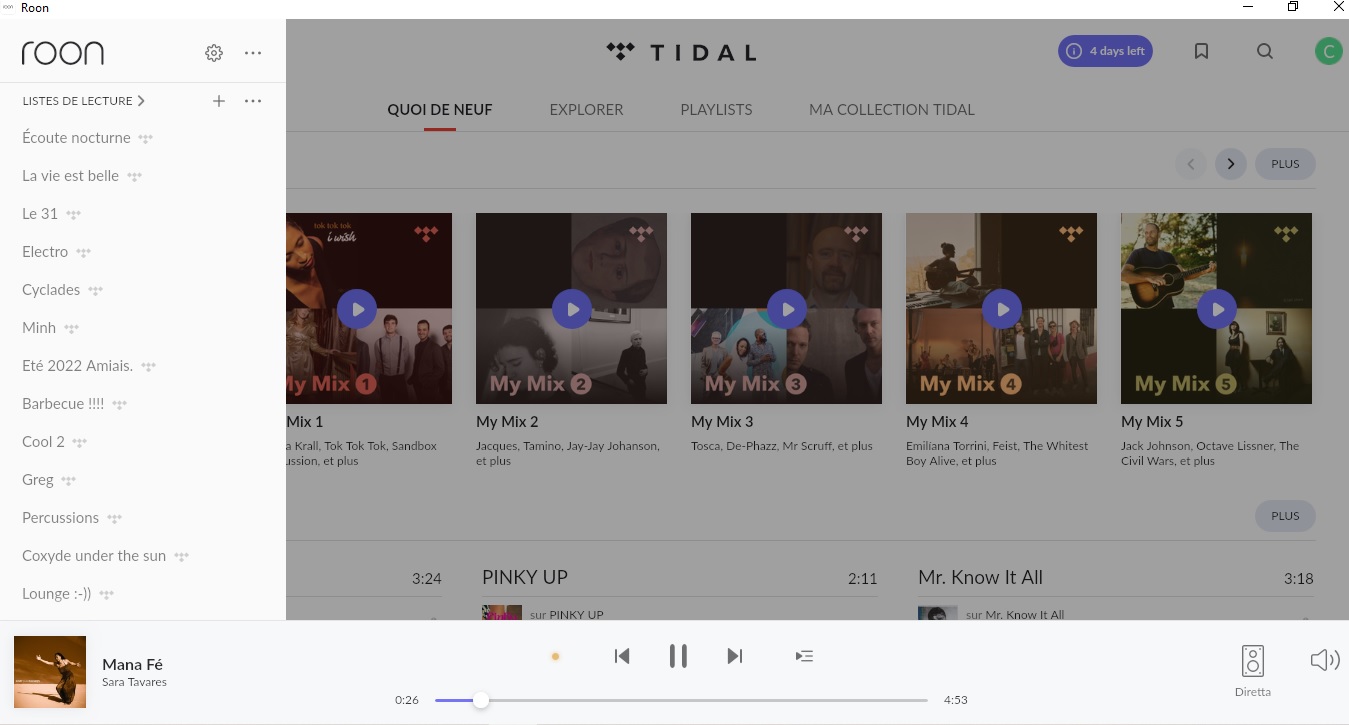
My Qobuz playlists haven’t been showing up in the left-hand menu for two days, while my Tidal playlists are still there.
With Tidal, I don’t see the “My Daily Discovery” playlist every day, even though it’s available in the iOS app.
I use a Roon core under Gentoolayer as host on a Mac Mini and as target on an rpi4 streamer under Diretta.
I control Roon from an iPad or a Windows PC
Thanks in advance!
Have a great day !
Cheers
Chris
Describe your network setup
I use a Roon core under Gentoolayer as host on a Mac Mini and as target on an rpi4 streamer under Diretta. I control Roon from an iPad or a Windows PC