· Something’s not working in the Roon interface (buttons, displays, lyrics, etc.)
Describe the issue
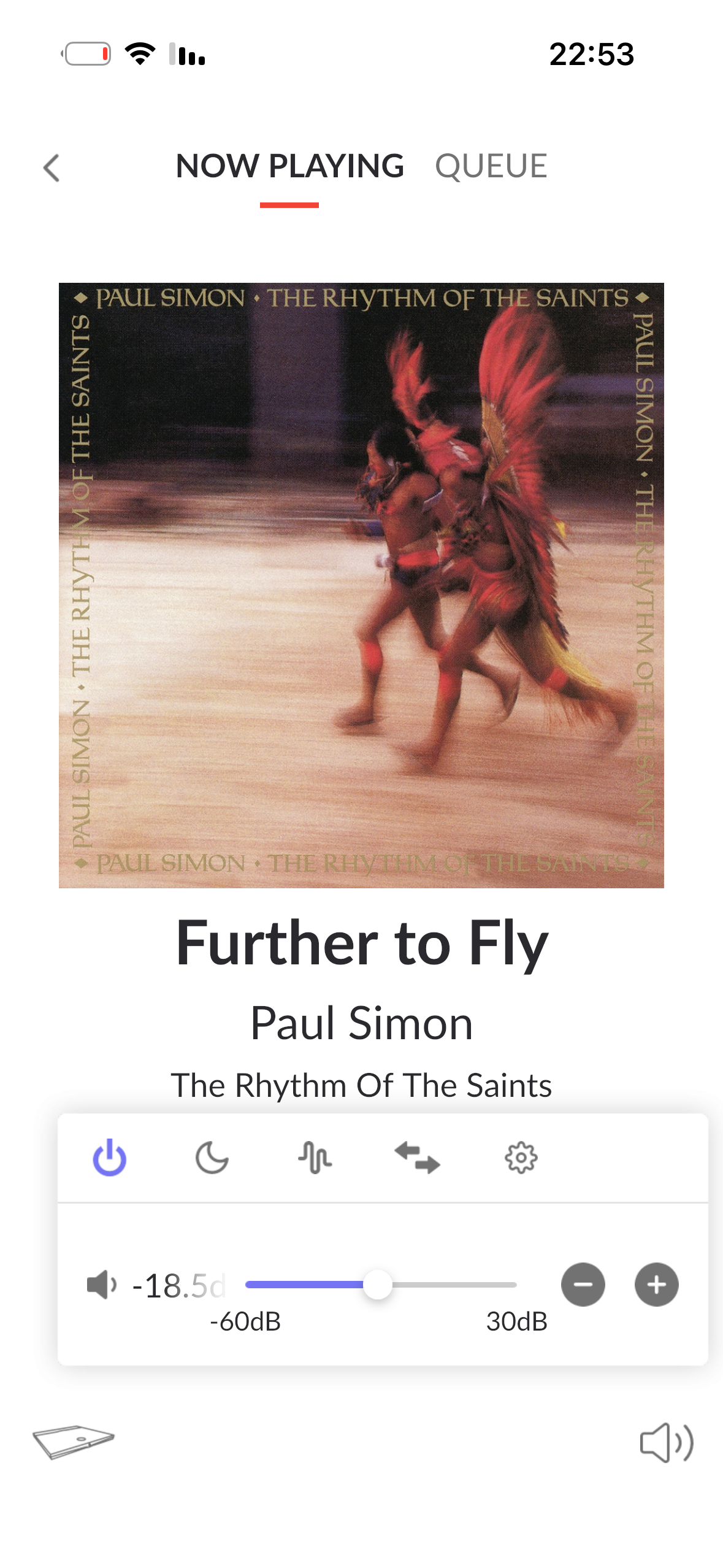
the volume on the up of my cell phone, do not control the volume of my devialet 140pro. the the db slider changes but do not effect the volume. This happened ystrday. Before it was ok
Describe your network setup
network operate ok. i have nucleus + , and i can operate music, amp on- off
I think the next step here is to enable some diagnostics on your account so our technical staff can get more insight into what’s going on.
However, before I enable this feature, I’d like to ask for your help in ensuring we gather the right information.
Could you please reproduce the issue once more and note the exact timestamp (date and time) when the problem occurs? I’ll make sure we review the diagnostics related to that timestamp.
In addition, could you please reboot all of your devices (your Nucleus+, Devialet 140 Pro, phone, and router) and let us know if the behavior changes afterwards?
Diagnotistics indicate that the iPhone’s RAATServer instance was disconnected from the network temporarily during playback of the track in your screenshot. The same pattern occurs at several other points during logs - the Nucleus is streaming music to the Devialet without issue, but the wireless connection between the iPhone and the Nucleus isn’t sustaining a connection.
We’d need to inspect logs from the iPhone Roon instance itself to be sure that the volume commands aren’t being ignored, however. You mentioned that you can still pause/start playback when this condition occurs - can you control volume via the in-app controls rather than hardware commands? Please reproduce the issue once more at your convenience for automatic logs to upload from the phone to our servers.
In your iOS WiFi Details, uncheck the randomized Private WiFi Address setting. Please also restart the phone and the Nucleus, for due diligence.
Without any response, this thread may close due to inactivity after some time.
We haven’t seen a response here so we wanted to circle back to keep the thread from auto-closing due to inactivity.
Please see the response above for some immediate next steps. At your convenience, please also reproduce the issue you’ve reported on your iPhone. We’ve requested automatic logging from the Roon instance on the device, which we’ll need to proceed with this case. Opening Roon on the iPhone should allow the upload to complete.
This report is now closing due to inactivity. We’re eager to take action and assist with troubleshooting - if you reach out in a new tech support request in the future, we can merge threads accordingly to pickup the case. Thanks!
Here’s a link to submit a new tech support request:
You can simply select “other” when prompted and reference this thread URL.