i have a Ugreen NAS. Roon installed in a Docker.
Function 100% with Tidal etc.
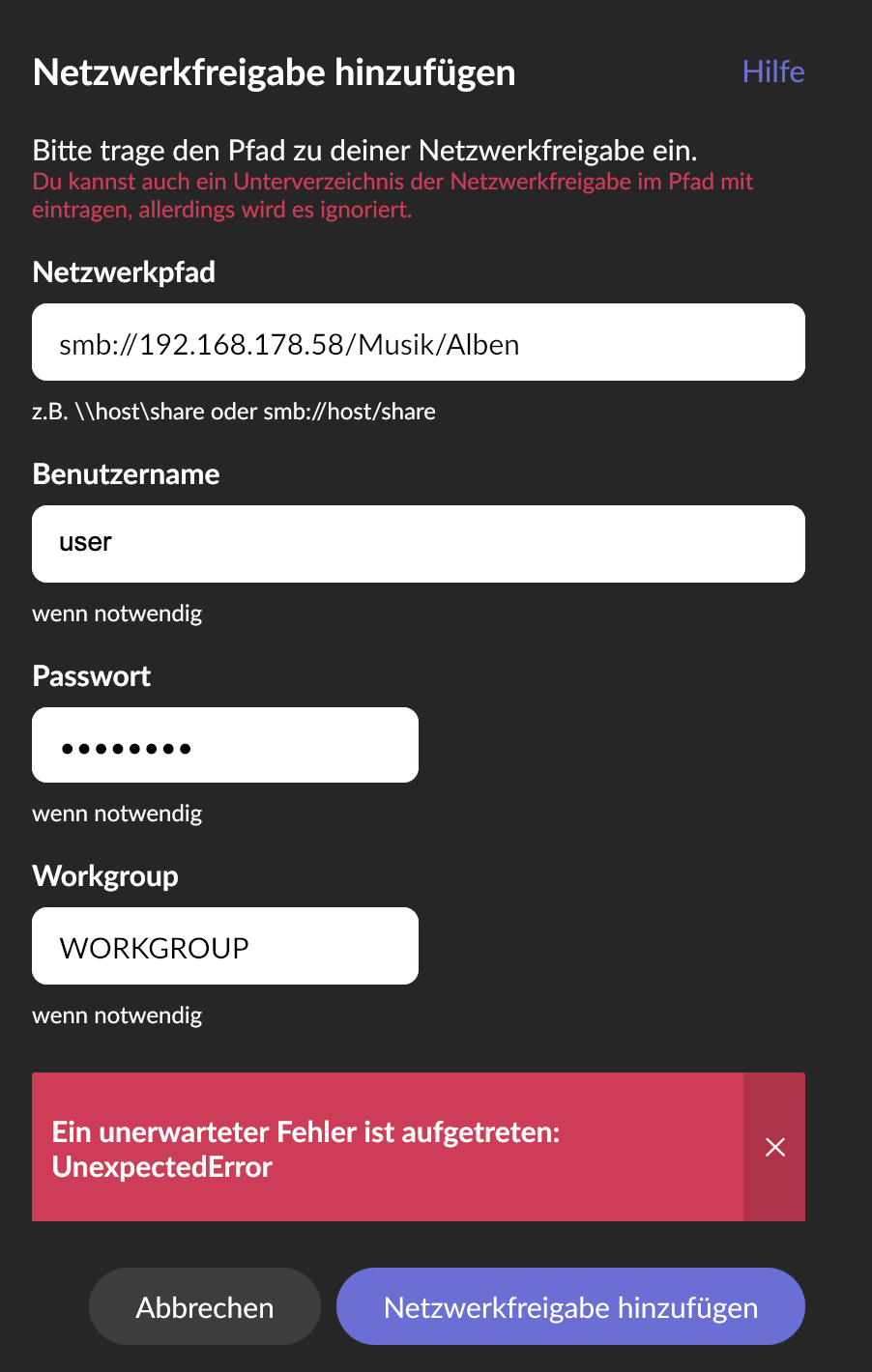
Problem is to connect a Folder inside the NAS where my music is stored.
I tried every query, IP Adress, NAS Name and so on.
I think its the docker problem.. From inside the docker connection to a Folder in the NAS?
See my Screenshot, thanks for help.
I think that a Docker image should allow you to map a local folder to a folder inside your Roon Server Docker environment. Users usually can find setup details at the source for the Docker image they use. You can also look at previous Docker related threads here on the forum: Search results for 'Docker' - Roon Labs Community.
I’m not sure what you are looking for. There are several threads that deal with setting up Docker images. There should also be some sort of documentation be available for the Docker image you use (Note: You didn’t share which one you use). If unsure, try to ask the image maintainer for support. As I wrote already, the image most-likely allows you to map the local folder into the running image so you only need to point Roon Server at the right folder and not need to utilize a network share at all. Without knowing the image, how you set it up and the OS of your NAS in detail, it isn’t even clear if using network shares is supposed to work.
I think you have to map that NAS folder within the Roon container when setting it up. Done that in the past for a Synology NAS similar to what is explained here:
Thanks alot! The way with the image was the solution. The Installation process created the folders. I have copied my music in there.. Now Roon App cannot find the server but i think i will solve this last problem on my own.. Thanks to this great community !
Yes these folders where created during the installation process within the docker. Folders on the UGreen NAS in other shared folders can‘t be selected.
…
My last thought about all these topics is: for an expensive app like roon, why roon itself do not provide Apps for the NAS Systems out there. The Nucleus is to expensive. And from a Audiophile sight also not needed.
Maybe, but my NAS can do more and i do not think that roon will sell one Nucleus more because of missing NAS Apps… on the other hand roon would sell more subscriptions if there would be native NAS apps.
If you need more and a NAS doesn’t work for all cases, then just run your own Linux (server) machine. Use a NAS if you still want to as pure storage device (may even provide storage for apps running on the server).
Roon Labs staff read the Feedback and Feedback > Feature Suggestions beyond support. They usually don’t read here in Tinkering. So consider posting your ideas there too.
I can tell that you’re frustrated and don’t want to spend more time on this. I agree with @BlackJack that copying your music into whatever folders were created is probably not the right thing to do unless you understand why those folders were created and what might cause them to go away in the future.
When you use Docker, and you want something running in a container to be able to access something on the host machine (outside of the container), you have to “map” the outside into the inside. How you do this depends on the platform. Synology has a UI for creating containers and that’s what I described in my walkthrough. In later versions of Synology, they added the ability to use Docker “compose” files, which are written in yaml. If you deploy with a compose file, you include the mappings in the yaml.
None of us on this thread so far have experience with Ugreen so we don’t know whether they have a UI or if you did this on the command line or with yaml. However you did it, though, you really should be creating “app”, “music”, and “backup” folders that exist outside of your container. This is the way to get it to work correctly and also to have the most predictability regardless of what you do with your container. You really don’t want to find yourself in a situation where you were doing something like unintentionally using Docker-created volumes which can disappear when you change containers in certain ways. That may be what you are doing now, or it might not be.
If you’re going to use Docker, and it seems like that’s the path you’re on, you’re going to be much better off if you spend a little time now understanding the concept of volume mapping and get it right while you’re early in the journey.
 and i do not think that roon will sell one Nucleus more because of missing NAS Apps… on the other hand roon would sell more subscriptions if there would be native NAS apps.