I have decided to move my Roon Server from my Synology NAS to a dedicated NUC with Rock. I’ve followed all the steps in the guide and everything seemed to go well with two caveats: I had to relink my network storage, so all files are now showing as added “Today”. Most of them were added with a proper play count. But visiting some albums I absolutely know I have played in the recent past still shows as 0.
Thanks. I didn’t spell out when I said I followed the steps, but I did all that. And some of the play count transferred just fine, including for files that were already in my library on the attached NAS. The instructions you shared points out:
NAS
Networked storage devices (like a shared folder on a NAS) will work without any further changes after restoring.
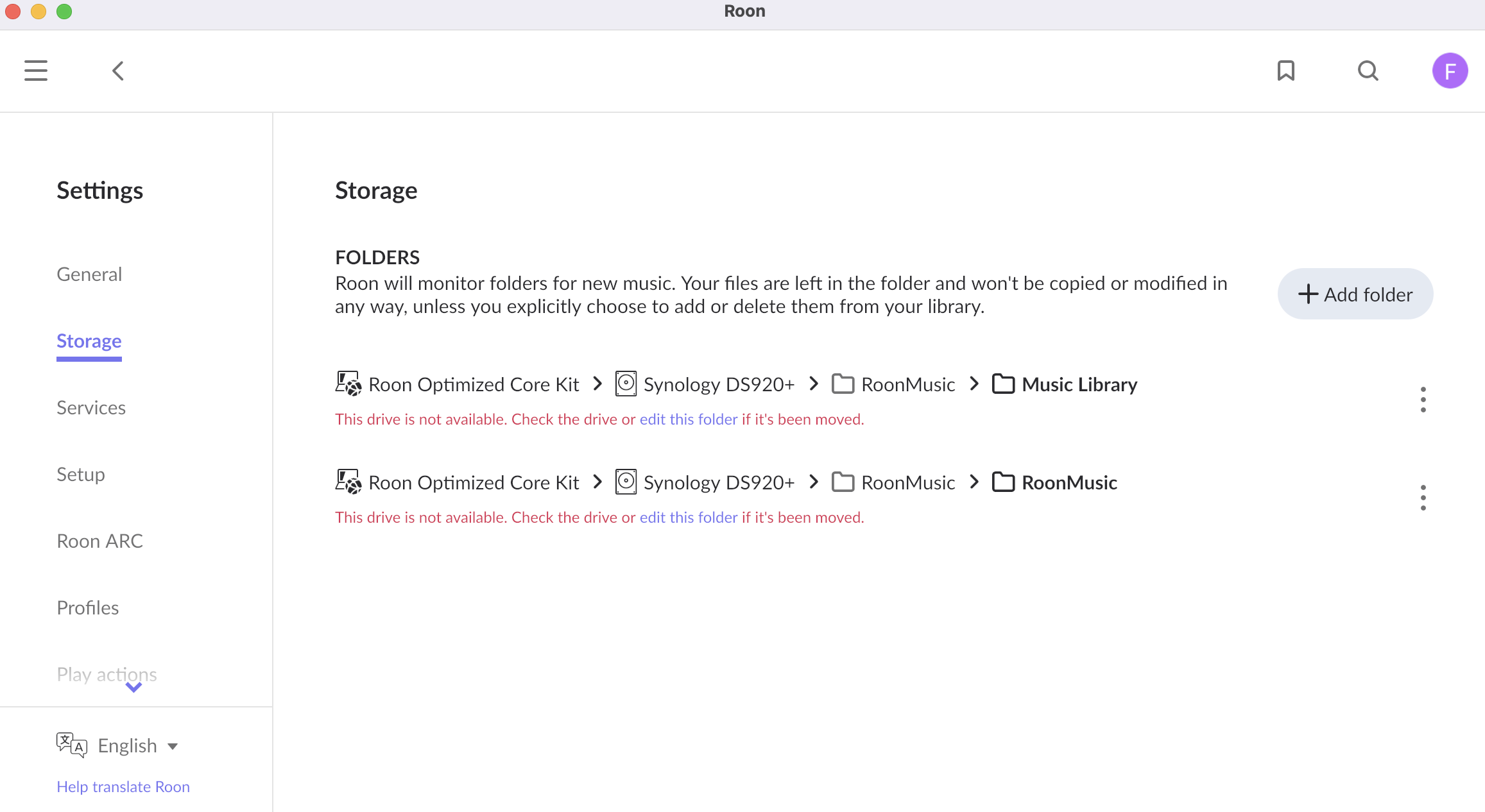
But that was not true as it was showing a broken folder and I had to relink. It seems like this is the step that’s failing but I don’t know how to correct it.
Can you confirm how exactly you relinked the broken folder? Did you add the new location, or did you edit the old link? At any point did Roon see two copies of the same files? You may want to try to restore the backup again and the steps from the below article may help:
Thanks Noris! I believe what threw me off was that somehow that network storage always showed as a drive icon (pic below), and when I edited the link, it changed to a network storage icon. At that point I thought it was going to rebuild the library so I just added the network drive again and pointed to the same folders, which then led me to the (user) error reported.
I have now restored the backup again and was very careful editing the link to the NAS and everything looks correct. Thanks for your help and patience!