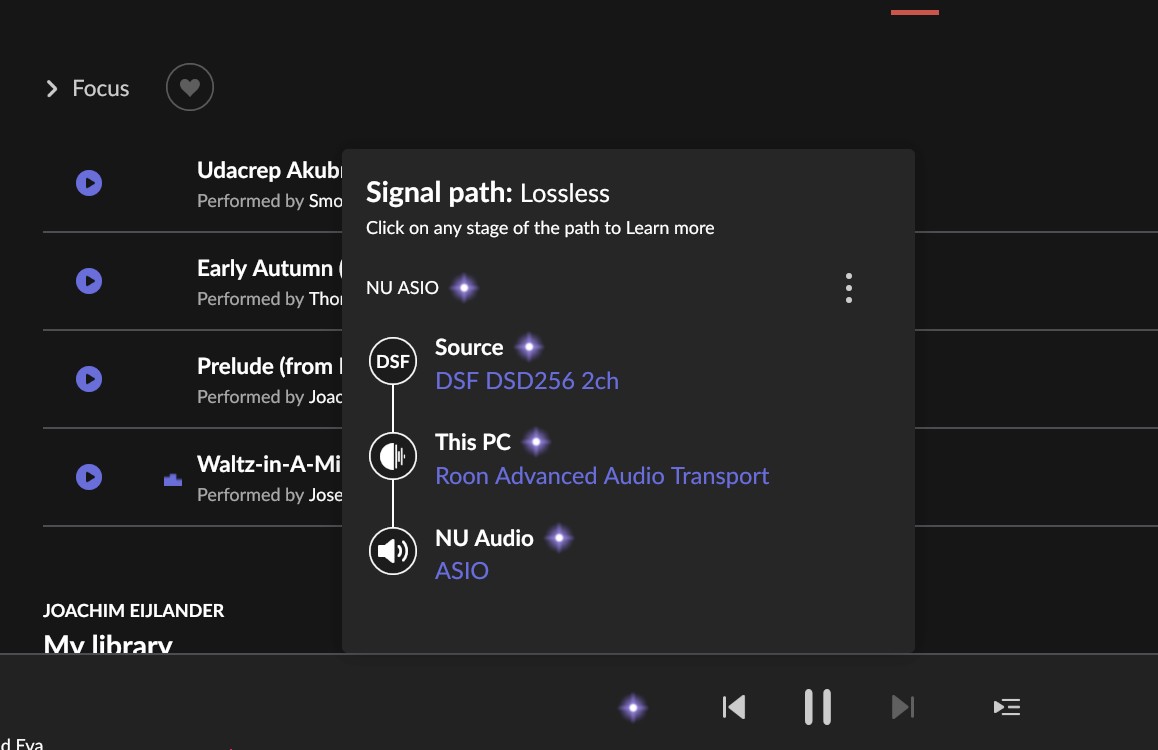
My goal is to test a trial version of HQP Embedded to support network playback with Roon and my Holo Audio Red. I have close to 3,000 offline DSD512 albums, some of which I want to remaster the source files to offline DSD1024. This is the principle reason for diving into testing HQP. I’ve installed version 6.0.2 embedded onto a 12th Gen Intel Core i7 16GB RAM, 512GB. I was able to raise the interface with hqplayer.local, configured Roon HQPlayer and set my Holo Red to NAA. But I was halted, likely by some incorrect or missing choices in HQP. I want to use bit perfect DSD Direct with no alterations of the source files. While Roon was trying to play my music the signal path was showing that the DSD source file was being altered.
I appreciate learning from anyone one with a similar use case how I should configure HQP to meet my stated goal.
I’m also confused about the reason why, after I’ve made some selections and saved them that they don’t persist, the revert back to defaults.
I’ll very likely purchase a license so I can get the DSD1024 playback I want but I want to complete this proof of concept stage to make sure it will work first.
HQPlayer can do the upsampling in realtime for you, no need to do such offline and waste disk space for it. In addition, you gain improved algorithms over time without having to reprocess files.
Thanks @Stefano_Antonelli That’s what I did. But shouldn’t those two settings persist after being committed? They don’t for me. And it’s pretty telling that during Roon playback the Roon Signal path shows that my DSD is not bit perfect.
Only HQPlayer Pro v4 can do such task (if your storage isn’t a problem).
Roon does not support DSD1024 file playback. I have some DSD1024 albums but unfortunately Roon cannot recognize it. So even you upsample everything to offline DSD1024 files, you still can’t use Roon as player.
None of those are recorded in 1024, they are recorded in DSD 256 mostly and then, HQPlayer Pro is used to generate the larger files. But, keep in mind, when that is done, they are baking into those files the HQPlayer Modulator and filter choices.
It is much better in every way, to purchase the music in the original recorded resolution and then use HQPlayer to upsample to the desired resolution, that way you have control over Modulators and Filter, save money on the original files and save space.
Well, the difference is that it is mixed, etc in HQPlayer while being converted at the same time. So the rate increase also gives extra frequency and dynamic range headroom for the mix output. It is a bit like you would mix 96/24 PCM multi-track recording to 352.8/32 stereo output.
Another alternative would be to perform same operation in DXD using Pyramix, but then you would be exposed to the Pyramix modulators, filters, etc when it is converting the DXD output back to DSD.
So this is a shorter path (if you’ve seen/heard my Axpona/Munich presentation about this and heard the comparison demo tracks , although those demo tracks were all DSD256 output for DSD256 source recordings)…
That is also a good choice, but not the same result. Since you likely won’t be getting the original multi-track master (16 channels or what ever) recording that has been mixed to stereo.
Very interesting, thanks for the explanation, they don’t have many albums available at that level, but I’ll keep looking for more.
Note I’m using JRiver for playback, all the work is done in my DAC, I don’t need a high power processor to play them, and did I say, they sound great, no fuss, no muss, just add them to the Queue and enjoy.

 , although those demo tracks were all DSD256 output for DSD256 source recordings)…