Network devices not showing as System Outputs in Roon (ref#41HIJA)

What best describes your playback issue?

· My DAC, streamer, or speaker doesn't appear as a Zone in Roon

What type of Zone is affected by this problem?

· *Network Zones* are affected.

Is the affected network Zone connected with Ethernet or WiFi?

· WiFi

Which network audio protocol is the Zone using with Roon?

· RoonReady

Does the device show up at all in Roon Settings -> Audio?

· No, it does not show up there

Does the device play audio from another source when using the same connection?

· The device has no problems with another audio source

Have you checked that Roon is whitelisted in any firewalls?

· I've checked the firewall and the issue remains

Since you are using a network connection to the device, please ensure that your RoonServer is on the same subnet as the device

· My devices are on a single subnet but is not visible to Roon

Do you have a complex network setup?

· Both the device and RoonServer are connecting to a *single router*

Try to disable any additional networking interfaces on your RoonServer machine.

· Disabling network interfaces had no change in behavior

Check to make sure RoonReady mode is selected on the device.

· I've checked this and the issue remains

If the device has multiple output options, do the other options work as expected?

· Multiple output types are affected

Is the device using the latest firmware as per the manufacturer?

· Firmware is up-to-date but the issue remains

Do you have an approximate timestamp of when the issue last occurred?

· This happened in the last 24 hours

What are the make and model of the affected audio device(s) and the connection type?

· Naim Muso, Naim NDS connected via Sonore Bridge

Describe the issue

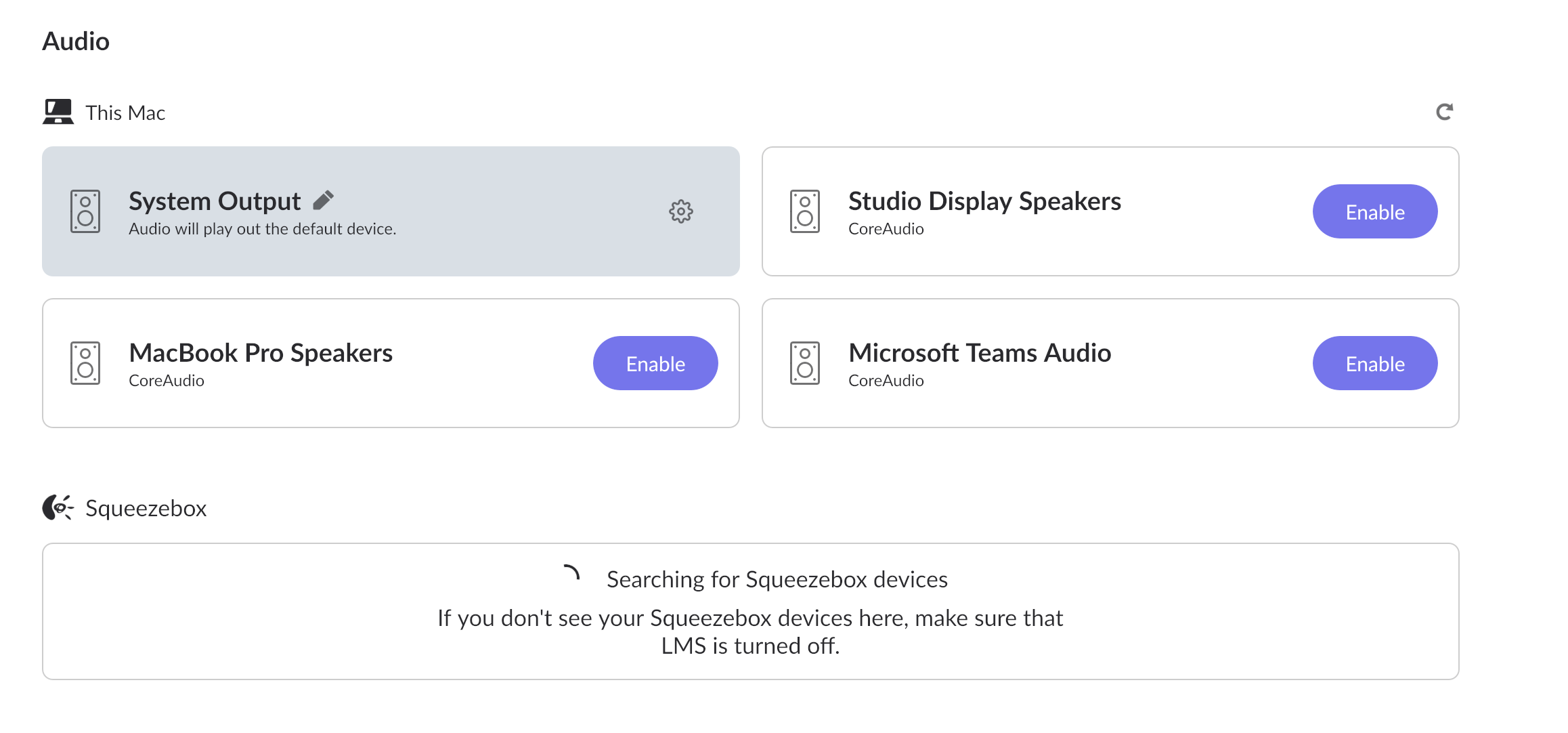
Roon no longer shows my network devices as System Outputs

Describe your network setup

I have a ISP modem, a Netgear Nighthawk wifi router.
That’s worrying ?

Have you tried restarting your system,

Shutdown everything network included , wait 2 mins then restart network wait until router is fully started then restart Roon

It often helps

Yes , I’ve restarted everything… Re-installed Roon … Still only devices showing is ‘System Out’

Even the network?

Roon is not showing any network devices

I normally see my TV here too

@Mike_O_Neill are you from the support team?

No he’s not. Roon staff have a special badge on their avatar (note that moderators also have a badge)

No just a friendly fellow user making suggestions from my experience with Roon

Are you not seeing your TV,is Netflix working?

Sounds like a network issue to me ?

My Muso works with the Tidal App over my network… The TV streams Netflix ok…

Everything works as it did 2 days ago except for Roon…

Hello @Richard_Horsley,

Thank you for reaching Roon support.

Can you please navigate to macOS System Settings > Privacy & Security > Local Network , and make sure Roon is allowed. If it is already enabled, toggle it off and on again. Then reboot your Mac, and see if the same issue persists.

Has there been any Mac updates recently?

Let @vadim guide you from here

this is what I found

I will Toggle it has requested

Toggled and restarted the Mac… No change I’m afraid…

Also enabled Roon Server and it seems to be working again…

I think there was a DOT release recently of MAC Os

Maybe theOS update set the Roon Server to OFF

Roon in your picture is the Roon GUI you use to select , Roon Server is the source so being off would explain all

The firewall was blocking the server and cause your issues. The 2 are separate now from a few updates back

Get ROCK and escape OS updates!

Happy listening, NOW :innocent: