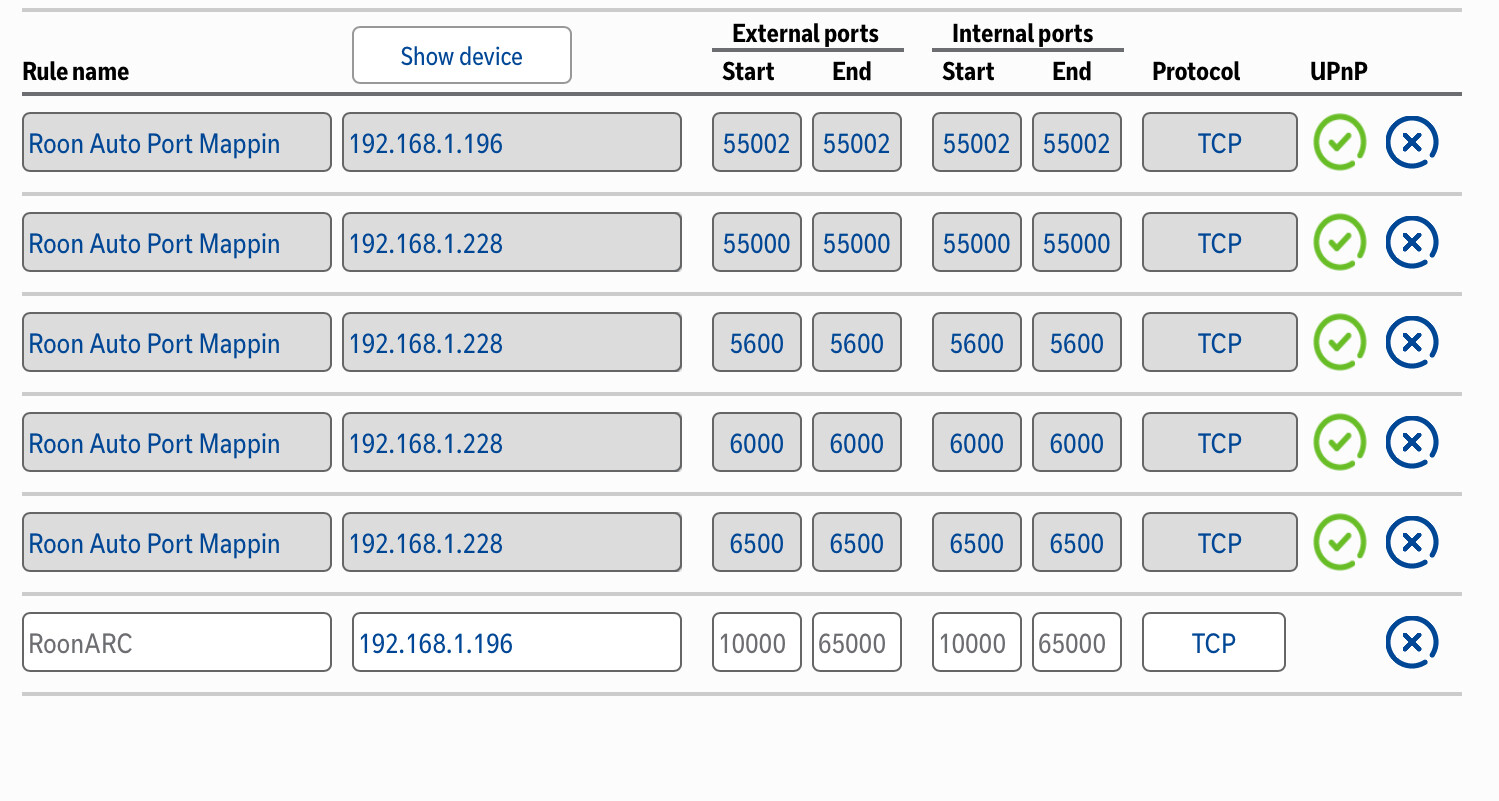
This looks like a port conflict with the actual port number Roon is attempting to use for ARC.
Try changing the port number in Roon Settings → ARC to something else in the 56000-60000 range. If you’ve configured a manual rule in your router settings, you’ll need to change that port number to match what you configure in Roon.
Please also double-check that UPnP is enabled in your router, if you have not set a manual rule.
Let us know if we can assist further. We’ll watch for your reply.
mjw
(You want nice, supportive? Call a damn helpline.)
3
@Chrislayeruk has recently moved from a QNAP to Mac. I suspect there is a rule for the QNAP using the port.
Therefore, the solution is to edit the current port forwarding rule in the Home Hub, and change the IP address to the Mac’s IP address.
mjw
(You want nice, supportive? Call a damn helpline.)
8
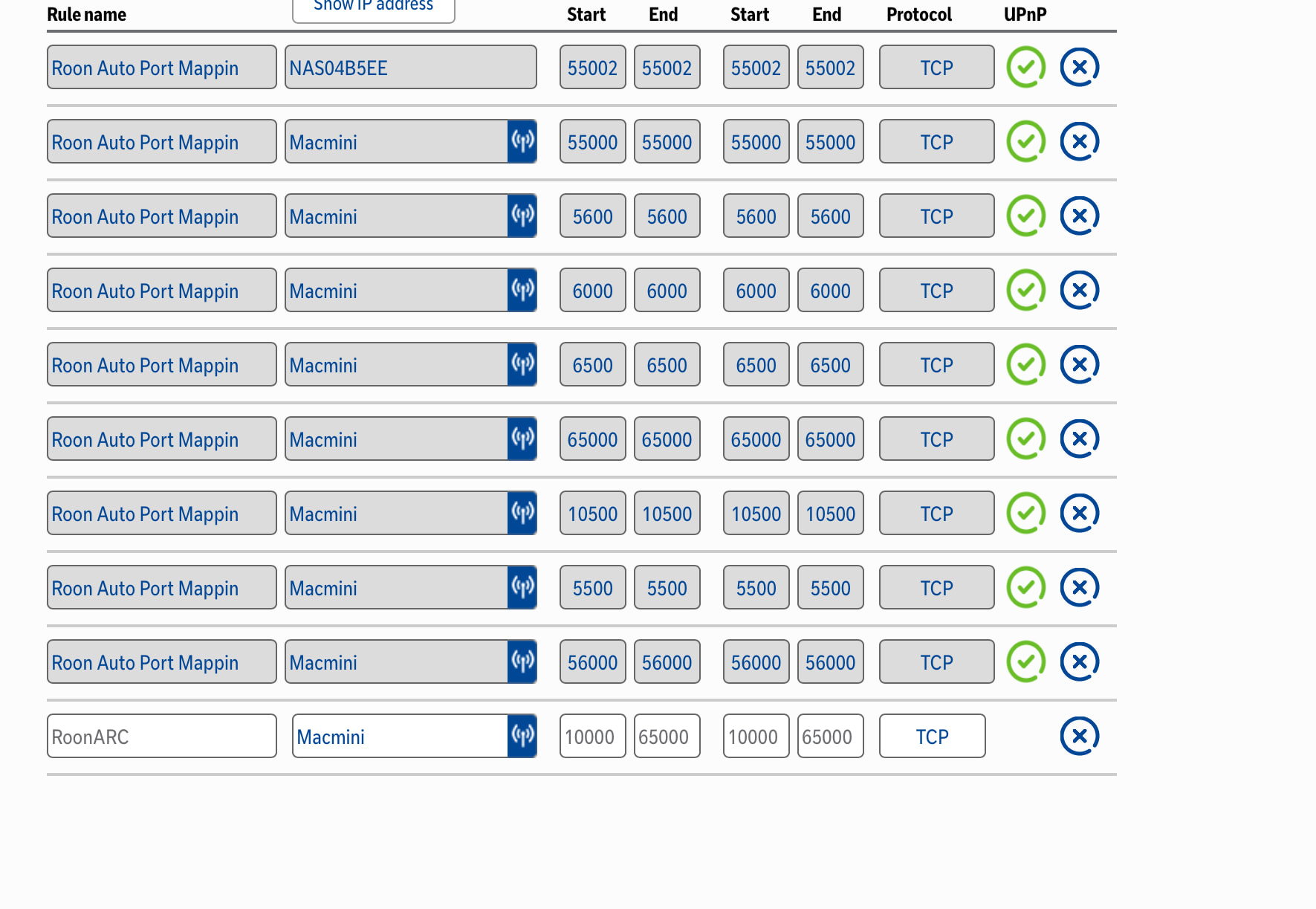
Okay, so what you should do is delete all of the entries with “Roon Auto Port Mapping”. Indeed, if you don’t have any other devices that need port forwarding, I’d disable UPnP.
Finally, edit the last entry, “RoonARC” as follows:
RoonARC MacMini 55000 55000 55000 55000 TCP
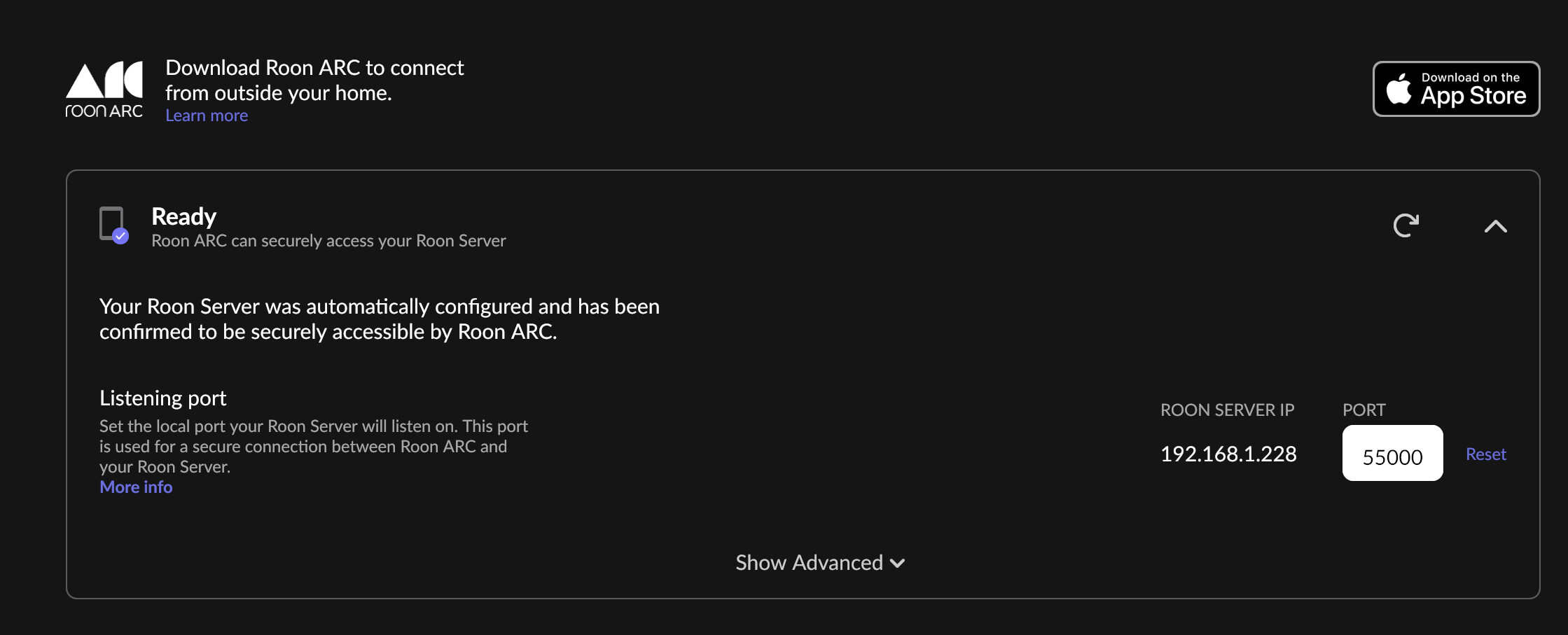
Save the settings, and then in Roon Settings → Roon ARC, change the port back to 55000.
Presently, you have way too many ports open.
Test this on a mobile phone using 4/5G with WiFi turned off.
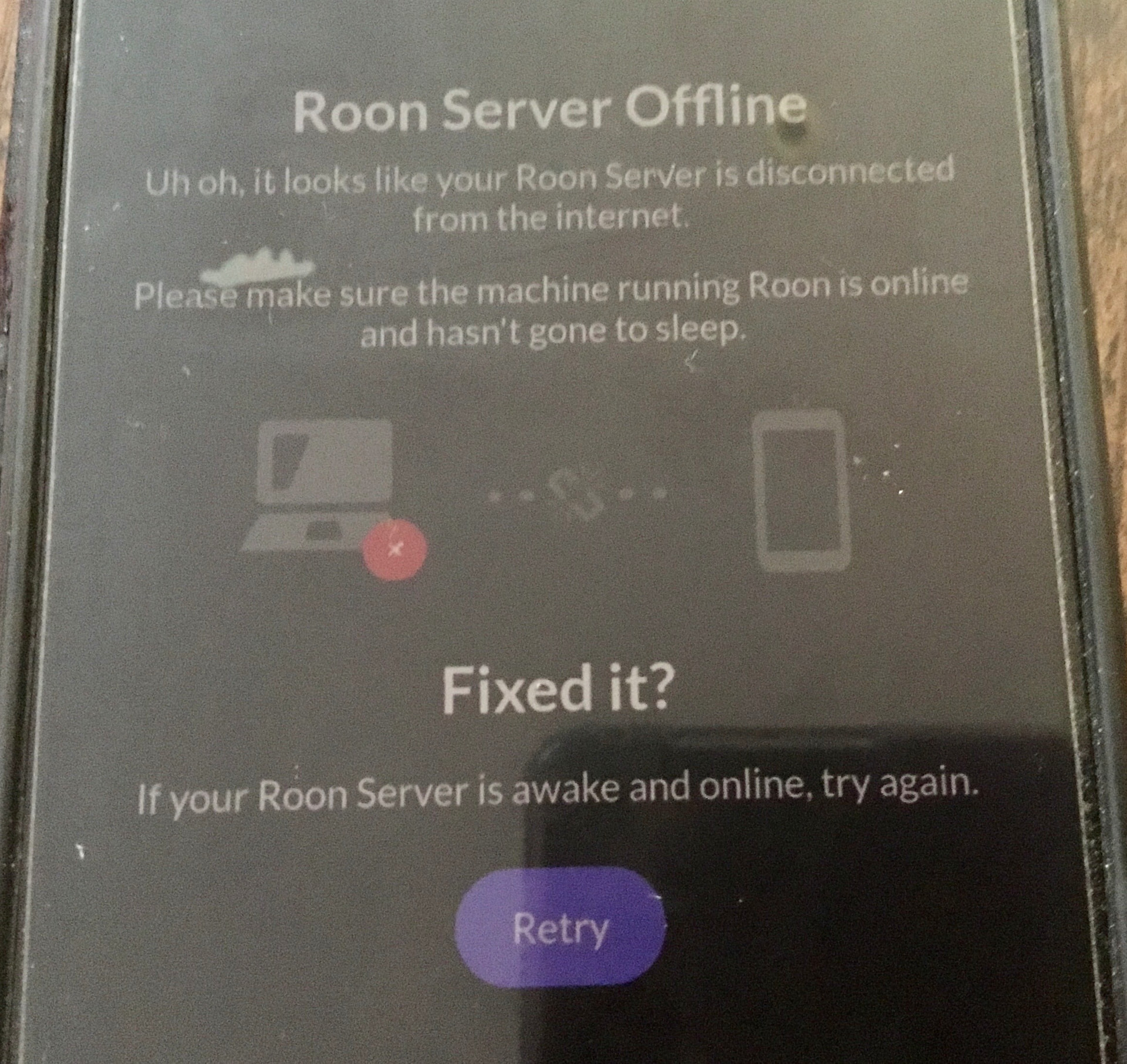
Thank you, I have managed to do this, Roon is working well, but ARC won’t connect via my android phone. Google pixel 8 pro… With Wi-Fi on or off. I have looked in settings on the ARC app and can see not rules blocking it. Thanks again for all you help.
Bingo, that’s fixed it… Thank you so much for your assistance, it is really appreciated. I now have my Roon library back and working better than ever, along with ARC.
For me it’s been a journey but I have learned a lot on the way…