Hi! What’s not quite right with Roon?
· Music won’t play or issues with my library
Music won’t play or issues with my library
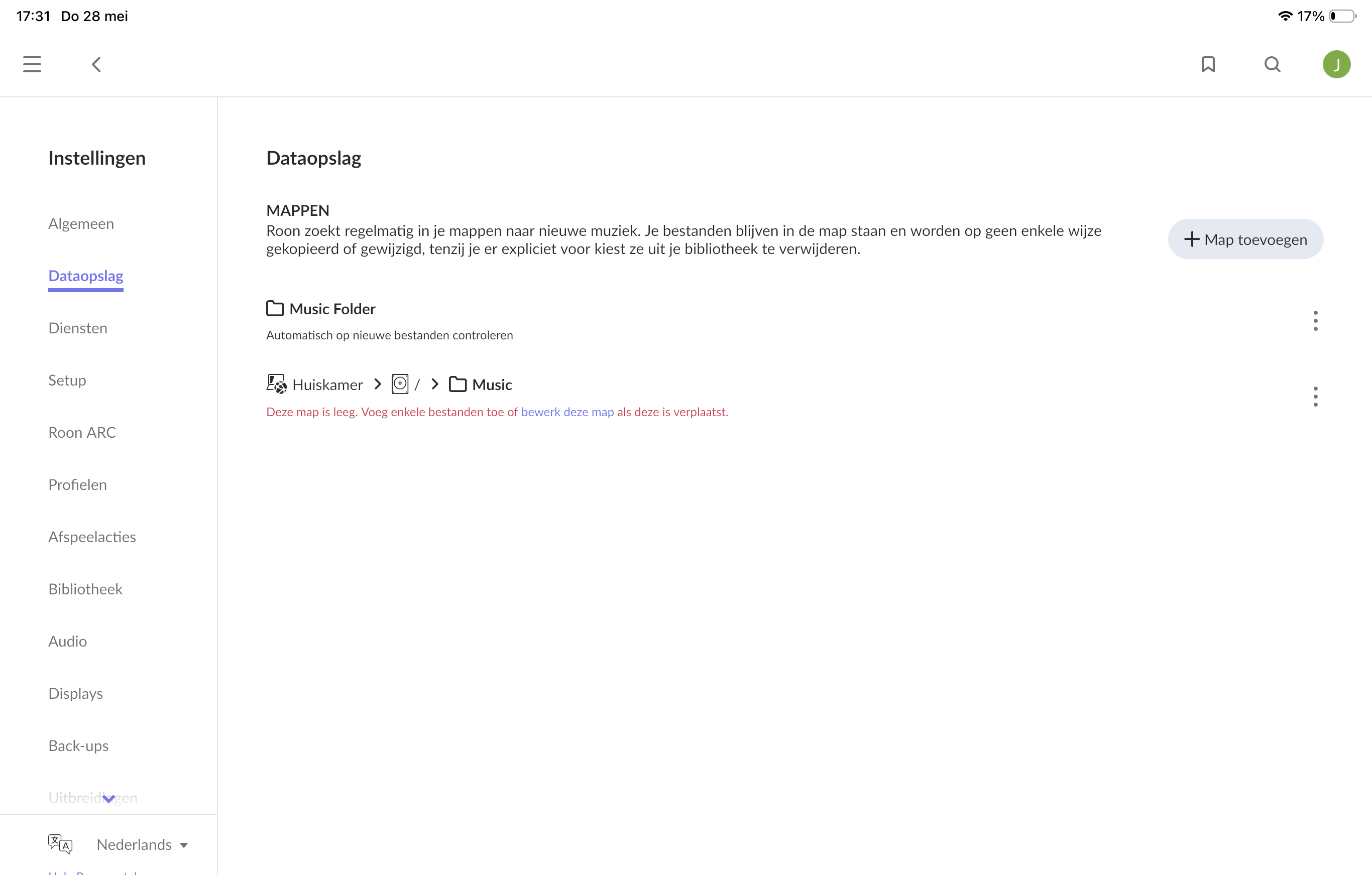
· Local files won't import or appear
Tell us what's going on
· No access to music files on Roon Server QNAP HS-264 Container Station
Tell us about your home network
· Sagecom Router, Silent Angel Bonn n8 Switch
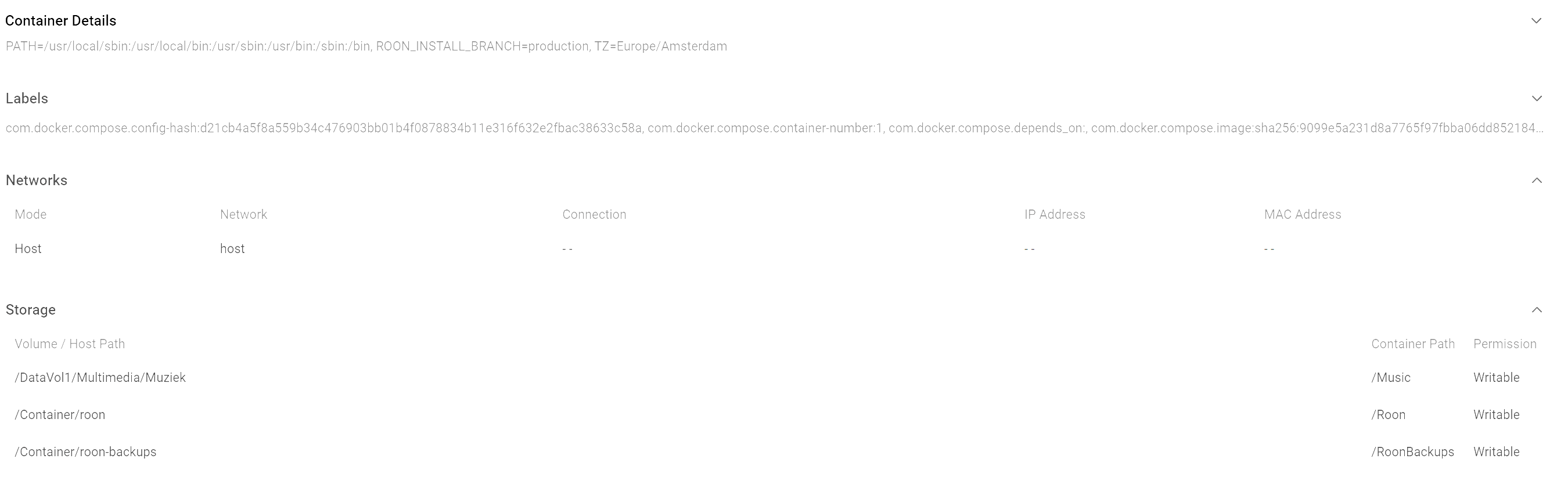
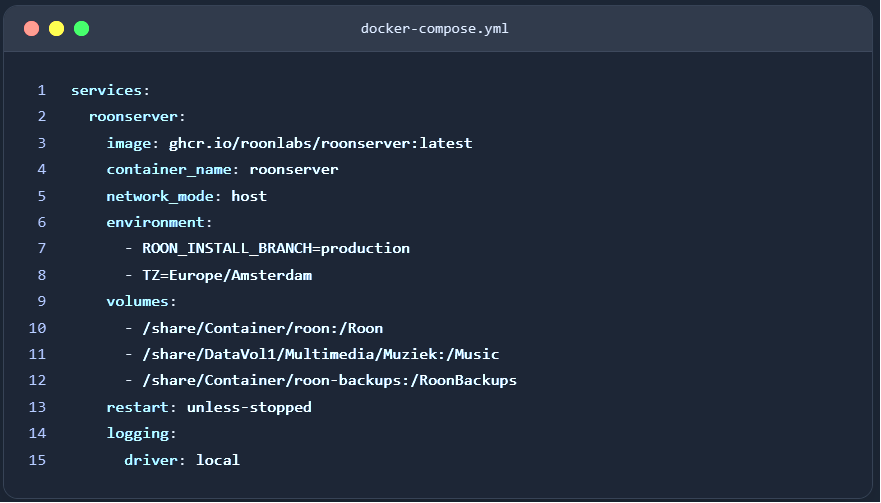
It looks like the second share path you inserted in docker compose, is seemimgly wrong: /share/DataVol1/… leads to nowhere, as /DataVol1 is usually just a logical name of the volume, not a folder or path name. Try the following line instead:
/share/Multimedia/Muziek:/Music
If the top-level folder /Multimedia is correctly mounted as a shared folder, this should work. If this does not work, you might have to find out the volume name on system level.
Hi @Jan_Zaagsma, welcome back to the community.
This looks like a QNAP Container Station setup issue, and the most likely problem is the path mapping for your music folder inside Docker.
Since you are running Roon Server on QNAP, the setup steps in Installing RoonServer on QNAP with Docker are the right reference here. In particular, double-check that the host path you mount is the actual shared folder path exposed by QNAP, and that it maps to the folder where your music lives. If the container cannot see that path, Roon will not be able to import or watch the files.
From the screenshots, it also looks worth confirming that the music folder is readable by the container user, and that the folder is being mounted into the container at a path Roon can scan, such as a watched music directory.
Can you let us know which exact host path you used in Container Station, and whether that folder is visible from QNAP File Station? If you can also share the relevant part of your docker compose or container volume mapping, we can check it against the expected layout.
Once we have that, we can narrow this down further. We’ll be monitoring for your reply, thank you!