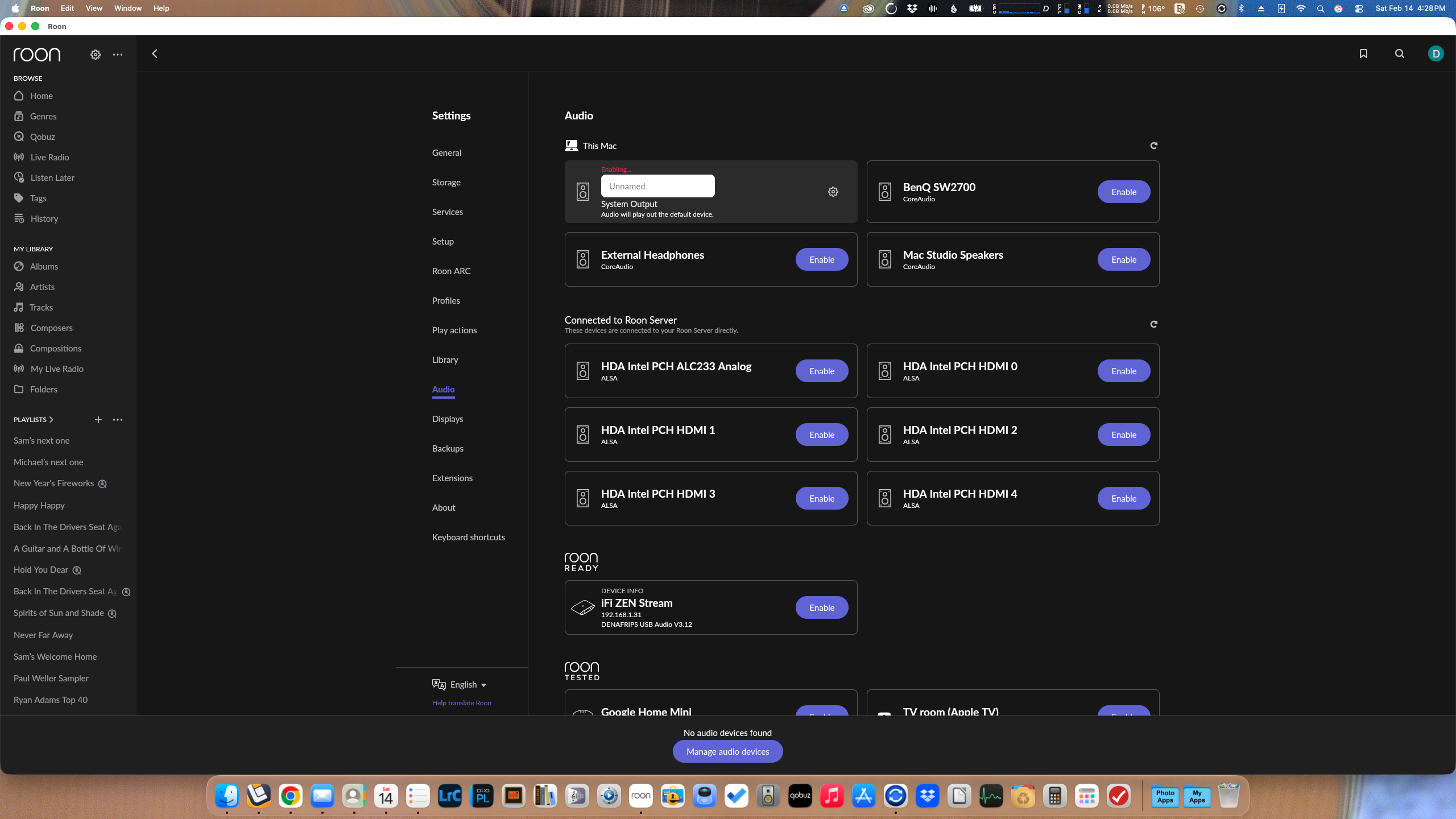
· After updating to 2.60 Roon shows "no audio devices found". All audio devices are listed but when I try to enable System Output which drives my connected external speakers, Roon shows a red "Enabling..." indicator at the device but never completes the action. The same thing happens no matter which audio on "This Mac" I try to enable.
Apple Music on the same computer plays through the connected external speakers with no problem. As does YouTube music on the internet.
I'm running the latest macOS Tahoe 26.3. I've rebooted my Mac several times. I've rebooted my NUC ROCK. I've Googled for a solution with no luck.
Tell us about your home network
· Netgear Nighthawk MR60 Mesh WiFi 6 router with two MS60 WiFi 6 satellites, two Netgear GS105 Gigabit Switch. No VPN. Nothing has changed for several months.
Thanks. I had tried that previously without success. I just tried again…even tried turning Roon off in Local Network, restarting, turning Roon back on and restarting but that didn’t help either.
What build of Roon Server are you running on your Roon ROCK? Early Access or Production? If you are running Early Access version 2.59, then there is an incompatibility between it and Production version 2.60, which gives the issue you describe (“enabling” of audio devices, but never completing)
Sorry, but I’m not sure what you’re asking me? I’ve been running Roon Rock on a NUC8i3BEH for a few years now so I assume it’s Production? I have a iFi ZEN Stream interface networked to the NUC in a listening room on another floor. That is connected via USB to a Denafrips Ares II. I forgot to mention in my initial post that even though I can’t enable the local external speakers via Roon from my Mac Studio I can enable the iFi from it.
I see now what you were referring to. Yes, I’m running Roon Server version 2.59 (build 1625) early access. Is there a way to revert my Mac Studio to a version prior to 2.60? And thank you for your help with this.
You can either move your Mac to the Early Access builds or move your NUC/ROCK to Production. You should not run a mixture of builds because of issues like this coming out of the woodwork.
I’ve re-installed Roon on my Mac Studio so it’s now at early access level and I’m able to enable and play through my external connected speakers. I still can’t access Roon OS but assume that will be taken care of once Roon has fixed their cloud problems.
I don’t think that accessing the local Roon OS admin web page has anything to to with the cloud issues. I can do it on my ROCK, but I’m on Early Access.
I have updated my 3 Macs so they and ROCK are all early access. (Prior to this they were production while ROCK was early access.). Now, I can reach my Roon OS admin page on my Mac laptop but can’t on either of my Mac desktops.
(Making all early access corrected the problem I was having with my being unable to access an audio output device.)
To me this looks more like a local access problem. It would be one thing if the web server on the ROCK wasn’t answering (which I could, with some effort, conceive to be related to the cloud issues).
However ERR_ADDRESS_UNREACHABLE simply means that the browser can’t connect to the server IP at all.
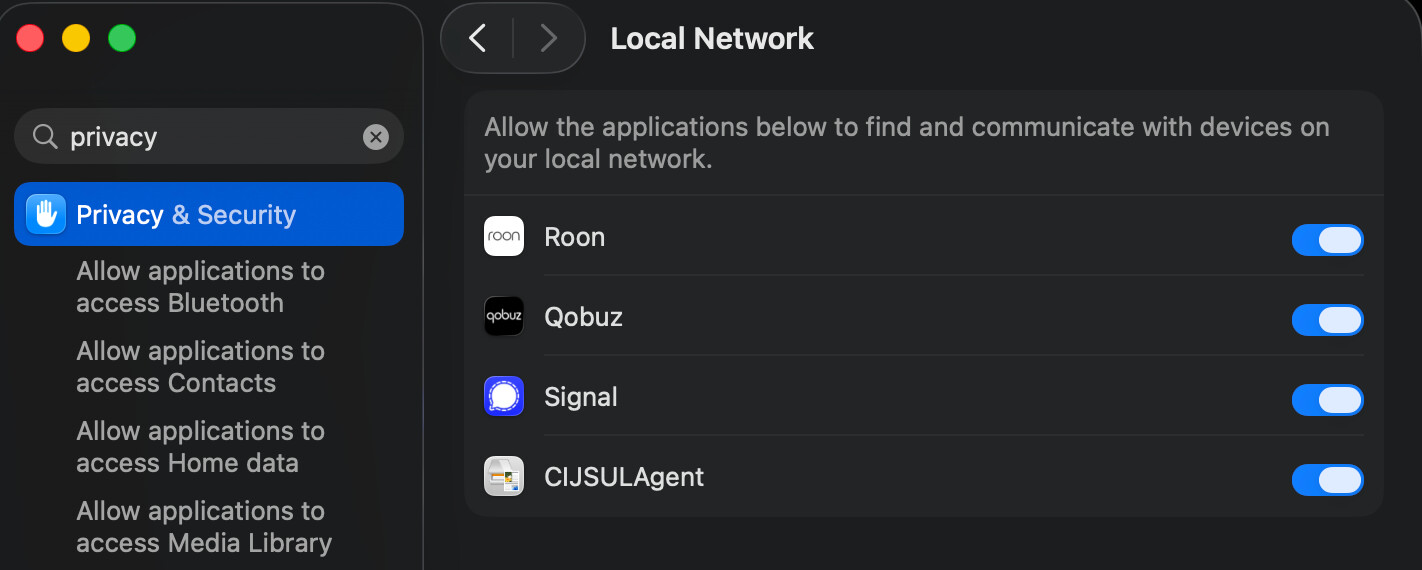
Go to Apple Settings > Privacy & Security > Local Network and ensure that your browser is allowed to access the local network. If you are using Chrome or some other non-Safari browser, it might not be enabled. (If it is, turn it off and back on again. This is the same new draconian Apple security setting since Sequoia that is also causing so many local network access problems for Roon users):
Thank you for your responses. I’ve been using Chrome forever. Although I’ve looked under Local Network I hadn’t noticed that I had 25(!) instances of Google Chrome listed, all turned on. I deleted Chrome app from my computer and restarted but those were all still listed. I made Safari my default browser and I am now able to access my Roon OS admin web page. But I prefer using Chrome. Any thoughts about this?
My main thought is that I hate this lockdown and the many issues it’s causing
I see online (searching for ERR_ADDRESS_UNREACHABLE and Chrome) that this is quite a common problem.
Maybe Chrome doesn’t always manage to acquire this permission effectively, just like Roon. There may still be macOS bugs with this, too: the on/off state of the switch apparently doesn’t always accurately reflect the actual state of the permission.
You could try toggling off the switch for Chrome, then rebooting the Mac, and toggling it on again. Or maybe someone online found a solution.
Lastly, if you don’t find a better solution, you don’t have to make Safari the default. This issue only affects Chrome’s access rights for the local network. You could simply continue using Chrome for everything else (and make it the default browser), and simply start Safari if you have to access any web server in the local network (likely just the ROCK web admin page).
Pretty crazy stuff. I tried your suggestion for toggling off Chrome but no success. I can live with your suggestion re: Safari until I find the solution. I’ll keep digging.
Thanks for your time and suggestions. I really appreciate the help you gave. I’ll come back here to report when I find a solution.
Thanks. I’d love to hear if you find something, it might also prove useful for the Roon users afflicted with having to re-toggle the switch after every update. Would be great if you could tag me with the @ like @Suedkiez if you remember, so that I don’t miss it.
 Something for Roon support then. IIRC there might be a different issue with this after the recent updates, not sure.
 > About screen? That will show what you are running ….