Well there is your issue. Network discovery needs to be turned on.
how do i do that?
See the ‘How do I turn on network discovery’ question on the page at:
I have very limited knowledge of Windows 10. I have learned some from using it. I have taken courses in MS Office.
I think that you meant to post your reply above in this topic thread rather than as a new topic in the forum, so I’ve moved it here for you…
1 Like
“Network and sharing centre” is the control panel applet:
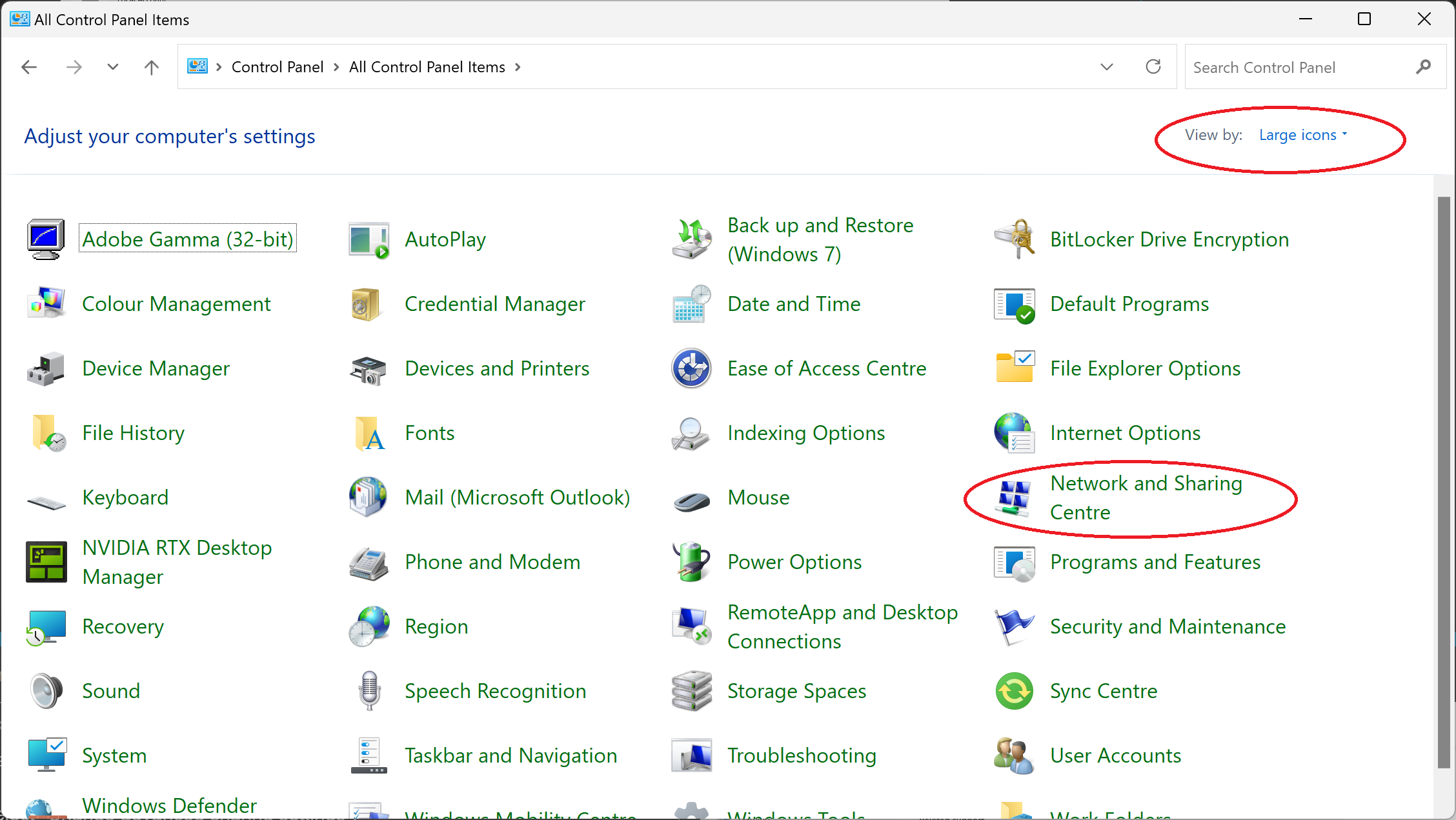
Note: To find it easily, I use one of the ‘icon’ views as circled in the image above.
In this applet you need to select “Change advanced sharing settings”.
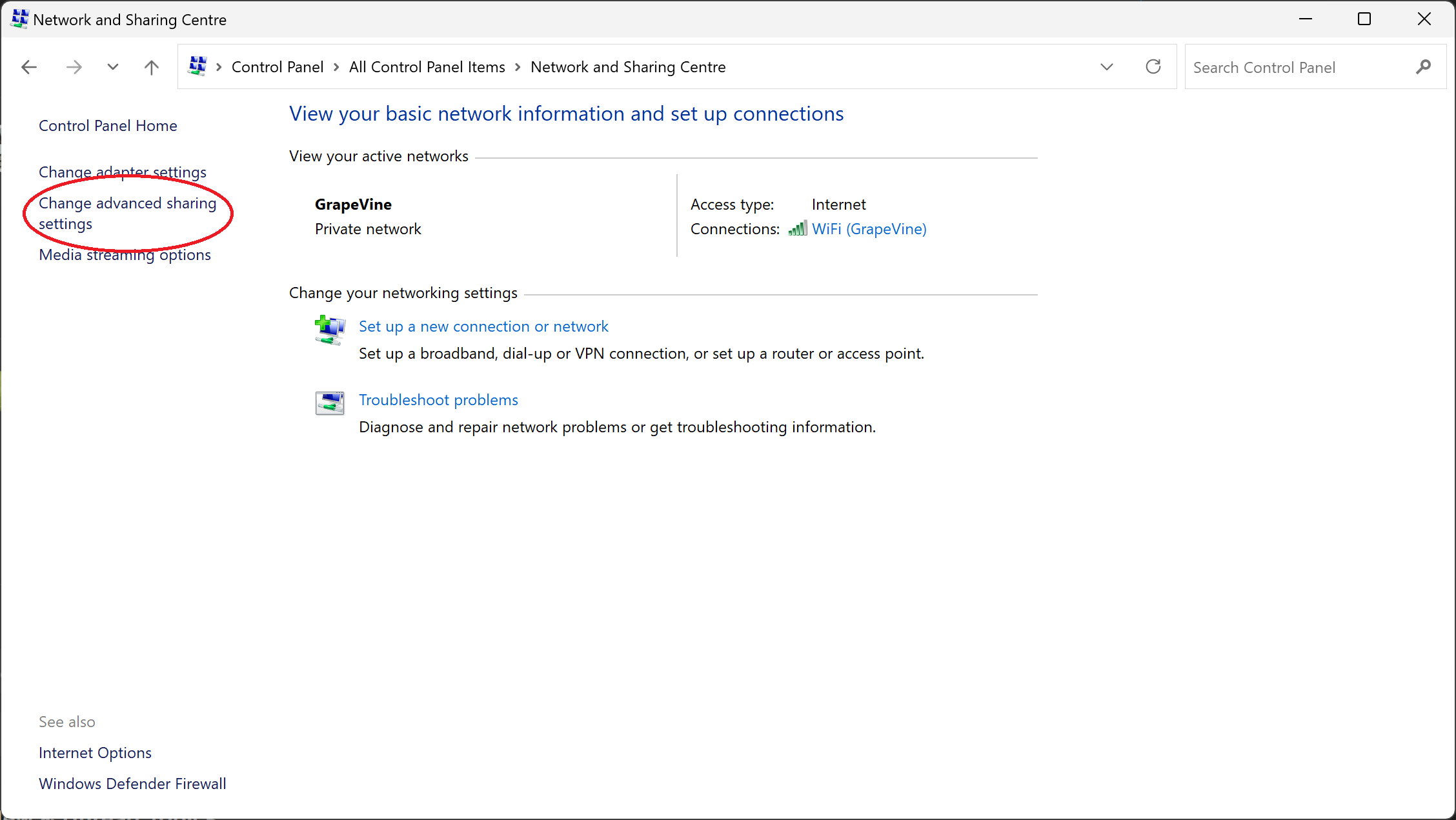
I can’t really take you any further than this because you are using Windows 10 and I am on Windows 11.
On Windows 11, the “Change advanced sharing settings” takes you to a Windows settings page where you can enable “network discovery”:

However, in Windows 10, this may still be done with the control panel applet - I can’t remember.
1 Like
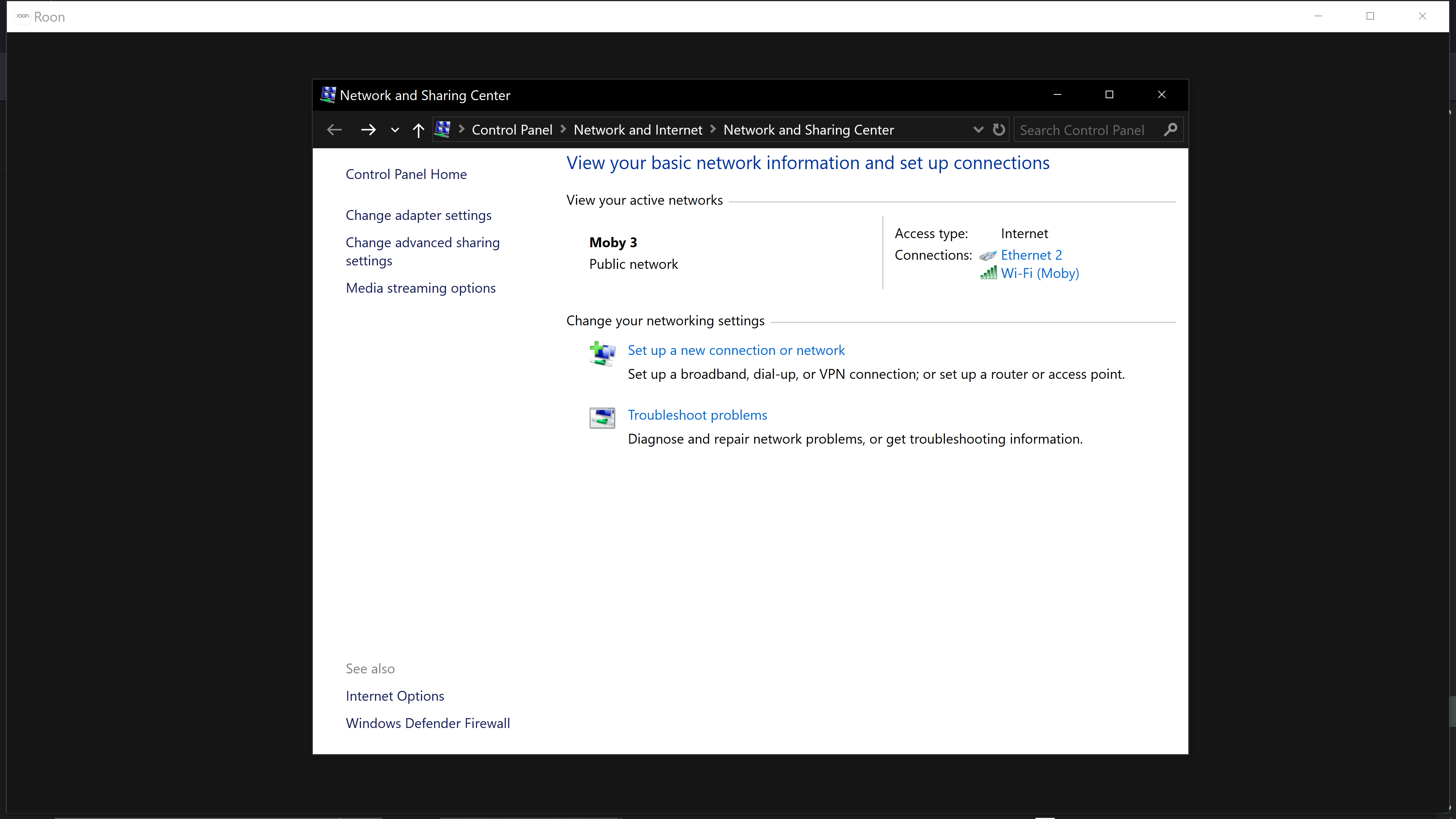
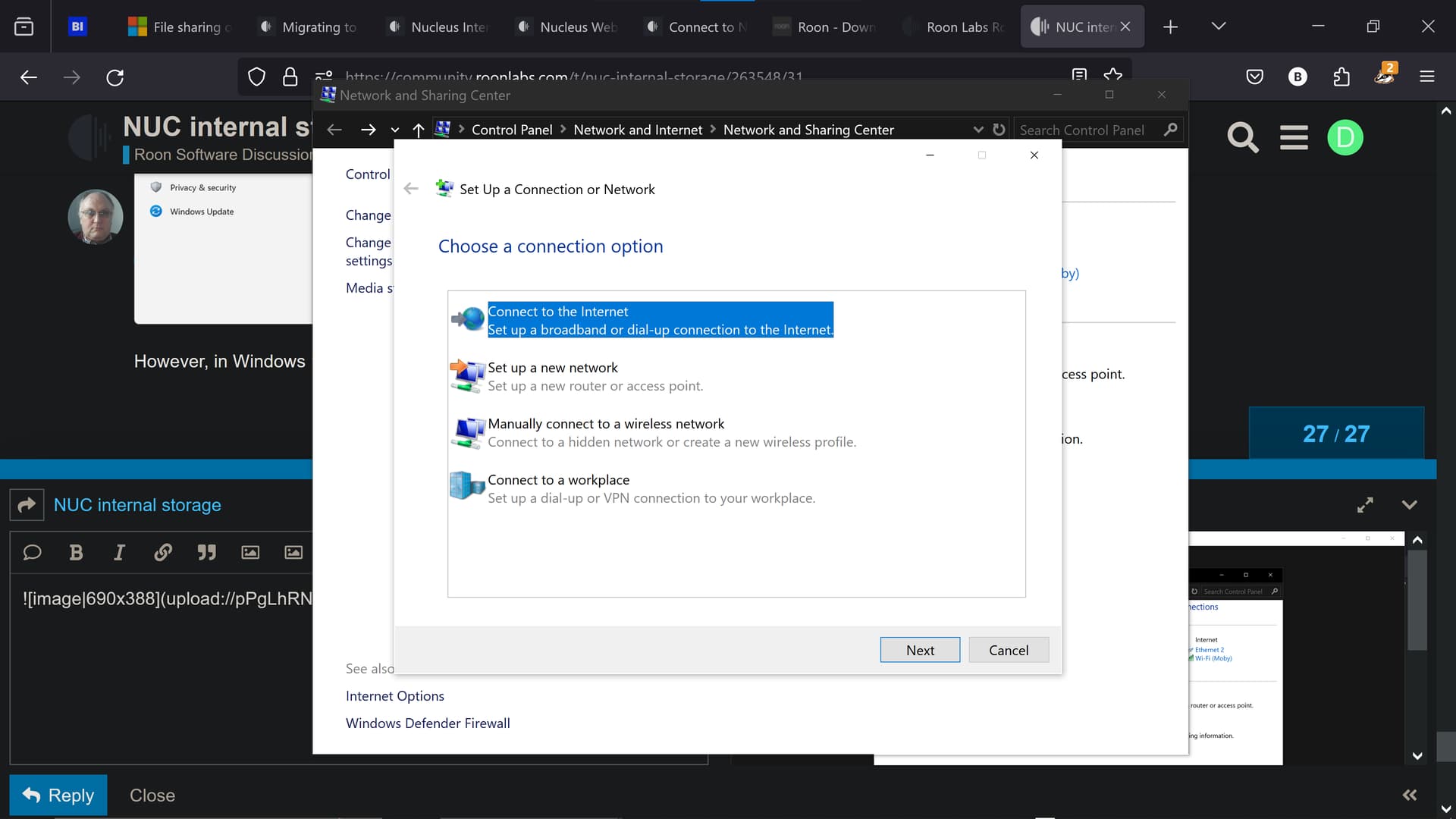

Your active network is saying that it is a “Public” network, when you should have it as a “Private” network. You also seem to have both a wired ethernet and a wifi connection active. See this article for how to change from public to private…
https://www.howtogeek.com/810044/change-network-public-to-private-windows/
OK. To turn network discovery on windows 10:
The Network and advanced Sharing applet looks: like:
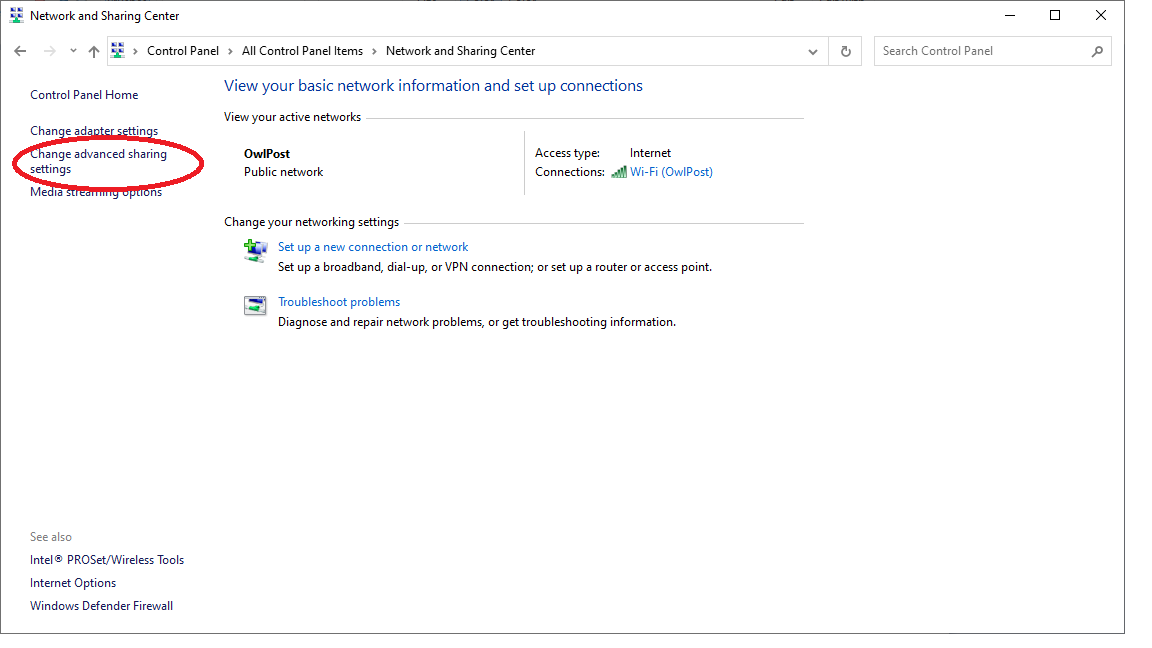
Click on the ‘Change advanced sharing settings’ option in left hand panel (as highlighted above) and that will take you to a page that looks like:
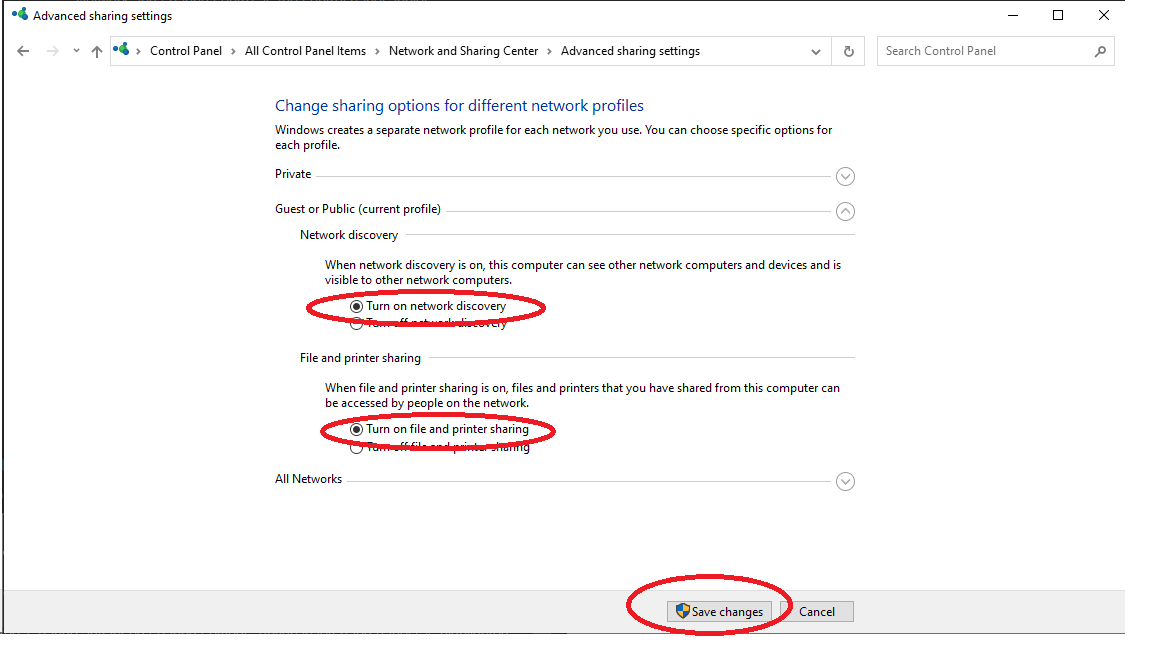
Select “Turn on network discovery” and “Turn on file and printer sharing” and then click on ‘Save changes’
I turned on Network Discovery and File and Printer Sharing
OK. Now what happens when you enter “\\Rock\Data\Storage” or “\\10.0.0.89\Data\Storage” in File Explorer (not internet explorer) as explained in the post above:
You should see the ‘InternalStorage’ folder or, if you have USB attached storage on your NUC, the folder the the USB storage.

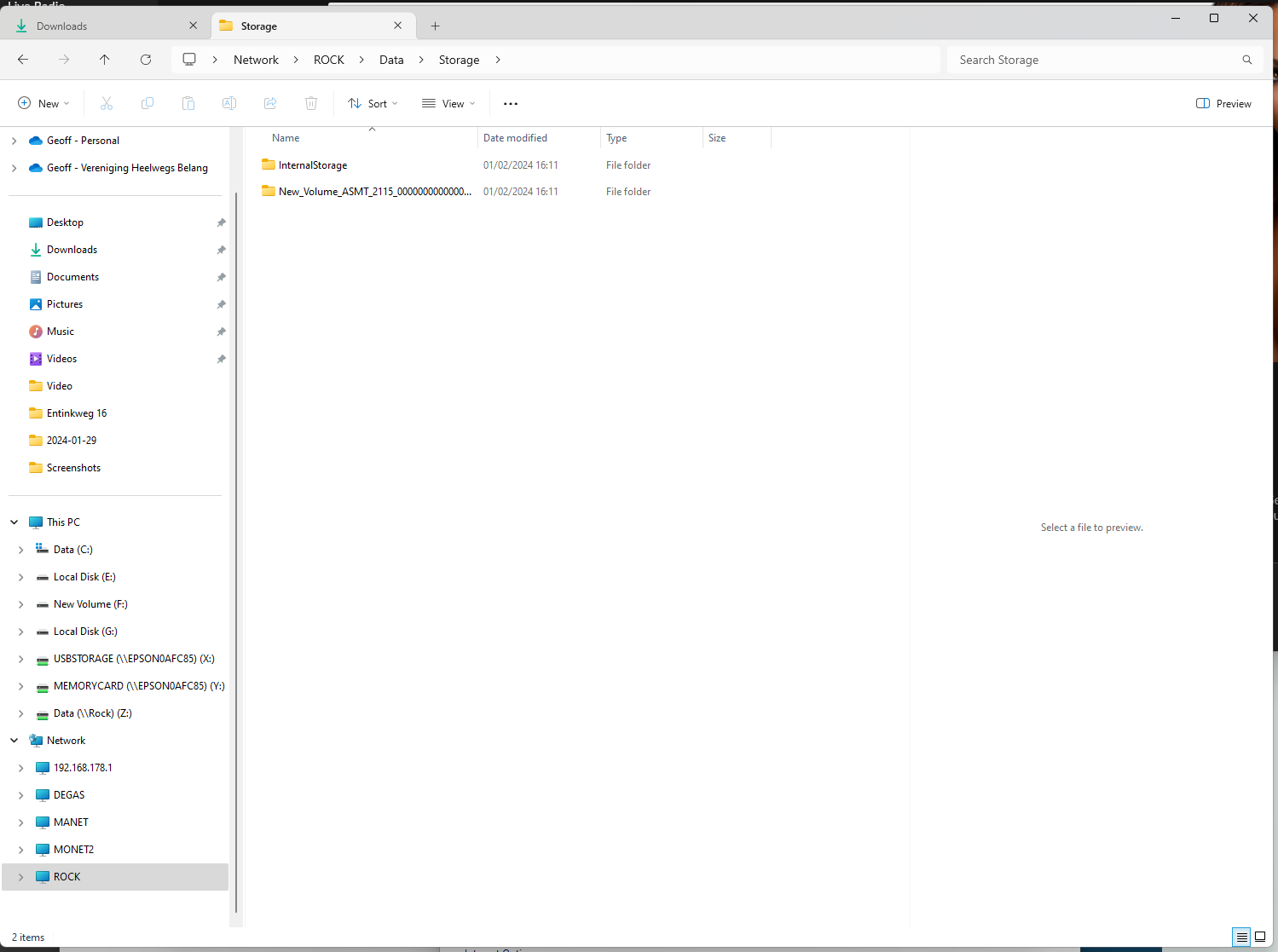

OK we’re at the next hurdle now.
You may have to allow your Windows to connect to the ROCK/NUC data share such that it does not require a username/password, i.e. “Enable insecure guest logons”. Microsoft turned this off (Unauthenticated Guest Access) in some recent Windows versions because it is insecure in a corporate situation…
Hang on while I try and find some simple instructions for this - this may take a while…
No problem. Thank you so much for helping me.
Right, while the steps are relatively simple, they do involve delving into Windows policy editor, so follow them carefully. Mistakes could have serious consequences. Try this:
After the “OK” step and closing the Group policy editor, I would suggest rebooting your Windows before trying to access the ROCK/NUC.
I will reboot Windows now.
After reading that, I may have to do this when I get a new computer with either Windows 11 or the new Windows 12 in the fall.
After I rebooted, it neither address worked for me.