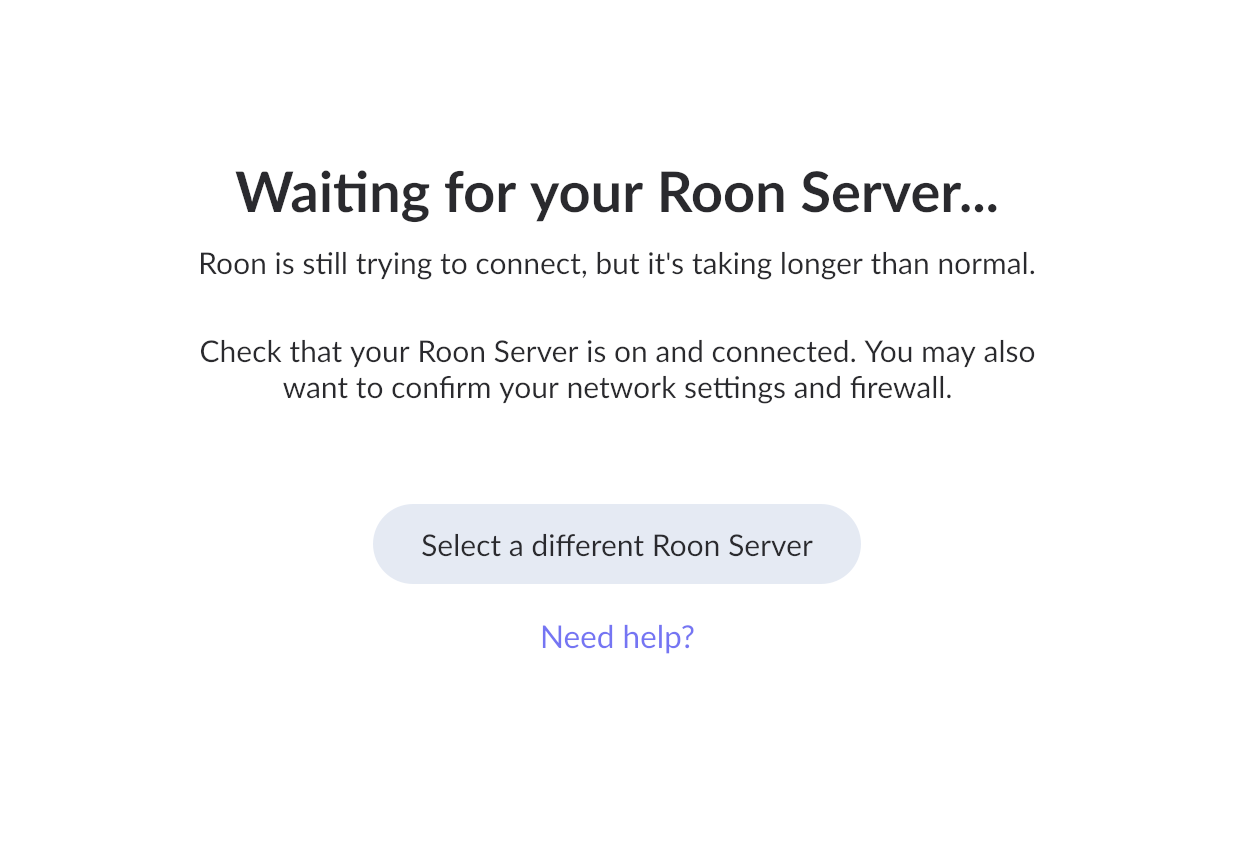
When I start up Roon on either my Windows desktop ot on my ipad (which I use as a remote) it does not recognize/find Nucleus which I use as my Roon server. I have tried rebooting Nucleus, restarting the modem, several times. Nucleus never shows up on my home network. I recently moved - prior to this everything worked fine. I've checked all connections/cables and this doesn't seem to be the issue. Nucleus is connected to an ethernet switch (along with a Lumin U2 mini) - the Lumin shows up on my network. I've switched the ports I use on the ethernet switch with no change. My internet provider is Verizon. Any help would be greatly appreciated.
Describe your network setup
Verizon router (E3200) and Verizon/Nokia Modem ONT (I-211M-L) Netgear ethernet switch (GS105NA)
AceRimmer
("I’m not just a hero; I’m a legend!")
2
And what happens when you try “select a different server”?
This should list any Roon Server on your network.
And I assume that Roon is allowed through any firewalls you may have at the new location.
@AceRimmer has asked some proper next questions above - what happens if you select the ‘select a different Roon Server’ option?
If you access your Verison router settings > devices list - do you see your Nucleus active there?
We’re not seeing any devices currently associated with your account, if you could please please use the directions found here and send over a set of Roon Server logs from your Nucleus to our File Uploader? Once logs have been uploaded, please let us know so that we can check the server for your files, thanks!
Roon log files uploaded - file name Michael Grande Roon Log Zip
Nucleus + does not show up on the Verison router settings
I haven’t selected a different Roon Server - if Nucleus isn’t showing up as connected, I’m not clear that this would be helpful. Let me know if I’m wrong.
Michael
AceRimmer
("I’m not just a hero; I’m a legend!")
5
Please try the select a different server.
It will not hurt anything and would then show any available Roon Server on your network.
Just more useful information as well.
On the other hand . . . . I notice that my PC is now my roon server, not my Nucleus. In that past that’s caused problems when playing back. Again, any suggestions appreciated.
AceRimmer
("I’m not just a hero; I’m a legend!")
10
Was your Nucleus ever shown as an option as a Roon Server after you unauthorized?
If not then there is still a root problem with that unit.
Thanks for sending over the logs, but unforunately they appear to be from your Windows PC, not form the Nucleus. Is the Nucleus still powered on? If you try to connect the HDMI output from the Nucleus to a TV or monitor, what is displayed there, if anything?
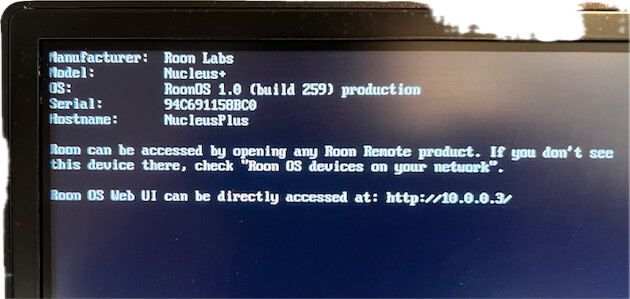
Nucleus is on. When I connect it by hdmi to a monitor, it gave a serial #, Roon OS 1.0, Build 259, not much else. Should I hook it up again and send a screen shot?
A screenshot of your Nucleus plugged into the monitor would definitely be helpful!
With that, are you also able to temporarily get a direct ethernet conneciton from your Nucleus to your primary router, bypassing all other network gear?
We are looking to see the screenshot of your Nucleus.
But you have also stated a bit earlier that your Nucleus has never appeared in the list of devices on your router which makes us think it is not connected to the network or your managed switch does not let it go through.
Can you please try to connect nucleus to the master home router with ethernet cable and check again and let us know what will it show ?
We’d like to verify that the Nucleus doesn’t have a static IP address allocated from your previous network (before the move).
We’re going to reset the network interface of the Nucleus so that the DHCP server in your current router can give it an IP address on this network. This step will require 1) an external display or monitor and 2) any USB keyboard.
Here is an article listing steps in detail:
Please reach out if you need help or don’t have the equipment to complete this step, and we can suggest some workarounds.
When I connected Nucleus directly to the router, it did not show up on the network. Light blink around the Ethernet connection on the Nucleus but . . .
Thanks for sharing that screenshot. It looks like you are expeirencing the issue that @connor mentioned, according to account diagnostics your Roon remotes are on a 192.168.1.XYZ IP address scheme, while the Nucleus is on a 10.0.0.XYZ scheme. Yes, you can use your wired keyboard via USB to perform the reset, and if the bluetooth one has a plug in USB adapter, that might work as well. If you don’t have either of these, perhaps you have a USB → Ethernet adapter around? You can try to use the adapter and plug in via that temporarily, the adapter would use DHCP by default. Then to use the Nucleus without the adapter, you’ll need to switch it from static IP to DHCP in the Web UI.
We haven’t seen a response in a while - we wanted to check in to see if you’d been able to use the adapter to reset the Nucleus network interface with your keyboard per @noris’s suggestion above.
Please let us know if we can assist further. Without any response, this thread will eventually auto-close due to inactivity. Thanks!