· Okay, I'll try to explain again. The Nucleus One works fine, however, when it has a 5 or 10 minute power outage and the power comes back on, I have to restart it because it doesn't turn back on automatically. My question is, is it normal that I have to restart it? For example, my router restarts by itself if it has a power interruption. So, is it normal for the Nucleus One to have to be turned back on? Because it means that even if it doesn't happen often, if it has a short outage and we're out of the house, well, it's useless; we have to wait until we get back to restart it. Thanks.
Not a Nucleus owner myself, but since it’s a computer, you should be able to connect a monitor and keyboard and boot into it’s BIOS by pressing F2 repeatedly during power-on.
To configure your NUC to power on automatically when a power source is (re-)connected, navigate to Power > Secondary Power Settings, and set the option for After Power Failure to Power On. Remember to save your changes by pressing F10 before exiting.
To answer your question — no, this is not normal behavior by default, but it is easily fixable. As Marin correctly pointed out, you need to change a setting in the BIOS:
Connect a monitor and keyboard to the Nucleus One
Power it on and press F2 repeatedly to enter the BIOS
Navigate to Power → Secondary Power Settings
Set After Power Failure to Power On
Press F10 to save and exit
After this change, the Nucleus One will automatically power back on whenever power is restored, just like your router does.
If the default behaviour is to power on after power failure, that does raise the question of why that isn’t happening for the OP? Presumably if they had changed that BIOS setting, they’d probably not be asking the question
Yes, you can change the BIOS setting to automatically restart. To add to this though, sudden power outages are detrimental to the Roon database. If Roon was mid-write on some important database content, it is possible to enter into a corrupted database state. If you live in an area prone to outages, please consider adding a UPS to keep the Nucleus online during the interruptions.
No, I’ll try with the instructions you gave me. I need to find a USB keyboard, but it seems to me that it should already be programmed to restart automatically instead of us having to do it ourselves.
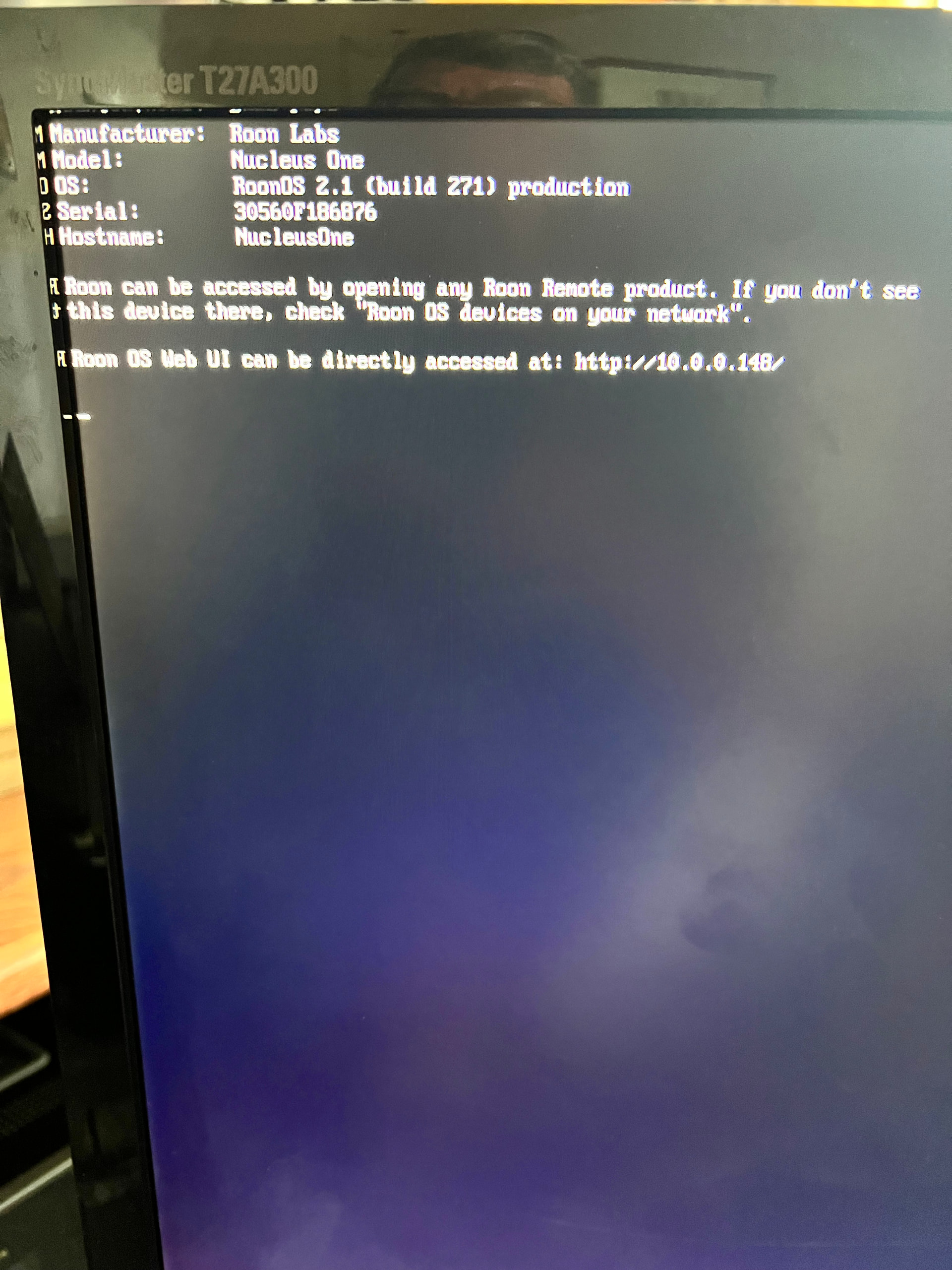
Hello, I received your instructions to enter the BIOS of my Nucleus One and set it to reboot automatically when there’s a power outage. However, I still get this image after pressing F2. What am I doing wrong?
Thank you for the screenshot - what you’re seeing is the normal Nucleus One boot screen, which means the device is booting up correctly after your BIOS change.
Could you confirm: does the Nucleus One now power back on automatically after a power interruption? That would confirm the setting took effect.
Also, as Norris mentioned earlier, if power outages are common in your area, a UPS (uninterruptible power supply) is worth considering to protect the Roon database from corruption during sudden outages.
Can you please try F6, F8, or F12 as well to try to enter the BIOS? Just to clarify, these are the keys at the top of the keyboard, not pressing “F” and then “2,” and so on.