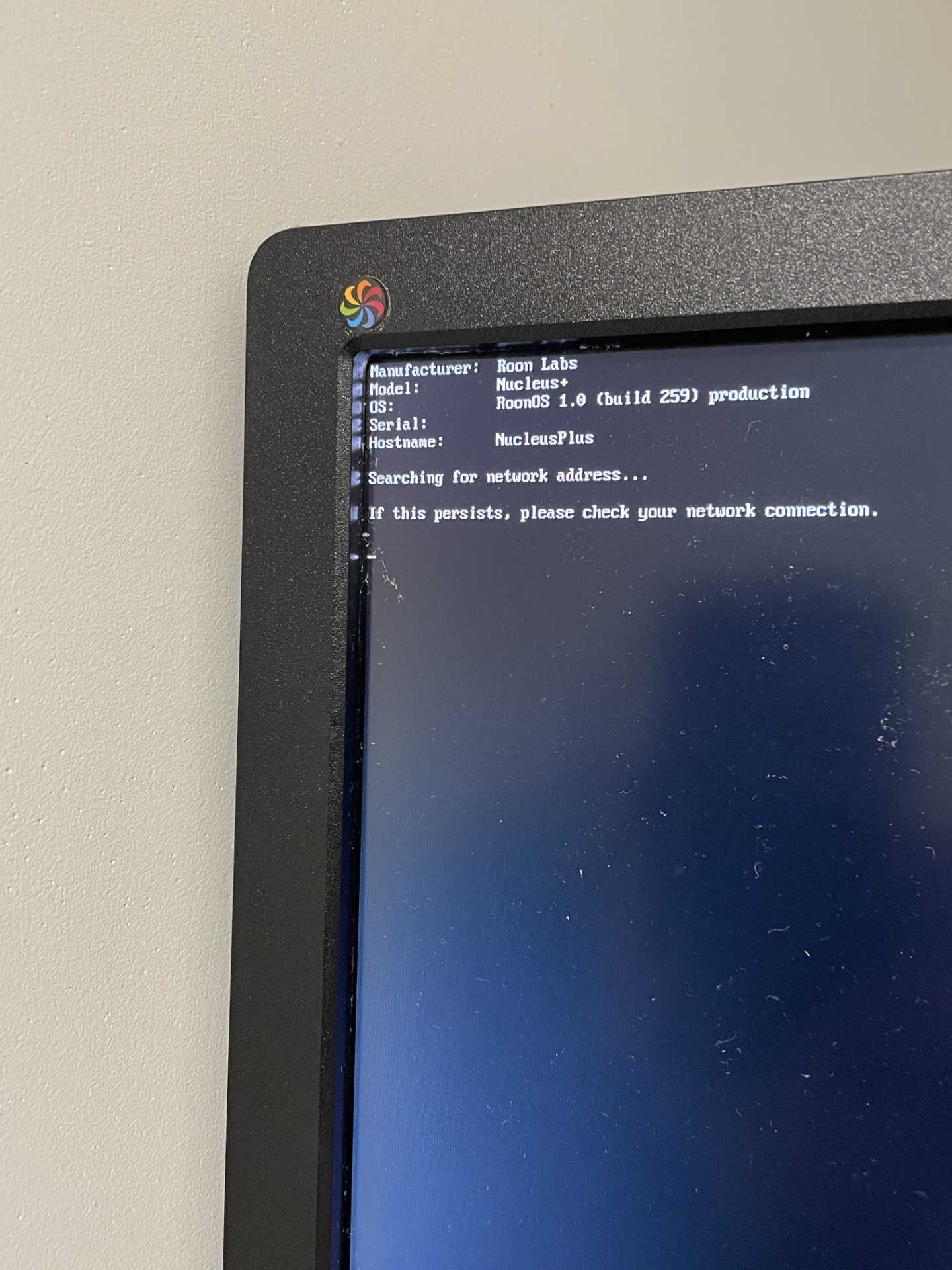
· Nucleus+ (revB) SN: 54B2039C40DF power is on. Network light solid green. Does not connect to network since a few days ago. IT was working fine a few days ago. Plugged monitor into HDMI get "searching for network connection . . ." no ip, no MAC, no serial #. Tried reset with power button and disconnecting power supply for a few minutes. No change. Tested patchcord and switch port, both good. Its seems to boot but can't connect to network
Tell us about your home network
· Unifi network/ switch - port good, tried different port, tried different patch cables all good with other devices. Internet connection good. Nothing changed on network. No activity on Nucleus connected port
Sorry to hear your Nucleus+ is having network issues. Before we proceed to hardware replacement, could you try one thing: connect a USB-to-Ethernet adapter to one of the USB ports on the Nucleus+ and use that instead of the built-in NIC. If it connects successfully, this will confirm the issue is with the onboard network adapter.
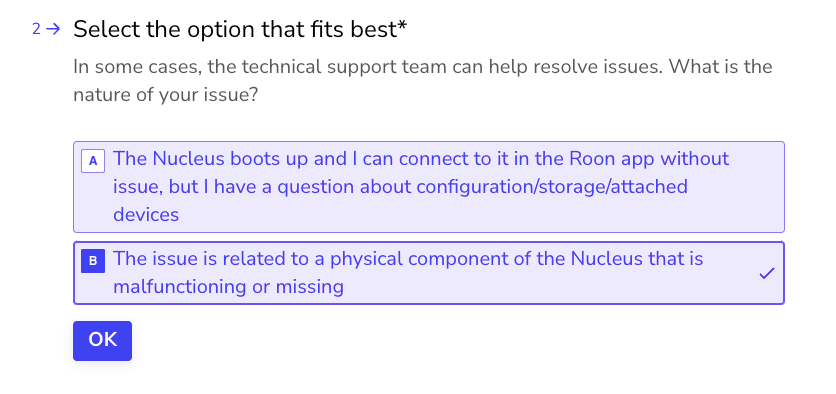
If that does not help, or if you would prefer to proceed directly to hardware support, please reach out to our RMA department via the link below and select “Other” → “This issue is related to a physical component”:
Hello - A USB to Ethernet adapter got my Nucleus+ back on the network. Can the on-board NIC be repaired/ replaced? Should I be able to use the other USB port to connect devices and my back up hard drive with a USB hub? I’m having trouble now seeing my Kii Threes on the other USB port, I could put it on a streamer instead of directly connected to the Nucleus. It appears the USB to Ethernet works on either USB ports on the Nucleus. Thanks everyone for the help!
Glad the USB-to-Ethernet adapter got you back online!
Unfortunately the onboard NIC is soldered directly to the motherboard and cannot be repaired or replaced independently — a full motherboard replacement would be required. I would recommend reaching out to our RMA team via the link I shared earlier so they can advise on the best path forward.
Regarding your other questions:
USB hub — yes, you can use a powered USB hub (make sure it has its own external power supply — unpowered hubs often can’t supply enough current to audio devices like DACs and may cause detection issues)
Kii Threes — if they’re not showing up on the other USB port, try connecting them directly without the hub first to rule out a power issue. If they still don’t appear, let us know and we can look into it further
Wanted to follow up on this. Were you able to try the powered USB hub with its own external power supply, and did the Kii Threes show up when connected directly to the other USB port without the hub first? If they still are not appearing, let us know and we can take a closer look, and if needed we can also help point you to the right RMA path for the onboard NIC issue. Thanks.
We have not heard back from you, so we will go ahead and close this thread due to inactivity. If you need further assistance, please submit a reopen support request via the technical support help form link and specify that the issue be reopened. Thank you.