Does the issue happen with local library music, streaming service music, or both?
· *Only local library *music is affected.
Where is your local content stored?
· On the same machine where RoonServer is running, internal drive
Please try playing content of a lower sample rate (44.1kHz or 48kHz), does this work as expected?
· No, lower sample rates are still affected
Do you have an approximate timestamp of when the issue last occurred?
· It last happened today Sunday 12th July 2026 at around 3 pm
What are the make and model of the affected audio device(s) and the connection type?
· Roon Nucleus Titan [Stone]
Describe the issue
Hi! I just took delivery of a Roon Nucleus Titan and I installed it with a Samsung 8TB 870 EVO Sata III SSD. I have been getting an error message "Playback was interrupted too many failures" when I try to play back local files stored in the Titan. When I reboot the Titan, the Internal Storage doesn't show up. I can only access streaming services such as Qobuz / Tidal. Streaming playback is ok but I cannot playback local files as Titan says they don't exist. I have tried both USB and LAN cable on the Titan. Same problem:. Can you advise solution? The problem do go away momentarily if I power down Titan for a few hours. For your information, I have changed USB and LAN cables. My internet connection is stable. I have also open up the Titan to make sure the Samsung SSD is secured and connected properly. I look forward to your advice. Thanks. Neil Wong
Describe your network setup
I use TP-Link Deco BE85 wi-fi router and Dela S50 network switch.
First off, congratulations on the new Nucleus Titan, and welcome to the Roon Community! I am sorry to hear that you are encountering storage and playback issues right out of the box; that is certainly not the experience we want you to have.
Thank you for the detailed information and for proactively checking the physical seating of the SSD and testing different cables. Since the drive intermittently drops out and disappears from the Web UI after a reboot, we need to narrow down whether this is a file system format issue, a drive health issue, or a hardware communication issue.
Could you please provide a little more background on the Samsung 8TB 870 EVO SSD?
Where did this drive come from? Was it purchased brand new for this Nucleus Titan, or was it repurposed from an older computer, a previous Roon core, or another setup?
How was the drive formatted? Did you format the drive directly using the Nucleus Web Administration Interface, or was it pre-formatted using a Mac or Windows PC (exFAT, NTFS, APFS, etc.) before inserting it into the Titan?
(Note: For internal storage to work correctly and stably within a Nucleus, it is highly recommended and usually required to format it directly via the Nucleus Web Administration interface).
Please let us know these details, and we will figure out the best next steps to get your local library playing reliably!
Hi, the Samsung 870 EVO is not built to operate at 24/7 in a server, but rather in a computer which is periodically switched off. Maybe you want to switch to a Samsung PM893, which is the data center-grade model.
Hi @Akio_Ito ! Many thanks for telling me. I didn’t know what 870 EVO is not built to operate 24/7. Still I have only used this 870 EVO for one week and it has clocked minimal hours.
This applies to scenarios where the SSD is frequently written, such as when used for a server in a data center, but this is not the case when storing music on it, which is a „seldom write, frequent read“ scenario.
The 870 EVO is a perfectly fine choice for music storage. (And the model has nothing to do with the OP‘s current issue)
Suedkiez is correct that the drive model isn’t the cause here. We pulled the logs you sent and found the actual pattern.
The Samsung SSD was detected and mounted multiple times correctly: the morning of July 11, again that afternoon, and twice more on July 12, most recently around 2:12 PM that day, with your library loading normally each time (10,356 tracks). So the SSD itself, the formatting, and the initial setup were all fine.
Starting with the next reboot after that, the drive stopped appearing entirely. At the hardware level, the log shows the SATA link never comes up during boot: “SATA link down.” Since Roon Server never sees the drive at that point, there is nothing to mount, which is why Internal Storage disappears from the Web UI and local playback fails.
This points to an intermittent physical connection rather than a dead drive or a setup mistake. A couple of things worth trying:
Please open the Nucleus Titan again, following the guide, and firmly reseat the SATA cable at the SSD’s end: the connector on the drive.
While it’s open, please check the cable itself for any visible damage or a loose/bent pin on either connector.
Please let us know whether the drive comes up reliably after that, or whether it drops out again on a later reboot.
If reseating doesn’t resolve it, the next step would be testing with a different drive to isolate whether the fault is in the SSD, the cable, or the board itself, and we may need to reach out the RMA team.
I have opened up the Nucleus Titan again and followed the guide to firmly reseat the SATA cable at the SSD’s end and the connector on the drive.
I have checked the cable. There isn’t any visible damage or loose/bent pin on either connector.
I don’t have another drive at moment which I can install in the Nucleus Titan to check if its the SSD, cable or board that is the cause of the problem.
May I know if your clients have had issues with Samsung 870 EVO SSD? I researched online and it appears that Samsung 870 EVO SSD has a reliability issue. Can you suggest an alternative SSD that is compatible with Roon Nucleus?
To answer your question directly: no, we haven’t seen a compatibility or reliability pattern with the Samsung 870 EVO specifically. It’s a drive we see used successfully in Nucleus units, so this doesn’t look like a drive-model issue.
Since you don’t have a second drive on hand to swap in, that’s fine, we don’t need that test right now. What we do need is to confirm whether the reseat actually fixed anything: could you please reboot the Nucleus Titan a couple of times and let us know whether the drive comes up reliably?
If it drops out again after reseating, that points more toward the cable or the board itself rather than the drive, and at that point we’d move this toward our RMA team rather than asking you to keep troubleshooting hardware you can’t easily swap-test yourself.
The next step would be testing with a different SSD in the Nucleus Titan. If that drive also isn’t discovered by the OS, that would point to the cable or the board itself rather than any specific drive, and at that point please reach out to our RMA team so they can take it from there.
No need for anything specific, this is just a test, not a recommendation. Any spare SATA SSD you have on hand, even an old small one, works fine for it. We’re only checking whether the Nucleus Titan can detect a different drive on that same connection at all.
Worth keeping in mind that reseating the cable earlier could have disturbed something further, so this test also helps rule out whether the cable itself was affected. If a different drive comes up fine, that points at the original SSD. If nothing gets detected, that points at the cable or the board, and we’d move this to RMA from there.
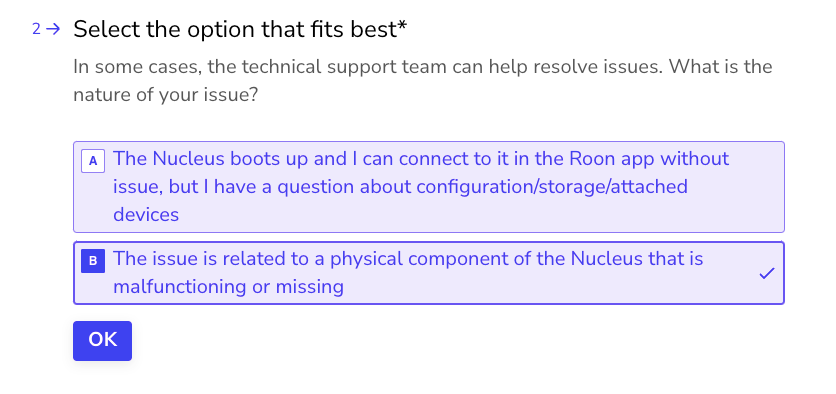
Thanks for the report, and I’m sorry to hear you’ve hit some hardware issues with your Nucleus. The best next step here is to get in touch with our RMA department directly, as they’re in charge of all hardware-related Nucleus issues. To do so, open the Typeform link below and select ‘Other’ followed by 'This issue is related to a physical component".