Hello @Dimtiris_Stathis,
Thanks for reaching out.
To ensure Roon recognizes the files in the new location as the original copies (preserving your library data), you need to edit the existing storage location rather than adding a new one.
Please follow these steps:
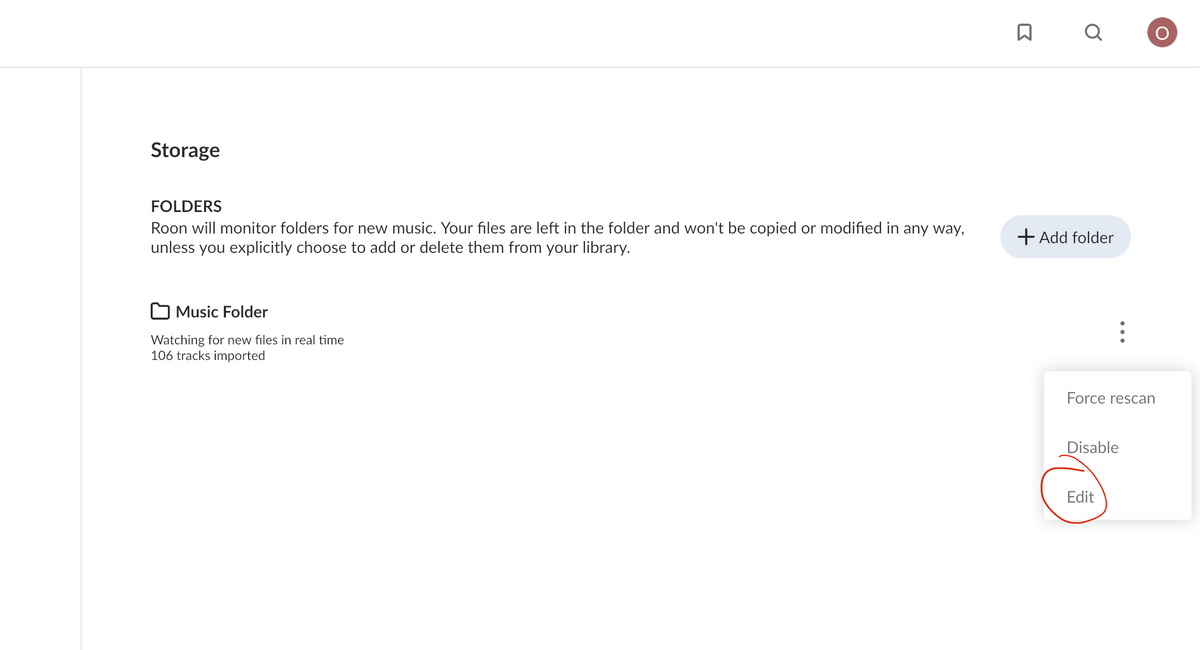
- Go to Settings → Storage.
- Locate the old storage folder.
- Click the three dots (menu icon) next to it and select Edit.
- Browse to and select the new folder location.
Thanks.