Playback and Interface Freezing with "No Audio Devices Found" Error (ref#8NX1XX)

Hi @Adrian_Berry,

Thanks for the updates. The end_stream you cited is actually normal, not a fault

07/05 14:56:48 SENT [14]{“request”:“end_stream”}

The surrounding log shows exactly what was happening at that second: the Roon server zone (the local Douk, “HIFI DSD”) was finishing the track “Sour Times” by Portishead. Watch the buffer drain naturally as the track ends:

  • 14:56:22: [100% buf] PLAYING @ 3:55/4:13
  • 14:56:27: [87% buf] @ 3:59
  • 14:56:32: [37% buf] @ 4:05
  • 14:56:37: [3% buf] @ 4:10 (track nearly over, 4:13 total)
  • 14:56:41: _Advance (Track) then OnToNext, LL_PlaybackStarted: fresh start
  • 14:56:42: next track begins, [100% buf] PLAYING @ 0:01/3:56 "Shine" by Lovefreekz
The end_stream at 14:56:48 is RAAT closing out the finished track's stream as the next one starts. This is what the end of every track looks like. It is routine housekeeping, not a disconnect.

And the proof it wasn’t a stop: playback continues seamlessly. “Shine” plays through 0:01, 0:06, 0:12 … all the way to 1:15 and beyond at 100% buffer, while the Kitchen Pi simultaneously keeps playing “Light Up the Sky” without a blip. Nothing disconnects. No tcpaudiosource error, no lost client, no Retrying. The system is completely healthy across the entire window.

We do see hourly backups that could potentially be causing playback to stop, this is also expected behavior. If you haven’t yet, I’d update your server and remotes to the latest version of Roon, and see how things perform.

Hi Benjamin, I accept that in this particular instance I have spotted something that is ‘normal’ operation. But that just means I didn’t spot what actually caused it to stop even though I started from the end of the log file working backwards in time. So what did cause it to stop this time?

This random stopping has been going on for well over a year. Every time a potential cause is identified I try the fix. But it just seems to shift the random stopping to a different alleged problem.

So far I have swapped out Apple Mac minis as Endpoints for Raspberry Pies running RoPieee, checked all my Ethernet cables, rewired, double checked the cables, changed Ethernet hubs for new switches, restructured the topology, swapped over Douk USB to S/PDIFF adapters etc, etc, etc. And the dropouts persist, allegedly for a new cause every time.

And yes, every time a new release of ROON, Rock, Roon Bridge or RoPiee comes out my system is instantly updated.

I am an electronics/software/systems engineer with 40 odd years of experience. What this experience tells me is that either there are many individual faults in Roon that maybe are slowly getting fixed or there is a single underlying structural problem that keeps manifesting in different ways when patches are applied.

I read the change log for the recent release and did not find any change that was going to explicitly fix this problem. But it’s download and running. So we will see what happens.

Hi @Adrian_Berry,

Certainly let us know how things perform on build 2.70 across all your devices. Thank you!

Hi @Adrian_Berry,

Just checking in on this, have you had a chance to see how build 2.70 is behaving across your devices? If you’ve noticed any changes on Roon Remote, Roon Server, or ARC since the update, let us know what you’re seeing. Please reply with any updates or questions so we can keep this moving.

Please note, if we don’t hear back from you this thread may close automatically soon. If the thread auto-closes and you need further assistance, please submit a reopen support request via the technical support help form below and specify that the issue should be reopened. Thank you.

Hi, I am still seeing dropouts being caused by the HiFi DSD clock drifting out.

Hey @Adrian_Berry,

Thanks for sticking with this, and for the update on 2.70. We’ve gone through a fresh set of server logs, and we want to reframe where this is pointing, because we think the “clock drifting out” read is actually leading us away from the real cause.

The drift is real in the logs, but it’s a symptom, not the source. Every one of those drift warnings comes attached to a huge round-trip time to the endpoint, 40 to 295 ms, where a healthy sync (like the one Harry captured) sits at well under 1 ms. RAAT calculates the clock offset from that round-trip, so when the network path stalls for a fraction of a second, the offset and “drift” numbers spike. In other words, the clock isn’t wandering off on its own, the network briefly freezes and the drift figure jumps as a result.

Here’s the part that rules out the Douk and the DAC entirely: at every stop, your server’s own local output (“Roon server”, the Douk on the NUC at 127.0.0.1) drops at the exact same instant as the networked Kitchen Pi. A Douk or DAC hanging off the Pi physically cannot drop the server’s own loopback zone. When both go down together, the disturbance is happening on the server’s side of the network, not at either endpoint. This is the same thing we saw back in June, and it’s still true on 2.70.

Two other things worth noting from the logs:

The old garbage-collection theory is now firmly off the table, memory is flat across the entire run with no growth over uptime. And the stops aren’t random. They land on fixed schedules: a network event every 12 hours at 05:27 and 17:27, which is still firing daily even after your DHCP reservations (so it isn’t lease renewal), plus a recurring event roughly every four hours at three minutes past the hour, and the nightly backups.

That fixed-timer, hits-everything-at-once behaviour is exactly what you’d expect from a scheduled task or a link-level renegotiation on the server or router, not a per-device fault. So I’d stop swapping Douks and endpoints and look here instead:

  • On the NUC, disable Energy Efficient Ethernet / "green ethernet" on the network adapter. Periodic EEE link renegotiation is a very common cause of these clean, recurring blips that drop every zone simultaneously.
  • Check the NUC for scheduled tasks lining up with these times: systemctl list-timers and cron, plus any VPN with a 12-hour rekey.
  • On the BT side, it's worth checking whether the 05:27 / 17:27 event coincides with a WAN re-sync or PPP re-auth, BT lines often run these on a schedule.
The single test that would make this obvious: leave a continuous ping running to both the Pi and the router, and check it after the next stop. You should see the latency spike land precisely on one of those scheduled times. That would confirm we're chasing a network event, and finally give us the single underlying cause you suspected rather than another symptom.

Thanks, Adrian, I think this is the closest we’ve gotten to the actual trigger. :folded_hands:

Hey @Adrian_Berry,

Wanted to follow up on this, and see whether the pattern we pulled from the logs has been any help. Have you had a chance to try disabling Energy Efficient Ethernet on the NUC, and to check for anything scheduled around those repeat stop times, like systemd timers, cron jobs, a VPN rekey, or a BT WAN resync at 05:27 or 17:27?

The next best test is still the continuous ping to both the Pi and the router, so we can see whether the latency spike lands right on one of those events and points to the shared network trigger we discussed. If you have an update from any of those checks, reply with it and we can keep narrowing this down.

Please note, if we don’t hear back from you this thread may close automatically soon. If the thread auto-closes and you need further assistance, please submit a reopen support request via the technical support help form below and specify that the issue should be reopened. Thank you.

Simple answer; No. Because we have been away from home for 10 days I haven’t been able to try anything. We got home late last night so I will start trying your suggestions in the next few days. Will update as soon as I find anything.

Thanks for letting us know, @Adrian_Berry . We’ll be standing by to hear your results!

I’ve still not made any changes but seem to have a new failure mode.

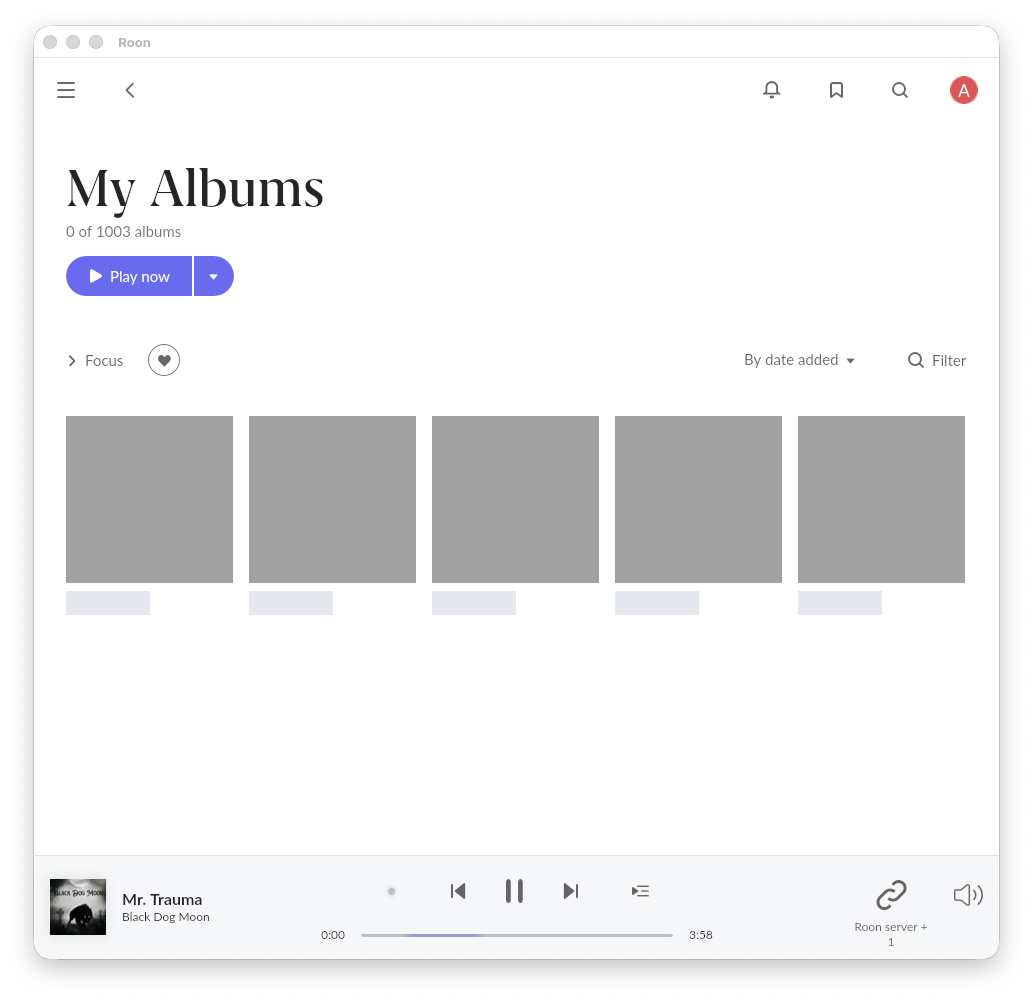
Went out this evening leaving Roon Radio playing on a group containing the Roon Server and the Kitchen Ropiee. It has been automatically choosing tracks for most of the evening. When we got back the system had stopped playing. And Roon on my Mac Studio seems to have frozen and is failing to show my albums. Here is a screenshot.

Looking at the log file it seems to have gone wrong at this point:

7/30 19:14:37 [Local 07/30 20:14:37] Trace: [Roon server + Kitchen Pie] [zoneplayer/raat] sync HIFI DSD → HIFI DSD result: Success
07/30 19:14:37 [Local 07/30 20:14:37] Trace: [Roon server + Kitchen Pie] [zoneplayer/raat] Endpoint HIFI DSD State Changed: Playing => Prepared
07/30 19:14:37 [Local 07/30 20:14:37] Trace: [HIFI DSD] [raatclient] SENT [16]{“request”:“end_stream”}

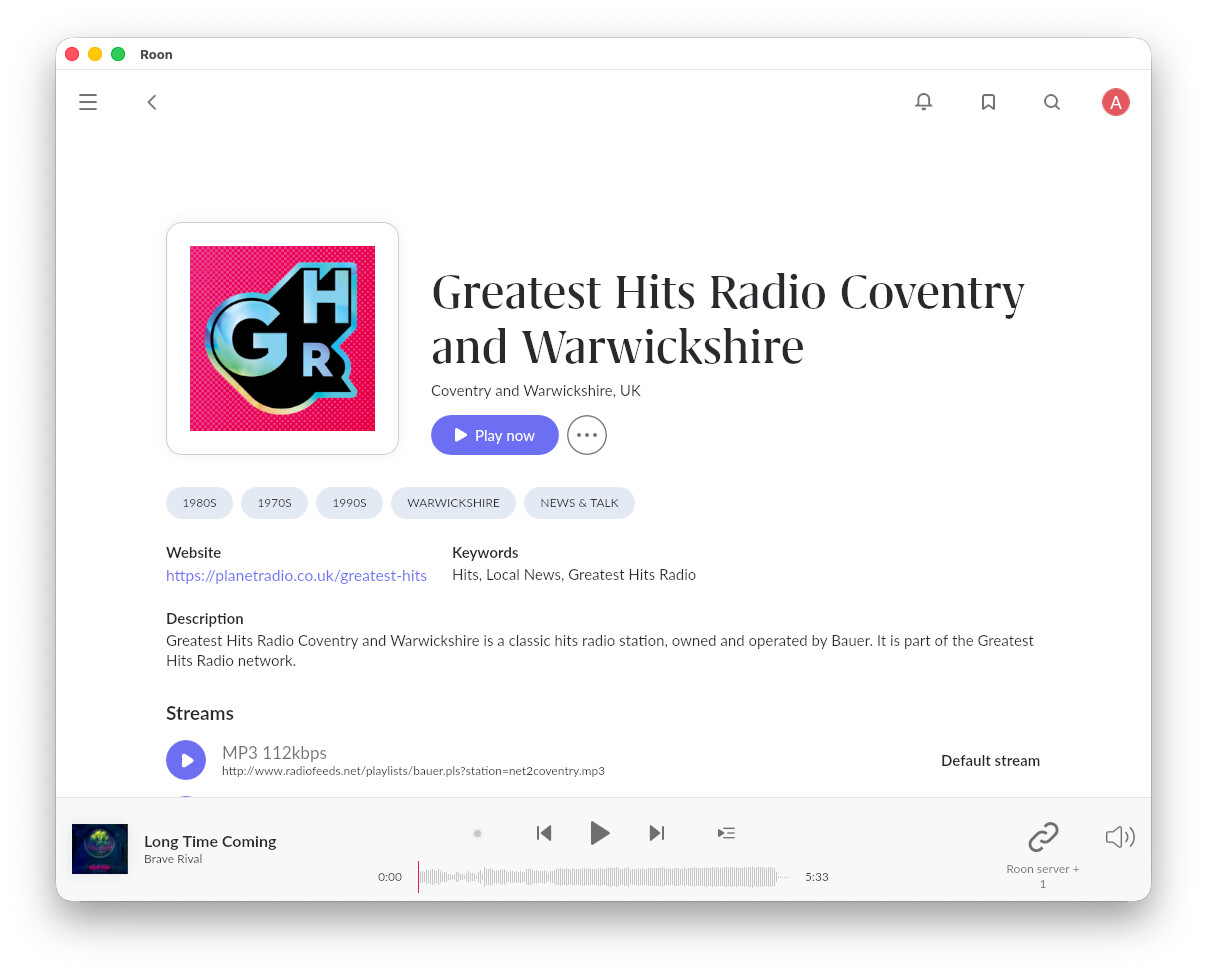
But looking at Roon on my Kitchen Mac mini Roon is showing

It’s showing a completely different track, “Long Time Coming”. That track first appears here:

07/30 23:00:04 [Local 07/31 00:00:04] Info: [Roon server + Kitchen Pie] [zoneplayer] Queueing: /roon/sys/storage/mounts/InternalStorage/Music/Music/Brave Rival/Life’s Machine/08 Long Time Coming.m4a
07/30 23:00:04 [Local 07/31 00:00:04] Info: [Roon server + Kitchen Pie] [zoneplayer] Open Result (Playing):Result[Status=Success]
07/30 23:00:04 [Local 07/31 00:00:04] Trace: [Roon server] [Lossless, 16/44 ALAC => 16/44] [2% buf] [LOADING @ 0:00] Sirens - Häxan
07/30 23:00:04 [Local 07/31 00:00:04] Info: [Roon server + Kitchen Pie] [zoneplayer] Starting playback
07/30 23:00:04 [Local 07/31 00:00:04] Trace: [Kitchen Pie] [LowQuality 19.7x, 24/44 AAC => 24/96] [2% buf] [LOADING @ 0:00] Sirens - Häxan
07/30 23:00:04 [Local 07/31 00:00:04] Trace: [Roon server + Kitchen Pie] [zoneplayer/raat] StartStream Sooloos.Broker.Transport.RaatZonePlayer+Endpoint: StreamParams[SampleRate=44100, BitsPerSample=24, Channels=2, Layout=Stereo FrameCount=9082880] => StreamParams[SampleRate=44100, BitsPerSample=24, Channels=2, Layout=Stereo FrameCount=9082880] streamid=222974880
07/30 23:00:04 [Local 07/31 00:00:04] Trace: [Roon server + Kitchen Pie] [zoneplayer/raat] StartStream Sooloos.Broker.Transport.RaatZonePlayer+Endpoint: StreamParams[SampleRate=44100, BitsPerSample=24, Channels=2, Layout=Stereo FrameCount=9082880] => StreamFormat(channels=2, bitspersample=24, samplerate=96000, isdts=False) streamid=222974880
07/30 23:00:04 [Local 07/31 00:00:04] Trace: [HIFI DSD] [raatclient] SENT [403]{“request”:“teardown”}
07/30 23:00:04 [Local 07/31 00:00:04] Trace: [Roon server + Kitchen Pie] [zoneplayer/raat] Endpoint HIFI DSD State Changed: Prepared => Idle

I really cannot work out what is going on here. The Roon Server and the Kitchen Ropiee are in the same group but it looks like they are trying to play different tracks. And they are used, which I didn’t request.

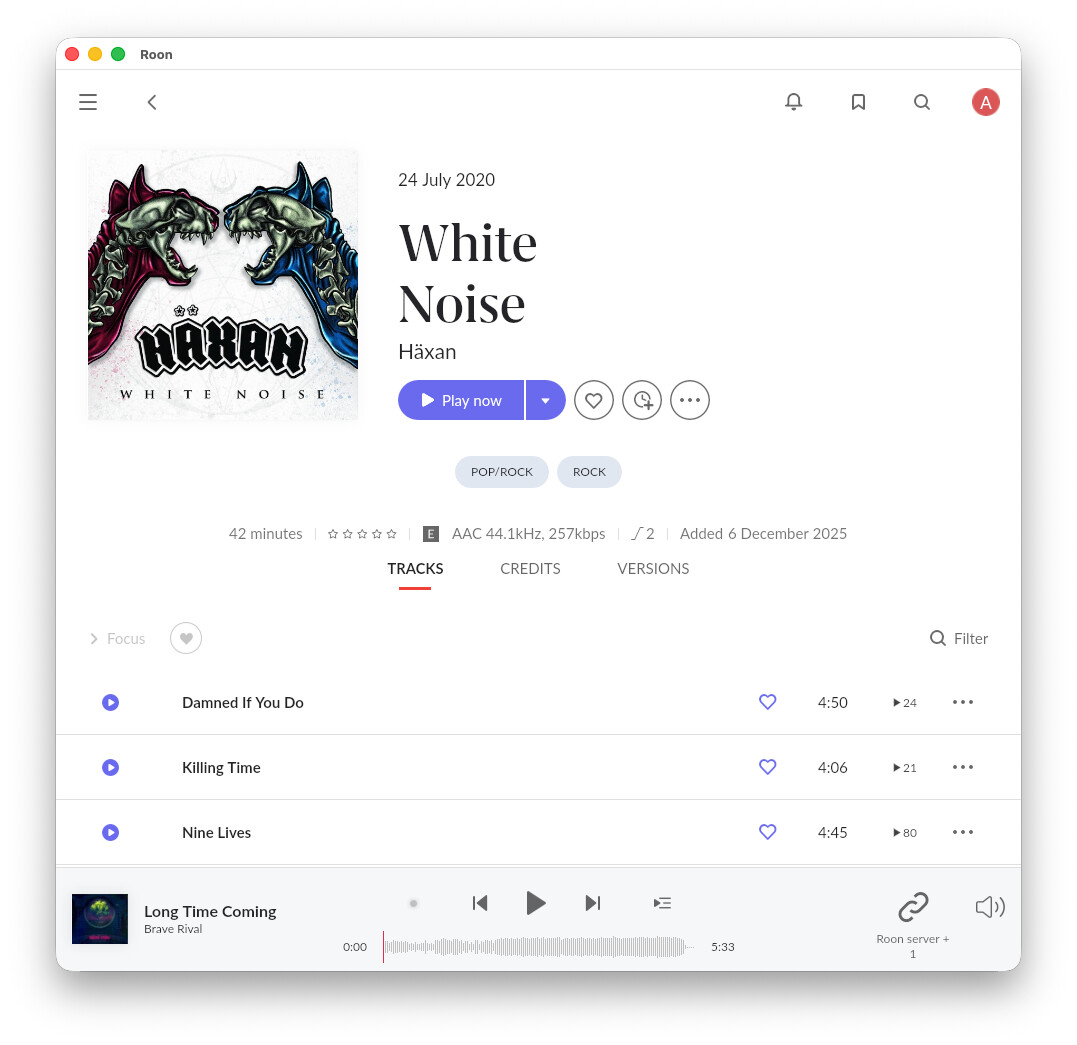
I just tried Quitting Roon on the Mac Studio and restarting it. It came up with this screen:

White Noise was the album I started Roon radio from. And clicking on Play starts it playing again.

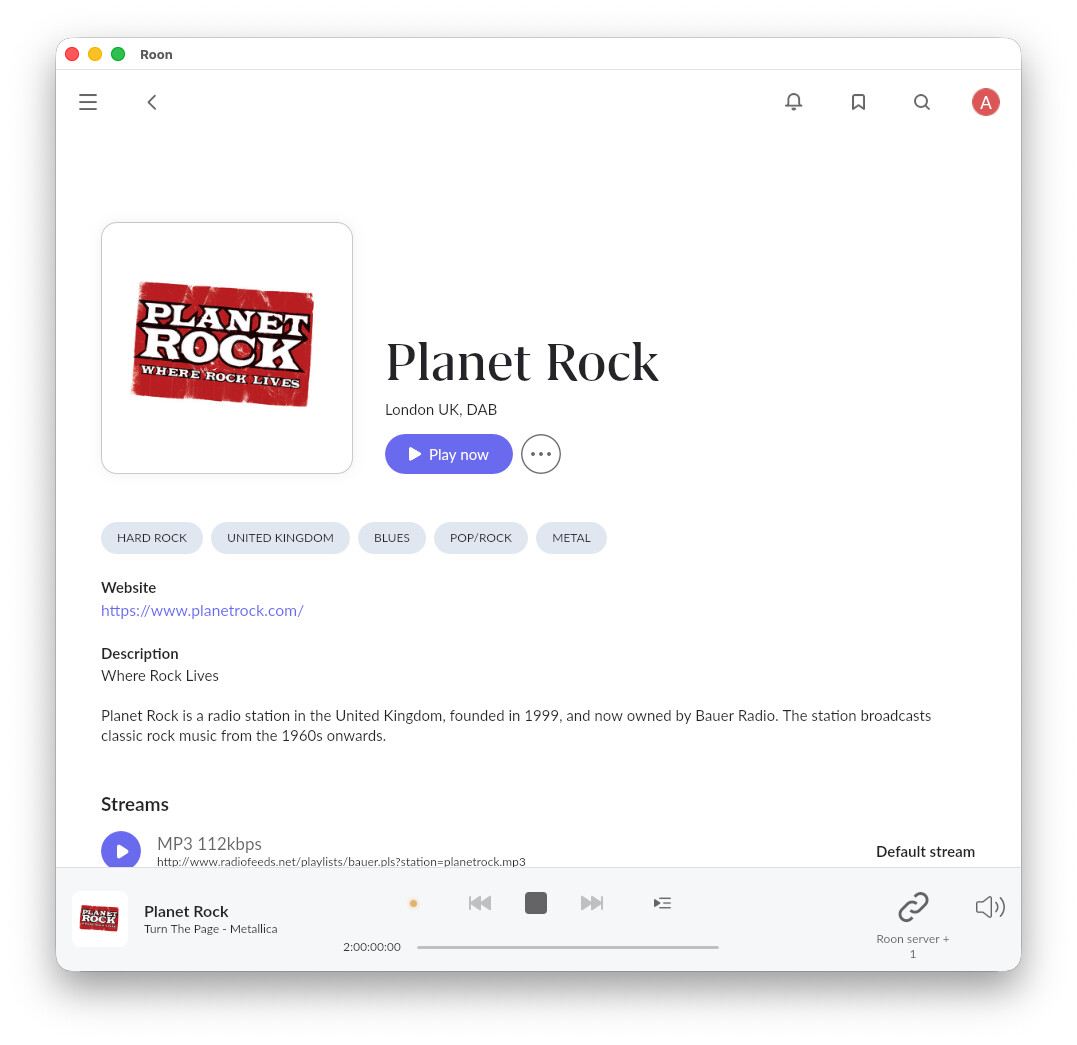
It just stopped again whilst playing Planet Rock. Looks like something happened about here:

07/31 11:03:31 [Local 07/31 12:03:31] Trace: [Roon server] [LowQuality, 24/48 MP3 => 24/48] [100% buf] [PLAYING @ 67:00] STOP ADBREAK 3
07/31 11:03:31 [Local 07/31 12:03:31] Warn: [devicedb] failed to load device db: System.IndexOutOfRangeException: Index was outside the bounds of the array.
at Sooloos.Broker.Remoting.RemotingServerV2._PutObject(Object o, Stream stream, Boolean inline)
at Sooloos_Broker_Api_Vendor_Adapter.Serialize(Object obj, Stream stream)
at Sooloos.Broker.Remoting.RemotingServerV2._PutObject(Object o, Stream stream, Boolean inline)
at Sooloos_Broker_Api_Product_Adapter.Serialize(Object obj, Stream stream)
at Sooloos.Broker.Remoting.RemotingServerV2._PutObject(Object o, Stream stream, Boolean inline)
at Sooloos_Broker_Api_DeviceDb_Adapter.ev_ProductChanged(DeviceDb arg1, Product arg2)
at Sooloos.Broker.Transport.DeviceDb.LoadDeviceDb(String path)
07/31 11:03:31 [Local 07/31 12:03:31] Trace: [devicedb] loading device db at /roon/data/RoonServer/Cache/devicedb-prod.zip
07/31 11:03:31 [Local 07/31 12:03:31] Trace: [raat_ll/client] [System Output] OnDisconnected: BeginRead ead count is 0
07/31 11:03:31 [Local 07/31 12:03:31] Trace: [raat_ll/client] [Mac mini Speakers] OnDisconnected: BeginRead ead count is 0
07/31 11:03:32 [Local 07/31 12:03:32] Trace: [Roon server + Kitchen Pie] [zoneplayer/raat] sync HIFI DSD → HIFI DSD result: Success
07/31 11:03:32 [Local 07/31 12:03:32] Trace: [HIFI DSD] [raatclient] GOT [9] {“status”:“Ended”}
07/31 11:03:32 [Local 07/31 12:03:32] Trace: [raat_ll/client] [HIFI DSD] OnDisconnected: BeginRead ead count is 0
07/31 11:03:33 [Local 07/31 12:03:33] Trace: [Kitchen Pie] [LowQuality 22.8x, 24/48 MP3 => 24/96] [100% buf] [PLAYING @ 67:00] STOP ADBREAK 3
07/31 11:03:33 [Local 07/31 12:03:33] Warn: [raat/tcpaudiosource] send failed: Broken pipe
07/31 11:03:33 [Local 07/31 12:03:33] Warn: [raat/tcpaudiosource] disconnecting + retrying
07/31 11:03:33 [Local 07/31 12:03:33] Debug: [raat/tcpaudiosource] disconnecting
07/31 11:03:33 [Local 07/31 12:03:33] Debug: [raat/tcpaudiosource] connecting to 127.0.0.1:44935
07/31 11:03:34 [Local 07/31 12:03:34] Error: [raat/tcpaudiosource] connect failed: Connection refused

And now Roon on the Mac Studio is “Waiting for your Roon Server”

Hi, I have now had time to try all your suggestions. And it is not a happy ending!

  1. Turns out there is a known issue with the BT Smart Hub 2 where it unilaterally resets the “Always use this IP address” option to NO even after you have set it to YES.

  2. The BT Smart Hub 2 does not have an option to manage EEE anywhere

  3. My Intel NUC ROCK server also does not have an option to manage EEE. The NUC is a NUC7i7BNB BIOS version BNKBL357.86A.0088.2022.0125.1102

  4. All the network switches in my system are un-managed so I cannot turn off EEE on them.

  5. There is no option in Ropieee to manage EEE

  6. I thought I had set the Ropieee to a static IP address but it turns out it was still set to DCHP. I have now set that to a fixed address 192.168.1.253 - which is what it has always showed in all the logs so far. The Rock is also set to a static IP address

I’ll see what happens now the Ropieee is definitely a static address and start finding a managed switch that will let me turn off EEE.

I’ll update when I have more info.

It stopped again while we were out

08/03 21:17:22 [Local 08/03 22:17:22] Trace: [raat_ll/client] [HIFI DSD] OnDisconnected: BeginRead ead count is 0
08/03 21:17:22 [Local 08/03 22:17:22] Trace: [raatserver] [RaatServer ropieeeKitchen @ 192.168.1.253:9200] lost client connection. Retrying(0)
08/03 21:17:22 [Local 08/03 22:17:22] Trace: [raatserver] [RaatServer ropieeeKitchen @ 192.168.1.253:9200] connecting (attempt 1)
08/03 21:17:22 [Local 08/03 22:17:22] Info: [transport] destroyed zone Roon server + Kitchen Pie was playing? True
08/03 21:17:22 [Local 08/03 22:17:22] Trace: [zone Roon server + HIFI DSD] Suspend
08/03 21:17:22 [Local 08/03 22:17:22] Warn: [rnet/RnetJsonClient] failed to connect Connection refused

Just checked and Ropieee is itself definitely a static IP address http://192.168.1.253/ ROCK is also Static 192.168.196. However I have discovered that the BT Smart Hub 2 has its Server address range set to 192.168.1.64 - 192.168.1.253. Lease time is also set to 1 Day 0 Hours

I am now going to try setting the ROCk to 192.168.1.10 and the Ropieee to 192.168.1.11

UPDATE.

Well that was a battle. Turns out that the BT Smart Hub 2 should only allow you to set Static IP addresses outside its ‘Server address range’. So I have set ROCK and Ropieee themselves to 192.168.1.10 and 11 respectively. The BT Hub is now reporting them at those addresses and says that they are Static. It has also seemingly changed some addresses in the Server range from DHCP to Static!

I also discovered that the BT Smart Hub 2 does allow you to change its Server address range. You do this in the IPv4 configuration tab of the router’s Advanced settings pages. When you click the Server address range field it shows you a couple of standard ranges and ‘Custom’. Clicking on Custom doesn’t seem to do anything. You have to also click on ‘Set’. It then opens the previous page with fields for the start and end of the Server address range. These can then be changed.

So I now have ROCk and Ropieee with static IP addresses outside the routers Server address range. The system has now been running for 33 minutes without interruption.

I’ll update again when something happens :grinning_face:

Great work so far @Adrian_Berry! Let us know if your above changes to the BT Smart Hub 2 continue to help. :+1:

The system seemed to be working OK but then dropped out here

08/07 06:07:08 [Local 08/07 07:07:08] Trace: [Roon server] [LowQuality, 24/48 MP3 => 24/48] [PLAYING @ 2189:46] Can I Play With Madness - Iron Maiden
08/07 06:07:10 [Local 08/07 07:07:10] Trace: [Kitchen Pie] [LowQuality 24.2x, 24/48 MP3 => 24/96] [PLAYING @ 2189:48] Can I Play With Madness - Iron Maiden
08/07 06:07:10 [Local 08/07 07:07:10] Trace: [roonapi] [apiclient 192.168.1.12:36716] CONNECTION TIMEOUT
08/07 06:07:10 [Local 08/07 07:07:10] Info: [roonapi] [apiclient 192.168.1.12:36716] disconnected

I’ve just applied the latest update, roon-2-71-hotfix-1683, so we will see what happens now

It just paused, started again then stopped, sort of a splutter.

08/07 15:43:55 [Local 08/07 16:43:55] Trace: [Roon server] [LowQuality, 24/48 MP3 => 24/48] [PLAYING @ 266:47] Time Warp - The Rocky Horror Picture Show
08/07 15:43:55 [Local 08/07 16:43:55] Trace: [Roon server + Kitchen Pie] [zoneplayer/raat] sync HIFI DSD → HIFI DSD result: Success
08/07 15:43:55 [Local 08/07 16:43:55] Trace: [raat_ll/client] [HIFI DSD] OnDisconnected: BeginRead ead count is 0
08/07 15:43:55 [Local 08/07 16:43:55] Trace: [raatserver] [RaatServer ropieeeKitchen @ 192.168.1.11:9200] lost client connection. Retrying(0)
08/07 15:43:55 [Local 08/07 16:43:55] Trace: [raatserver] [RaatServer ropieeeKitchen @ 192.168.1.11:9200] connecting (attempt 1)
08/07 15:43:55 [Local 08/07 16:43:55] Info: [transport] destroyed zone Roon server + Kitchen Pie was playing? True
08/07 15:43:55 [Local 08/07 16:43:55] Trace: [zone Roon server + HIFI DSD] Suspend
08/07 15:43:55 [Local 08/07 16:43:55] Warn: [rnet/RnetJsonClient] failed to connect Connection refused
08/07 15:43:55 [Local 08/07 16:43:55] Info: [zone Roon server + HIFI DSD] OnPlayFeedback Stopped
08/07 15:43:55 [Local 08/07 16:43:55] Info: [zone Roon server + HIFI DSD] Canceling Pending Sleep
08/07 15:43:55 [Local 08/07 16:43:55] Trace: [Roon server] [LowQuality, 24/48 MP3 => 24/48] [STOPPED @ 0:00] Time Warp - The Rocky Horror Picture Show
08/07 15:43:55 [Local 08/07 16:43:55] Trace: [Kitchen Pie] [LowQuality 23.9x, 24/48 MP3 => 24/96] [STOPPED @ 0:00] Time Warp - The Rocky Horror Picture Show
08/07 15:43:55 [Local 08/07 16:43:55] Error: getting null client…
08/07 15:43:55 [Local 08/07 16:43:55] Info: [zone Roon server + HIFI DSD] Canceling Pending Sleep
08/07 15:43:55 [Local 08/07 16:43:55] Debug: [raat/tcpaudiosource] disconnecting
08/07 15:43:55 [Local 08/07 16:43:55] Info: Created Stub for 23:1:ccc85c45-b5e8-f62d-1894-df7bb1360f97
08/07 15:43:55 [Local 08/07 16:43:55] Trace: [zone Roon server + HIFI DSD] Loading from /roon/data/RoonServer/Database/Core/ba331b674dfa4bb098629ac797d1c42a/transport/zone_160162d09173378501498aa5018c27e85705.db
08/07 15:43:55 [Local 08/07 16:43:55] Warn: [streammediafile] error reading stream: Unable to read data from the transport connection: Software caused connection abort.
08/

This has occurred with Static IP addresses fixed in the ROCK and Ropieee. The static addresses are set outside the Server address range of the router. All the wiring has been checked, I’ve added extra switches to try to contain network traffic, updated everything to the latest ROON and Ropiee releases, made the ROCK the master in the group and it’s still failing. The only thing left out of all previous suggestions is to try a managed switch. I’m going next door to see if I can borrow one, otherwise I’m going to have to buy some.

UPDATE:- 2 days later and it is still running without a hiccup :grinning_face:

That is the best it’s done in the last year or two so I think I’m happy. Not sure if was the latest ROON update, the network reconfigurations or whatever but I think it’s fixed.

Thanks you so much ROON Support for keeping going with all this. That was really commitment to getting it sorted properly :folded_hands: :folded_hands: :folded_hands:

Update:- 4 days 1 hour 28 minutes and still going!:slightly_smiling_face:

So after yesterday’s euphoria, back down to earth again. It stopped this morning

08/10 07:05:56 [Local 08/10 08:05:56] Trace: [Roon server + Kitchen Pie] [zoneplayer/raat] sync HIFI DSD → HIFI DSD result: Success
08/10 07:05:56 [Local 08/10 08:05:56] Trace: [Kitchen Pie] [LowQuality 25.6x, 24/48 MP3 => 24/96] [PLAYING @ 3790:39] The Jean Genie - David Bowie
08/10 07:05:58 [Local 08/10 08:05:58] Trace: [Roon server + Kitchen Pie] [zoneplayer/raat] sync HIFI DSD: realtime=244125782039656 rtt=276us offset=16007365669us delta=-69us drift=-5183812us in 227441.48317095s (-22.792ppm, -82.051ms/hr)
08/10 07:05:59 [Local 08/10 08:05:59] Trace: [Roon server + Kitchen Pie] [zoneplayer/raat] sync HIFI DSD → HIFI DSD result: Timeout
08/10 07:06:00 [Local 08/10 08:06:00] Trace: [Roon server] [LowQuality, 24/48 MP3 => 24/48] [PLAYING @ 3790:43] The Jean Genie - David Bowie
08/10 07:06:01 [Local 08/10 08:06:01] Trace: [Roon server + Kitchen Pie] [zoneplayer/raat] sync HIFI DSD → HIFI DSD result: Timeout
08/10 07:06:01 [Local 08/10 08:06:01] Trace: [Kitchen Pie] [LowQuality 25.6x, 24/48 MP3 => 24/96] [PLAYING @ 3790:44] The Jean Genie - David Bowie
08/10 07:06:03 [Local 08/10 08:06:03] Trace: [Roon server + Kitchen Pie] [zoneplayer/raat] sync HIFI DSD → HIFI DSD result: Timeout
08/10 07:06:04 [Local 08/10 08:06:04] Info: [stats] 37527mb Virtual; 2145mb Physical = 832mb GC-committed (707mb Managed-live = 84% of committed) + 1313mb Native; 444 Handles, 74 Threads, 0.92% of runtime in GC pauses, 271ms GC pause in last window (1.81% of window)
08/10 07:06:05 [Local 08/10 08:06:05] Trace: [Roon server + Kitchen Pie] [zoneplayer/raat] sync HIFI DSD → HIFI DSD result: Timeout
08/10 07:06:05 [Local 08/10 08:06:05] Trace: [rnet/RnetJsonClient] no data received for >10000ms. Killing connection.
0

After the last glitch, the system has now been playing Planet Rock for 3 days 5 hours and 31 minutes. This is an all time record for me, so I’m going to say that the network changes combined with the latest ROON release 2.71 (build 1683) and ROCK have solved the drop outs.:slightly_smiling_face:

UPDATE:- Now been running for over 7 days so the problem has been well and truly fixed

imageimageimageimageimageimageimageimage