Does the issue happen with local library music, streaming service music, or both?
· *Only local library *music is affected.
Where is your local content stored?
· On the same machine where RoonServer is running, internal drive
Please try playing content of a lower sample rate (44.1kHz or 48kHz), does this work as expected?
· No, lower sample rates are still affected
Do you have an approximate timestamp of when the issue last occurred?
· This started happening 2 to 3 weeks ago and is still ongoing
What are the make and model of the affected audio device(s) and the connection type?
· Orbi47 router. Mine ruin nucleus is connected to Sonos speakers via Wi-Fi and a lumen X1streamer via ethernet
Describe the issue
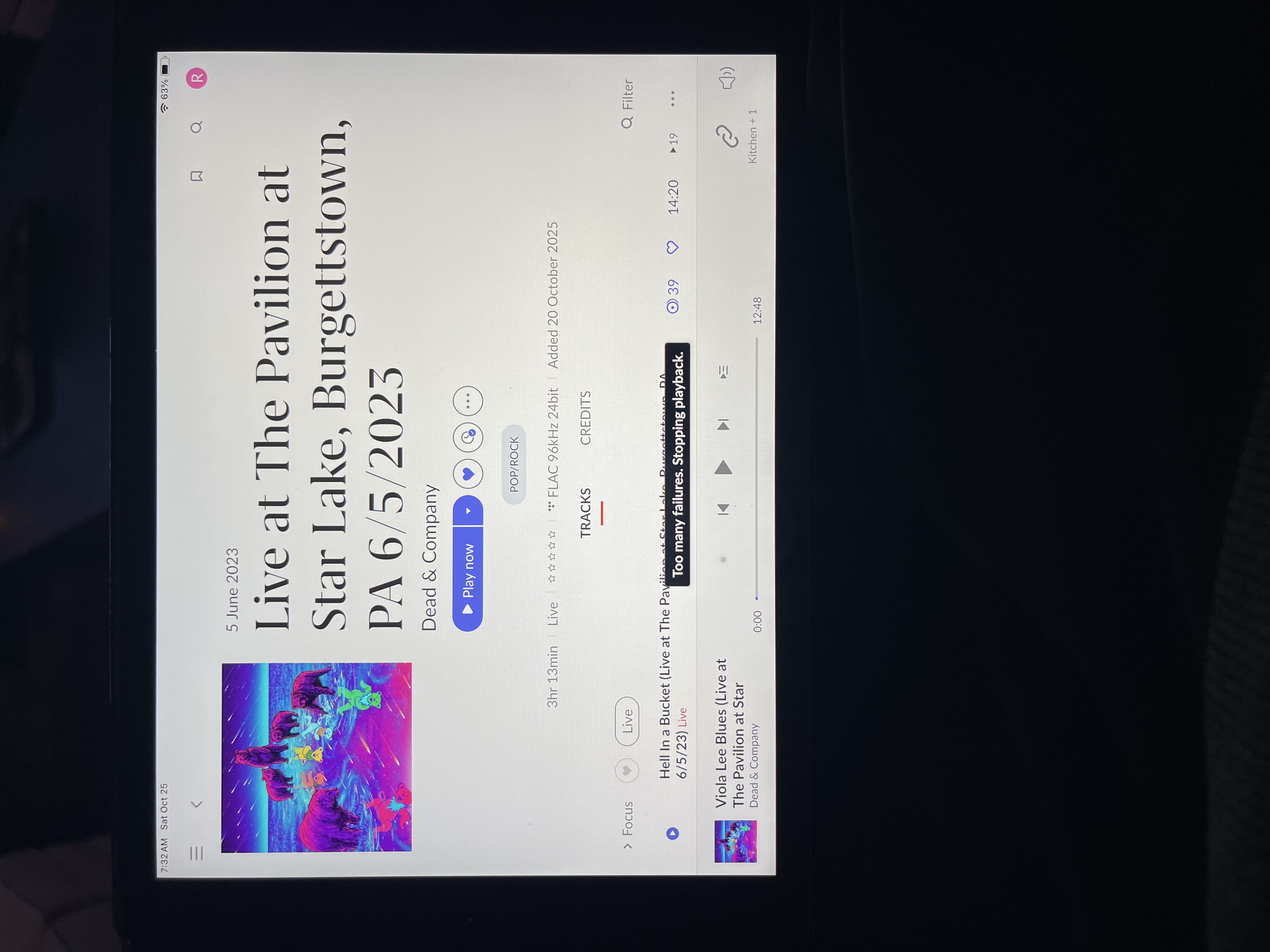
I am unable to play any music from my library. Every time I click play I get a message that says too many failures stopping playback. Sometimes I get a error message that says Ron has lost control of this device. I am able to stream room radio.
Describe your network setup
I have an Orbi router connected to my room nucleus via ethernet
We can see that on the screenshot you have provided tracks from tidal are shown.
In order to have correct playback you’d need to purchase a subscription from tidal.
In the typeform you have stated that you have issues with local tracks, however from the analytics reported to us we might not see that you have any local tracks, only Tidal tracks.
Can you please clarify, is this issue only for Tidal tracks ?
My tidal account was a 30 day free trial that turned into a paid subscription. I updated that today to a paid subscription and now I can get tidal to play. However, all I get is screeching and distortion through my speakers. I’m wondering if my nucleus hard drive is shot
When I try to play music to my Sonos speaker, I get nothing but distortion and tracks skipping. I changed my endpoint to my lumen X1 and it doesn’t even send a signal. I tried to attach a video, but it doesn’t seem to work.
Thanks for the additional information! Sorry to hear your issues persist.
A few immediate next troubleshooting steps for you:
power cycle all your devices in your signal chain - from your Roon Server, to your endpoints, to your router.
Test different cables between your Server and endpoints
Use wired Ethernet wherever possible - eliminate wifi from your endpoints, temporarily, if possible
In Roon → Settings → Audio:
Disable, then re-enable both the Sonos and Lumin endpoints.
Check that the correct output (e.g., Lumin X1 via RAAT, not AirPlay or Chromecast) is enabled.
Open the Device Setup for each and confirm:
DSP is off (disable upsampling or format conversion for now).
Volume control is set correctly (try Fixed Volume for initial testing).
Streaming protocol (RAAT vs AirPlay) is the intended one.
Play to your Sonos directly from the Sonos app, does it play fine?
→ If yes, network and speaker are likely OK; the issue lies in Roon.
Play to your Lumin X1 using the Lumin app or another DLNA/UPnP controller - any signal?
→ If it works there, RAAT or Roon configuration is the culprit.
If you only play audio from the system output from one of your remotes, do you have the same issue?
If you could share a screenshot of your signal path as well when the issue occurs, that would be helpful!
Expanding on point 1 above, please make sure you power cycle all router, Orbi units, and network switches (if any), along with all network devices including Roon Server, Lumin and Sonos.
I’ve tried everything that you have suggested without any luck in getting my music back. Where do we go next? Should I replace my nucleus with a new nucleus one and see if that solves the problem?
Please install the latest Tidal app to either iOS or Android, login with your paid account, and Tidal Connect to Lumin. See if it can play normally or not with your WiFi network infrastructure.
I have installed the tidal app on my iOS device and I can stream to the lumin just fine through the app and I can also stream to my Sonos through my tidal app without any problems.
I changed my routers DNS to 8.8.8.8 rebooted my nucleus and I still have the same problem. I’m not getting an error message yet and musical will try to stream, but it’s all screeching distortion, it keeps switching tracks and artists.
Thanks for the additional information. I believe I see the issue here, it looks like a ticket we are investigating. To resolve the behavior please navigate to Roon Settings → TIDAL → Edit → Streaming Quality, and ensure this is set to Maximum. Let us know if that resolves the issue!