Does the issue happen with local library music, streaming service music, or both?
· *Both streaming and local* *library* music are affected.
Do you encounter any playback errors with the "System Output" Zone?
· The System Output has the same problem as my other Zone.
Do you have a complex network setup?
· Both the device and RoonServer are connecting to a *single router*
Please try rebooting your router.
· No, I'm still having trouble
Do you have an approximate timestamp of when the issue last occurred?
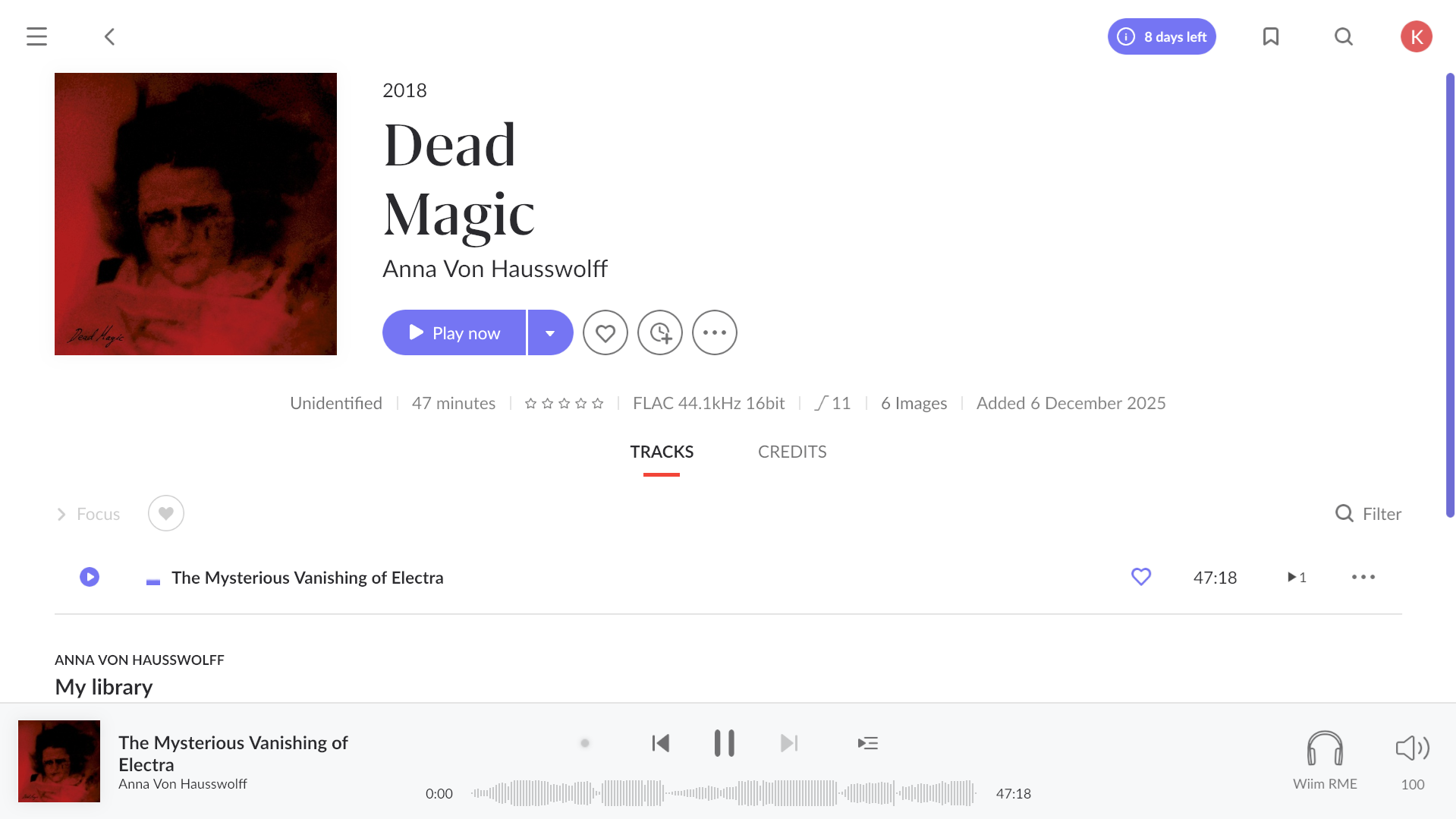
· 23:36 CET, "Anna von Hausswolff Dead Magic" album as well as all the others
What are the make and model of the affected audio device(s) and the connection type?
· Roon core installed on Synology DS224+, connected to endpoints via WiFi
Describe the issue
After auto updating packages on Synology NAS, music stopped playing. I can open Roon both from phone and PC, browse through the library with no issues. However, whenever I try to play anything from Tidal, playback stops, with Tidal showing "lossy" and trying to play first track over and over, while local files stop playing at all, displaying gray indicator.
No errors whatsoever being displayed in app, playback is just stuck at 0:00
Describe your network setup
Roon core installed on Synology NAS DS224+, plugged into router via "Play router AR2140X", no range extenders, switches etc, from there only endpoints - Wiim Pro plus, Yamaha WXC-50, PC
Hello @vadim, thank you for a quick reply. After posting yesterday I kept trying to narrow down the issue and I think I got it. It’s really weird and seems to have nothing to do with NAS packages update. To answer your suggestion first: Tidal quality is and has been set to “max”. There is no “hi res” option in my drop down menu, so I guess it’s not the issue.
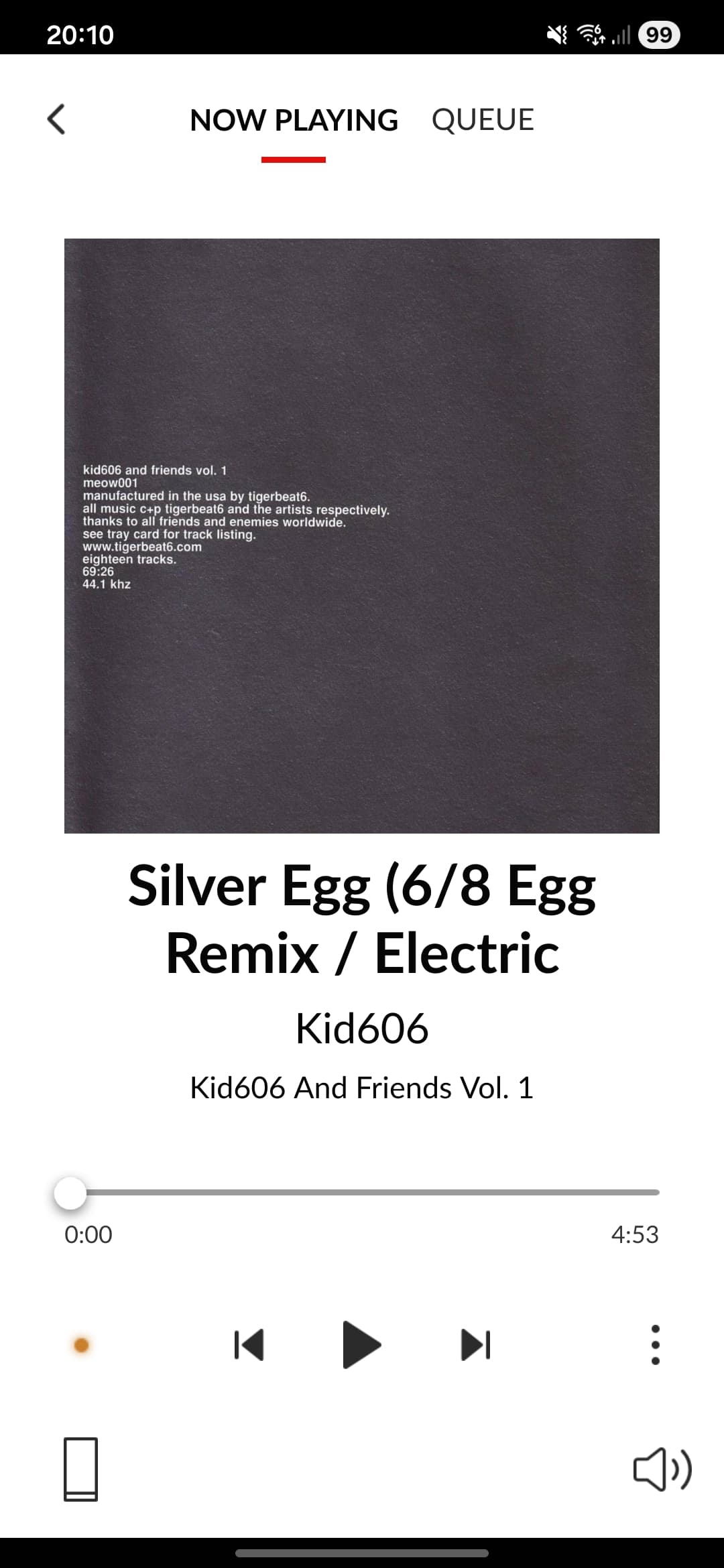
To my findings: it seems that the problem ONLY occurs when I try to play one particular album: “Kid606 and Friends Vol. 1” - I played it again today just to test my hypothesis - exact timestamp 20:10 CET (screenshot attached) and as predicted - it crashed a Roon server again exactly in a way described in my initial post. The only way to bring it back is to reboot Roon package on NAS. I don’t know if there are any more “faulty” albums on Tidal, but I have tried multiple so far and the issue seems to occur only with this one. Is there something wrong with my setup or is the music file legitimately faulty in some way?
We’d be happy to take a closer look, we’ll need a set of Roon Server logs from your NAS to take a closer look- can you please use the directions found here and send over a set of logs to our File Uploader? Once logs have been uploaded, please let us know so that we can check the server for your files, thanks!
Thanks for sending those over @karol.jakubas - we can see from the logs that Roon attempted to write audio samples into a buffer but the buffer was not completely filled and the audio stream delivered zero samples.
Overall, there seemed to be a network or storage glitch that resulted in Roon receiving incomplete or empty audio blocks from TIDAL.
Do you run into this issue no matter the audio device/endpoint you stream the album to? And my apologies if I’ve glazed over this - if you remove the album from your Tidal library, and manually re-add it, do you run into the same issue?
With that, if you disable all DSP, do you still run into issues?
Hi @benjamin, I come back with today’s test results. The album was not in my library to begin with, I once added it to “listen later”, but by the time I reported this issue I believe it was already gone. Just to to poke around, today I added it to my library and once there, I played it through my endpoints with following results:
Wiim pro - skips the first track and crashes Roon server (same as before, I didn’t notice skipping first track previously but last screenshot shows that it did)
Android phone - same
Yamaha WXC-50 streamer (airplay) - keeps skipping all the tracks but doesn’t crash the server.
No Roon DSP was applied throughout above tests to neither endpoint.
Thanks for giving that a try and I’m sorry to hear you’re running into the same issue! If you could please upload a fresh set of Roon Server logs, that would help our team take a closer look at what might be going on.
If you haven’t yet, I’d also completely sign out of Tidal via Roon Settings>Services, safely stop Roon Server from running and reboot the machine.
Then, re-log into Tidal and let me know if you experience the same issue. Thank you!
Hi @benjamin, fresh logs have been uploaded with same filename. I also followed your suggestion - signed out of Tidal, stopped and rebooted Roon Server, signed in again, albeit with no luck. Server crashed as always when attempting to play “cursed” album on Wiim.
Before we go deeper, could we run a quick check by temporarily moving your Roon Server to a more powerful environment? The Synology DS224+ falls below our minimum hardware requirements.
Testing Roon Server on a supported machine (for example, a macOS, Windows, or Linux computer) will help us confirm whether the issue is related to the NAS performance or if something else is at play.
Please let us know once you’ve had a chance to try this, and we will continue from there.
@vadim@benjamin thank you guys so much for your help so far, but I think I’ll just let that one go. This issue seems to occur with that one album only (not the greatest one neither tbh) and hardware capacity is not likely to be an issue since I’m able to play hi res files on multiple endpoints simultaneously with no hiccups whatsoever (album in question is regular 44.1). If I find it happen on some other albums then I’ll perform additional tests as recommended and perhaps start another thread referencing this one, but for now, quite frankly I think I’ll just live with that. Once again thank you again for all your help and time.
Best,
Karol