This only occurs with specific versions of Qubus files. File: Qubus:Waltz For Debby (Live At The Village Vanguard / 1967): 2 tracks (Waltz For Debby (Take 2 / Live At The Village Vanguard / 1961): 0:33 seconds) VERSIONS: FLAC 96kHz 24bit
The Qubuz app plays the songs correctly.
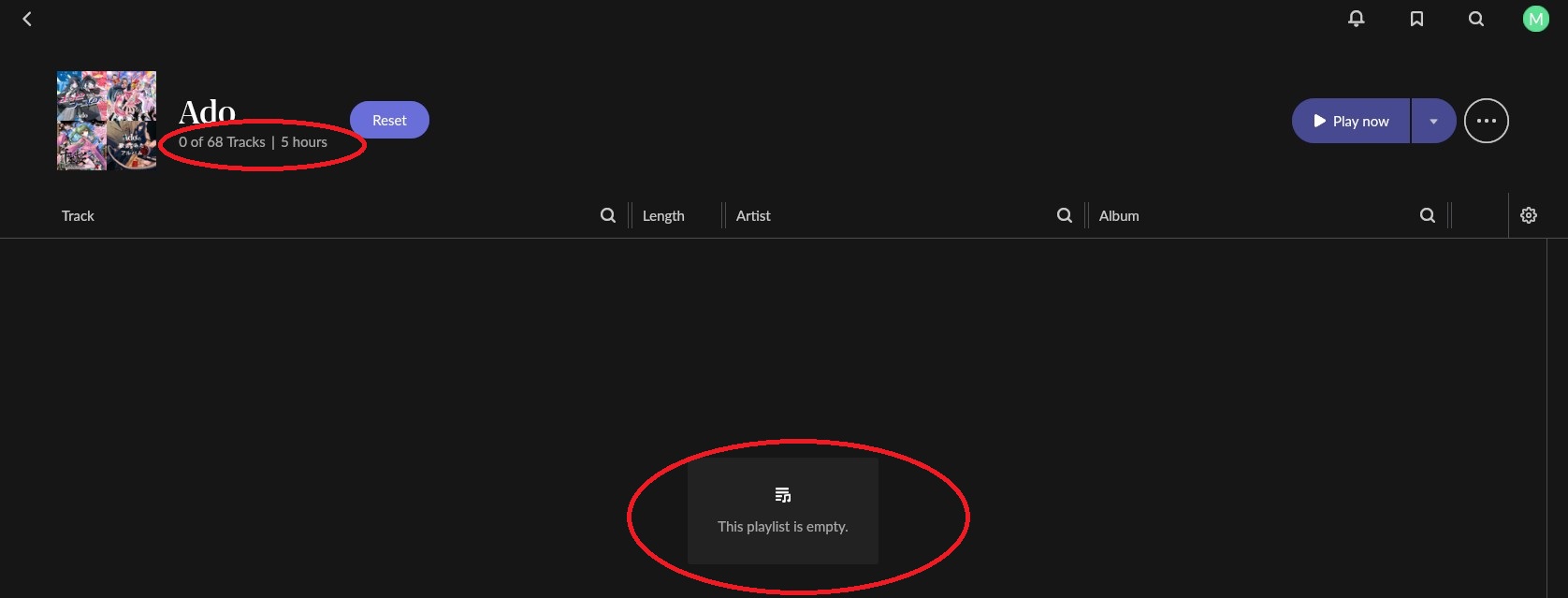
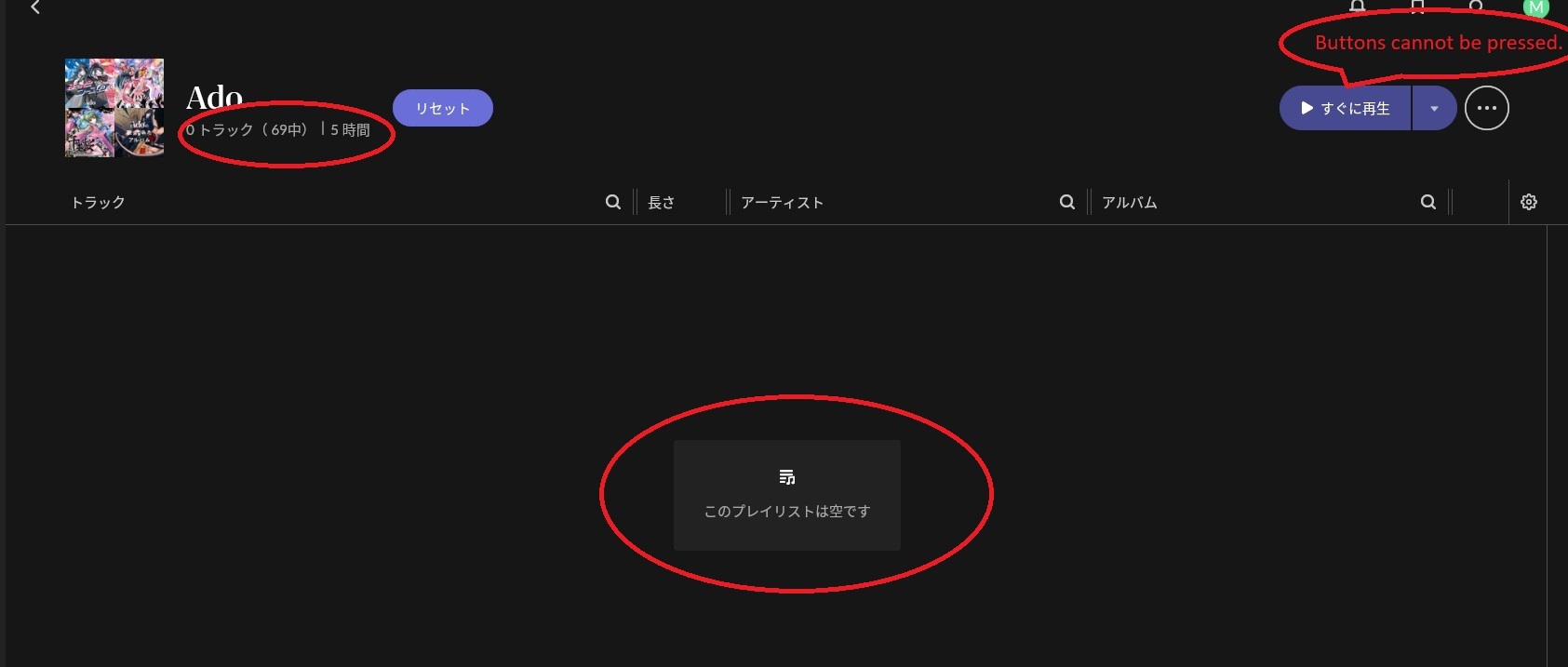
In Roon and Roon ARC, the playlist exists, but the list of songs is empty, and playback is not possible.
I reported this to Qubuz, but I have not received any response.
Thanks for writing in and for sharing your report! This is often caused by a single track in the playlist that has been pulled from distribution, is “grayed out,” or has corrupted metadata on Qobuz’s servers.
In the Qobuz App: Open the "Ado" playlist. Look for any tracks that are grayed out, unavailable in your region, or look "off" (e.g., missing album art or weird characters in the title).
The "Split" Test: If the playlist is long, try splitting it into two smaller playlists in the Qobuz app. See if one of the two halves syncs correctly in Roon. This helps you isolate which specific track is causing the JSON failure.
Let’s also try clearing any stale Qobuz cache in your RoonServer database:
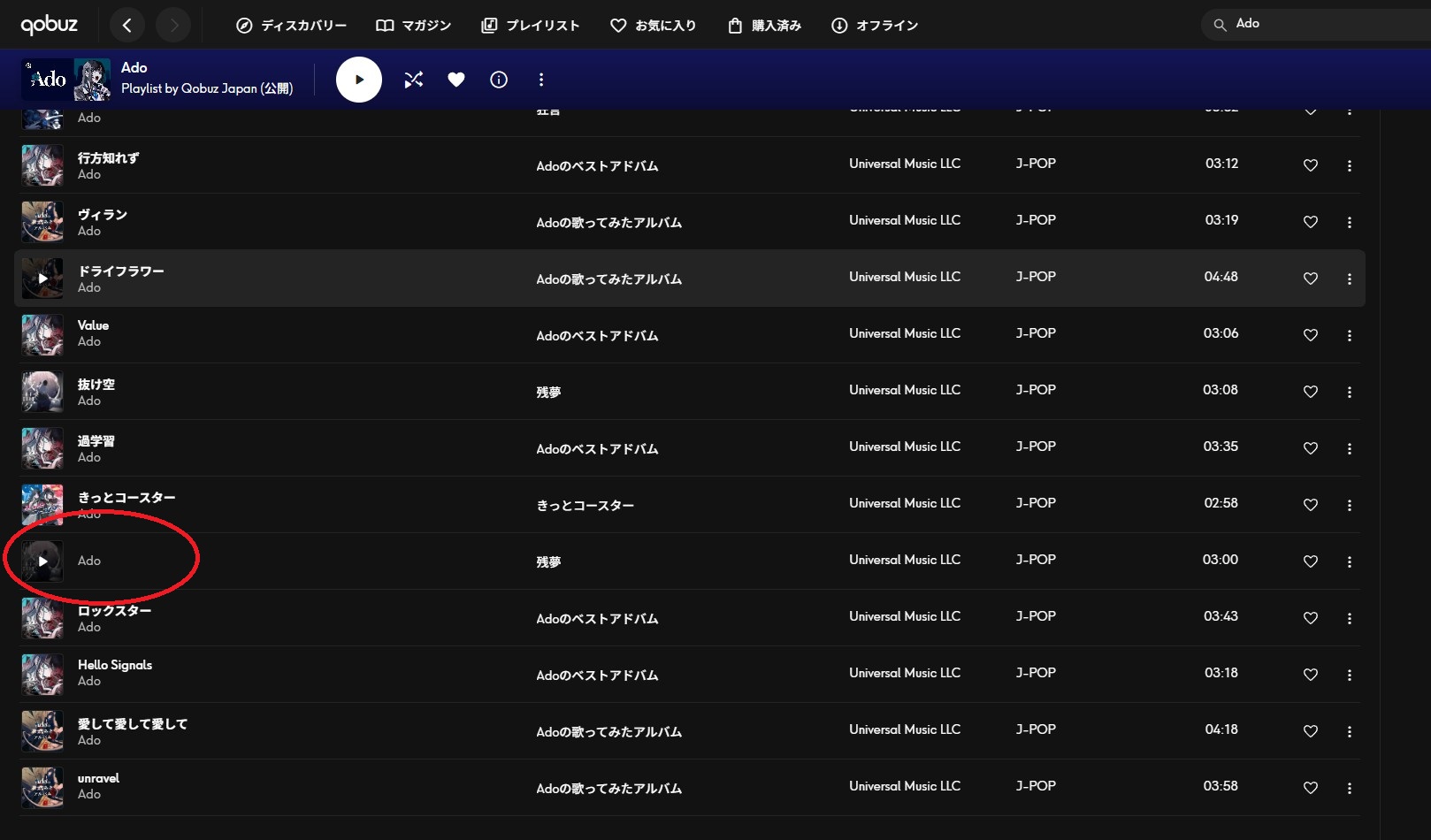
When opened in the Qubuz app, the song list appears when minimizing/maximizing the screen, and playback works normally; there are no grayed-out sections.
However, even after moving the RoonServer cache to another PC, starting RoonServer, and selecting
Qobuz->PlayLists->Qbbuz artists->Ado
the song list remains empty and playback is not possible, just as before.
Although communication is difficult with machine translation,
I tried all of the suggested solutions.
The result was completely unchanged.
The result was that playback was not possible, and the solution is insufficient.
Thank you for trying everything we suggested and for spelling out the result so clearly. Since the behavior is unchanged after the cache move, the next step is for us to look at the logs directly.
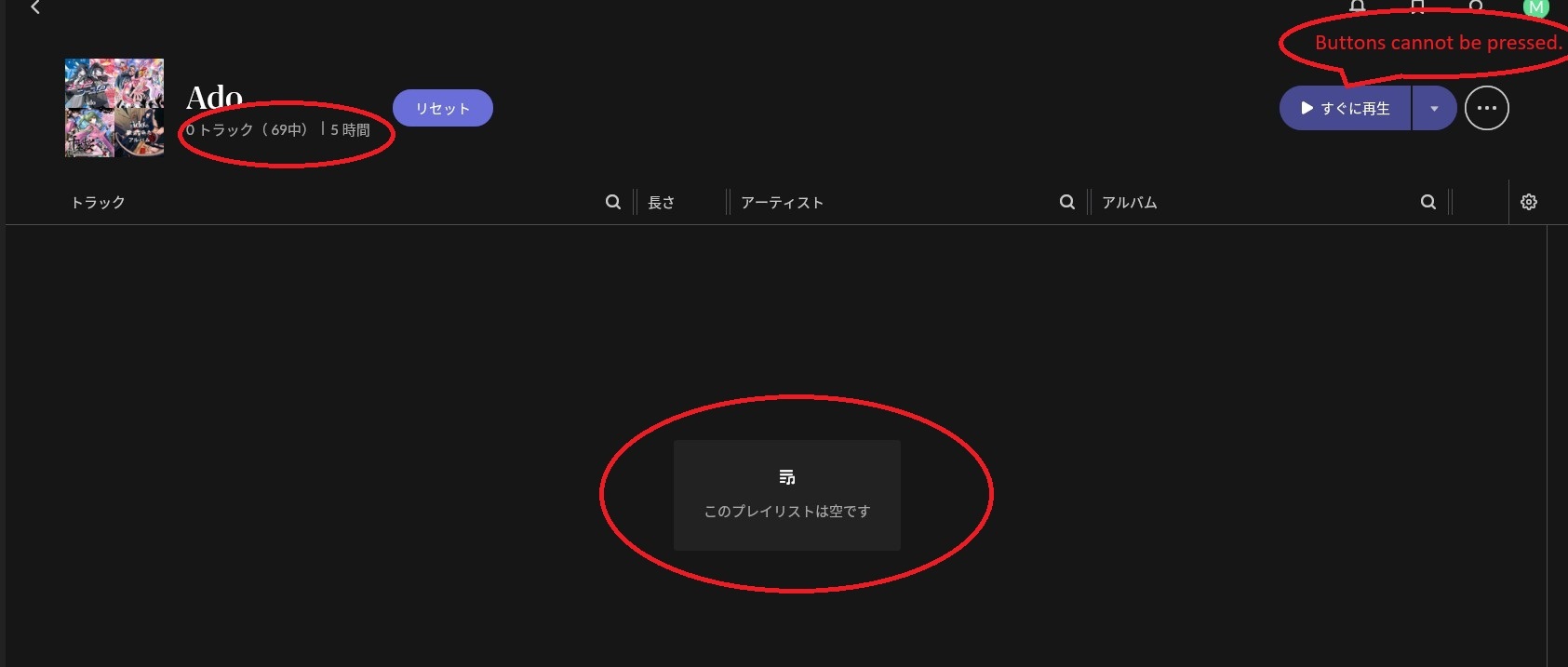
Please click the Reset button in your screenshot and see whether the behavior changes. If it is still the same, please let us know the exact local time and date when you next try to open that playlist. We will enable diagnostics for your Roon Server and check the logging for any specific errors related to this playback failure.
We’re unfortunately not able to see the specific timestamp you’ve listed above.
You have my apologies if this has been glazed over, but if you remove the issue track from your library, and then re-add it, do you experience the same issue?
Please run through the above again and share the date and track name, and we’ll take another look. Thank you!
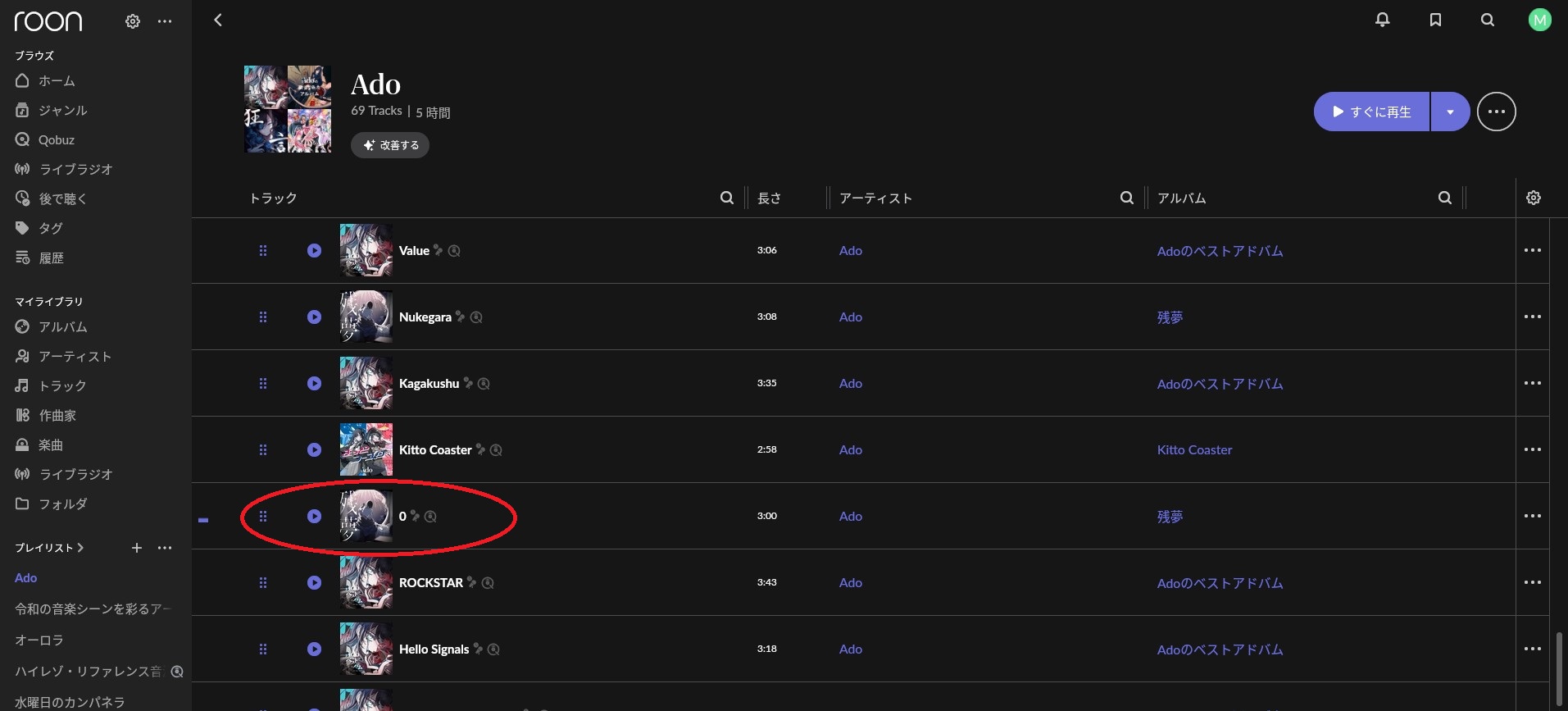
I tried creating my own Qobuz playlist and it seems I’ve figured out the cause.
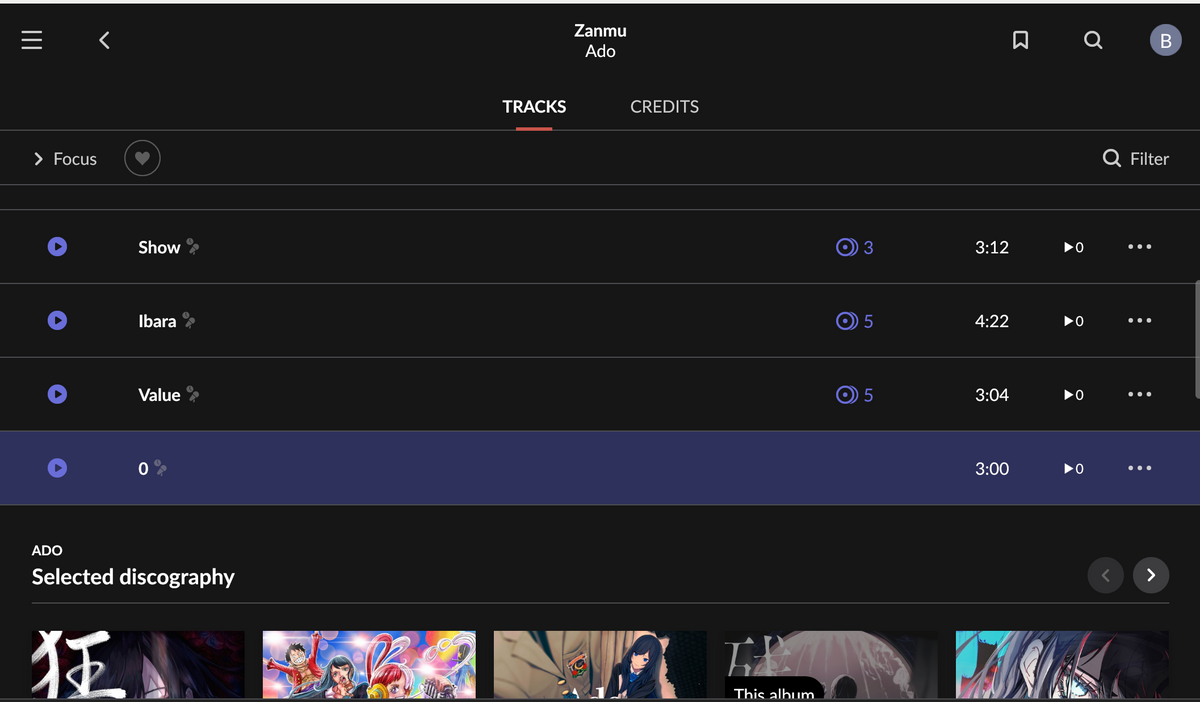
The problem appears to be that the title of the 16th track in Ado’s album “Zanmu” is “0”.
In the Qobuz app, the artist name “Ado” is displayed where the track title should be, causing a column misalignment. Roon recognizes this misalignment and processes it as an error, judging the entire playlist as invalid data, resulting in all tracks being displayed as 0.
Thanks for the follow-up. After reviewing the content on our end, we’re not seeing any errors in relation to the ‘0’ track you reference above:
So what’s likely happening is region-specific metadata. Qobuz may be serving slightly different API responses depending on the country:
Your region: The track shows up with a title of "0" but enough valid data to render in Roon
Japan: The same track's metadata is more severely broken, possibly the title field contains a 0 (integer, not a string) or is null, which causes Qobuz's API response to fail JSON parsing entirely, making Roon throw out the whole playlist.
We’ll share this with our development team, but it may be useful for you to report this to Qobuz directly as well.
While there are issues with the playlists provided by Qobuz, I can use my own created playlists without any problems, so it’s not a major issue. However, I think Qobuz’s support system is a major problem.