Who is your internet service provider?
Bahnhof (Sweden) multiple NAT issues fixed previously with ASUS router
Please list the make and model of your modem and router?
Deco XP75 Pro - master and 2 satellites. Server client connected by ethernet to Master unit
Do you have any additional network hardware, like additional routers or managed switches?
I don’t think so. WAN goes straight from the incoming fibre box to the Deco master
Does your network have any VPNs, proxy servers, or enterprise-grade security?
No
Connected Audio Devices
Description of Issue -
What is the exact port forwarding error message you see in the Roon Settings → ARC tab?
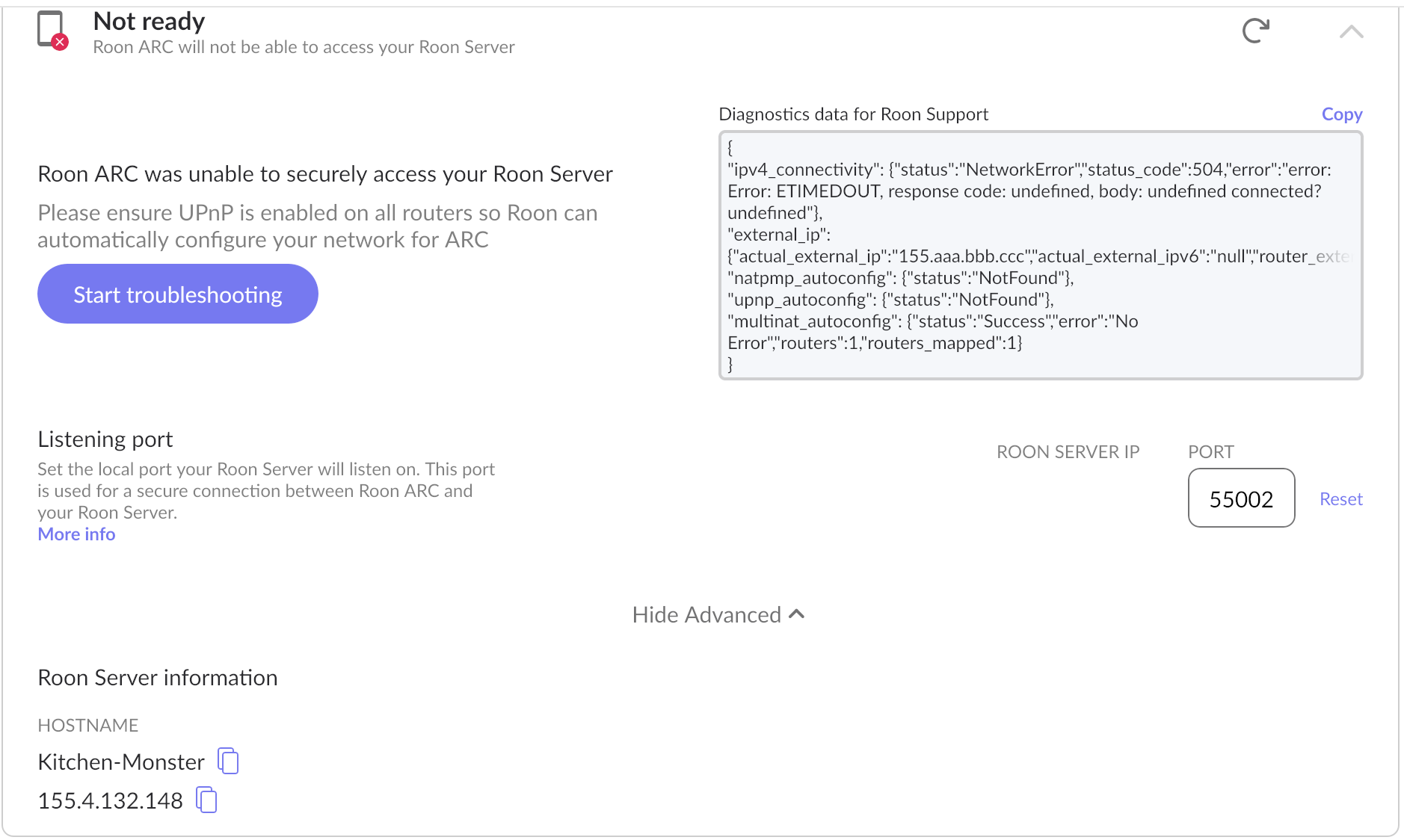
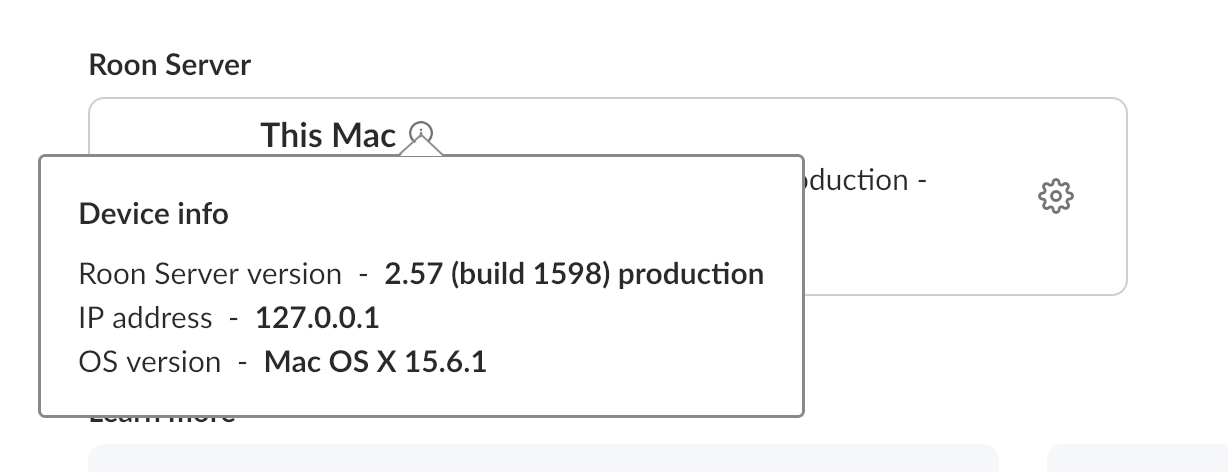
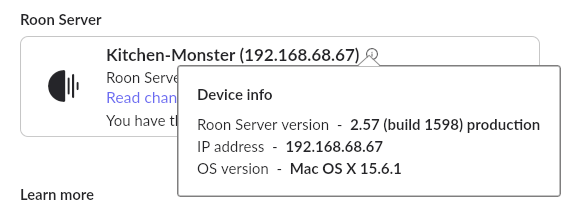
What looks odd to me is that the Mac client has an IP address “192.168.XXX” It is this client address I have entered into the router settings, however ARC settings reports a Roon server address as 155.4.132.148 (see error message). I am not able to enter this adress in router settings since it’s outside the range for my network so the router won’t accept it.
Here is some more info regarding Roon Server IP address as seen from different places:
Screen dump of Roon ARC settings:
Thank you for the detailed information — this helps us understand the situation much more clearly.
The behavior you’re seeing is expected in one specific scenario:
The address 155.xxx.xxx.xxx shown in the ARC diagnostics is not your Roon Server’s LAN address.
It is the external WAN IP assigned to your home network by your ISP (Bahnhof).
Roon displays this to confirm what your router presents to the internet — it is not meant to be entered in your router’s internal port-forwarding settings.
Your router should still forward ARC traffic to the local LAN IP of your Roon Server, which in your case looks like 192.168.68.67. Please ensure that you have performed the port forwarding on your ISP router to the internal IP address and let us know the results.
Thank you for the update. The configuration looks good. Service type is simply a set of predefined labels available in your router and does not matter in this case.
The internal and external ports should match the port number shown in Settings → Roon ARC. If, after applying the configuration, ARC is still unable to connect to your Core from outside the local network, this typically indicates a multiple NAT (double NAT) situation.
A double NAT can occur in two common places:
On your primary router, if your mesh system is operating in a different address pool (for example, the ISP modem assigns one subnet, and the mesh system broadcasts another).
At your Internet Service Provider, if they place your connection behind a carrier-grade NAT (CG-NAT), meaning your WAN IP is not truly public.
If either of these applies, ARC will not be able to establish the required inbound connection.
Ok, thanks - I’m not sure where that gets me though…
I don’t use my ISP’s modem. I previously used my own ASUS router and that has now been replaced by the master unit in the Deco mesh. I take the WAN ethernet cable straight from the media converter into the Deco. Everything else seems to be working fine.
I had the CG-NAT issue when ARC first came out but that was fixed by my ISP providing a fixed IP address a couple of years ago.
Is putting the ISP modem between the media converter and Deco likely to bring any advantages, given that everything else is working?
Thanks!
Thanks for the advice! I’m offline for a few days. Since this seems to be a router issue I’m going to work on TP-Link first. If I don’t get anywhere I’ll give Tailscale a go over the year end break.
It would be interesting to know if anyone out there has ARC working with a Deco router.
Every active router creates a NAT layer. Every NAT layer requires a port forwarding rule. Your ISP also has a NAT layer in the form of CG-NAT that they have theoretically disabled for your account.
If you only have the Deco router active currently, try creating a manual port forwarding rule matching the IP address and the port number from Roon Settings → ARC.
If you have a second Deco router functioning as a mesh node, try making sure it’s in Bridge/Access-Point only mode. This will ensure it’s not creating a second, redundant NAT layer.
If you have any other second router in addition to the Deco router, you’ll need to create a manual port forwarding rule there.
It might be worth reaching out to your ISP to confirm they are still providing you with a dedicated external IP address.
If all of the above fails, then Tailscale is a useful last resort. It’s a complete alternative to port forwarding.
Giving this thread a ping after the weekend. Have you had any success setting up port forwarding on the Deco, or have you resorted to Tailscale instead? Is ARC connecting over mobile now?
Let us know if you need any further support and we’ll promptly respond. Otherwise, this thread will eventually auto-close due to inactivity under the assumption that the issue has been resolved.
We’re going to assume this issue was resolved and allow the thread to auto-close due to inactivity. If you require additional troubleshooting assistance, you can reactivate the thread by simply creating a new support request here.