Post-update Airplay devices delay in Roon Playback [Ticket In]

What best describes your playback issue?

· Music doesn't start when I press "Play"

What type of Zone is affected by this problem?

· *Network Zones* are affected.

Is the affected network Zone connected with Ethernet or WiFi?

· WiFi

Does the issue affect all file formats?

· The issue affects *multiple/all* file formats.

Does the issue happen with local library music, streaming service music, or both?

· *Both streaming and local* *library* music are affected.

Do you encounter any playback errors with the "System Output" Zone?

· The System Output has *no problem*, it's only my other Zone.

How is the affected Zone connected to your RoonServer machine?

· Network - WiFi

Which network audio protocol is the Zone using with Roon?

· Airplay

Since this is an Airplay Zone, have you tried toggling Airplay Compatibility Mode for this Zone in the Device Setup window?

· There is no change in behavior.

Does the device show up at all in Roon Settings -> Audio?

· Yes, it shows up there, but it isn't Enabled

Does the "Enable" button unlock the Zone?

· I pressed Enable, but the Zone remains disabled

Does the device play audio from another source when using the same connection?

· The device has no problems with another audio source

Have you checked that Roon is whitelisted in any firewalls?

· I've checked the firewall and the issue remains

If the device has multiple output options, do the other options work as expected?

· Only one output type is affected while the other output type works as expected

Is the device using the latest firmware as per the manufacturer?

· Firmware is up-to-date but the issue remains

Do you have an approximate timestamp of when the issue last occurred?

· May, 2025

What are the make and model of the affected audio device(s) and the connection type?

· Airport Express (latest version). WiFi.

Describe the issue

Hi.

I'm still waiting for a reply... see multiple messages to your tech support team and on a previous thread that I started many months ago. I don't think that it's fair for me to be paying full price for something that does not work. I (and other Roon subscribers who use AirPlay) have been waiting for a fix for eight months! This relates to this situation from May 2025. Original message posted here...

Aloha from Maui.

My Roon software was updated yesterday (when prompted by Roon to do so). And all of a sudden, after the update, my Airplay devices are not happy.

I have several Airplay devices - and one link to a Lumin U1-X. They do not get used at the same time. The Lumin feed is fine.

But all of the Airport / Airplay devices are acting up. I have rebooted every device in the house, twice.

The Airplay devices work fine (individually or as a group) if used with Apple Music. All works as it always has. Press play and immediate action!

With Roon (running on a SGC i9 dedicated Roon server), AirPlay groups or individual feeds don't work properly. When pressing play, for example, on the living room Airplay feed, I see the pathway is as it should be, but nothing plays. Then, after several minutes, it may start playing (with individual or group setup). Very random.

I have tried the advanced settings to play with the compatibility settings, but saw no change.

I'm wondering if there is something else for me to try, or has this last software update created this glitch?

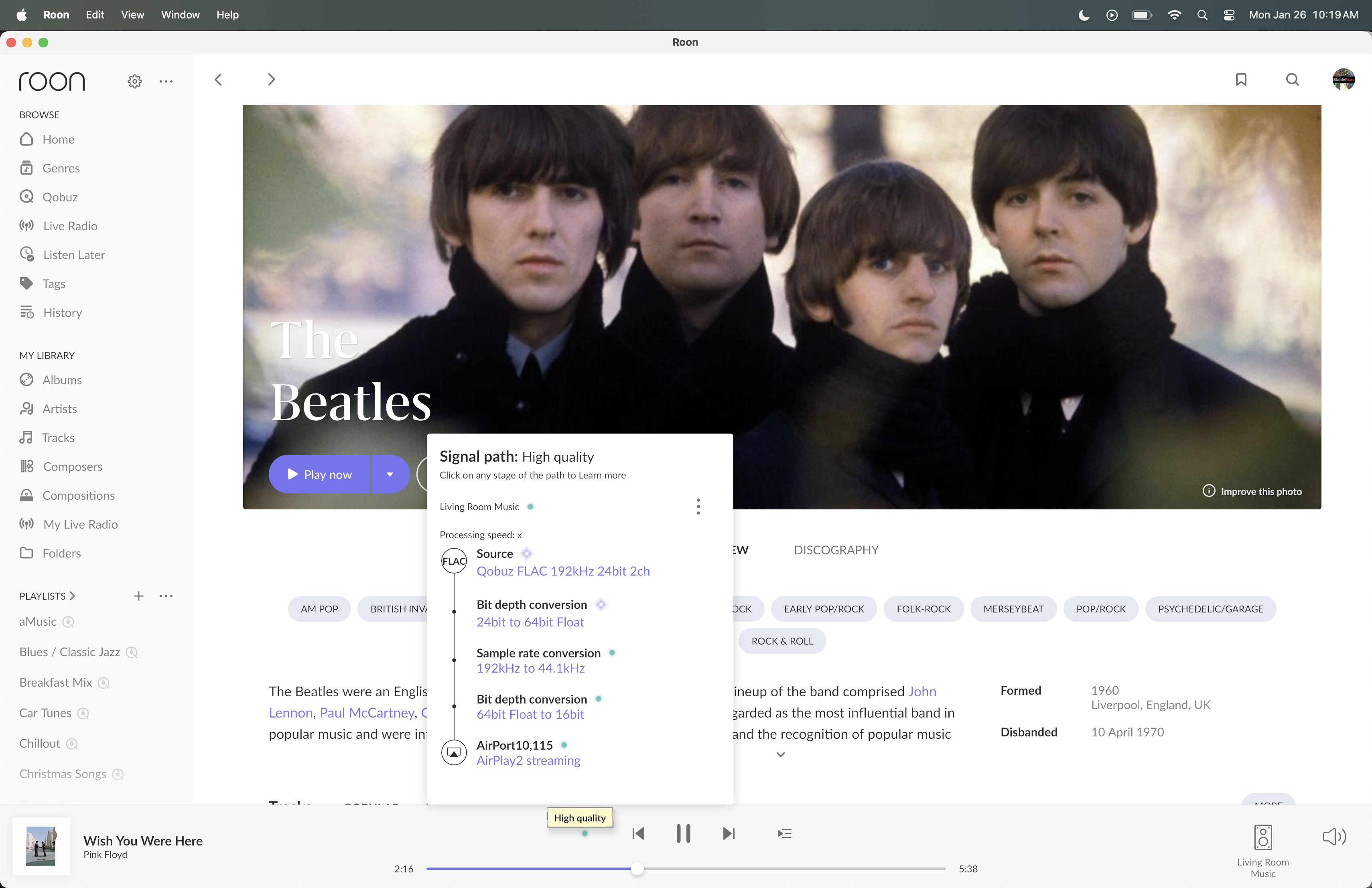
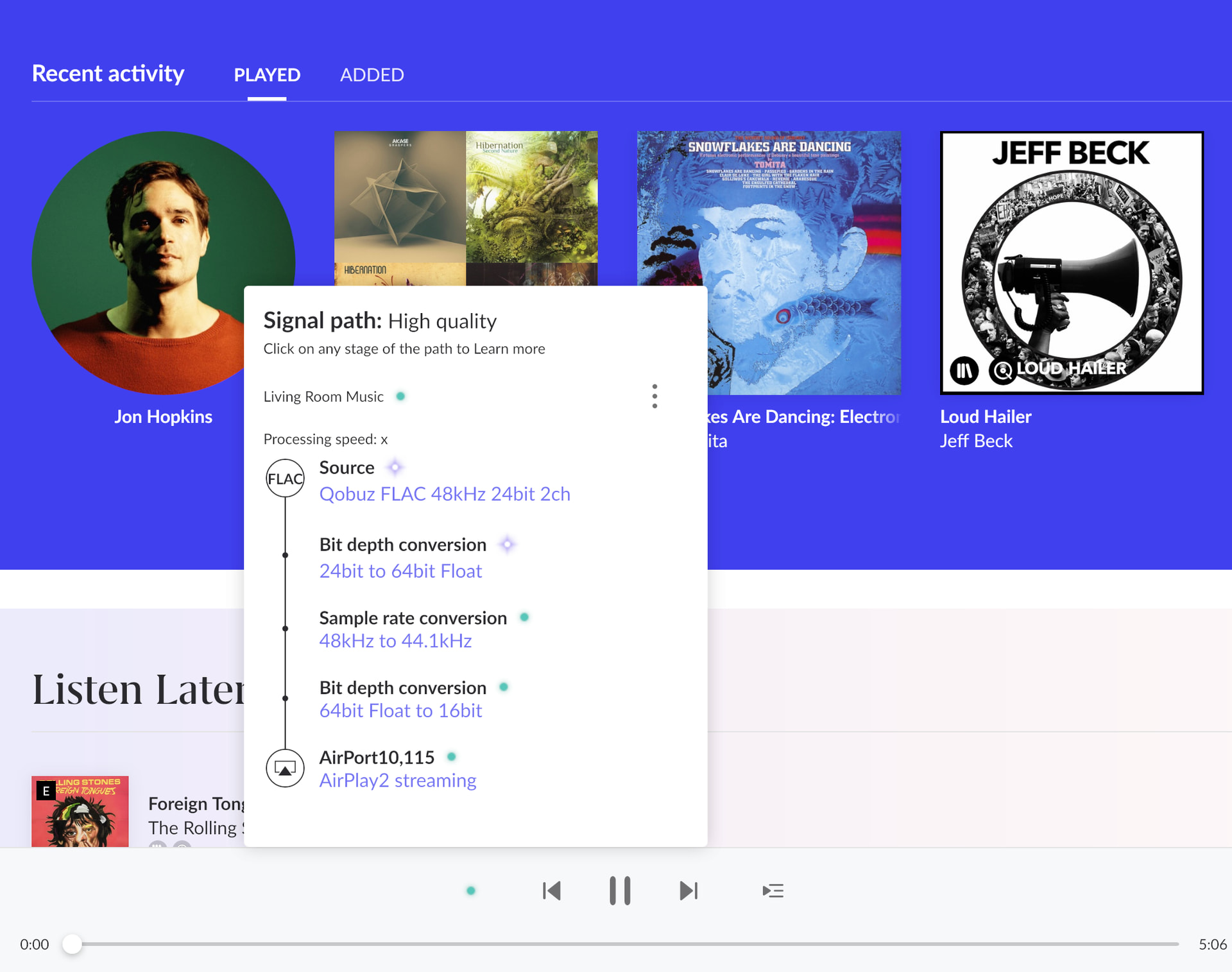
Pic below shows pathway, but the music does not play...... until maybe after a few minutes it may choose to play. Handshake issues of some sort?

Any help much appreciated.

Robert

Describe your network setup

SGC i9 Roon server. Asus XT-8 (multiple). Airport Express - multiple (latest version). Lumin U1-X.
Hello @Robert_Masters,

Thanks for reaching out about this.

We are sorry to hear you are having trouble with AirPlay.

Could you please confirm if this issue is happening only with your Airport Express? If so, we are aware of a specific issue affecting AirPlay on this device, and we have an active ticket with our development team to investigate it.

In the meantime, a known workaround that has worked for many users is to downgrade the Airport Express firmware to the version that supports AirPlay 1 only.

Please let us know if this applies to your setup.

Thanks.

Hi Alex. Which version of Apple firmware should I try - and how do I achieve this? Thanks.

Hi @Robert_Masters,

Apple added AirPlay 2 support to the 2nd-generation AirPort Express with firmware 7.8 / 7.8.1.

Older versions like 7.6.9 or 7.6.8 (and earlier in some cases) don’t include AirPlay 2 and function with the original AirPlay protocol.

You can downgrade from a newer version down to a previous one available in Apple’s repository via AirPort Utility on macOS (and sometimes iOS):

  1. Open AirPort Utility (macOS or iOS).
  2. Select your AirPort Express from the list.
  3. Click Edit on the device.
  4. Hold the Option (⌥) key while hovering over the firmware version in the settings.
  5. The list of available firmware versions should appear.
  6. Choose an older firmware (e.g., 7.6.9 / 7.6.8) and proceed with the downgrade.
  7. Let the unit restart and apply the firmware.

Let me know if this helps and or changes any of the behavior!

Thank you. Got it sussed. Downgraded to the 7.6.9 firmware. Everything now (almost) works again, but with some random dropouts for a second or two! This is also affecting Apple Music, which was solid before the downgrades. Fingers crossed that I can figure out the dropouts. I’ve rebooted everything but it is still a wee bit unhappy. Any ideas welcomed. Many thanks!!!

Hi @Robert_Masters,

We understand this issue is taking longer to resolve than anyone would like, and we appreciate your patience. Our team still has an open investigation into the interaction between Airport Express devices and Apple’s RTSP protocol (AirPlay 1/2).

The core challenge is that Airport Express is a deprecated Apple device, but one that still functions otherwise within Apple’s contemporary network architecture. While its final firmware updates added cross-compatibility with AirPlay 1/2, that compatibility doesn’t always align with Roon’s own AirPlay 1/2 implementation. Since Apple is no longer updating the Airport Express’s Airplay stack at all, our developers must working on implementing workarounds and edge-case logic to accommodate the unique AirPlay behavior of this device. This is why progress is slower than we’d like.

We will provide more frequent updates in this thread as the ticket progresses. We’ll also let you know if any broader AirPlay fixes in Roon might impact this situation. Once we have a timeline for a fix that you can test, we’ll share it promptly.

Thank you for your patience and understanding.

i flashed into 7.6.8 and 7.6.9 but seems the delay bug still exist. i am not sure what to do next. Is there really a guy who is handling this? it has been almost a year..

Thanks for the update connor. I still have this bug occurring but appreciate the explanation around the technical challenge of it all. Although the device is deprecated, it works surprisingly well from a stability and convenience perspective.

Hi there - just dropping in to say I’m also having this issue with Airplay2 on the AirPort Express but confirming the downgrade to 7.6.9 has got it running again.

Hi. It is now over one year since reporting this issue. Is there still no resolution in sight? What is the latest news? It is really frustrating to have to switch to Apple Music merely to enjoy a basic Roon feature that worked fine for years… multi-room playback with Airport devices (v1 and 2). Many thanks.

Hello @Robert_Masters and others experiencing this issue.

The current status has unfortunately not changed since @connors last reply here. Our team is still needing to work on implementing workarounds and edge-case logic to accommodate the unique AirPlay behavior of this device.

We haven’t released any other improvements around airplay either, but there is still a ticket in with the team, and it is still in their queue for further analysis and work.

This doesn’t provide you with any additional troubleshooting steps towards a solution, and you have my apologies for that. Once there is movement, we’ll notify you here, directly.