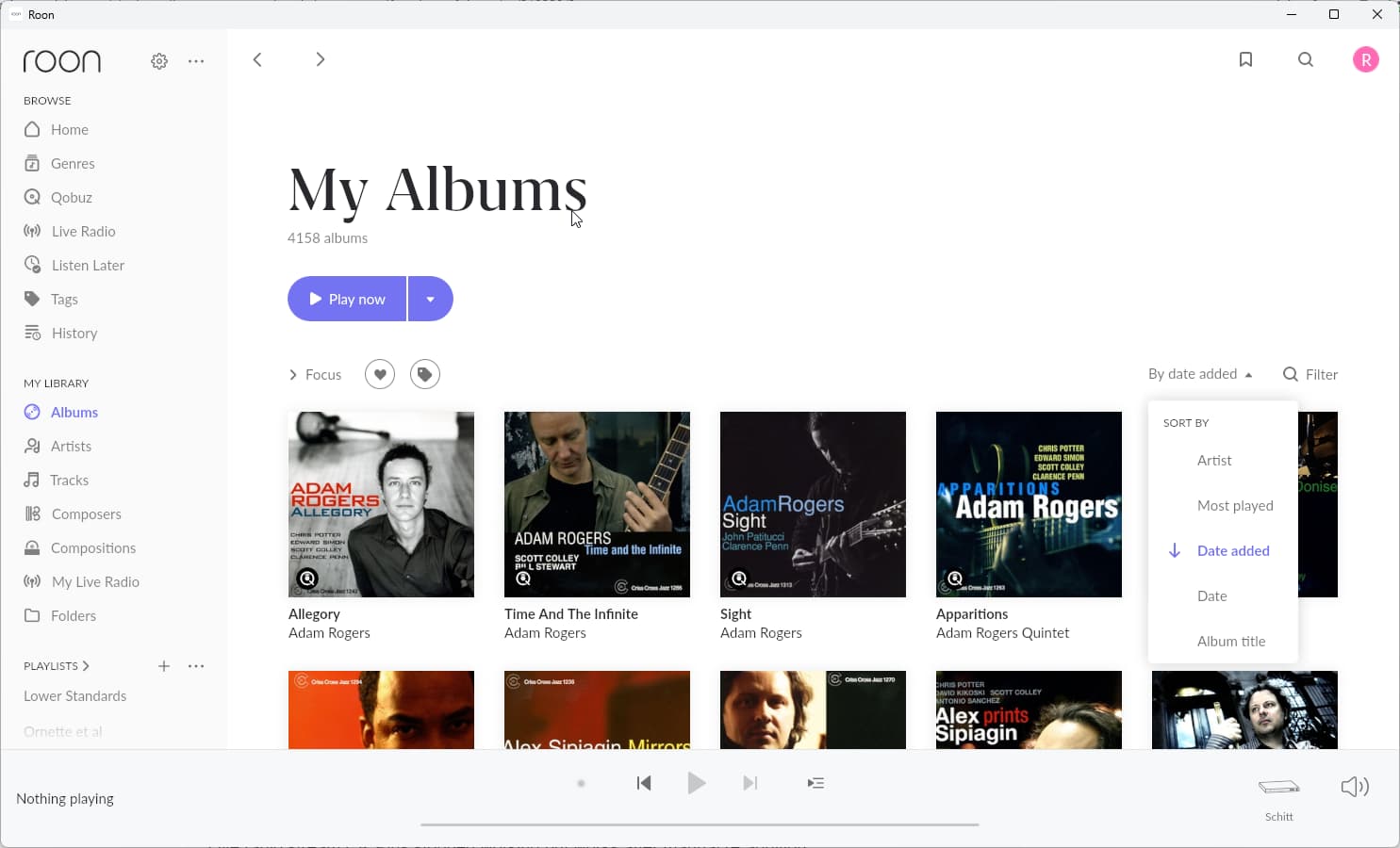
Qobuz deleted albums returned. About 300 albums came back with no apparent reason, from about 3650 to 3958 albums. A more annoying problem is that the "date added" sort is not working correctly when I sort from newest to oldest. I routinely use this to look at my database to listen to new favorites so I depend on it. When I switch the sort to oldest to newest, it is not the inverse of the newest to oldest search, which is very strange. I see this behavior on all devices so it is not an interface issue. In the past, I've had Qobuz database issues that resolved themselves in a few days, but this has persisted for almost a week. Rebooting the Roon database didn't help, nor did signing out of Qobuz and signing back in.
Describe your network setup
Xfinity X1 router; Tether extender with cat 5 cable direct connect to Roon Nucleus revB.
Thanks for reaching out. Can you please share a screenshot of examples of affected albums you are seeing in Roon with this behavior? We’ll enable diagnostics to see if logs contain further clues. You can also try to delete your Qobuz cache:
Thanks @noris – I tried the cache procedure you suggested, and it didn’t change anything. I’m including a screenshot to show the first few albums effected. I have a theory that this is a Qobuz issue because the problem started when I reopened Qobuz WebUI on my PC. I didn’t do anything but I think Qobuz added the albums to my database. I say this because Roon is sorting all the “new” albums as having been just added, with a subsort by artist. The older (correct) albums are sorting correctly, not according to a subsort by artist. I think all the incorrect albums were previously in my Qobuz database but were deleted by me in the Roon interface over time. Does my theory sound plausible? Have you heard of this before? Is there anything that can be done about it? I could re-delete all the unwanted albums but I’m concerned this could happen again. Should I try restoring from a backup which was done about two months ago?
Hello @noris – One other thing is that I see all the reappeared albums in the Qobuz WebUI. However, the dates they were added are the original dates when I added them, not the new dates that Roon has. My guess is that Qobuz reverted my database to an older version and Roon sees them up as “new” albums added. So, Roon is sorting correctly by date according to what it got from Qobuz. Does this seem plausible? If so, is there a solution by Roon, or is this an issue I should address with Qobuz?
Thanks for the updates and additional information!
If you remove a Qobuz track from your Roon library, it will also remove the track from your Qobuz library as well - so it doesn’t seem like that would be the case in this situation.
Before anything else, it’d be good to create a fresh backup of your current database if you haven’t already. After you do so - our development team would like to take a closer look at the issue database, if possible:
Zip up your RoonBackups folder (right-click it and select “Compress…”):
Hello @benjamin – Thanks. I did a fresh backup and zipped it. File is about 8 GB. I’ve tried uploading it for about an hour through your link and it keeps failing. It keeps stopping and prompts to retry, but it got to 50% and retry wasn’t available. Please advise.
Thanks for sending your database over! We’ve forwarded it to our QA team to see if they can reproduce the behavior on their end using it. Thank you in advance for your patience as the request reaches their queue.
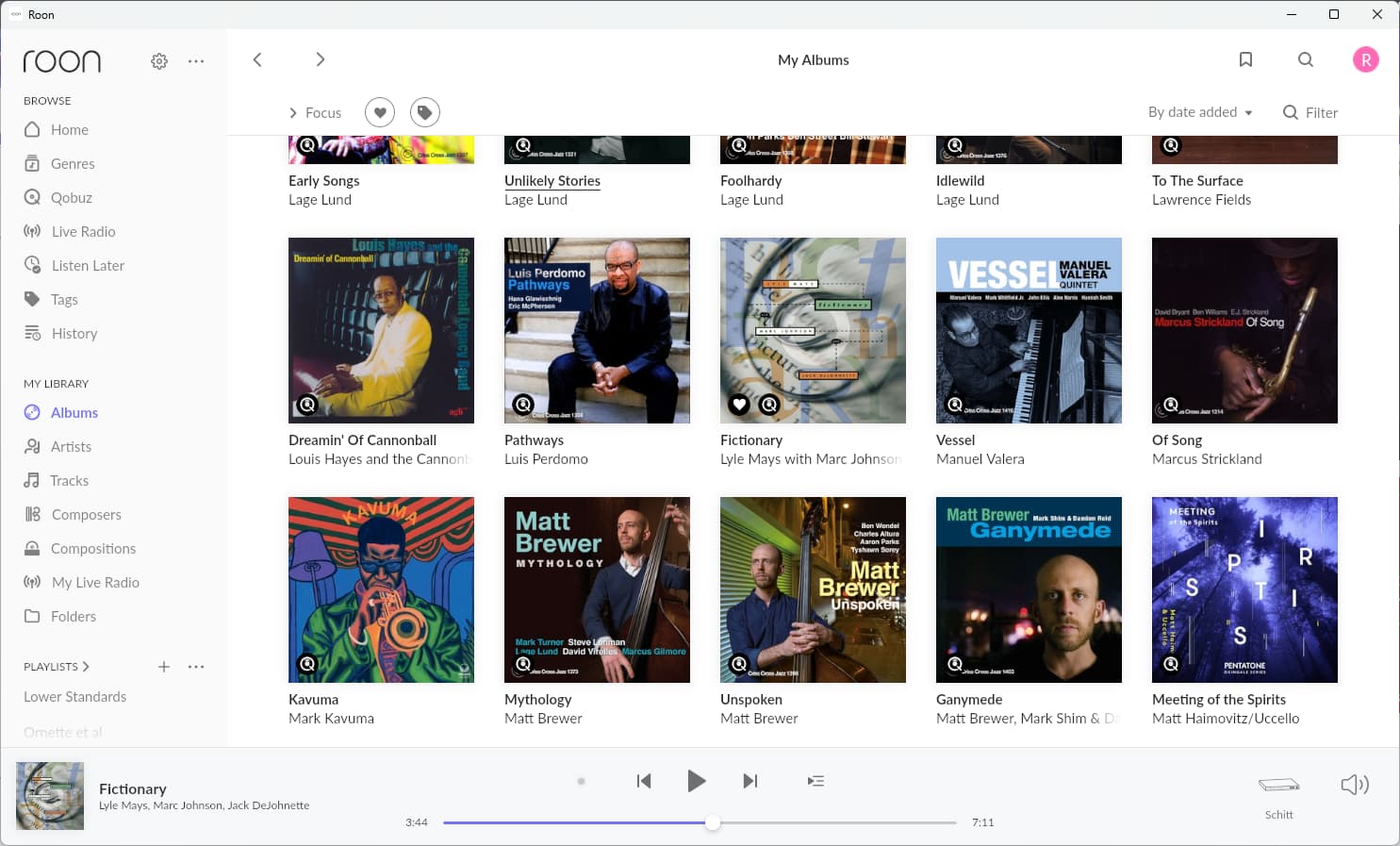
Hello @noris – I followed your instructions for 4 albums shown in the screenshot: Fictionary, Vessel, Of Song, and Kavuma. They disappeared as favorites in Qobuz. After syncing Qobuz, they did NOT appear again in Roon. Please let me know how else I can help.
Unfortunately, Roon has no mechanism by which it can force the Qobuz API to revert to the previous Qobuz library “version” before the erroneous re-addition of this content.
The only pathway within Roon to remove these re-added albums would be to scale the method you just tried with the Mark Kavuma albums: manually removing the approximately 308 albums that shouldn’t be there. It shouldn’t matter whether you delete from within Roon or the Qobuz web player, but be sure to force a sync of your Qobuz library withiin Roon Settings → Services after deleting.
We’ll watch this thread for your response. Thank you for your patience.
Hello @connor – Thanks to you and your colleagues for looking into this. The take-homes for me are to sync manually whenever I change my library, and to backup frequently so I can restore if Qobuz does anything unexpectedly. Anything else you would recommend?
You shouldn’t be required to force a manual sync each time you make a library change in Qobuz. If Qobuz doesn’t pair with Roon after about 72 hours after a change, please let us know.
Regular Backups would be best practice. By all indications, Roon synced a batch of data associated with these objects that originated within Qobuz’s own version of your library, but if the issue occurs again, we’ll need to investigate the deeper root cause.
If this thread auto-closes, please create a new tech support request (select “other” and reference this thread URL). Thanks!
Hello @alex_h – I just re-read this thread and you said that my backup should not be 8 GB. My most recent backup is over 10 GB. What size do you expect a backup to be? What is going on if my backups are unexpectedly large?
Hello @noris – My Roon database just did another “reset” of date Added to a number of albums, and added some albums that were not previously in my database. I think this is NOT a Qobuz issue because my Qobuz database (when accessed through the Qobuz web UI) shows the albums in the originally added order. This change occurred overnight when I was not using Roon or Qobuz at all, so I don’t think I did anything to cause this change.
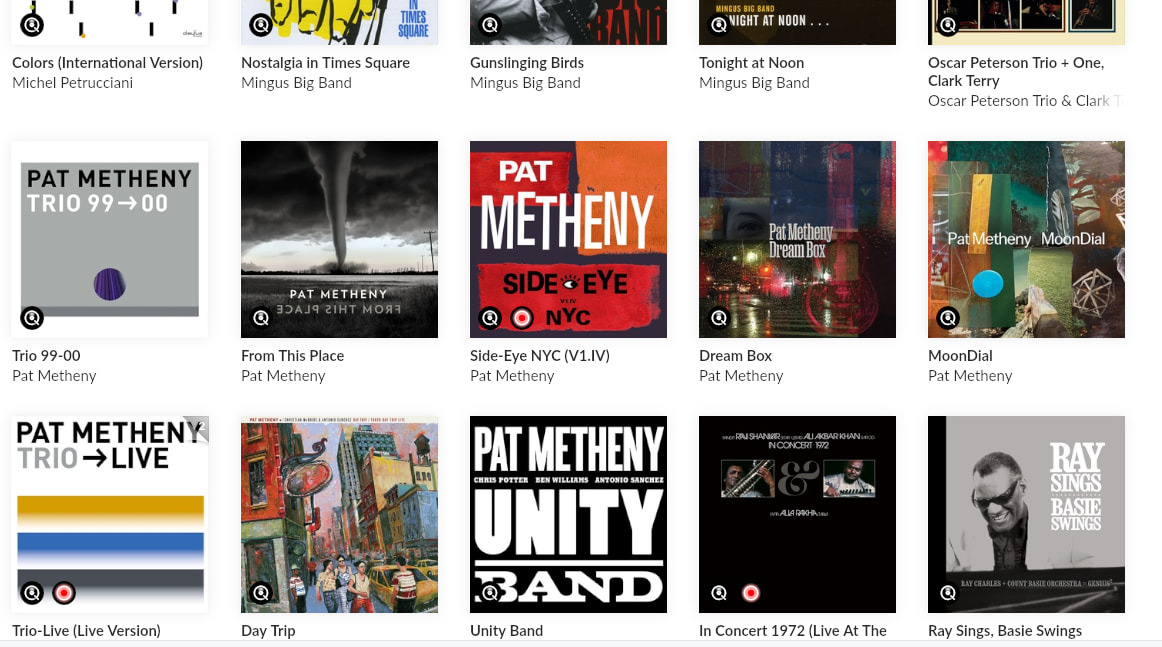
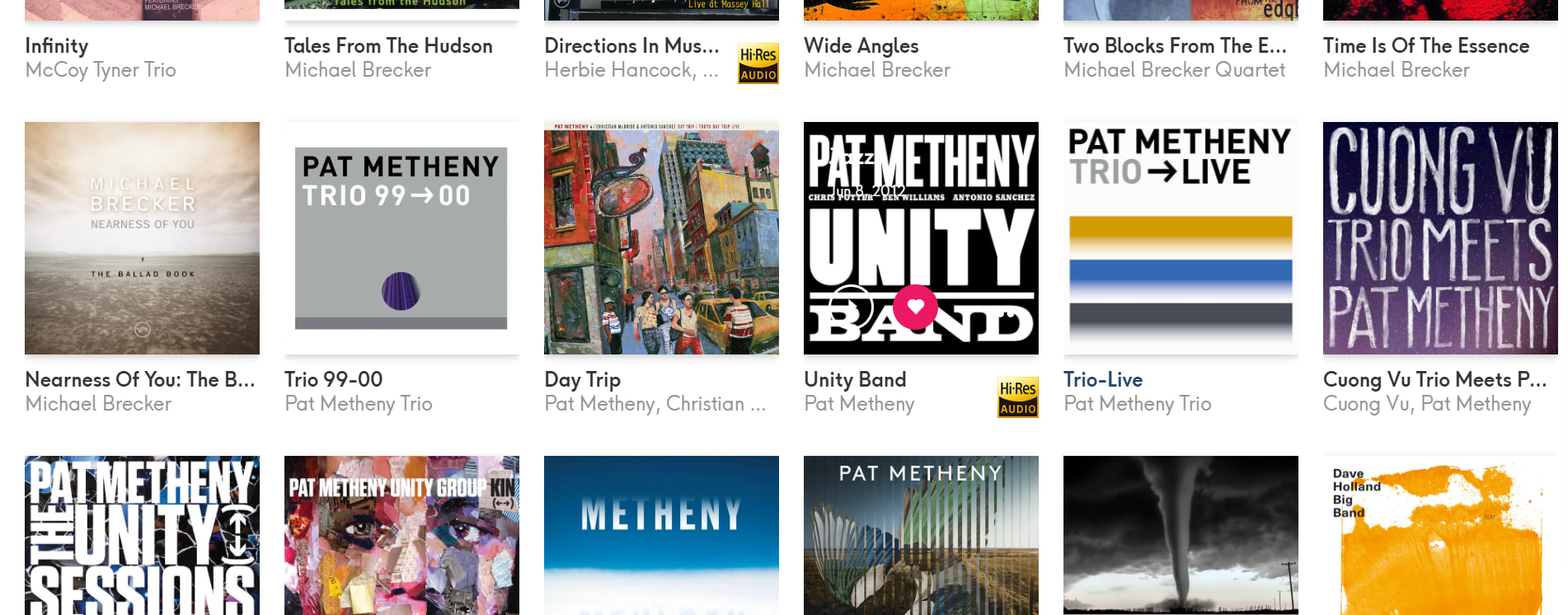
I’m attaching a screenshot of an album that shows the new date Added that Roon did “on its own”. I’m also attaching screenshots that album in context on Roon and Qobuz, both sorted by date added from newer to older. I originally added that Metheny album in 2021 soon after I subscribed to Qobuz and Roon. The new date Added is 21 March 2026.
As before, what’s happening is not only that albums in my database are having their date Added changed, but also albums that were never in my Qobuz database are added. The new additions seem to be coming from labels or artists that are already represented in my database.
I have not been doing regular backups so I can’t revert to a recent database snapshot. FYI, my last backup was 12 GB which seems to be larger than normal according to a previous comment by @alex_h .
Thanks for writing back in! At this time, we can confirm the issue lies within the data Qobuz is sending over to Roon (which slightly differs from what is displayed on their app directly) and with that, our development team is working alongside Qobuz toward a solution.
We don’t have any timelines yet, but we’ll announce the fix when it is included via our software release notes here:
We’ve heard from others on the community that accessing your Qobuz content via your Roon side bar: Qobuz > My Qobuz may provide proper information.
Thanks for your longstanding patience on this issue!