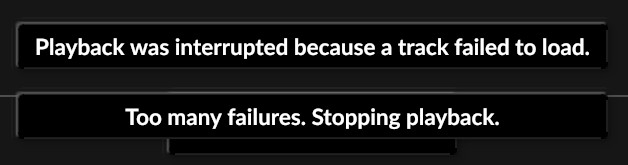
· I am connected to Roon, and can access my local files. I am connected and logged into Qobuz, but can't see albums when I click on them from my library.
Did you go to Roon - Settings - Services and connect to Qobuz there and choose a resolution setting? If you just did this, you can also go to Roon - Settings - Services (Qobuz) - Edit - Sync Library Now.
Yes, I disconnected from Qobuz and then reconnected. Now when I do find a Qobuz album in my library, and try to play it it, I get "Too Many Errors. Stopped playback.
Roon Support is probably going to ask you to describe your setup including internet provider, network setup, Roon core device, how is it connected to your network, Roon end-point, how is it connected, etc. etc.
We have analyzed the diagnostic report from your system and found repeated errors indicating a connectivity block:
(ConnectionReset): The SSL connection could not be established
Warn: [easyhttp] … web exception without response: socketmsg
These errors suggest that something on your network or machine is forcibly preventing Roon from establishing a secure connection to our services.
Recommended Troubleshooting Steps:
Disable VPNs: If you are using any VPN software on your Windows machine or at the router level, please disable it temporarily.
DNS Settings: Try changing your DNS settings on the Windows machine to Google DNS (8.8.8.8 and 8.8.4.4).
Firewall: Ensure that your Windows Firewall (or any third-party antivirus firewall) is not blocking Roon. You can try temporarily disabling the firewall or confirming that Roon.exe and RoonServer.exe are added to the exceptions list.
Network Topology:
Could you also please confirm your network setup? Are you connecting directly to an ISP modem/router, or are there additional switches, mesh nodes, or access points involved?