Thanks for the update - we’re seeing the same error messages around the timestamp you’ve shared. Playback failure is caused by network dropouts, triggered by slow or interrupted media streaming from Qobuz (as shown by “Slow Media” and multiple Dropout messages).
In other words:
Qobuz stream stalls or buffers too slowly,
Roon’s RAAT connection to the Devialet runs out of buffered data,
RAAT detects more than 3 seconds of dropouts within 30 seconds,
Roon aborts the stream (“Killing stream”),
Playback stops (“Track Stopped Due to Slow Media”).
[quote="Joe_underscore, post:20, topic:307355"]
I have turned off DSP processing.
[/quote]
Your Roon Server logs show quick processing and buffer progress, but we do still see sample rate conversion happening, converting 96 kHz → 48 kHz. This could be because you’ve set your device settings to 48kHz, and may be auto-downsampling if you’re selecting higher-res content.
Perhaps reviewing your network bandwidth prioritization options via your router settings may help - see if you can allocate priority to your Roon Server and Devialet devices.
If you log into the router’s admin interface (likely via a web browser, using the gateway IP address) and browse through menus such as Advanced Settings, Network, Traffic Control, QoS, Bandwidth Control or Device Management, you might find such options.
That was sure the case, that downsampling occured automatically, as I defined Devialet to be capable only of 48kHz as you suggested.
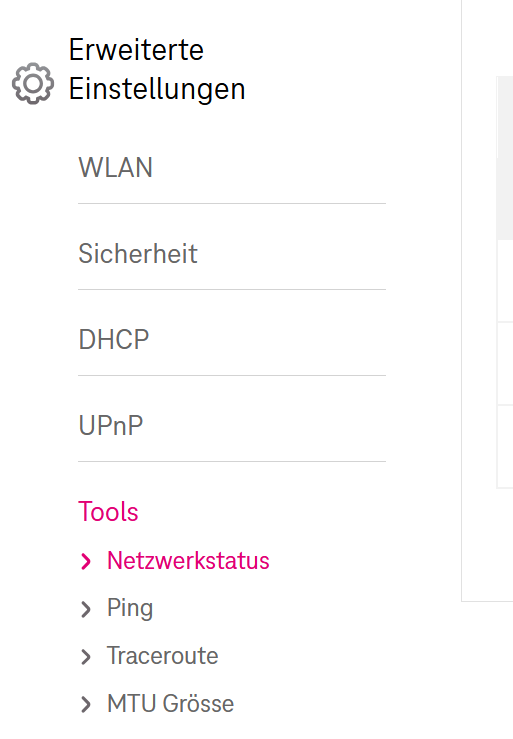
I can not find any settings in the router for bandwith prioritization, it is a simple 4 port device where now Roon server, Devialet and WiFi router are connected. Here screenshot of advanced settings:
But I have made some tests after last post.
Lets take the last test of this series:
14.10., 01:42 The track “Melting Pot” got the loading slow error. It is a 44,1 16 flac file on the SSD of the Roon server, so Qobuz is not involved. I made 30 attempts to start it which took about 3 min, allways getting the loading slow error. Right after that I picked a track from another random album, this one did play. I stopped that track after 2 sec and got back to the “Melting Pot” track, and fascinating, that track played then too.
This was the same behavior as with 2 other similar tests I made before.
The Devialet, the network and the Roon server PC can’t know, which track is playing, only Roon does know. From my user perspective it looks like something goes wrong with that buffer. The track “Melting Pot” does not play even with 30 attempts, but after “flushing” the buffer with another track the former track plays suddenly too.
So it looks like those dropouts do not come from the network but from Roon itself, which is not able to handle its buffer correctly.
Your test observations are very useful, but the conclusion that “Roon is not able to handle its buffer correctly” may not be accurate, and here’s why:
The fact that “Melting Pot” wouldn’t play until you started another track doesn’t necessarily mean the buffer itself was the issue. When you switched tracks, Roon reinitialized the entire playback chain, including the network connection to the endpoint, the audio device handshake, and possibly even the file decoding process. That reset could have cleared a transient problem anywhere along the path (server storage, network stack, or endpoint), not just in Roon’s buffer.
Even though the file is stored locally on the SSD, playback still travels through several layers, from disk → Roon Server → RAAT→ endpoint (in your case, Devialet). Any small network hiccup or endpoint handshake issue can cause a “loading slow” message, even for local files.
“Loading slow” is more of a symptom, not a diagnosis: That message means the endpoint isn’t receiving audio data fast enough, but it doesn’t tell you why. It could be:
Disk or CPU contention on the Roon Core
A network or RAAT delay
The Devialet not responding immediately to Roon’s request
Or, in rare cases, a buffering logic issue, but that’s the least likely of these possibilities.
When you play another track, Roon reopens the audio stream and reestablishes timing synchronization. If a network or endpoint timing issue was stuck, that action would resolve it. The buffer itself isn’t “flushed” in the sense of clearing bad data; rather, Roon starts a new session entirely.
Overall, your test shows a repeatable symptom, but not necessarily a buffering bug in Roon. The behavior you described is more consistent with a temporary communication or endpoint state issue that resets when playback restarts, not a buffer mismanagement problem within Roon itself.
Do you experience the same issue when only playing audio to the system output of your remote device?
Thank you very much for the detailed explanation. My thoughts about the buffer was just a guess from my user perspective, for what could be the reason keeping the stream to be stuck. To reset that stuck situation with just playing a track from another random album is much easier than to restart Roon server, so the result of the troubleshooting already helped a lot. With this workaround my problem got now even more minor than it was before.
I try to clarify it even more as before: I have never dropouts or any other hiccups with Roon, no matter what and how I play. With 3 switches, HighRes, WiFi, DSP, even running 6 flawless HD video streams on 6 devices on my network at the same time, with one video even on the Roon server, Roon plays rock solid.
But what got clearer now, when I start single tracks in a short time, what I do when checking new albums, after some time I get the loading slow error and it keeps to be stuck. I still think that after a Roon server restart this situation comes later, but this is already questionable, maybe it is the same behavior than after doing the “playing a track from another random album trick” to reset that stuck situation. I had no time to check that so far. As well I have seen, that Roon server being idle for some time does the trick too.
As all my changes so far made no difference, they are:
cable instead of WiFi on Devialet
turning off DSP
reducing bitrate
removing 2 switches from the path from Roon server to the Devialet, both devices now connected to the router
local files instead of Qobuz
my next plan for testing is following: The stream from Roon server to Devialet was always going through the router switch. I will now make a temporary cabling where Roon server and Devialet will be both connected with cable to my Fritzbox WiFi router instead of internet router. I will have a look, if Fritzbox has a port priorization and use that too.
I will give an update as soon I made that test.
Thanks for taking care of my case and guiding me through the troubleshooting.
I have now connected the Devialet and Roon server on Fritzbox 4040 (as always in bridge mode) on port 2 and 3, the internet router on port 1. I could not find something like port priorization on that Fritzbox.
I started to play single tracks from the same local 44.1 16 album than last time, first with DSP then without DSP, after only some tracks I got the loading slow error again for more than 10 times trying to play “Inner City Blues” 23:44 24.10.
It is still the same behavior without any difference than before.
I build my temporary cabling now back to as it was before.
I think I am on the end of simplifying my network, and I won’t change my PC or Amp. To “flush” whatever it is what I “flush” when just starting another track from another random album will be my workaround now, until Roon will work fine without that problem.
But I will be open for any other suggestion for sure.
It’s still unclear if you experience the same issue when only playing audio to the system output zone from your windows or iPad or other Roon remote device.
From a recent diagnostic report and the timestamp you’ve shared, we can see the Qobuz buffer is at 100% at the beginning of playback, but immediately after, the endpoint reports a dropout:
GOT [31] {"status":"Dropout","samples":405970}
Warn: [Devialet RAAT] Too many dropouts (>3s dropped out in the last 30s). Killing stream
This means Roon sent data to the Devialet, but the Devialet stopped consuming audio data for ~3 seconds or more.
If you bypass the Devialet temporarily, does the same issue occur?
Do you experience these errors or any other dropouts if you play to the iPad speakers?
We need to see if another endpoint in the same environment reproduces the issue. Please test both local files and Qobuz streaming while playing to any Zone other than the networked Devialet.
We’ll watch for your reply at your convenience. Thank you!
With Roon version 2.56 (build 1582) I get no “media loading slow” or “file loading slow” error anymore. Whatever the dev team has done with this version, it seems the problem is fixed now.
Coming home from my vacation I first installed the waiting Roon update and then played track by track with my usual network configuration, including 3 switches and using DSP. I tried normal and highres content from Qobuz and local. I wanted to make it run into a “loading slow” error for reference before I switch to Roon remote output on iPad or Notebook. But I did not get any “loading slow” error anymore but only one time, when Veeam was running a full backup from my Roon server. I will continue next days to stress the system with starting single tracks and jumping around between them and tell you, if a “loading slow” error ever occured again.
Glad to hear that the new Roon build resolved the issue on your end, this is wonderful news! I’ll go ahead and mark the thread for closure, but should you experience the behavior again please open a new thread and reference this one and we can continue troubleshooting. Thanks and happy listening!