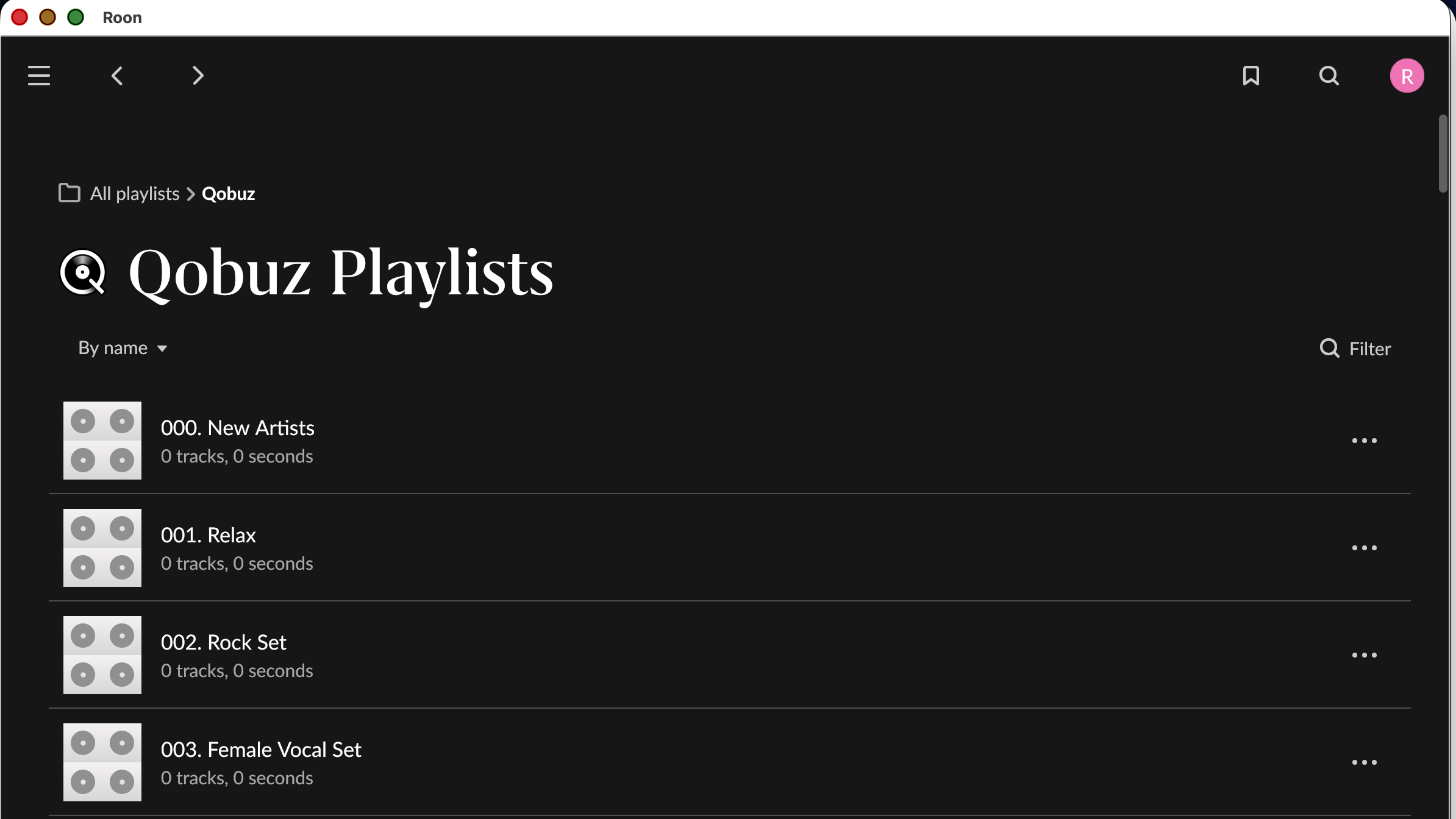
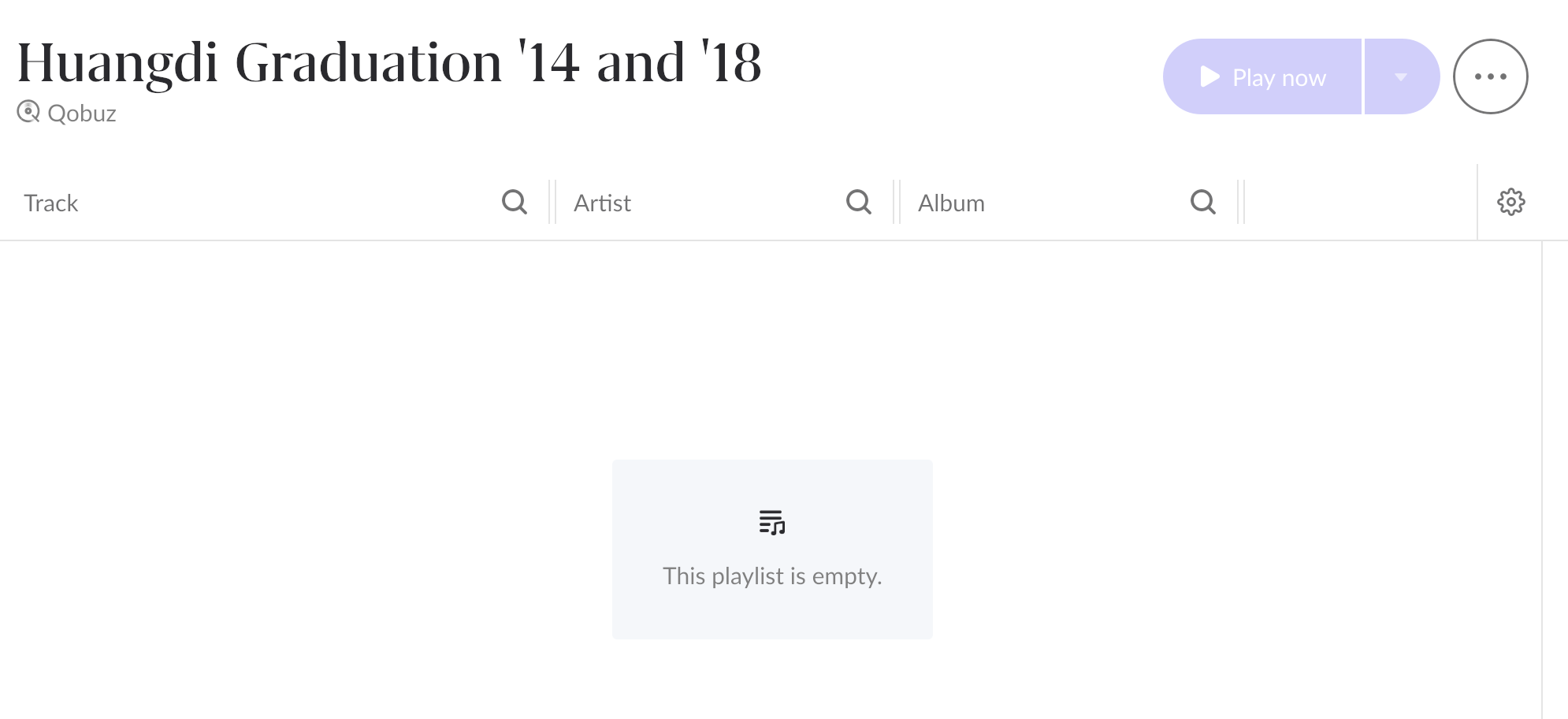
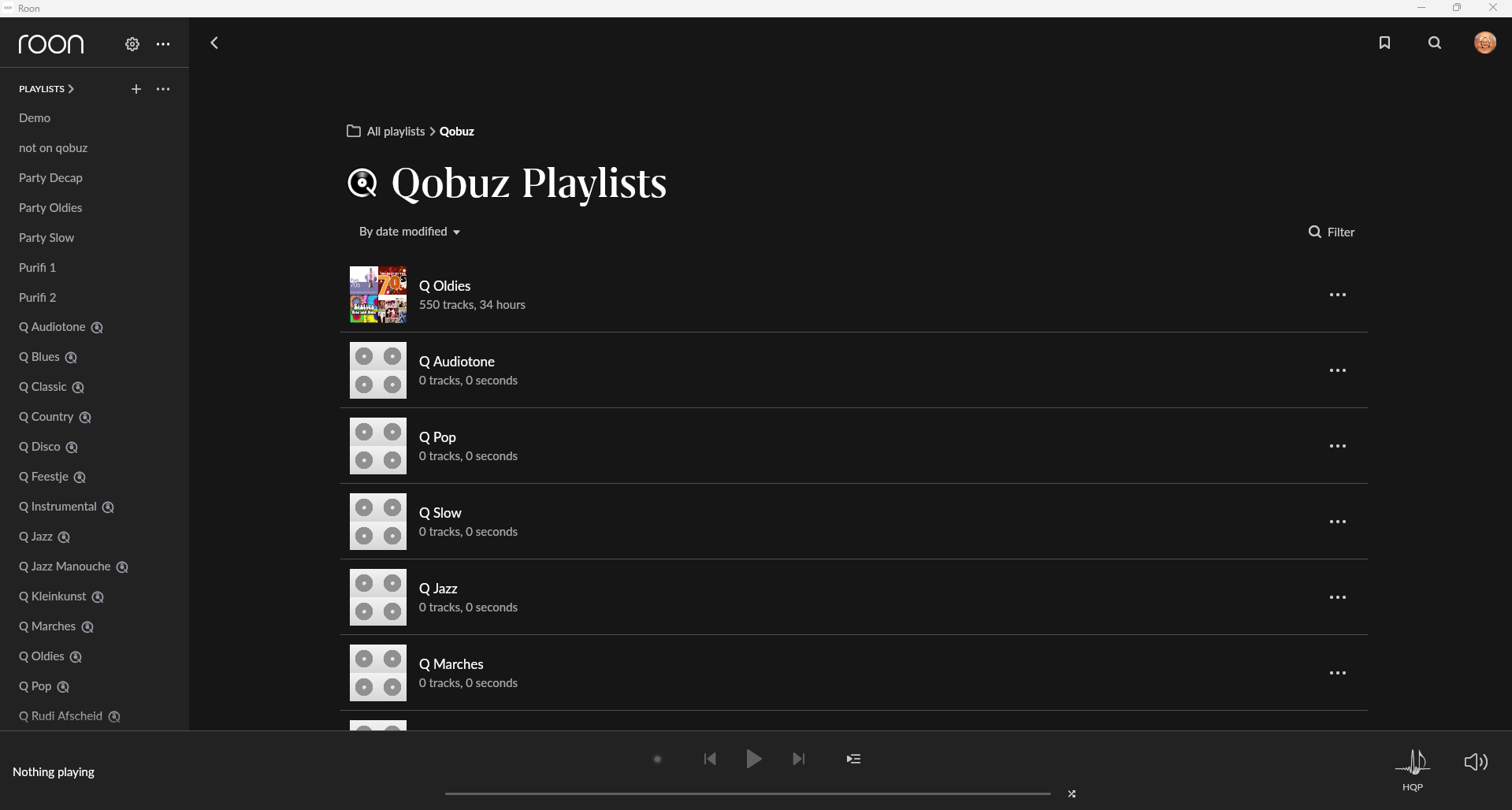
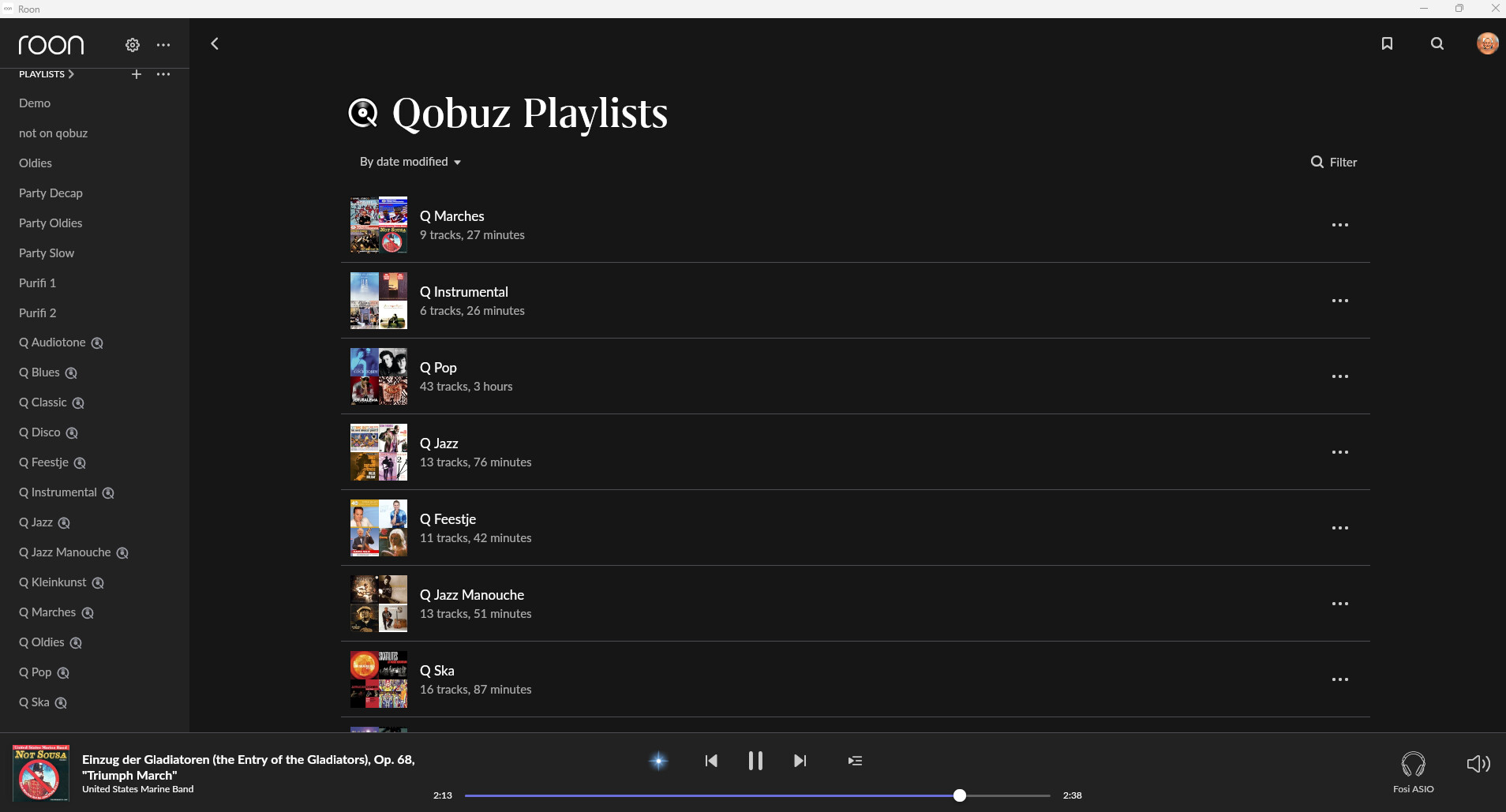
· I use Roon with Qobuz. I have over 200 playlists that were created on Qobuz, and have until recently played perfectly on Roon. As of the beginning of this week, my playlists are empty on Roon. For a about a day the same was true on the Qobuz website, but they eventually repopulated. That is not the case for Roon. I've done a deep dive on the net and many others are having the same issue, and this also occurred before in 2025. I am paying for a service I cannot use. Please provide a remedy or credit to my account.
Tell us about your home network
· Cox high speed internet. Cox supplied router/modem. No VPN
I am experiencing a persistent issue with my Qobuz integration in Roon. For about a week now, most of my Qobuz playlists are not syncing properly.
The playlists actually appear in my Roon library, but they are completely empty (0 tracks). However, when I check my official Qobuz app, all the playlists are there, intact, and fully populated with tracks.
To try and resolve this, I have already attempted the following troubleshooting steps, but unfortunately, none of them worked:
Logged out of Qobuz within Roon, restarted the Core, and logged back in.
Completely reinstalled the Roon application.
Forced a manual library sync.
Could you please assist me in getting my Qobuz playlists to sync properly again? Let me know if you need any logs or further details about my setup.
Thank you for your help.
Best regards,
Tell us about your home network
· Router Make & Model: Asus
Network Switches / Extenders:None
Roon Core Connection: Ethernet cable directly to the router
· Our Qobuz playlists show up empty on Roon. Going direct to Qobuz shows them populated. Furthermore, I added a track to a Qobuz playlist on Roon, and now it only shows that track, all other seem to have beem deleted/overwritten, even in Qobuz.
We're running latest versions on everything.
Tell us about your home network
· My network is working fine, same as it was before. No changes.
First, please try logging out of Qobuz in Roon and then logging back in. You can do this by going to Settings -> Services, selecting Qobuz, and clicking Log out, then signing back in.
This often refreshes the database sync and restores missing streaming tracks.
To help us investigate further if the re-login doesn’t fix it, could you please clarify a few details?
Which tracks are missing? Is this issue affecting only your Qobuz streaming tracks, or are your local files (from a hard drive or NAS) missing as well?
How often does this happen? Is this the first time you've experienced this, or has it happened before?
Approximate time: Could you let us know the date and time when you last noticed that the library disappeared? This will help us check the diagnostics report logs accurately.
Looking forward to your reply so we can get this sorted out for you.
We have seen reports of a recent Qobuz outage that caused exactly this kind of behavior, and it sounds like that may be what you ran into. Reports from other users across the network suggest it has been resolved now.
Please try logging out of Qobuz in Roon, then log back in and click Sync Library now. If that does not bring the tracks back into playlists, please let us know, and we will dig deeper from there.
· My setup: a roughly 2-year-old Roon Nucleus powering 3 Bluesound Nodes, a NAD amp with BlueOS, and direct wired to my main system. I use Roon to control this from a couple computers and our iPhones.A few of my Qobuz playlists show up as having no tracks/empty. I've had these for years, and I know that tracks on these playlists overlap on other playlists that do not show up empty, fwiw. I discovered this just a few days ago, (unfortunately when demonstrating my my stereo to a friend I was trying to influence to buy a Nucleus and McIntosh gear). The playlists play on Qobuz. I tried troubleshooting by disconnecting my Qobuz account, then resetting my Nucleus via the web, and the same playlists show up empty. No luck. Thank you in advance for your help.
Tell us about your home network
· No VPN, not sure of my router and that's not relevant in this instance.
We’re going to merge your report with a few other users who are experiencing the same issue so that we can keep responses together as we investigate. Thank you and stand by.
We’re going to merge your report with a few other users who are experiencing the same issue so that we can keep responses together as we investigate. Thank you and stand by.
Thank you for your reports. We’ve scanned logs from the affected users in this thread and see these playlists continuously failing to match the Qobuz catalog layer during indexing. This isn’t a transient timeout and we’ll escalate to engineering.
If you rely on a consumer VPN, try changing the location or network pathway as a temporary workaround.
We’ll follow up with more information from engineering shortly.
We have seen reports of a recent Qobuz outage that caused exactly this kind of behavior, and it sounds like that may be what you ran into. Reports from other users across the network suggest it has been resolved now.
Please try logging out of Qobuz in Roon, then log back in and click Sync Library now. If that does not bring the tracks back into playlists, please let us know, and we will dig deeper from there.
I am writing to follow up on my open ticket. It has now been over a week, and the problem is still exactly the same.
To repeat: my Qobuz playlists appear in Roon but they are completely empty, while they work perfectly fine on the official Qobuz app. I have already done a full clean reinstall, tried logging out/in, and provided my complete network specifications.
We need this technical issue to be escalated to your engineering team. This bug is heavily impacting my experience with Roon.
Could you please provide a status update on this issue?
Thank you for your patience. Engineering has an investigation into this issue but we require additional information about what you’re experiencing.
Specifcally, have you tried restoring a Backup of Roon? Uninstalling, unless you delete the database and restore a Backup, will only affect Roon Remote.
Do these playlists populate initially and then disappear, or are they empty on login?
We’d like to check in since we haven’t seen a response to our last post, but we still require a key piece of information before our team can take action here.
Does restoring a Backup of Roon have any effect on these playlists disappearing? More precisely, when you first open Roon after restoring the Backup, do you initially see your playlists before they disappear, or do they simply fail to load at all?
@Tony_De_Lobelle, are you still having any issues, or have your playlists remained stable since you saw them return?