Does the issue happen with local library music, streaming service music, or both?
· *Only streaming* music is affected.
Please select the streaming service(s) with which you're encountering playback problems.
· Qobuz
Have you tried logging out and back in again to your streaming service in Roon Settings?
· Logging out and back in had no impact, the issue remains
What are the make and model of the affected audio device(s) and the connection type?
· All of my devices
Describe the issue
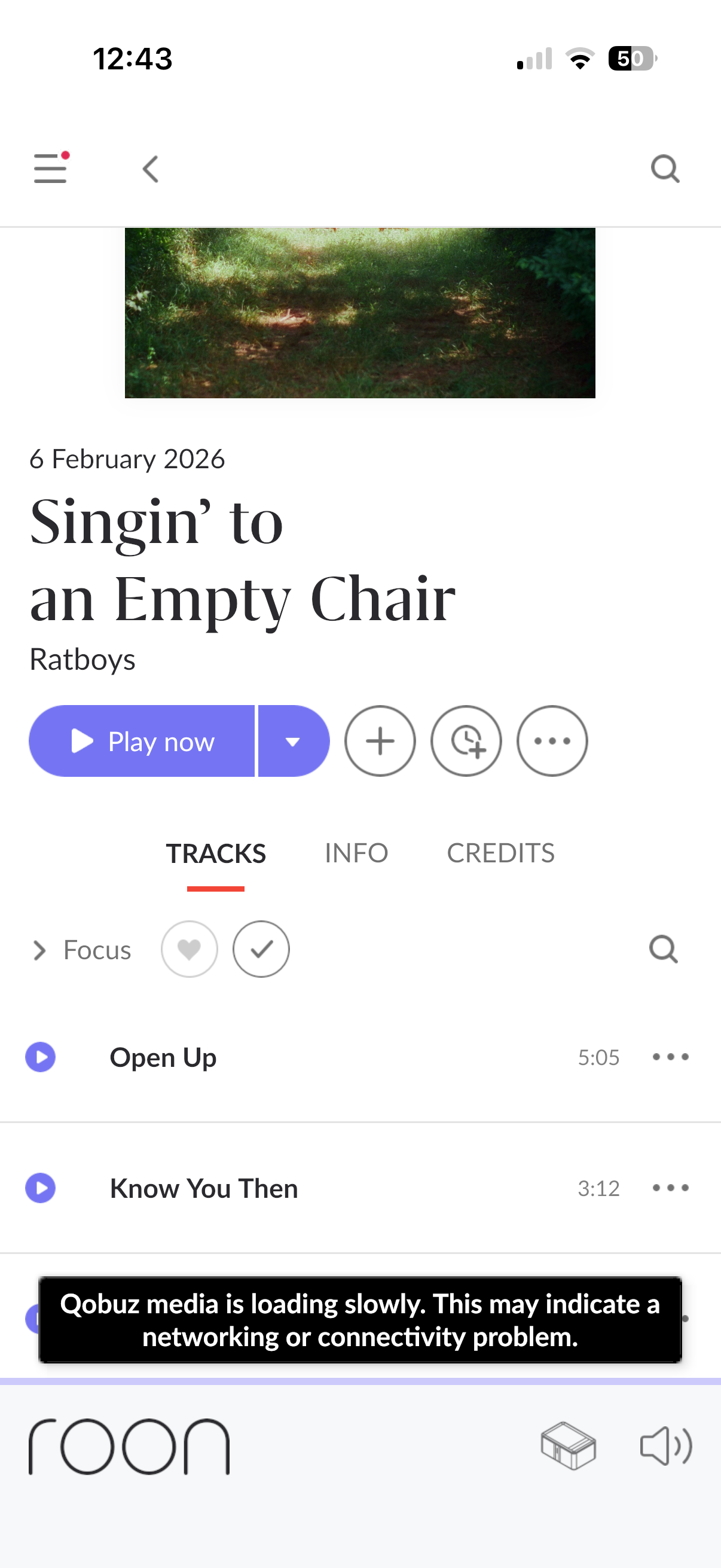
When I play a Qobuz track, it plays for a few seconds then stops with an error “Qobuz media is slow to load.” The same track plays fine when played direct through the Qobuz app
Describe your network setup
Roon rock server connected to lan, remote device is wifi
Thanks for reaching out and sharing your question with us.
We have reviewed your device’s diagnostic report, and it appears that your Roon installation is experiencing general network instability, rather than an issue specific to Qobuz. We are seeing timeouts occurring with several different services, which points to a broader connectivity problem.
To resolve this, we recommend the following steps:
1. Adjust Network Settings (Static IP & DNS) Please try setting a Static IP and changing your DNS servers to reliable public options.
Open a web browser on any device connected to your network.
Enter the IP address of your ROCK/Nucleus (you can find this in Roon Remote under Settings > Setup > Configure Roon OS).
Scroll down to the Networking section.
Change "IP Assignment" from DHCP to Static IP.
Note: You can keep the IP Address, Netmask, and Gateway exactly as they are currently displayed.
Change the DNS Server to 8.8.8.8 (Google) and the Secondary DNS to 1.1.1.1 (Cloudflare).
Click Save.
Reboot the device.
2. Simplify the Connection If your unit is currently connected via a network switch or a Wi-Fi Mesh node, please try connecting it directly to your main router via Ethernet. This will help us rule out any hardware that might be causing the dropouts.
Please let us know if these changes improve the stability.
We wanted to share an additional finding from the most recent logset available to our diagnostic servers from your Roon account.
We see dropouts of precisely 48000 samples (1 second buffer underrun) on a networked endpoint Elac Discovery Z3). While this can be a downstream symptom of slow buffering caused by URL retries (what @alex_h mentioned above), it might also have a unique cause.
Is the Elac Discovery Z connected via WiFi or ethernet, and where is connected relative to your main router?