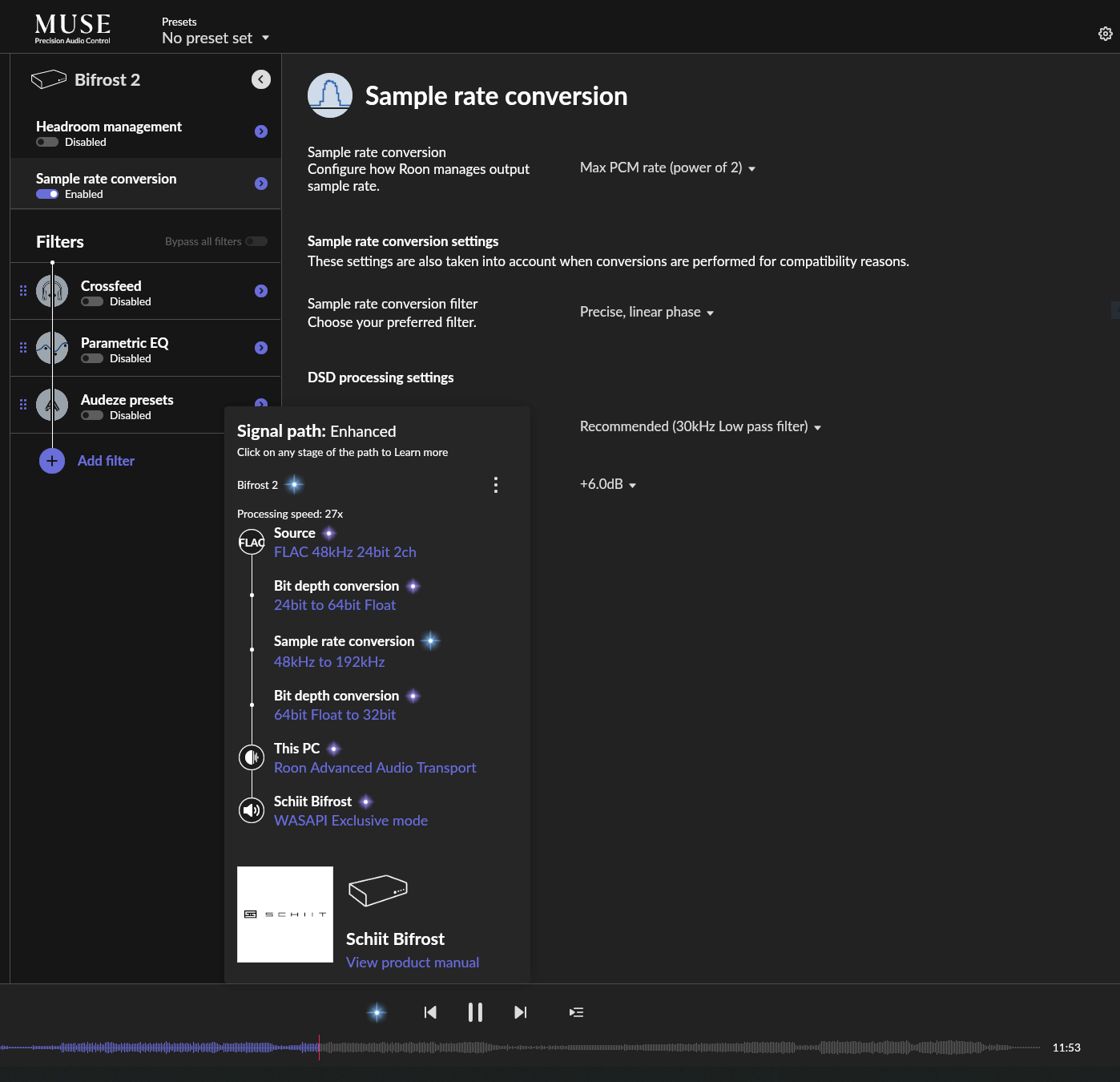
When I enable upsampling/sample rate conversion manually for my DAC, the signal path shows as “enhanced” (screenshot 1).
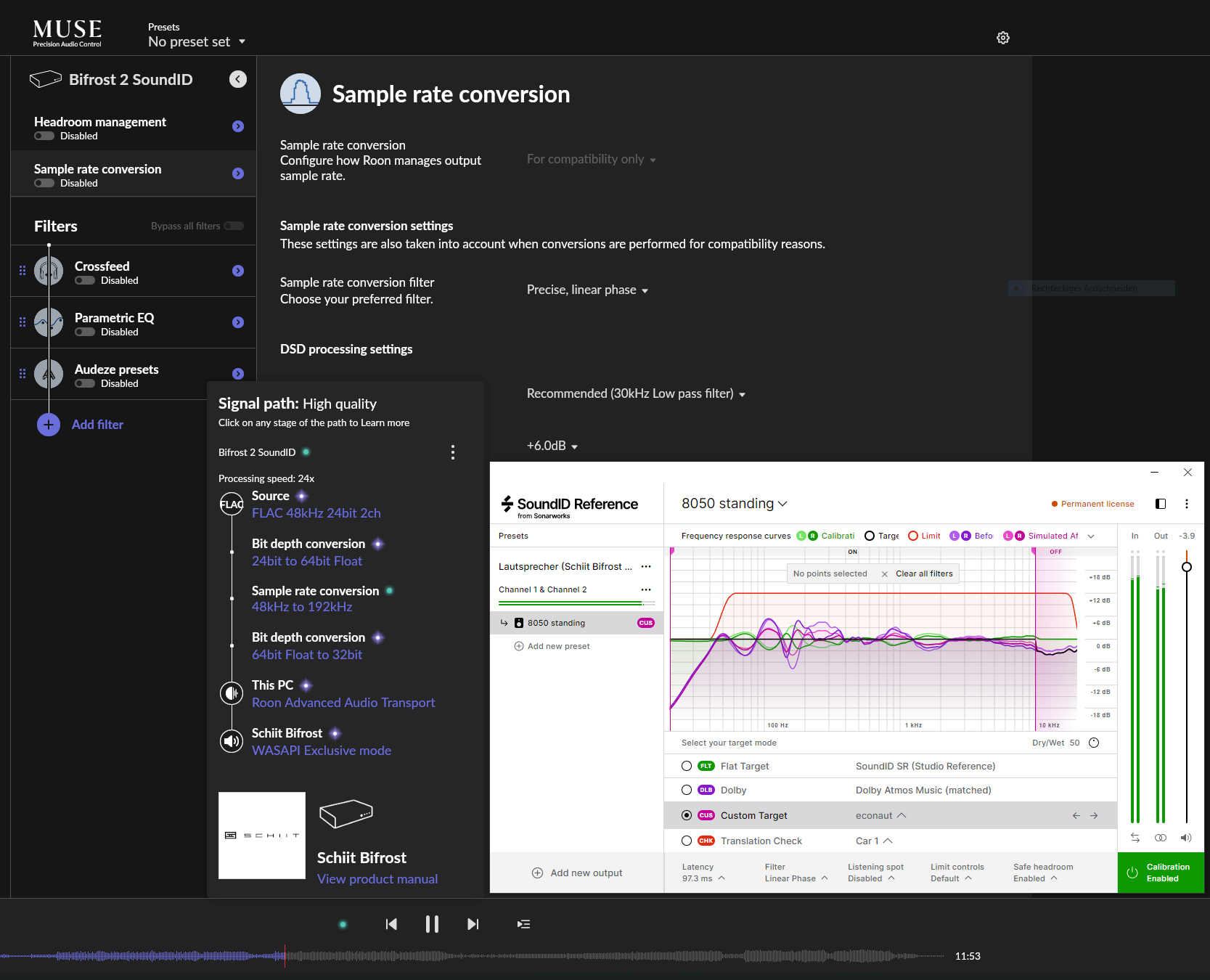
I am using Sonarworks SoundID for room correction on this windows PC, though, and I don’t want all music downsampled to 44,1kHz (because SoundID can only be configured to one sample rate in WASAPI exclusive mode; I don’t want to use APO mode, because then exclusive mode is not possible). So I opted for 192kHz, since then everything is upsampled and not downsampled. But now the signal path shows only “high quality” (screenshot 2), although in the screenshots the same song is playing and the same sample rate conversion is taking place, from 48kHz to 192kHz. How come?
Thank you for the post. The only difference is whether “Sample Rate Conversion” is toggled on in MUSE (screenshot #1), or whether you’ve set the chain to perform these conversions within Roon itself via RAAT (screenshot #2).
In Roon’s parlance, “Enhanced” specifically describes upsampling performed only by MUSE. When the sample rate conversion is internal to RAAT and not performed by the DSP engine (MUSE), Signal Path defaults to “High Quality,” even if the Zone’s Device Setup configurations result in upsampling of the source sample rate.
The same algorithm should be applied to both zones, but the reason why you are seeing High Quality for the SoundID one is because it is in compatibility mode. Typically when compatibility mode is enabled it is for zones with lower sample rates support, the use-case of using compatibility mode on higher rates is pretty rare.
If there is a way to enable more sample rates supported through SoundID, then I suspect it signal path would show up as Enhanced since it’s no longer in compatibility mode. But the upsampling algorithm is the same here, so there should be no audible difference.
Then I’d recommend to change the way Roon displays this in the signal path, since it is misleading. It would be better to show it as “Enhanced” when it’s upsampling, even if it’s in compatibility mode. The tag “high quality” when downsampling in compatibility mode should stay as it is, of course.
Unfortunately, SoundID can only switch between sample rates in APO mode. Because I don’t want to miss exclusive mode this is a no-go for me. Who knows how windows mixer messes with the signal path then.