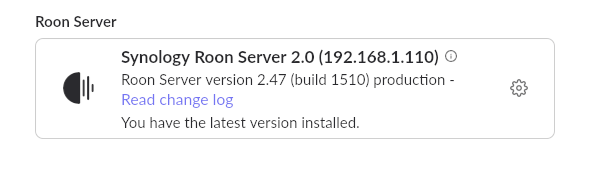
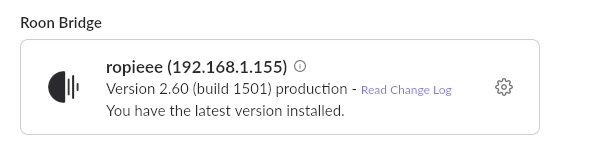
trying to enable my SMSL DAC device connected via USB via Raspberry Pi running RoPieee. but it gets stuck is enabling state forever.
tried with pi3 and pi5 and continues to run into the same error where the server just says
03/21 12:52:50 Trace: \[Broker:Transport\] \[SMSL USB AUDIO\] \[raatclient\] Initializing RAAT session
03/21 12:52:50 Trace: \[Broker:Transport\] \[SMSL USB AUDIO\] \[raatclient\] Loading script raat.dat:base.lua as module base \[1088 chars\]
03/21 12:52:50 Warn: \[Broker:Transport\] \[SMSL USB AUDIO\] \[raatclient\] raat.dat:base.lua failed: Result\[Status=InvalidCodeSignature\]
03/21 12:52:50 Warn: \[Broker:Transport\] \[SMSL USB AUDIO\] \[raatclient\] RAAT Session failed to initialize
03/21 12:52:50 Trace: \[Broker:Transport\] \[raatserver\] \[SMSL USB AUDIO\] client connection failed. Retrying in 1125ms
03/21 12:52:52 Info: \[Broker:Transport\] \[raatserver\] \[SMSL USB AUDIO\] connecting (attempt 4)
03/21 12:52:52 Trace: \[Broker:Transport\] \[SMSL USB AUDIO\] \[raatclient\] Initializing RAAT session
03/21 12:52:52 Trace: \[Broker:Transport\] \[SMSL USB AUDIO\] \[raatclient\] Loading script raat.dat:base.lua as module base \[1088 chars\]
03/21 12:52:52 Warn: \[Broker:Transport\] \[SMSL USB AUDIO\] \[raatclient\] raat.dat:base.lua failed: Result\[Status=InvalidCodeSignature\]
03/21 12:52:52 Warn: \[Broker:Transport\] \[SMSL USB AUDIO\] \[raatclient\] RAAT Session failed to initialize
but from my phone or tablet roon client, the roon USB SMSL device from ropieee is constantly stuck in “enabling” state.
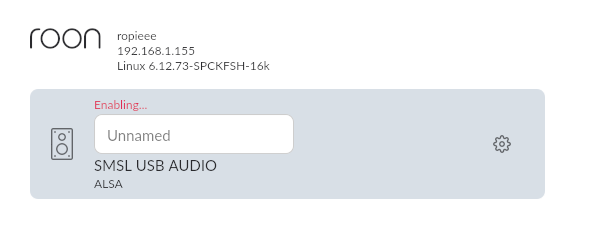
I tried older versions of RoPieee and it also had the same issue. I remember using RoPieee fine last year with the same equipment but having issues this week.