Random Roon Album App

Hi all:

My ongoing frustraion with Roon’s lack of a shuffle by album feature (see much more here) led me to wonder if I could write an app that would do that for me.

So that’s what I did, or more accurately, I vibe coded it in conjunction with Claude and Gemini.

Here’s the first version of Roon Random Album on GitHub. The project is there, as well as complied .dmg versions for Mac users. I haven’t compiled versions for Windows because I’m a Mac guy, and but would love to have them if someone wants to take a look.

As I said, this was basically created with Claude and Gemini helping me parse the Roon API and write all the code. It’s pretty astonishing to me what I was able to do with very limited coding knowledge. I’m sure the code isn’t the prettiest or most efficient, and there’s a lot of defensive code in there to help overcome some of the limitations of the API. But all seems to be working on my machine.
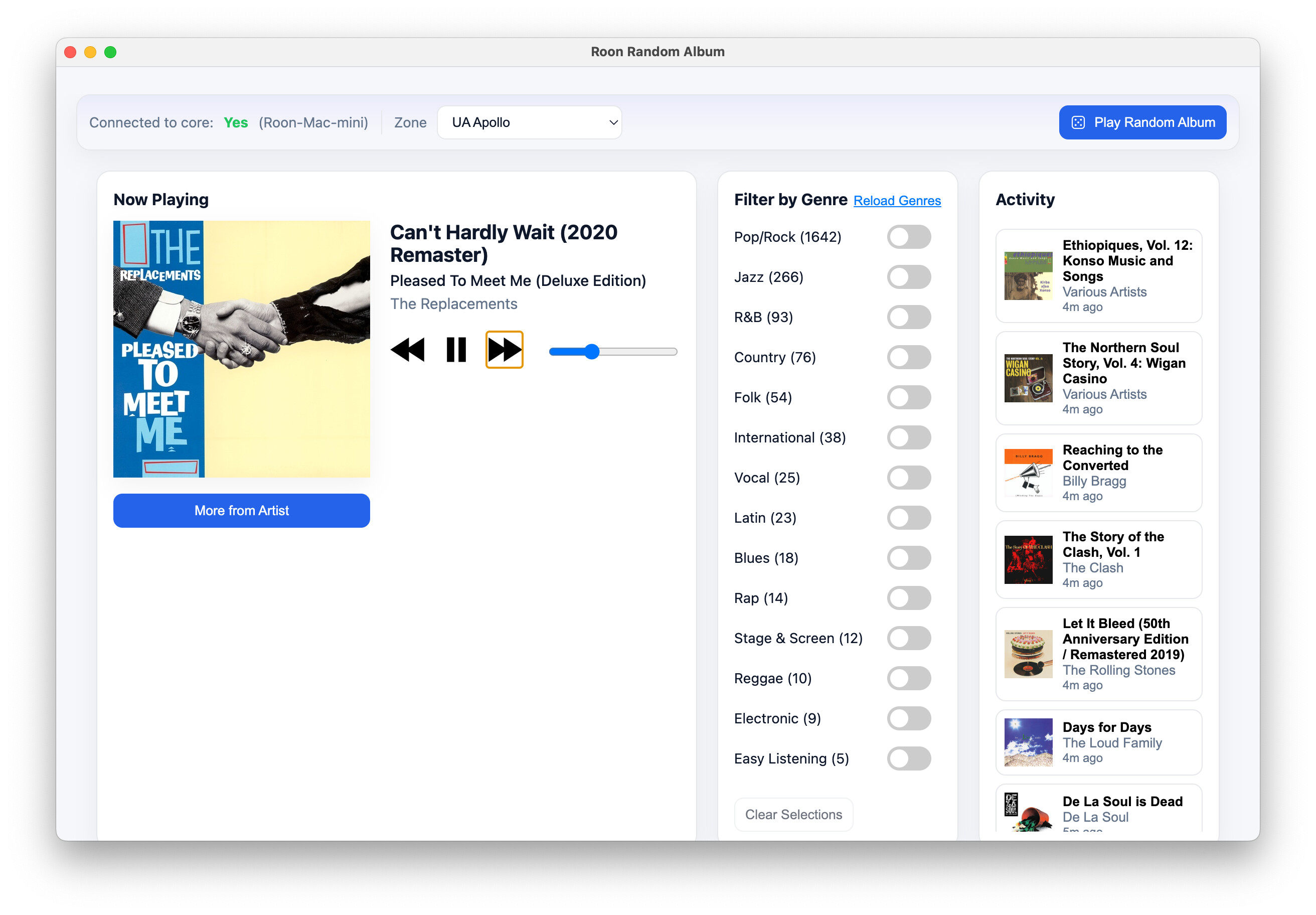
Roon Random Album App page on GitHub

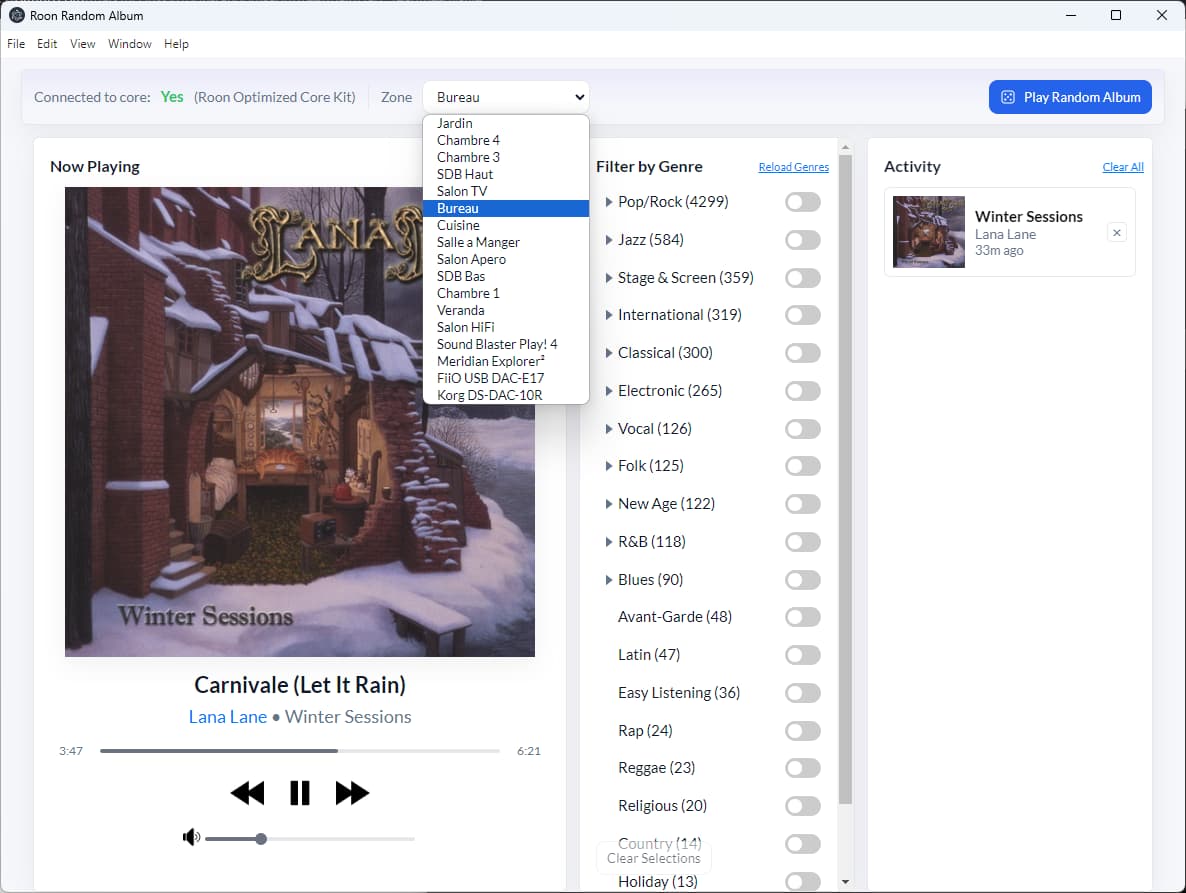
The Play Random Album button in the top right corner is the main thing. When there are no genres selected, it randomizes across your entire library. If one genre is selected in the middle Filter by Genre area, it picks a random album tagged with that genre. If two or more genres are selected, it picks an album from one of them, with the chances weighted by the number of albums in the genres.

Once an album is selected, it shows up in Now Playing with transport controls. The More From Artist will play you another randomly selected album from that artist, and you can continue hitting that until you’ve been presented all albums by that artist. The Activity list on the right shows the albums that have been played by the app; if you’d like to go back to one of them, the cards are clickable.

Given that I only have my own Roon setup available to me, I haven’t been able to test this on other setups. I’m very excited/anxious for other users to try this and to let me know if there are any issues getting it working, or ideas for further improvements or refinements.

I’d love any thoughts and feedback here, or on the GitHub project. Like I said, I’m not a coder, so be gentle with me! I hope this helps fill a need for others, and frankly, the fact that I could do this with AI and no coding background makes me wonder why on earth Roon hasn’t implemented this long-standing feature request.
12 Likes

A note that I’ve just updated the app to expand down to second level genre filtering for genres in which you have 50 or more albums. I’d love anyone who is interested to try the app and see what you think, and let me know!

Here’s the project on GitHub.

Thanks Mark. Running it now, and works great. That said, it’s ridiculous that Roon can’t just implement this and we have to go to an outside app.

1 Like

Awesome that you’re running it, and glad it’s working well for you, thank you for letting me know.

And I completely agree that its nuts to have to write an app like this. I’m an editor who doesn’t know how to code, and I could do this. Seems like Roon’s actual software engineers should be able to do the same!

Posting here to highlight an update – I’ve added persistence in the activity feed across sessions of using the app. Would love if other people tried it! And if Roon implemented this feature!

Here’s the app on GitHub.

1 Like

Hello
This is a feature I’ve been waiting for for a long time. I installed it, but the program can’t find my Core. Roon Rock is installed on a NUC. Is that the problem? Do I need to open Roon and the application simultaneously? In any case, no matter what I do, it doesn’t work, which is a real shame. I installed the arm64 file on my Mac mini m4. Hoping for your help, thank you in advance, and thank you for creating this application.

@Regis_MARTIN

Hey there, I’m not an expert – but my guess would be that you haven’t authorized the extension on your Roon Server.

First, start the Roon Random App program on your Mac. The Mac needs to be on the same network as your Roon Server.

Then, if you go to settings in the Roon client software, and then select Extensions, you should see the Roon Random App listed there. Click Authorize, and then the Roon Random App should connect to your core.

Let me know if that doesn’t work, and I’ll try to help you troubleshoot.

Hi Mark, thanks for your work.

I have two small requests:

  • Would it be possible to sort the zone list ?

  • The application sometimes has a little trouble finding the Roon server, would it be possible to enter the server’s IP address and port in the settings ?

@Dirk-Pitt

Thanks for using the app, and for the feedback!

I’ll look into sorting the zone list. On entering the IP/Port, I think that’s really not the way the API wants to handle things – it wants to discover the server on the network. But I’ll investigate.

1 Like

@Dirk-Pitt

Please check out the new v1.4.2 release, which sorts the Zone list. Thank you for the suggestion!

1 Like

@Mark_McClusky1

Thank you so much, Mark, for this update.
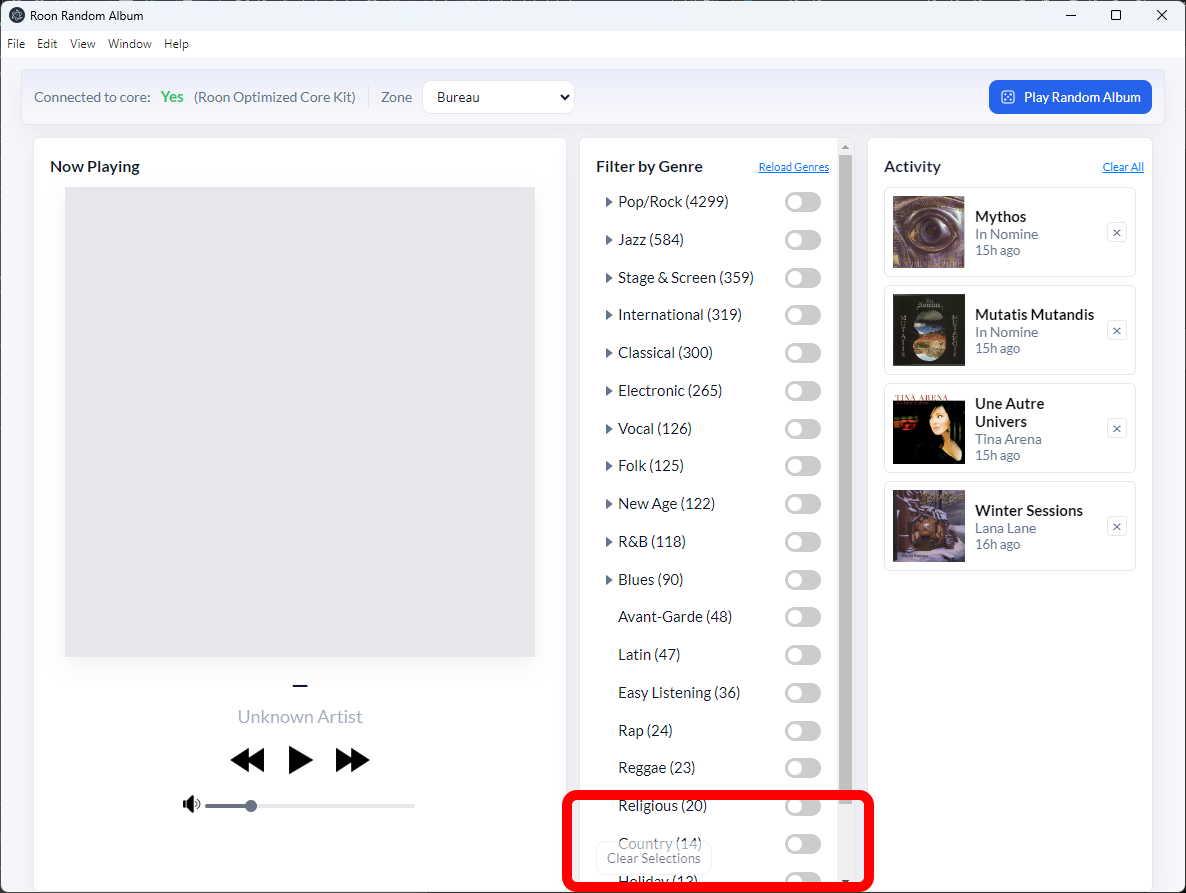
I forgot one other small detail : there’s an overlap in the interface between the genre list and the « Clear Selections » button.

@Dirk-Pitt

I did notice that yesterday, will be addressing it along with some interface and UI tweaks in my next build. Thank you!

Bonjour Mark,

C’est parfait! Merci de votre solution rapide.

@Regis_MARTIN

De rien!

I’ve just released a new version, which includes some UI and interface updates, and fixes the bug that @Dirk-Pitt noted above.

1 Like

@Mark_McClusky1 Under Windows, I no longer have the gender switches.

I just installed this extension on Windows (very useful). I see a problem with genres: it shows far fewer than I do in Roon, both as parent genres and as subgenres.

@Dirk-Pitt The genres are now directly clickable to select and deselect. Can you try it and let me know?

Also, you’re building this on Windows? Cool! I’m trying to automate Windows builds now.

@Daniele_Piancastelli Can you post a screenshot? Roon recognizes 18 top level genres, so that’s what you’ll see on loading. Genres with more than 50 albums can be expanded with the triangle to show their subgenres.

@Mark_McClusky1

Correct. I hadn’t seen it, sorry.

Yes, I’m using “Visual Studio Code”. Did you see my private message ?