@Nicolas_Loupia Sorry you were spending that time! I’m trying to keep everything documented in the README, where they were mentioned…
1 Like
so sorry I did what the majority does : not reading the documentation…
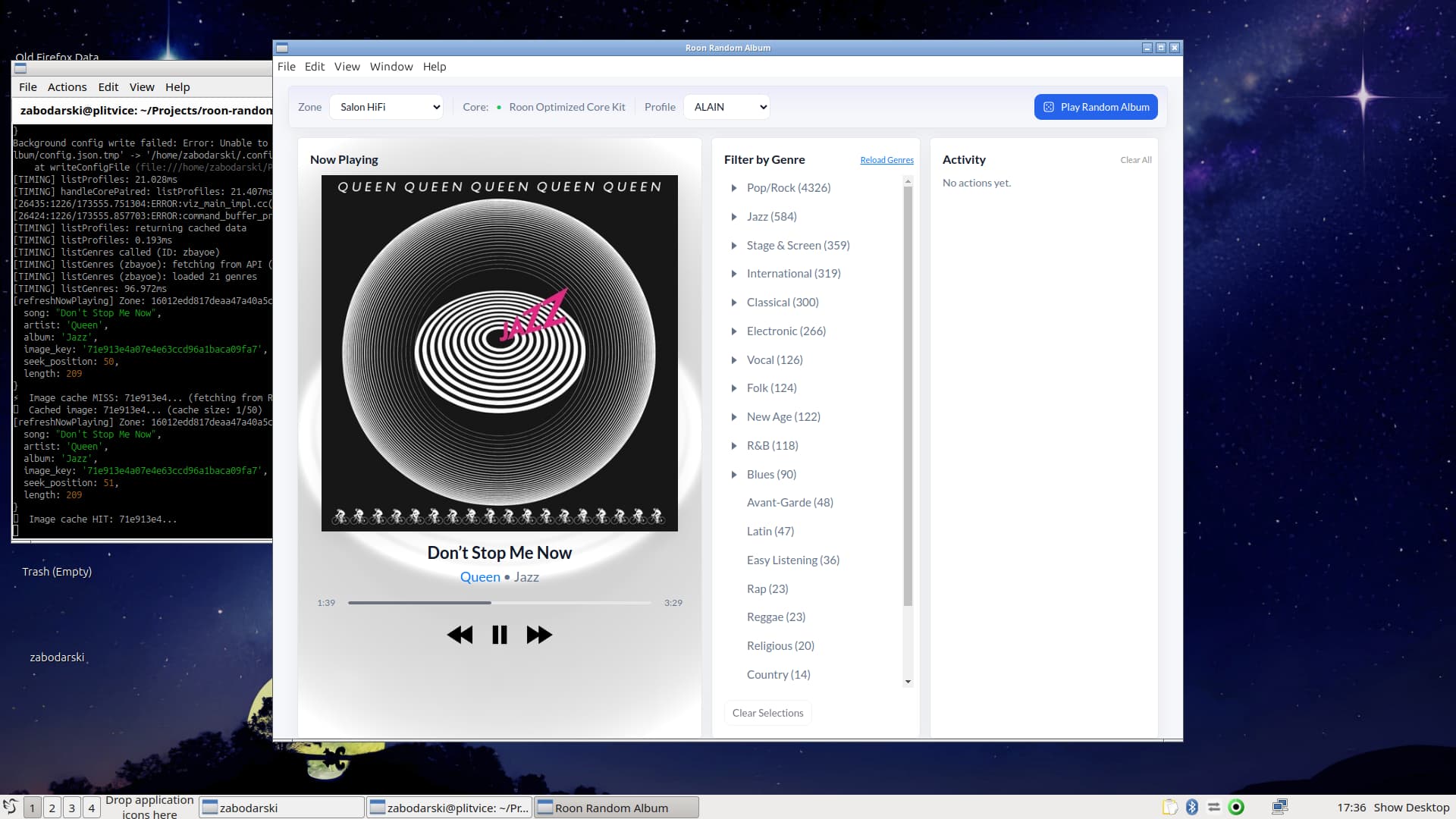
I took the occasion to automate this multi-action on a simple AHK script, and put it into my streamdeck and it does the same : open Roon Random Album, press R, puts me back to the original application
I had to do this because doing the same as you did wouldn’t work somehow
Thank you for your quick help and for the amazing work !

2 Likes
@Dirk-Pitt Love it!
I’m posting randomly to see if anyone who has used the app (Thank you!) has any feature requests or ideas for improvement…
I’d like to keep making it a better tool, at least until Roon integrates a similar feature in to the main app, where it belongs.
Well, I finally tried to load on Win11 pro but had a “couple” of problems.
The App didn’t appear to be able find Roon Server & it didn’t generate a shortcut in the start menu (App list).
App version was 1.6.5 (Roon.Random.Album-1.6.5.Setup.exe)…
Any help would be welcome 
(I tried a reinstall but got the same result)
I’m having the same problem.
I suggested to Mark that we bypass the « Roon discovery » process and allow users to enter the server’s IP address and port.
I think this would be a significant improvement for us.
1 Like
@Dirk-Pitt and @PixelPopper, try this version:
I’ve implemented a way to choose either roon discovery or manually enter IP and port.
I’d love to know if it works for you. To switch, click on the server name at the top.
@PixelPopper, I’ll look into setting up a shortcut automatically on Windows.
Thanks Mark, I’ll have another go in a couple of days, I’m currently working on this thread :-

I’m having trouble connecting to my roon server. The server is the latest MAC early access version, maybe that’s the case, early access? But in the 1.7.0b version of your app, I can input the servers IP and test connection and it shows as successful. But no server shows up. The app is allowed in the firewall. Running app on windows 11.
EDIT: ah, I didn’t know to enable your app as an extension in Roon, now it works!
@Adam_Pekar Glad you figured it out; yes, has to be enabled as an extension in Roon. Just posting that here in case others miss it as well.
Thanks for installing it! Let me know what you think of the app!
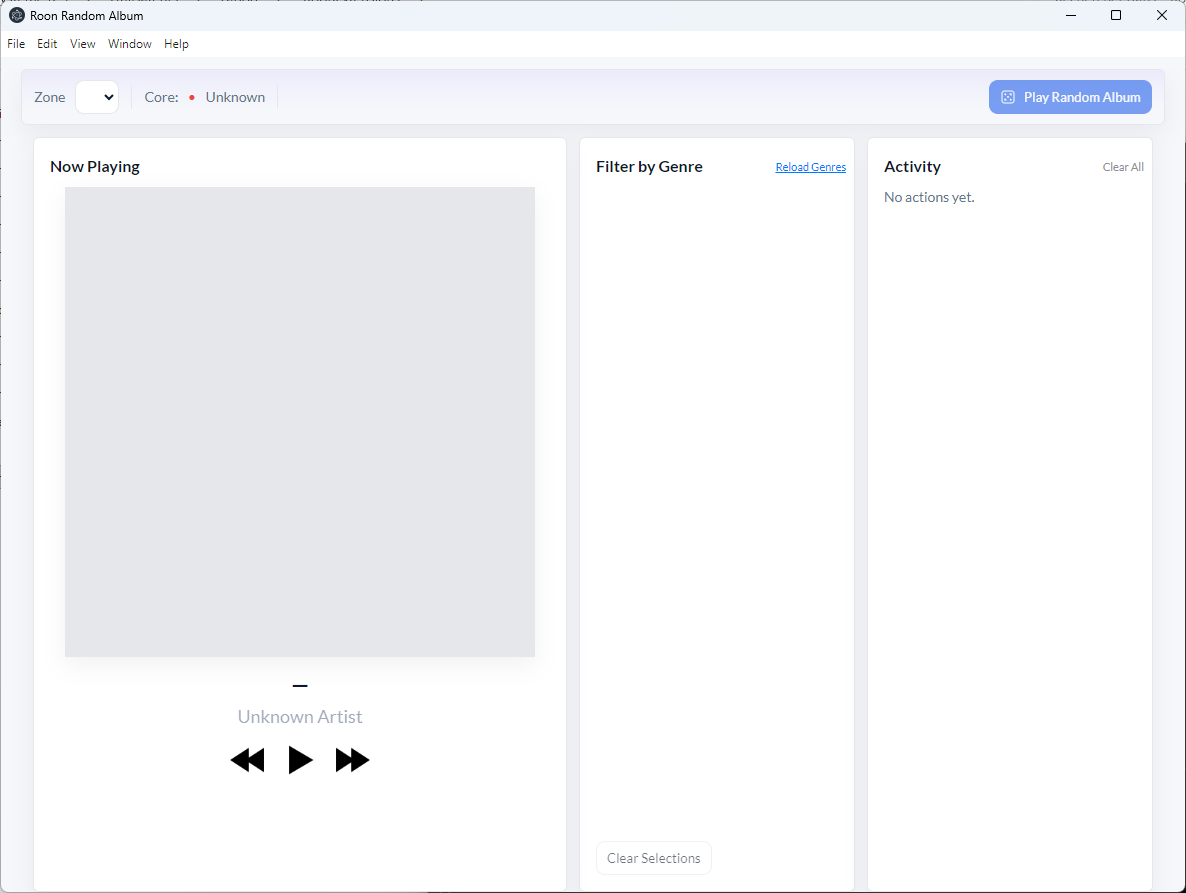
@Dirk-Pitt Did you download the latest version? Can you show me what version number you’re using? The screenshot you posted doesn’t have the same UI as the one I’m looking at…
Hi @Mark_McClusky1 downloaded & working fine, many thanks
Ah yes, sorry, it’s the Git version. 1.7.0b
@Dirk-Pitt So is that version working for you? You should be able to click on the Core name for a configuration drop-down.
Yes, thank you. I did a quick test with version 1.7.5, and it seems to work. I haven’t had time to test it further, sorry.
1 Like
I’ve continued tinkering with this, and added a new feature that helps with my use cases – you can now filter out specific artists from your random results.
There’s now a filter button in the upper right hand corner, I think it’s pretty self explanatory. I am finding it useful for avoiding artists where I might have a ton of records (such as Grateful Dead) showing up all the time in the random results.
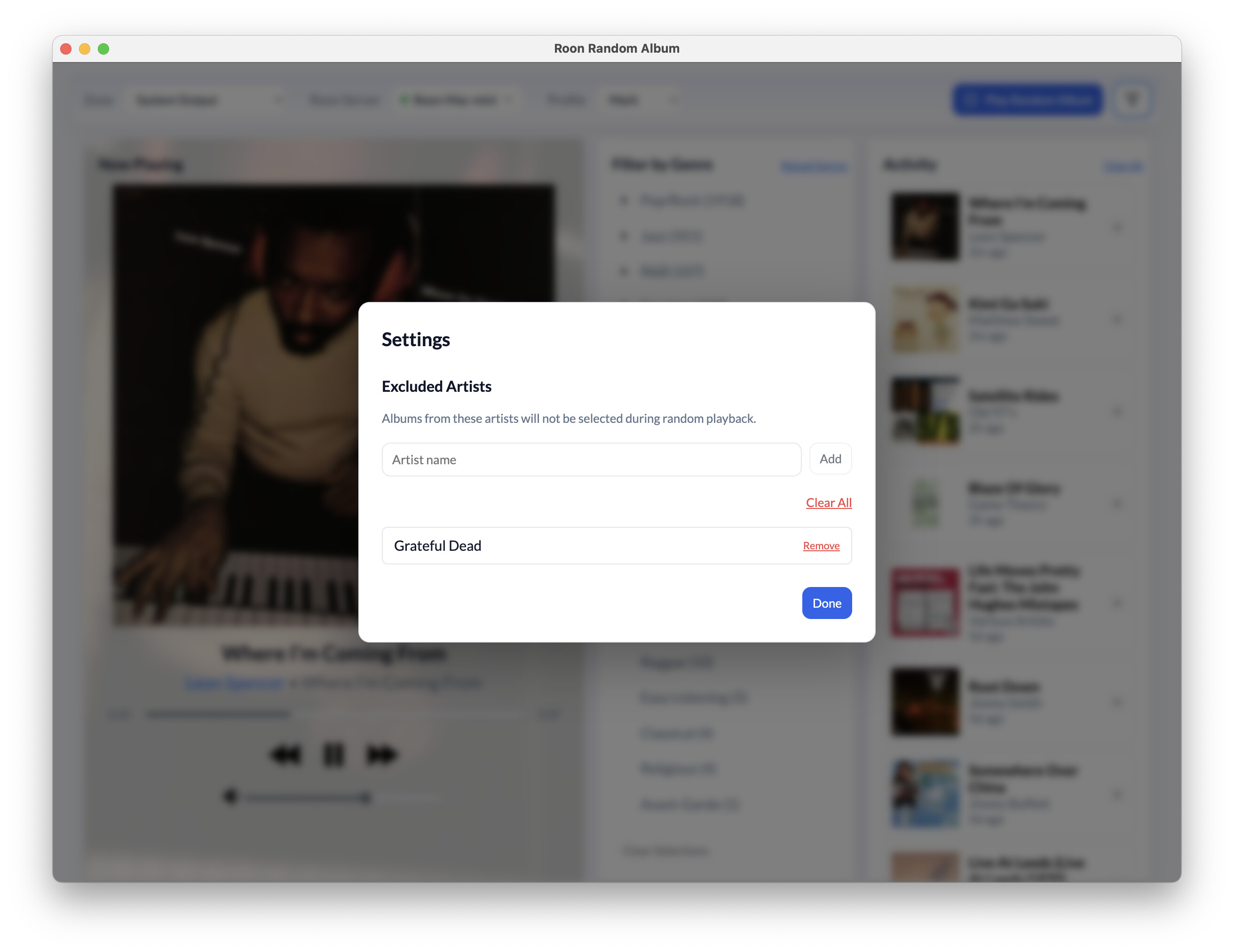
You can of course enter multiple artists, and then clear some or all of them.
All info at GitHub, including updated documentation.
1 Like
Loving the extension - thanks. One issue is that I can’t get the sub-genres to show up; on my screenshot, you can see that the selection arrow on several are pointing down, but no sub-genres. Any ideas? p.s. I’m using Version 1.8.3

@Cliff_Rader Glad you like the app, check out latest version, where the bug should be fixed. Can you confirm after you test?