Does this occur with only streaming content, or are local albums affected?
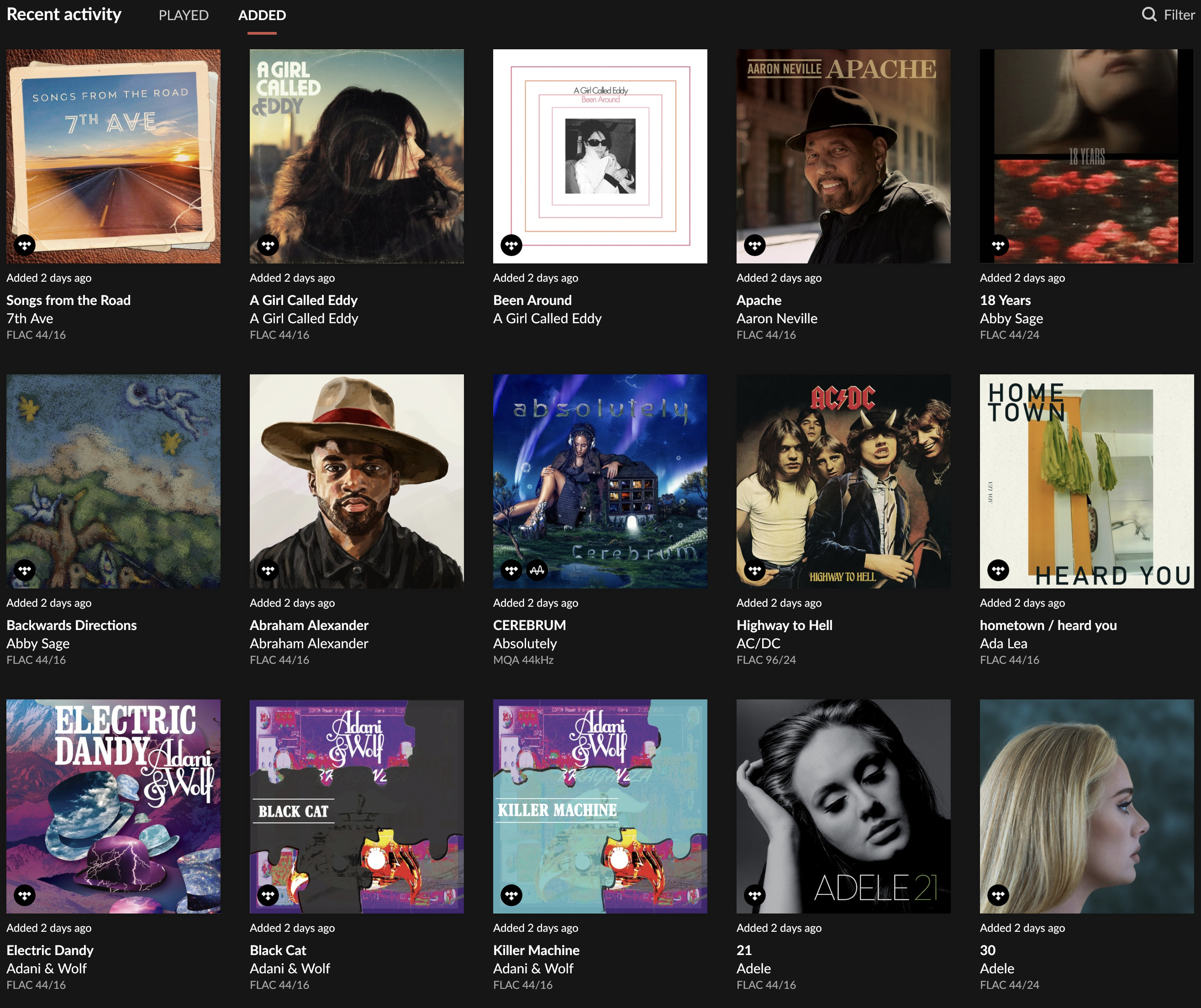
From your screenshot, it looks like only streaming albums are affected.
Please see this thread:
The team has work in the pipeline to prevent this from occurring.
In the meantime, navigate to Roon Settings > Library > Import Settings and scroll down to “Import date defaults to” and select “File Creation time” (temporarily).
First, the areas affected after the recent update are Album View and Recently Added. all albums are affected regardless of it being Tidal or local library.
In the Album View, when the album order is toggled to Date Added, the order is instead alphabetical by title, not Date Added. As a result the first albums listed are those beginning with numbers (7th Avenue, for example) and the album titles beginning with the letter A. When I added a new Tidal album for the first time post-update, it appeared as it should have - as the very first most recent album added.
On the home page, Recently Added albums are listed pretty much in the same order as described above, but every album says it was added two days ago. It’s like the entire library was re-scanned. The album added post-update appears as it should - as the most recent album.
Hope that helps. I didnt realize how important Recently Added album feature is.
I can send more screen shots as needed, I am away from my computer so I cannot do that now. Also, will try the suggested temporary workaround and let you know.
It’s great news that the temporary workaround restored your library view! I know how essential that “Recently Added” section is for keeping track of your newest finds and maintaining your listening habits.
Since the workaround is currently holding steady for you, we are going to close this specific thread to keep our community organized. Please continue to monitor the master topic linked below for the latest progress on the permanent fix from our development team:
Once the permanent fix is officially released in a future Roon update, you should be able to revert your “Import Date” settings to your preference. If you find that the sort order is still incorrect after that update, please open a new thread so we can take another look at your specific library database.
 Let us know if this helps. Thank you!