· Is there anyway to recover playlists from my QNAP Roon server? Backups weren't enabled, and I can't load the app because of the 2.65 update. I've installed the Docker version, and pointed it to the same folder as my old QNAP one, but the playlists are gone. Most of my library is organised by playlists.
Tell us about your home network
· TP-Link Archer BE550 router, connected via ethernet cable. No connectivity issues. Using QNAP TS-x64 Intel NAS.
one of the steps listed below is a little more technical, and you will need to open a SSH connection to your QNAP NAS (How do I access my QNAP NAS using SSH?); also it assumes that you didn’t delete the RoonServer QNAP application yet (, but only stopped it from “App Center”); if you did remove RoonServer app, we can check if ROON_ID_DIR was removed too (from SSH connection, run command ls -l /share/CACHEDEV1_DATA/.qpkg/RoonServer/id ) and modify the cp command
note: for the SSH connection, your username & password are the same ones you use to access QNAP ‘s Web-GUI; also, you will need full admin rights, so run “sudo -i” as suggested in the Tips, once connected.
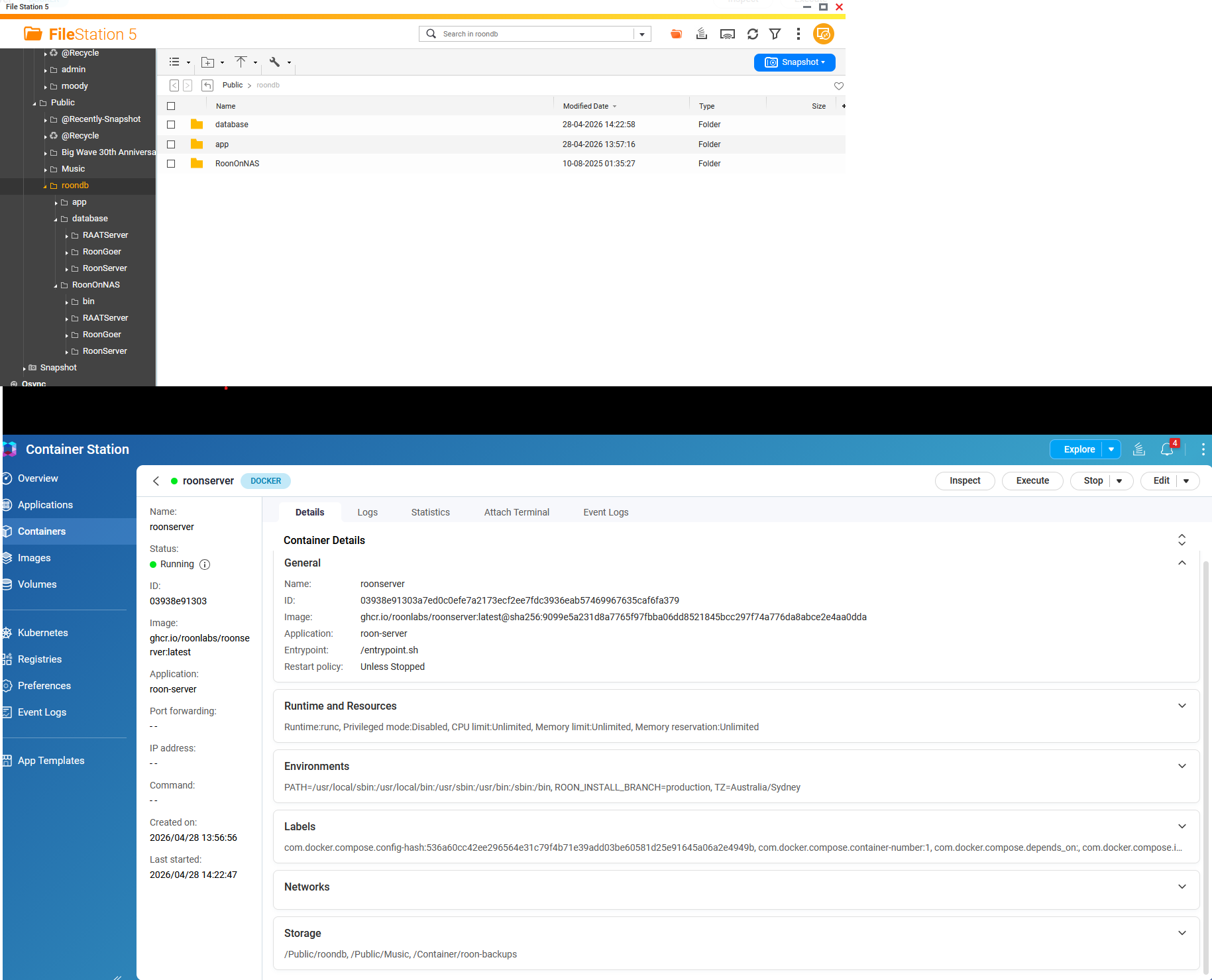
in container-station, stop roonserver docker container
before we start messing around, (from “FileStation 5” app) create a backup folder inside Public/roondb directory
copy database directoy to it
remove all directories (RAATServer, RoonGoer & RoonServer) from database dir
copy all directories (RAATServer, RoonGoer & RoonServer) from RoonOnNAS to database dir
in your SSH connection, run the following command: cp $(/sbin/getcfg RoonServer Install_Path -f /etc/config/qpkg.conf)/id/.rmembid $(/sbin/getcfg RoonServer DB_Path -f /etc/config/qpkg.conf)/database/.rmembid
start roonserver docker container
from one of your Roon Remotes, go to Settings → Storage and manage (enable “Music Folder” and delete your old QNAP exported SMB share) your music folders (you should have at least 2)
wait for Roon to re-index and re-identify your music
optionally go to Settings → Library → “Library maintenance” → “Clean up library” and remove orphaned files (if any)
after you validate that everything is working fine, you can remove the RoonOnNAS dir & backup-dir you created earlier (as well as deleting RoonServer app from your NAS, in “App Center”)