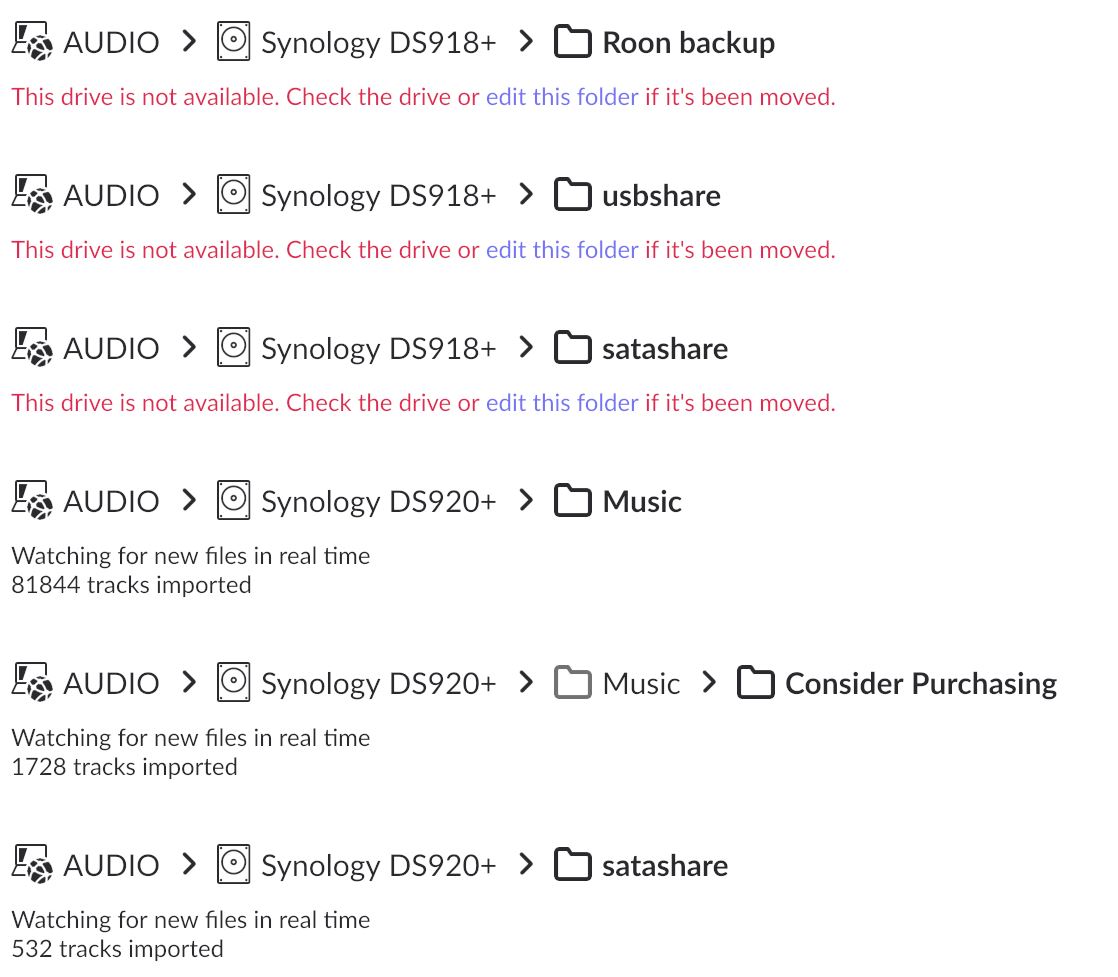
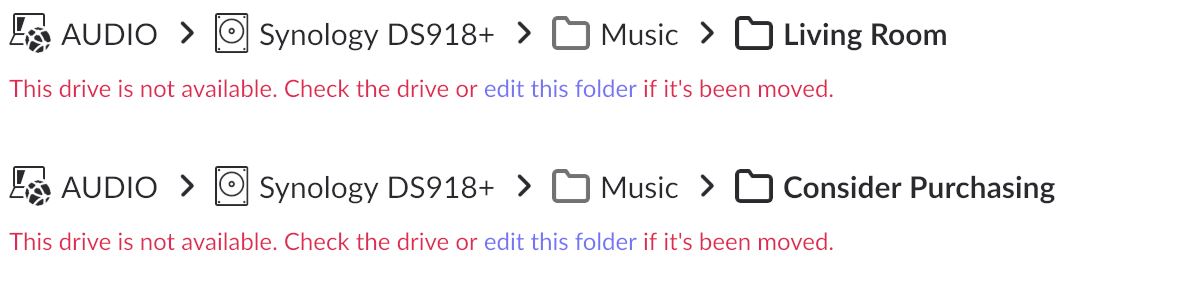
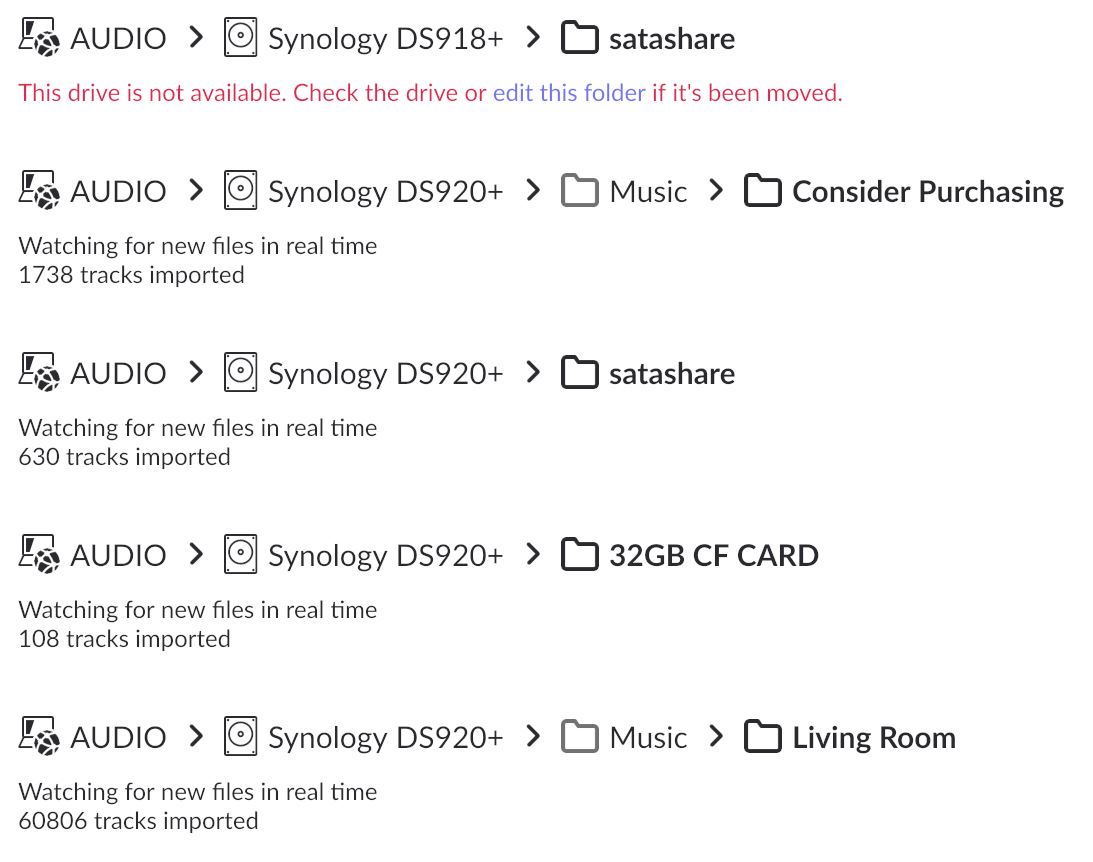
I have successfully copied my files from a Synology DS918+ to a DS920+ and I’ve backed up the database from the DS918+. After copying that database to the DS920+, I saw the following issue.
The folder structure of the backup shows the DS918+ and the folder structure of the DS920+ shows the DS920+, so the folder structure of the backup doesn’t mesh with the folder structure of the DS920+.
How do I get the DS920+ to correctly accept the backup of the DS918+?
Is all your music seen, with the same edits, play counts, playslist inclusions? If so, then you can just disable the old locations (or even remove them if you know everything is accounted for).
Generally, when I have a new storage location, instead of adding the new device as a new storage location, I edit the old location to be the new location. This is done using the “edit this folder” link in blue.
If you have locations where the contents do not map out directly, then you have to use a new Storage location. This may result in the music being treated as new by Roon.
Ben here with the support team, thanks for taking the time to write in!
@Rugby is steering you in the right direction here. Were you able to edit the original storage locations? I see from your account that you were able to get your local content added to your core.
Could I please trouble you, step-by-step, to tell me what to do to export the database from one machine and import it to another, including not having an issue with using one license while using one machine at a time for the purpose of this export/import process?
All you’ll need to do is reauthorize your old core prior to setting up your new core. You should get a prompt when setting up the new core regarding this. Certainly let me know if this isn’t the case. Thanks!
I’m going to be out of town for a while and will take this up, partly remotely and fully when I return. I appreciate how you and Ben have been so generous with your time.
When you talk about editing the original storage locations to match those of the new NAS, are you only talking about the primary folders or are you talking about subfolders, etc.?
In other words, how precisely must the folders on the original NAS match those of the newer NAS?
I was able to import the Roon backup from NAS-to-NAS.
Still no success.
What you see from my screen capture is what I can’t resolve.
So far, it seems that the backup from the Synology DS918+, because the a sub-folder is named “Synology DS918+”, is inconsistent with the NAS (DS920+) I’m importing to. But that’s just a guess on my part and may not be the issue.
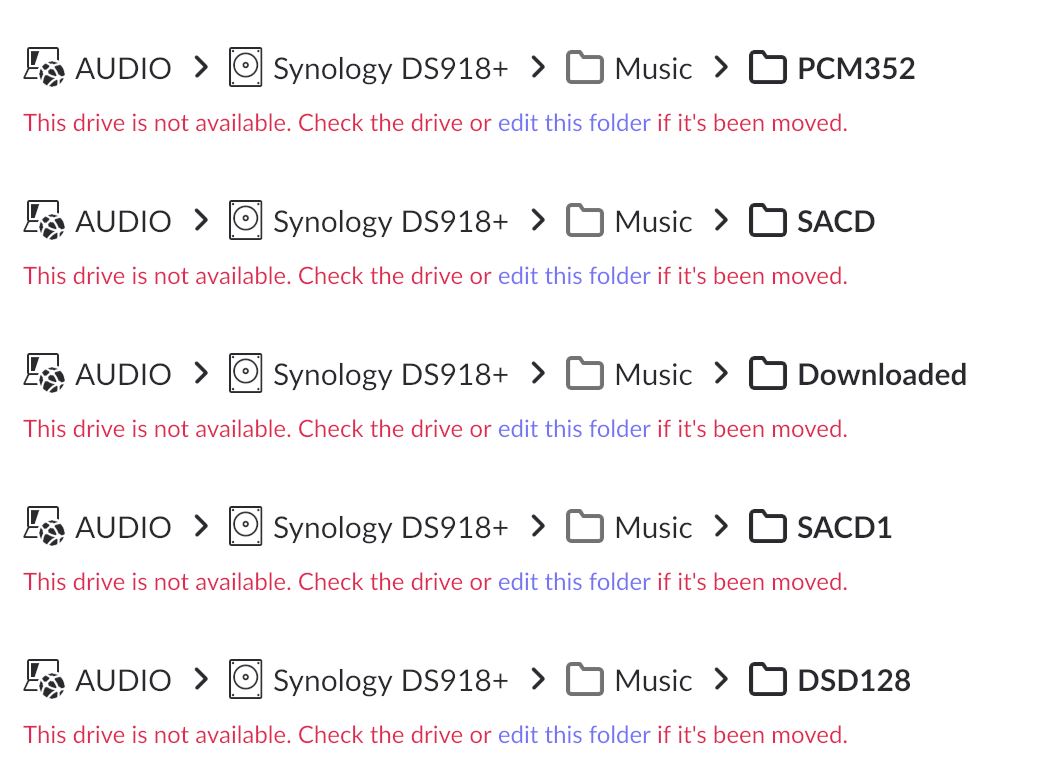
You now have a DS920+ and the presumably, the music is stored there in the same folders, i.e. DS920+\Music\PCM352.
When you click the “edit this folder” in the pic above for the Ds918, you are given the opportunity to browse to the same folder on the 920 and save it as the new location for those files.
You would then repeat the process for each location.
Well, at long last, to Ben and Daniel, all I can say is thank you and thank you again.
I think I’ve finally reached my promised land.
I’m sorry I was so slow to figure out what I needed to do but both of you guys were fantastic about being patient with me over weeks to help me get the resolution I needed.
I have one remaining question. There’s one folder that appeared on my DS920+ but that I can’t find on the DS918+ (image attached). How would that happen?
This is an interesting question indeed! Based on the file path you’ve shared above, is Roonserver>Music the broader subfolder that holds your library? If you have already added each subfolder within Roonserver>Music, then you can remove the disabled watched folder in question (if enabled it may actually create duplicate files!)
However, if the above path holds a different set of your local library we can certainly take a closer look. Let me know!