I’m thinking of tinkering with room correction. Since that’s my primary interest and don’t care about upsampling etc., I can get the convolution filters from REW and plug them directly into Roon. And it’s totally free.
Is there any reason to use HQP in the mix at all? Again for room correction purposes only.
I don’t think so. HQP can use convolution filters as well. Not sure if it handles them differently than Roon, especially if you do not want to change filters/modulators (which is the whole point of HQP).
You might post in the HQP section so Jussi can answer directly if there is a difference between the way HQP and Roon handles convolution.
I wouldn’t (and I don’t) use REW to create convolution filters. Instead I just export the Generic EQ filter paramters as .txt and import that to HQPlayer matrix pipeline processor. Since that is the way REW internally works. Convolution filters from REW are just conversion of those settings into certain sampling rate convolution filter.
While if you stick to the EQ parameter txt file, those parameters are sampling rate agnostic. And in addition lighter to process.
Since REW usually doesn’t output (at least earlier) the “Preamp” line, please check what is maximum positive gain in your EQ set and then apply equivalent negative gain on the relevant pipeline.
Of course, I would also recommend to use the matrix profiles feature, so you can easily switch between no correction and different corrections on the fly for comparison. For easier comparison, it is good to apply similar gain compensation also for the no correction profile (since positive gains will need headroom).
I notice that Roon can integrate with HQP. Is using EQ filters the reason one might want HQP to take Roon’s output and then send to the DAC? Are there other reasons to use HQP in the middle?
Sorry for stupid questions. I’m new to EQ stuff and HQP.
They don’t care about classical enough to have a shuffle-by-work feature. Nor Roon Radio that plays full works and not just various tracks from various works.
Main point of HQPlayer is to replace the resource constrained DSP (that is cutting corners in implementation) inside DAC, with external unconstrained DSP power. Including EQ, possible multi-channel to stereo mix, headphone cross-feed, etc. All in one go.
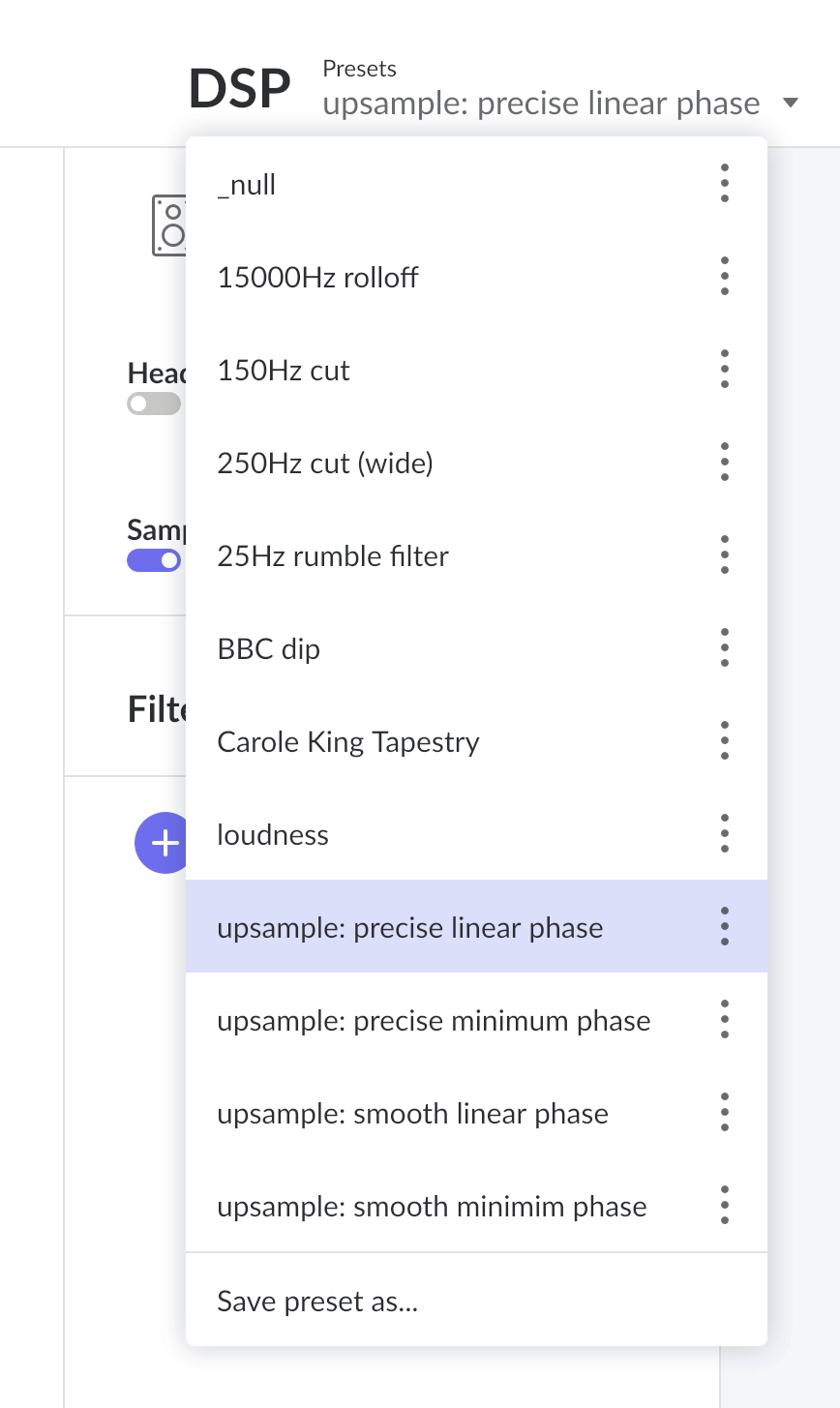
Roon allows you to name and save any DSP setup as a “preset” and switch between preset while music is playing. This includes anything DSP can do, including convolution filters, equalizer settings, sample rate conversion, and so on.
When I was playing around with room correction a couple of years ago, I had about a dozen different corrections made with different measurement and calculation techniques, loaded and named each one as a preset, and could switch between them on the fly. (I made a feature request that roonlabs show the name of the current DSP preset in the audio path popup along with the processing steps, but they have not acted on that.)
Note I’m doing all room correction in the physical domain so there aren’t any presets for that anymore. And rather than do the time-consuming act of changing upsampling filters when I want to evaluate upsampling effects, I have four presets for them that let me switch instantly between them.
I’m picky . (or it is only my Roon Server on mini?). When I was using DSP presets and switching between them, Roon pauses the sound for some secs (2 or 5). HQP just makes a pop
That would have been very nice, too bad they did not acted on that.
I believe the length of the delay depends on the differences between settings. For example, IIRC, flipping from no upsampling to upsampling takes a couple of seconds, while switching from one upsampling setting (say precise linear to precise minimum phase) is pretty quick. My guess is that when first turning on upsampling, there won’t be any output until enough samples have been loaded to produce the first valid upsampled output sample, while output can continue through a transition period when the upsampling code’s filter is exchanged for different one.
In roon I was just changing the loaded convolution files or filters (same sample rate) also in HQP I only change the matrix settings (same sample rate).
 . (or it is only my Roon Server on mini?). When I was using DSP presets and switching between them, Roon pauses the sound for some secs (2 or 5). HQP just makes a pop