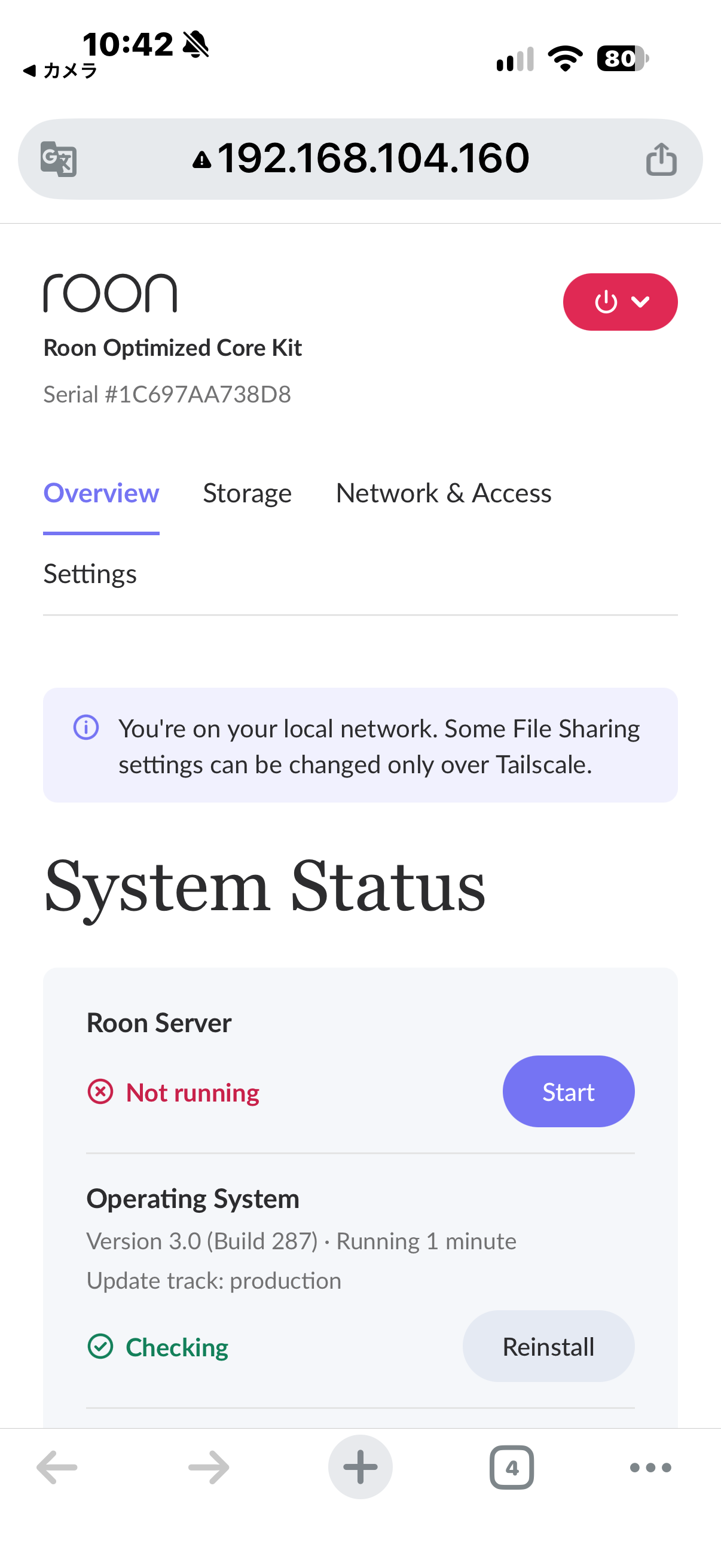
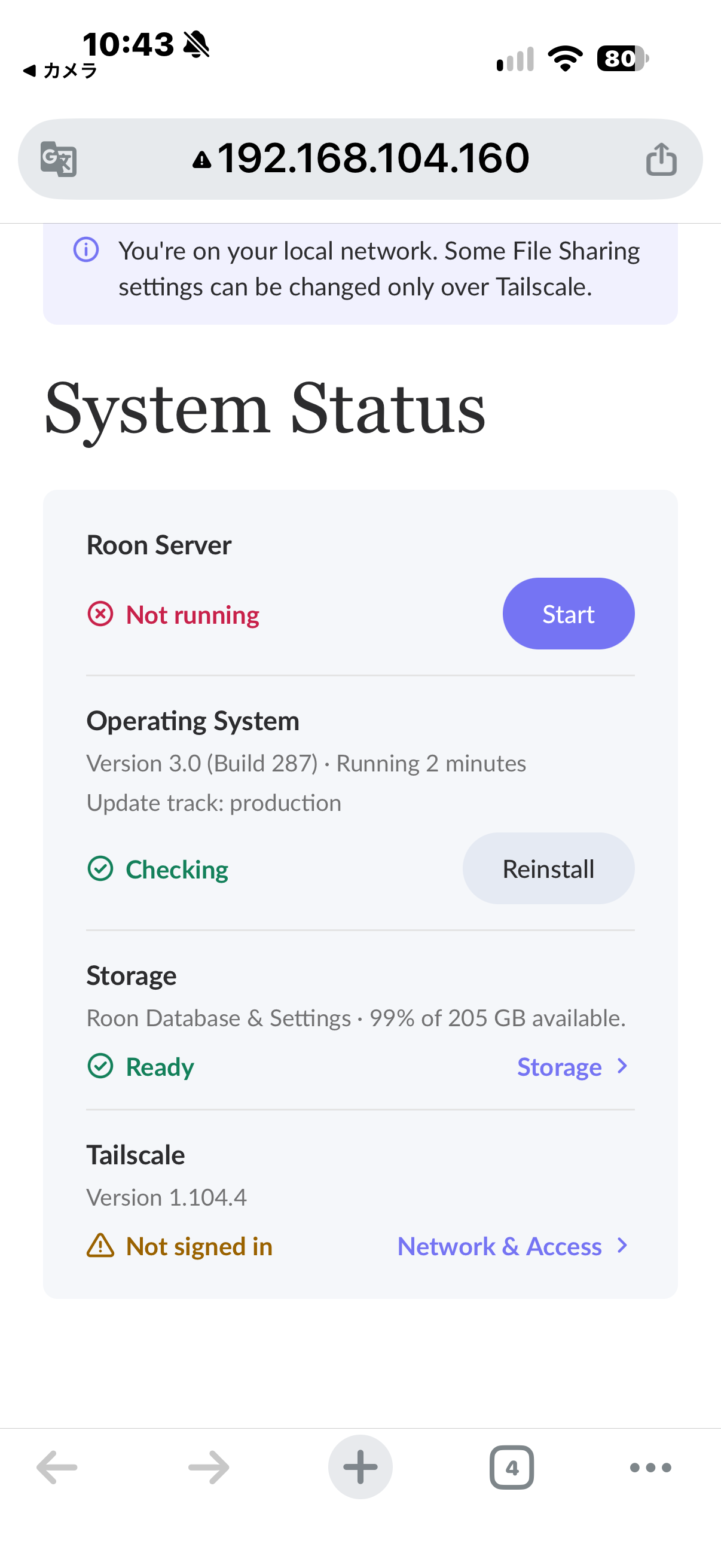
Please help diagnose this issue and advise how to recover while preserving my Roon database and settings.
Tell us about your home network
· sNH-10G
Hello Roon Support,
I would like to add an important detail to request #UEJOGU.
My system was working normally immediately before this issue. During troubleshooting, the monitor initially showed Roon OS 2.1 (build 271), but after restarting, it showed Roon OS 3.0 (build 287).
Roon Server now repeatedly exits with “RoonServer exited unexpectedly (code 0).” Starting it from the Web UI also fails. The Web UI is accessible, and storage shows “Ready.”
Could this be related to the OS upgrade or an incomplete update? Please check the update history and startup logs. I cannot confirm exactly when the upgrade occurred relative to the initial failure.
Please advise on a recovery procedure that preserves my Roon database and settings, including whether an OS reinstall or rollback would be appropriate.
Thank you for your assistance.
I’m following up on request #UEJOGU submitted yesterday. My ROCK server remains unusable, and I have not yet received a response.
Rebooting, disconnecting the power for 10 seconds, and manually starting Roon Server from the Web UI have all failed. The Web UI remains accessible, but Roon Server repeatedly exits with code 0.
During troubleshooting, the displayed Roon OS version changed from 2.1 (build 271) to 3.0 (build 287). Could you please check whether the update is related to the startup failure?
Please confirm that this request is in the technical support queue and advise on the next steps. I would like to preserve my database and settings.
I’m a volunteer moderator on here not Roon Support … but I can confirm your request is in the support queue and they will follow up here when it reaches the top of their queue.
Just for information, I should add that Roon support do not work weekends.
Thank you for your patience, and for the detailed description and photo. They are very helpful.
Your screen shows that Roon OS itself is staying up (uptime 17:50) while Roon Server keeps stopping during startup with a clean exit (code 0). This looks different from the reboot loop some NUC8 owners are seeing after the Roon OS 3.0 update. In those cases the whole device restarts, and connecting an HDMI display fixes it. Your NUC already has the TV connected, so that workaround won’t help here.
To protect your database and settings, please avoid unplugging the device again for now. Cutting the power several times shortly after startup can trigger a Roon OS rollback, which may explain the change between 2.1 (build 271) and 3.0 (build 287) that you saw. A sudden power loss can also interrupt database writes. Please also hold off on reinstalling Roon OS or Roon Server until we’ve had a look.
Could you help us with the following?
Scan the QR code in the bottom-right corner of the screen with your phone and send it. Logs aren’t available right now, so this gives us the device’s diagnostics.
When the screen showed Roon OS 2.1 (build 271), was Roon Server also failing to start, or did it run normally on that version?
What size is the internal SSD in your NUC? The screen shows 8.2 GB free and 0% used, and we’d like to confirm that matches your drive.
Once we have this, we can tell whether the problem comes from the Roon OS 3.0 update or from Roon Server’s database. We’ll then follow up with next steps that keep your library and settings intact.
I have attached copies of the QR code and the diagnostic screen, as requested. Please let me know if you need the information in another format.
When the screen showed Roon OS 2.1 (build 271), I was already unable to connect to Roon. However, I did not confirm whether Roon Server itself was failing to start at that point. The repeated “code 0” startup failure was confirmed after the screen showed Roon OS 3.0 (build 287).
I have not yet confirmed the physical capacity of the internal SSD. The Web UI shows “Roon Database & Settings — 99% of 205 GB available,” whereas the HDMI screen shows 8.2 GB free and 0% used. Could these figures refer to different partitions? Please advise how I can safely confirm the SSD capacity if needed.
I will follow your instructions and avoid further power disconnections or reinstallation while you investigate. I also have a Roon backup available.
Thank you for helping me recover the system while preserving my database and settings.
 Hello Roon Support,
I would like to add an important detail to request #UEJOGU.
My system was working normally immediately before this issue. During troubleshooting, the monitor initially showed Roon OS 2.1 (build 271), but after restarting, it showed Roon OS 3.0 (build 287).
Roon Server now repeatedly exits with “RoonServer exited unexpectedly (code 0).” Starting it from the Web UI also fails. The Web UI is accessible, and storage shows “Ready.”
Could this be related to the OS upgrade or an incomplete update? Please check the update history and startup logs. I cannot confirm exactly when the upgrade occurred relative to the initial failure.
Please advise on a recovery procedure that preserves my Roon database and settings, including whether an OS reinstall or rollback would be appropriate.
Thank you for your assistance.