Hey Everyone,
We’re thrilled to announce a major enhancement in your Roon experience with our latest release. Say hello to the much-requested Box Sets feature! This new feature lets you organize and enjoy your music collections like never before, making it easier to navigate extensive discographies or themed compilations. Your music library just got a lot more organized and visually appealing.
Beyond Box Sets, we’ve made significant improvements to our Android Auto and CarPlay integrations. Now, connecting and controlling your music on the go is smoother, giving you a seamless experience whether you’re on a road trip or just running errands.
This release also adds waveform support for streaming service tracks. Previously, this data was only available for local tracks.
Before you start: Please update Roon on both your Roon Server and your Remote devices. If the versions don’t match, some screens, like album pages, may not load.
Box Sets and Multi-Disc Albums
What’s Changed
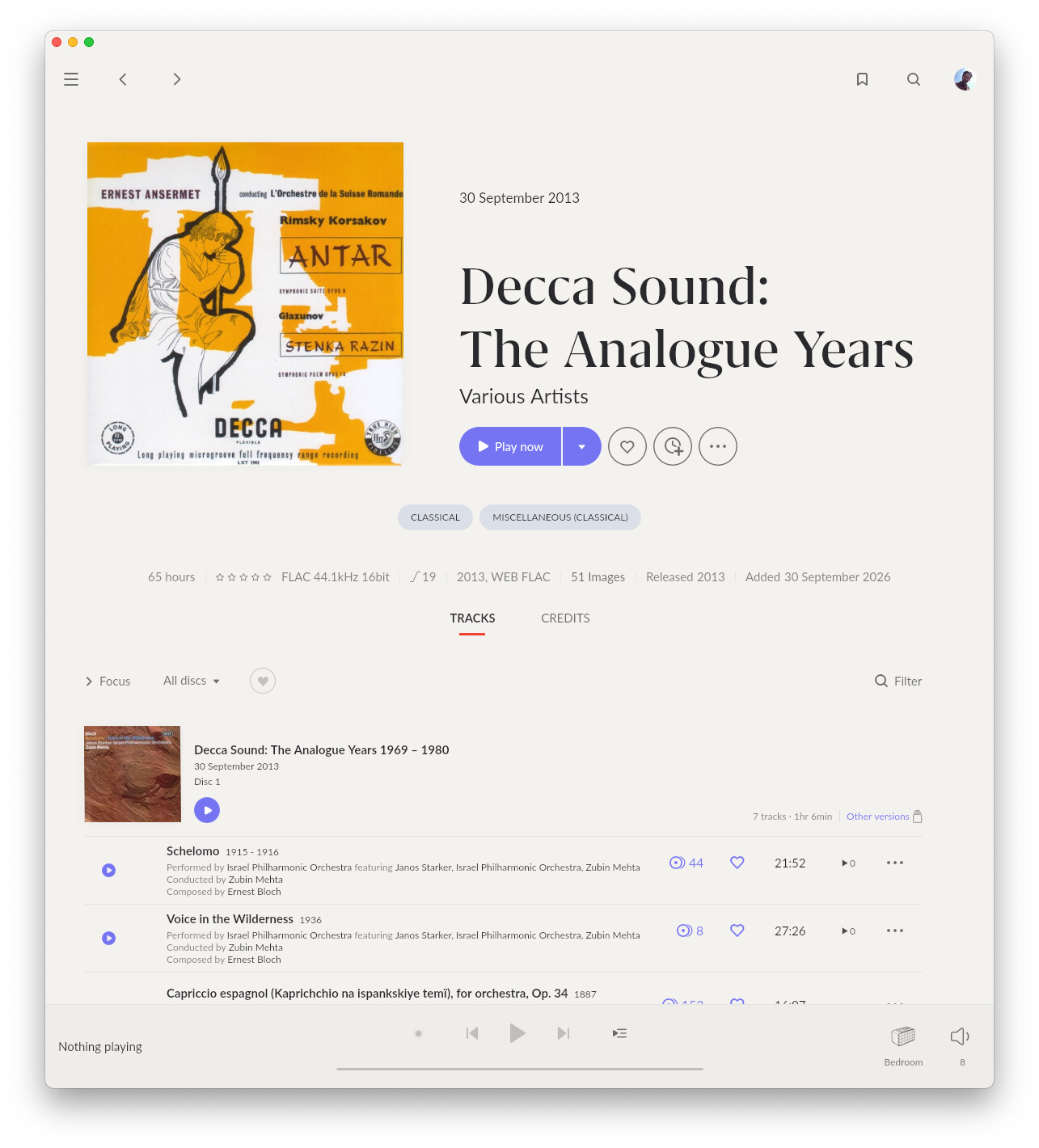
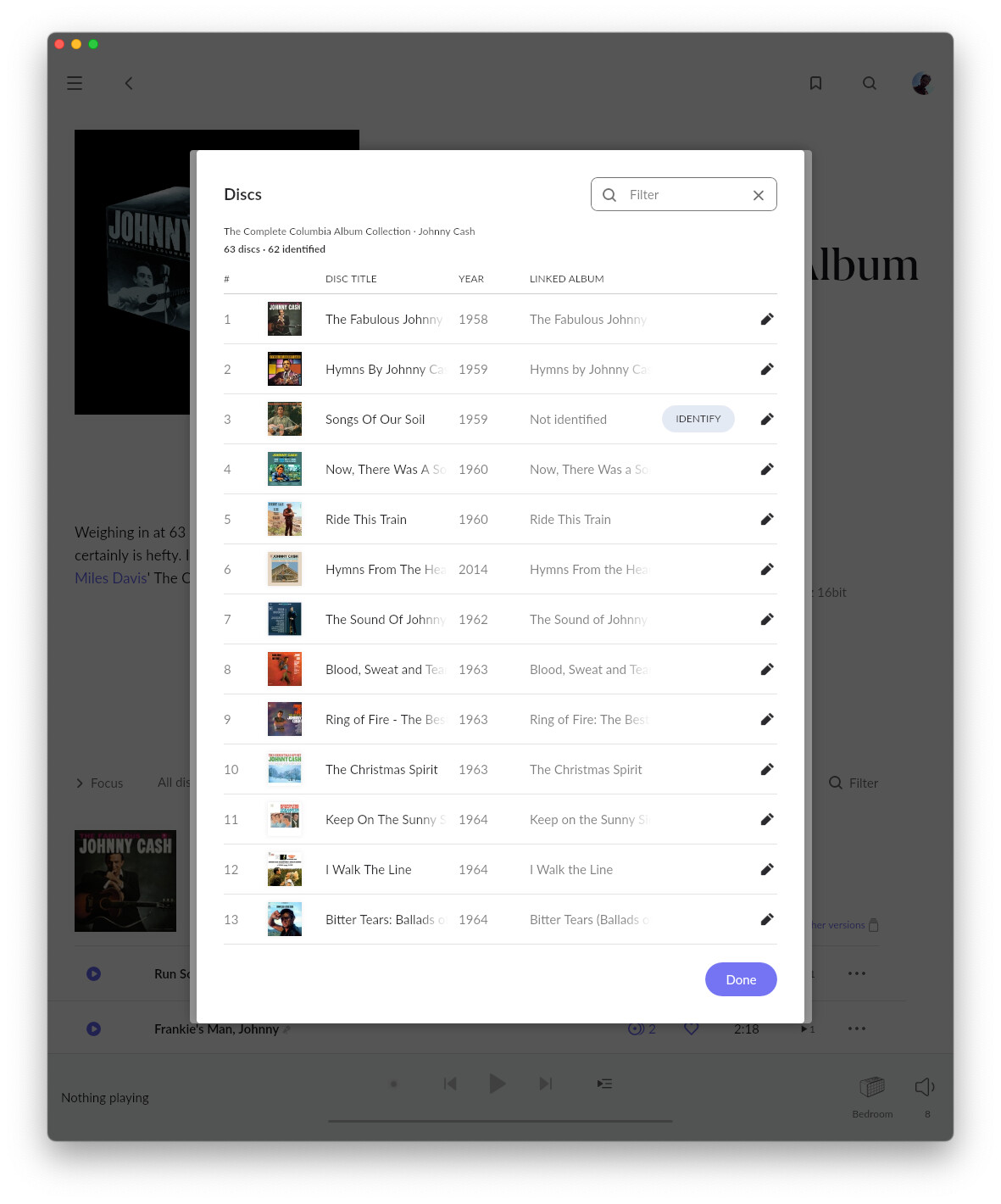
Each disc in a set can now have its own title and cover. Roon retrieves them from our metadata services and from your files. When a disc reproduces an earlier release, Roon also shows its release date and links to other versions of that album. You can learn more about Box Sets here
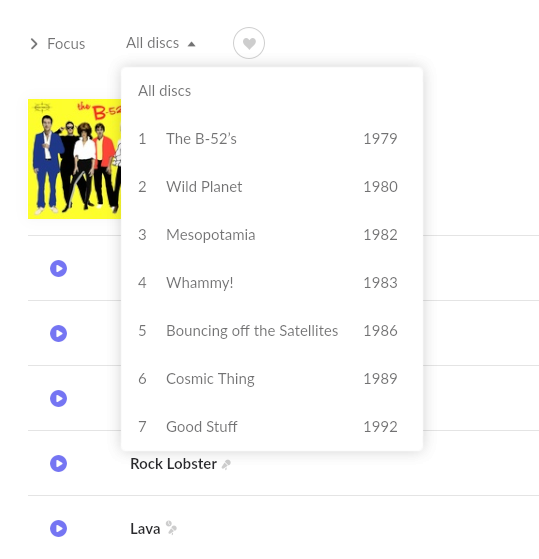
The B-52s “Complete Studio Album Collection” now reads as seven distinct records, instead of “Disc 1” through “Disc 7.”
Roon does not change how your library is grouped into albums. If a set was split into individual albums, select those albums, then choose Edit > Merge.
Navigation
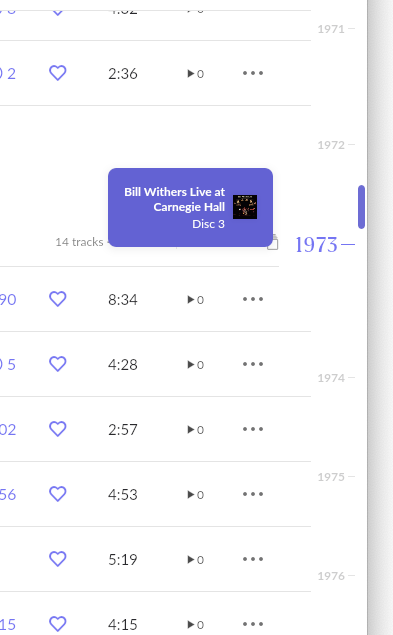
Sets with 4 or more discs are easier to browse. On desktop, a ruler runs alongside the track list as a labelled scrollbar. Drag it, or click a disc or year to jump there. When the discs have release years in chronological order, the ruler shows years, and the set reads as a timeline. Otherwise, it shows disc numbers.
The disc filter dropdown shows titles and years, and is now on ARC too. The filter on the album page also finds disc titles: on Keith Jarrett’s Original Album Series, type “Life Between” to see every track of that disc.
Metadata and Editing
For some box sets, especially classical ones, disc-level data doesn’t exist anywhere. Our team has sourced or reconstructed it where possible. Where it’s missing, you’ll see placeholders. This is a starting point, and it will get better over time.
To fill the gaps, use the new per-disc editor on Roon’s Album editing screen. It shows the set’s state at a glance (“9 discs, 7 identified”).
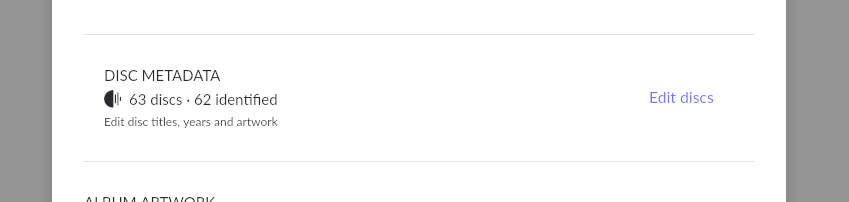
Identify a disc against an album in Roon’s catalog, the same way you identify an album, and Roon pulls in that album’s title, cover and year. Where nothing matches, type a title and year, or take them from your file tags. Disc edits never change track-level data, so your favorites, ratings, tags and playlists are safe.
A matched disc shows its title, year and cover in the track list, with a link to other versions of that album: your standalone rip, the Tidal or Qobuz release, or an earlier remaster.

Disc metadata from your files
Roon now reads disc titles from your tags (DISCSUBTITLE and its equivalents) and from disc folder names such as “CD1 - Pearl”. A cover image inside each disc’s folder becomes that disc’s cover. A new Metadata preferences for discs section in Settings > Library > Import settings decides whether Roon’s data or your files win. To use the titles and years in your files, set it to Prefer file.
This article has the full rules for tags, folders, images and settings. If your files aren’t read as you expect, let us know there.
Disc Art in Now Playing
When a disc has its own cover, Now Playing shows it as a small inset on the box cover. Everywhere else, the box cover stays primary, so you always know you’re listening to the box.

A new Now Playing mode, Disc Art, swaps them: the disc cover is large and the box cover is the inset. It shows only when the playing disc has its own cover. Otherwise, Now Playing goes to your next mode. Find it in Now Playing > Customize, above Album Art. Disc Art is on desktop and tablet layouts only.
CarPlay and Android Auto
Roon ARC in the car has a whole new foundation, and you’ll notice it on your next drive.
Before, ARC didn’t always reconnect after a stop, album art could go missing or show the wrong image, and the screen didn’t always match what was playing. These problems came from how the car apps were built. Fixing them one at a time wasn’t enough, so we rebuilt both apps from scratch.
The screens will look familiar, but everything underneath is new. Roon reconnects more reliably when you get back in the car, shows the right album art, and shows what you’re actually hearing.
Android Auto gets even more. Browsing your library is easier, and voice search is better at finding what you ask for.
Every car and phone is a little different, so we’d love to hear how ARC works in yours. Your feedback helps us keep making it better.
Waveforms
Streaming tracks now show a waveform on the seek bar when they play, whether or not they’re in your library, hi-res included.
We’ve also redesigned how waveforms are drawn. Quiet recordings used to show as a flat line and loud masters as a solid block. Now each waveform is scaled so you can see the track’s dynamics, whatever its loudness. Waveforms of tracks already in your library switch to the new style right away.
Mono tracks, common in historical recordings and spoken word, were drawn too low. That’s fixed for tracks analyzed from now on, so older mono tracks may still look slightly off.
If you spot a missing or odd-looking waveform, tell us the track and, for streaming, the service.
The Team at Roon Labs
Build Numbers
| Application | Build |
|---|---|
| Roon / RoonServer | 2.74 (build 1712) Production |
| Roon Remote (iOS / Android) | 2.74 (build 1712) Production |
| Roon ARC (Android) | 1.84 (build 436) Production |
| Roon ARC (iOS) | 1.84 (build 438) Production |
Updated versions for Android and iOS have been submitted to their respective App Stores and will be available soon.
Changes
- Box Sets and Multi-Disc Albums support
- Disc Art mode in Now Playing
- CarPlay integration rewrite
- Android Auto integration rewrite
- Waveform for streaming service tracks
- Improved input switching for Devialet devices by extending response wait time to 45 seconds
- Fixed an issue where RAAT zones could become unresponsive after a device wake from standby
- Fixed an issue where duplicate tracks in playlists appeared as playing simultaneously in the UI
- Fixed an issue where desktop app reconnects caused excessive server requests, leading to potential server stalls
- Fixed an issue where RoonServer on macOS failed to restart after an update in some cases
- Fixed an issue where the Roon Server Offline page in Roon ARC showed a broken image in light mode
- Fixed an issue where Roon Radio in Roon ARC did not display the seed information for the session
- Fixed an issue where Roon ARC on Android 14 and later played to USB DACs through the Android mixer instead of its own USB driver, so playback was never lossless and the DAC showed fewer supported formats
- Fixed an issue where Roon ARC on Android could close when a USB DAC was unplugged during playback
Installation
Cores, remotes, and ARC installations already running Roon Production should update automatically. If you need to reinstall, the latest builds can always be found on the downloads page.