What is the operating system of your Roon Server host machine?
· MacOS
What kind of device are you using to perform the login?
· Mac
Where are you trying to login?
· I can't log into TIDAL, KKBox or nugs
Have you been redirected to the Tidal/KKBOX/nugs login page in your browser?
· Yes
Please try clearing the browser cache and cookies for the [l](https://account.roon.app/)ogin page where you have been redirected
· No, the issue remains the same
Content / Popup Blockers
· No, the issue remains the same
Temporarily try to use a different browser
· No, the issue remains the same
Please try to restart your Roon Server by closing the Roon Server app in the taskbar (MacOS), task manager (Windows) or rebooting your Roon Server machine.
· No, the issue remains the same
Different device
· I cannot switch to a different device
Are you still facing the issue on the different device
· No, the issue remains the same
Record the timestamp
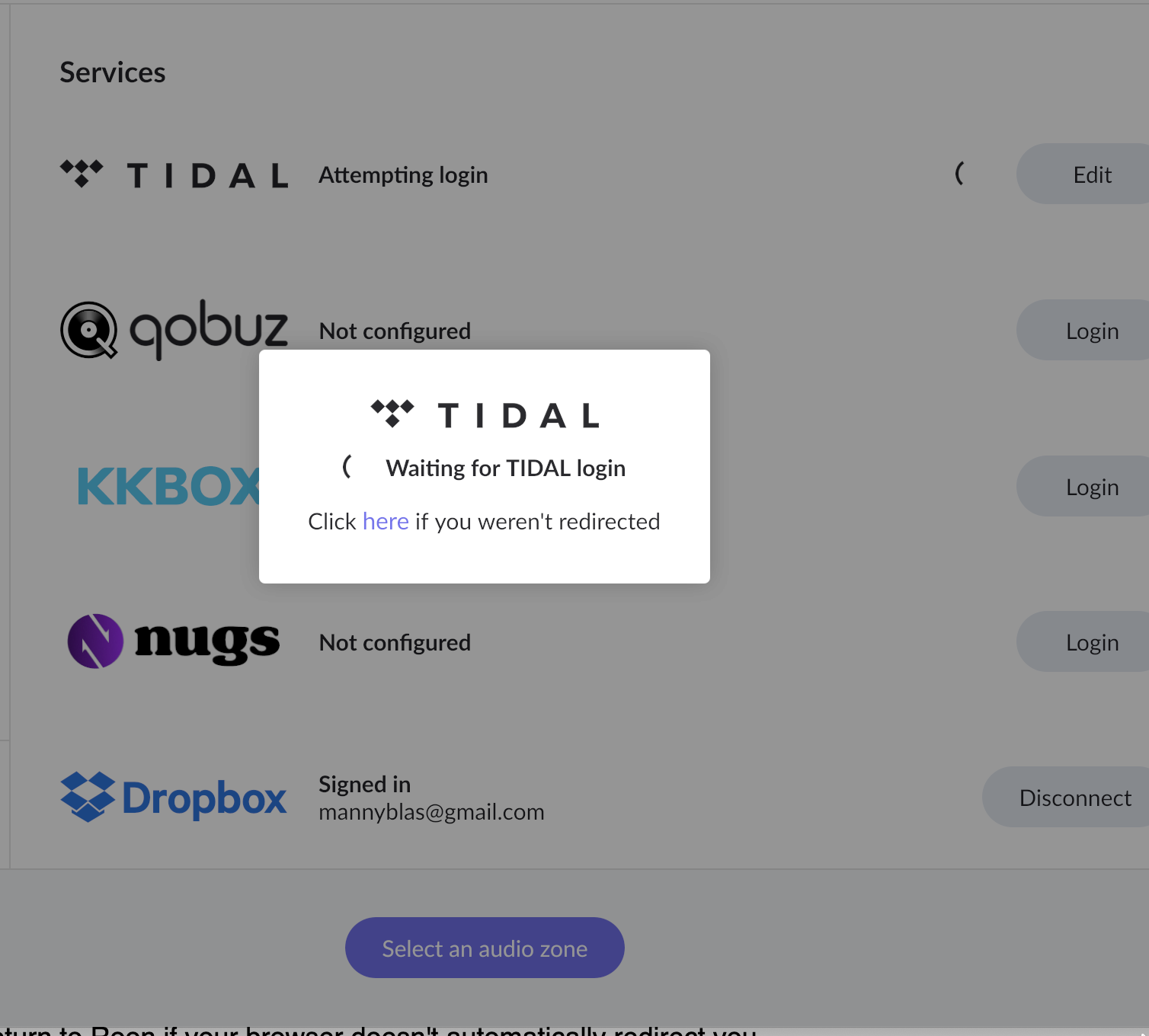
· I cannot connect my Roon to my Tidal account. I just keep on getting the continuous moving circle. Time stamp is March 28, 1129am, Manila Time.
Describe the issue
I launch my Roon App in my iMac 24 M1 desktop. It is not connected to my Tidal account, so I log into Tidal. I then just get the continuous circle. I tried logging into my Tidal account separately and I am able to. But when I tried to connect my roon to my Tidal, it does not work. Pleae help.
Describe your network setup
My internet provider is Globe. Huawei router/modem. There's nothing wrong with it, I've used it yeserday and today it does not work.