Roon app on iPhone and MacBook not recognizing WIIM Pros after iOS update (ref#1WXIN3)

What best describes your playback issue?

· A connected audio device is not appearing in Roon

What type of Zone is affected by this problem?

· *Network Zones* are affected.

How is the affected Zone connected to your RoonServer machine?

· Network - WiFi

Which network audio protocol is the Zone using with Roon?

· RoonReady

Does the device show up at all in Roon Settings -> Audio?

· No, it does not show up there

Does the device play audio from another source when using the same connection?

· The device has no problems with another audio source

Have you checked that Roon is whitelisted in any firewalls?

· I've checked the firewall and the issue remains

Since you are using a network connection to the device, please ensure that your RoonServer is on the same subnet as the device

· My devices are on a single subnet but is not visible to Roon

Do you have a complex network setup?

· I have a *mesh network* with devices connected to multiples points

Your local network might need some re-arranging to support Roon.

· None of the suggestions have helped me. I'd like to submit a support request.

Do you have an approximate timestamp of when the issue last occurred?

· 4 PM Eastern today (10/15/2026)

What are the make and model of the affected audio device(s) and the connection type?

· two WIIM Pros

Describe the issue

All of a sudden, the Roon app (iphone and macbook) stopped recognizing my two WIIM Pros.

If I use Roon Arc, they show up there. My Plex server still works as usual.

I have tried restarting the mac mini my roon server is on, as well as my iphone and macbook, turning my wifi on and off, etc, nothing works.

The only thing that happened is today my iphone updated to IOS 27.01

My mac mini where the Roon server is running sequoia 15.8.1

my macbook is running Tahoe 26.6.2

Describe your network setup

roon server (mac mini 2018) is hooked up via ethernet to an eeros router. there is a second mesh eeros router

Hey @William_Pearis

Thanks for writing in and for sharing your report! They point to the Mac mini, not your iPhone update.

Your WiiMs were playing normally until about 3:47 PM, when the Mac mini restarted. Since then, Roon Server can still find your network devices but can’t connect to any of them. That affects both WiiMs, your NAD C 3050 and your MacBook. This usually means macOS is blocking Roon’s access to the local network.

Could you try these steps on the Mac mini?

  1. Open System Settings → Privacy & Security → Local Network. Find Roon, then switch it off and back on, even if it already shows as on.
  2. Fully reboot the Mac.
  3. Then, open Roon, and click Allow if macOS asks about finding devices on your local network.

The Mac mini is also connected over both Ethernet and Wi-Fi. Since it’s wired, we’d suggest turning Wi-Fi off on the Mac mini to keep things simple.

Let us know how it goes. Please also tell us whether your NAD shows up again after these steps. :raising_hands:

Hi,

Sad to say, that didn’t work. Nothing changed. I tried it a couple times…and no the NAD does not show up either.

Hi @William_Pearis,

Thanks for trying that. It’s clear from fresh Roon Server logs, Roon Server can see your WiiMs, NAD and MacBook but can’t connect to any of them. Your Mac mini runs the Roon app, and macOS sometimes keeps blocking it from the local network even when the setting shows as on. The same thing happened briefly on October 7 right after a Roon update, so we’re fairly confident it’s this permission. Here’s what we’d like to try next:

  1. Check every Roon entry. In System Settings → Privacy & Security → Local Network, look for any entry related to Roon (for example Roon, RoonAppliance or RAATServer). Make sure every one is switched on, and let us know which ones you see.
  2. Quick test. On the Mac mini, open Terminal and run ping -c 3 192.168.4.28. Tell us whether you get replies. This shows whether the Mac can reach the WiiM outside of Roon.
  3. Reinstall Roon on the Mac mini. This makes macOS ask for permission again. Your library and settings are stored separately and won’t be affected, but it’s a good idea to run a backup first (Settings → Backups).
    • Quit Roon, drag Roon from Applications to the Trash, and empty the Trash.
    • Restart the Mac mini.
    • Download a fresh copy from
      http://roon.com
      , install it, open it, and click Allow on every prompt about finding devices on your local network.
  4. We also noticed a VPN (it looks like Tailscale) running on the Mac mini. If the steps above don’t help, please quit it for a moment, restart Roon, and see whether your devices come back.

Let us know how it goes. The ping result especially, will help us narrow this down.

OK, firstly:

Privacy & Security > Local Network
Roon
RoonServer

ping -c 3 192.168.4.28
3 packets transmitted, 3 packets received, 0.0% packet loss
round-trip min/avg/max/stddev = 4.073/4.188/4.327/0.105 ms

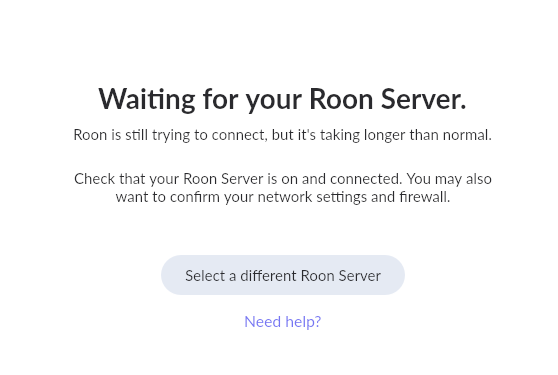
When I went to reinstall Roon on the mac mini, though, now i get this and it never connects. it is definitely powered on and connected to the network:

And what happens when you click on select a different Roon Server?

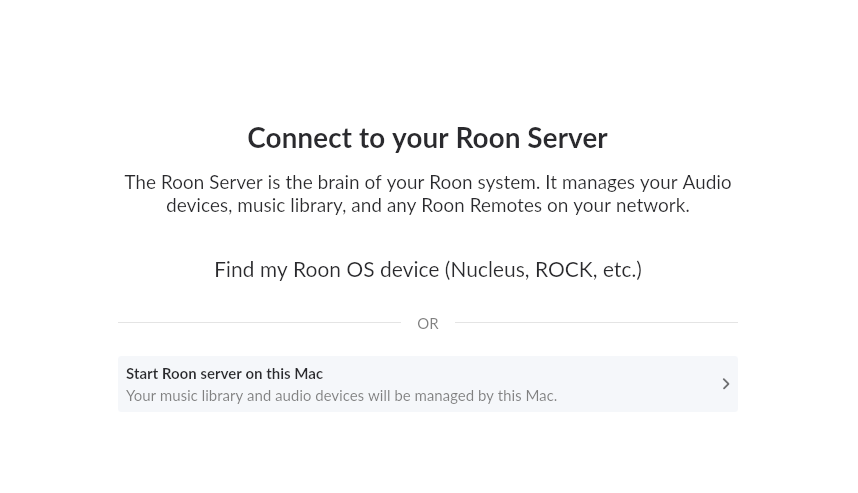
i clicked something and now i don’t get that option – or maybe that’s what I clicked – but I get this screen:

I only stared with roon about 10 days ago so forgive any ignorance i have with this stuff.

I restarted it again and now it’s working, and all my endpoints are back!