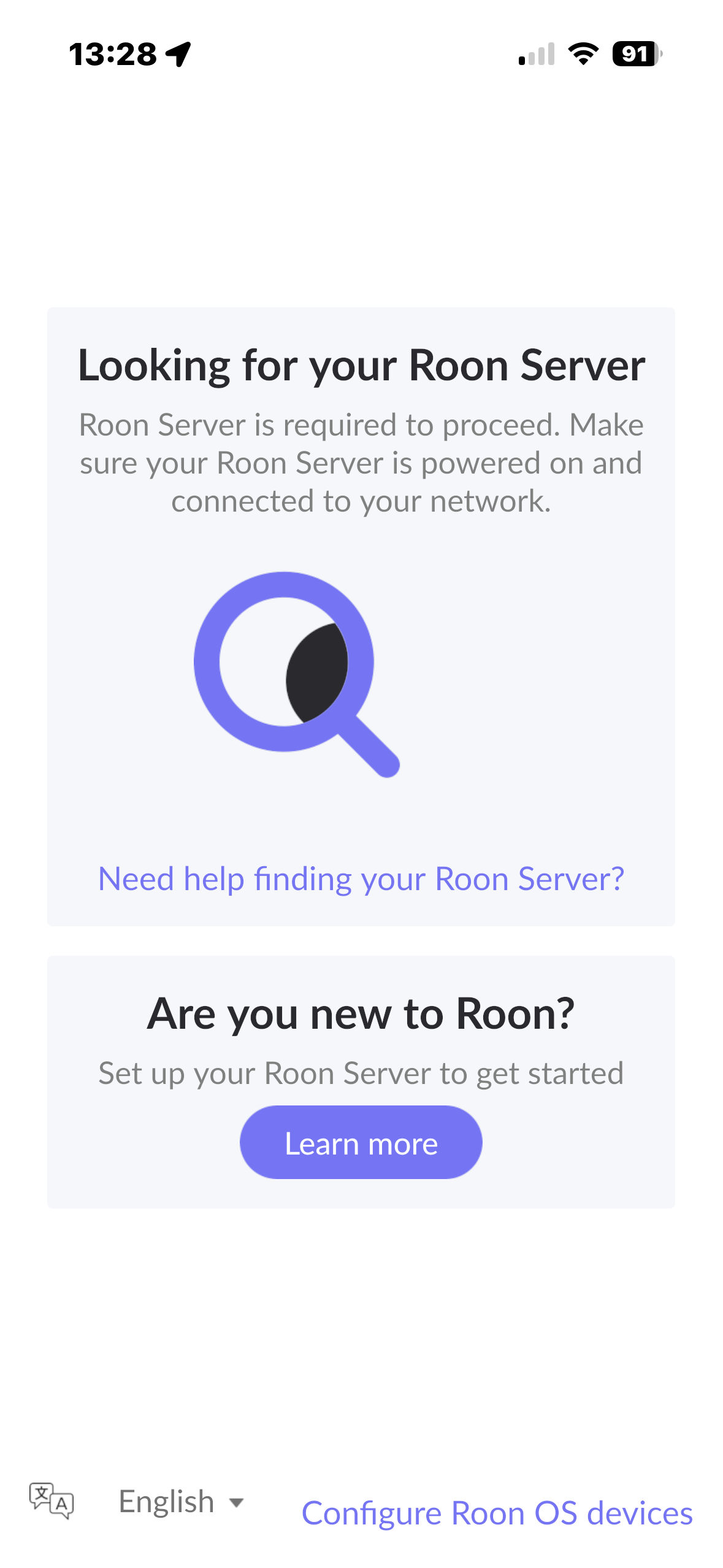
2. ARC apps show me the below message : There's an issue with your Roon Server Your Roon Server is online but there's an issue that's preventing access. Go to the Roon app for more information
Hey @raykkc, welcome to the community, and thanks for the details.
This looks like a network discovery issue on the local side, plus ARC is able to see your Roon Server but cannot complete access to it.
To start, please make sure the device running Roon Server, your Roon Remotes, and your Synology RT2600ac are all on the same local subnet. If they are split across different IP ranges or VLANs, Roon discovery will not work. Our guide on how to know my devices are on the same subnet/IP range walks through how to verify that.
To understand the setup a bit better, can you tell us what platform your Roon Server is running on, and whether it is connected to the RT2600ac by Ethernet or WiFi?
Thank you, and the Antipodes DX3 detail helps. But we still need the other two answers from our previous message, so let us make them easier to give.
Please reply with these, one line each:
The IP address of the Antipodes DX3. You will find it in the Antipodes web interface, or in your Synology router under the list of connected devices.
The IP address of the device you use the Roon app on, the phone, tablet or computer. On iOS: Settings, then Wi-Fi, then tap the small i beside the network name. On Android: Settings, then Network and internet, then Wi-Fi, then tap the connected network. On Windows: press Windows and R, type cmd, press Enter, type ipconfig, and give us the IPv4 Address.
Is the Antipodes connected by Ethernet cable or Wi-Fi?
Is the device running the Roon app on Ethernet or Wi-Fi?
The first three groups of numbers in items 1 and 2 must match, for example 192.168.1.x. If they do not, that is the whole problem.
Two more things specific to your equipment:
On the Antipodes. Its own operating system lets you choose which server application runs. Please open the Antipodes web interface and confirm that Roon Server is the selected and running application, and tell us what it reports. If something else is selected, or if Roon Server is installed but stopped, that would explain both symptoms at once.
On the Synology RT2600ac. Please check whether you have a guest network enabled, and whether there is any setting called client isolation, AP isolation or similar. If you find that turned on, please switch it off. Also, if the Antipodes and your phone are on different Wi-Fi names, or one is on a 5 GHz name and the other is not, please tell us.
Thank you, and those two addresses settle one thing straight away: 10.0.4.55 and 10.0.4.89 are on the same network, so the subnet question is closed. That is not your problem.
What we can tell you is that we see nothing at all from your Antipodes. Not a server we cannot reach, but no Roon Server reporting to us whatsoever. Combined with the detail that the unit was switched off for over a month, we think we know why.
On 20 April this year Roon’s minimum system requirements changed. The new version needs a newer underlying operating system than some older music servers provide, specifically glibc 2.27 or above and openssl 1.1.1 or above:
Your Antipodes runs its own operating system, called AMS, and whether Roon Server can still run on it depends on which AMS version the unit has. Antipodes have confirmed on their own forum that AMS v4 and v5 meet the requirements. Someone with an older version reported exactly your symptom, being unable to connect to the server after the Roon update, and Antipodes told him the unit needs its software updated at a service centre:
So the one thing we need from you is this: please open the Antipodes web interface and tell us which AMS version it is running. It will be shown on the main or system page.
If it is v4 or v5, then something else is going on and we will keep digging with you.
If it is older, then Roon Server can no longer run on that unit until Antipodes update it, and that is a conversation with them rather than with us. We would rather tell you that now than have you spend more time on your network, which is fine.
Please also confirm, while you are in that interface, whether Roon Server is shown as the selected application and whether it reports as running or stopped.
This thread will be closing soon due to inactivity. Please reach out here if you require additional support moving forward and our team will promptly reactivate the conversation. Thank you!