· Getting error message when trying to connect Roon ARC….will not connect remotely or in home.
Tell us about your home network
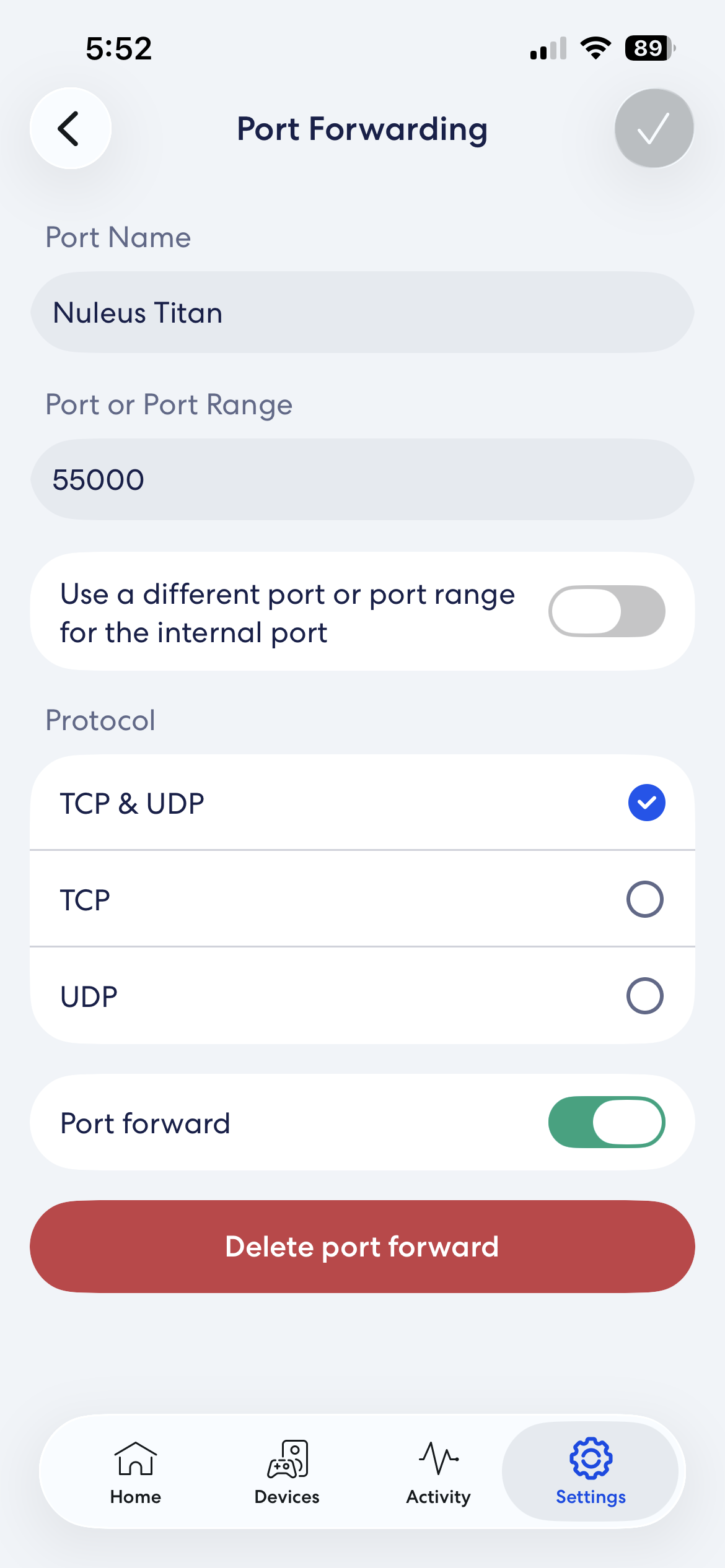
· ISP is Charter Spectrum, but network is set up on Eero. I have followed help steps on manual port set up, but no luck. Not sure I set things up properly.
Can you copy the diagnostic text from the Settings → Roon ARC page in the normal Roon client and paste themin a reply here. This may give more information in order to narrow the problem down.
Assuming that the port identification (“Nuleus Titan” -is this correct? Should it be "NucleusTitan?) and the port number (55000) are both correct, there are twocommonly encountered issues that may be the cause of your problem.
You have two routers in your network. E.g. the router provided by Charter Spectrum and the Eero. If your WAN IP of your Eero router falls in one of the ranges 10.x.x.x, 192.168.x.x, or 172.16–31.x.x then this is likely the case.
Your ISP is using CG-NAT. If your WAN IP of your Eero router falls in the CGNAT range (100.64.0.0 to 100.127.255.255) then your ISP is using CG-NAT. However CG-NAT may be used even if this is not the case.
The two issues are not mutually exclusive.
Whilst it is often possible to resolve the first issue resolving the second (CG-NAT) issue by changing the configuration of your local network is not possible. The first can be solved using a number of ways including:
Putting your ISP supplied router into bridge or modem only mode.
Setting up double port forwarding where your ISP supplied router forwards to the Eero’s WAN IP address and then the Eero forwards to the Roon Server (the latter half is already done).
If you post the diagnostic text, may be able to help further.
Having said all that, the port name you have used suggests that you are using a Nucleus Titan. This devices supports ARC connectivity via Tailscale. Tailscale has the ability to eliminate both the issues that I mentioned above (and it can workaround others as well). See the help pages below for instructions on setting up Tailscale on your Titan:
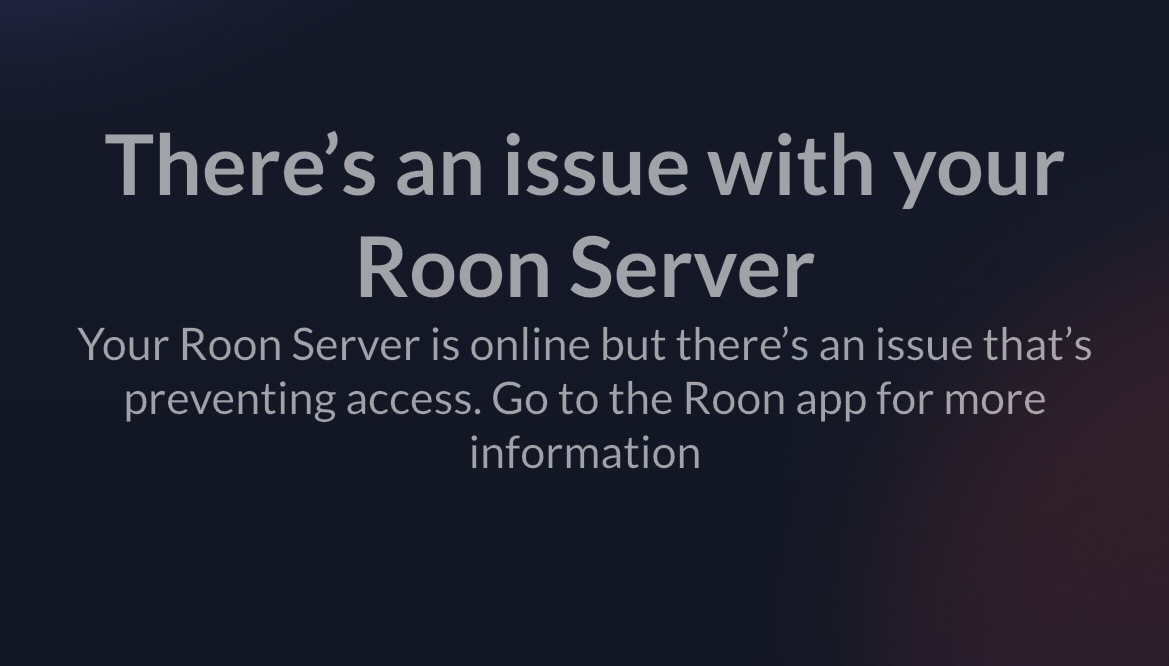
The Roon ARC page indicates that “Your Roon server has been automatically configured and has been confirmed to be securely accessible by Roon ARC”. The problem occurs when I open Roon ARC, I get the following error message:
Have you recently restored a Backup or migrated your Roon Server between machines?
This message usually indicates that ARC can reach Roon Server via the port forward, but a token mismatch is preventing it from actually syncing and connecting.
The simplest fix is to reinstall ARC and resync with your server. This will, unfortunately, require you to redownload any local tracks to the phone that you’d saved locally using ARC.
We’ll watch for your reply and work from there. Thank you!
That is fantastic news! I am so glad to hear that reinstalling the ARC app resolved the token mismatch and got you fully connected again.
Since everything is working properly now, I will go ahead and close this support thread. If you ever run into any other questions or issues down the road, please feel free to reach out.