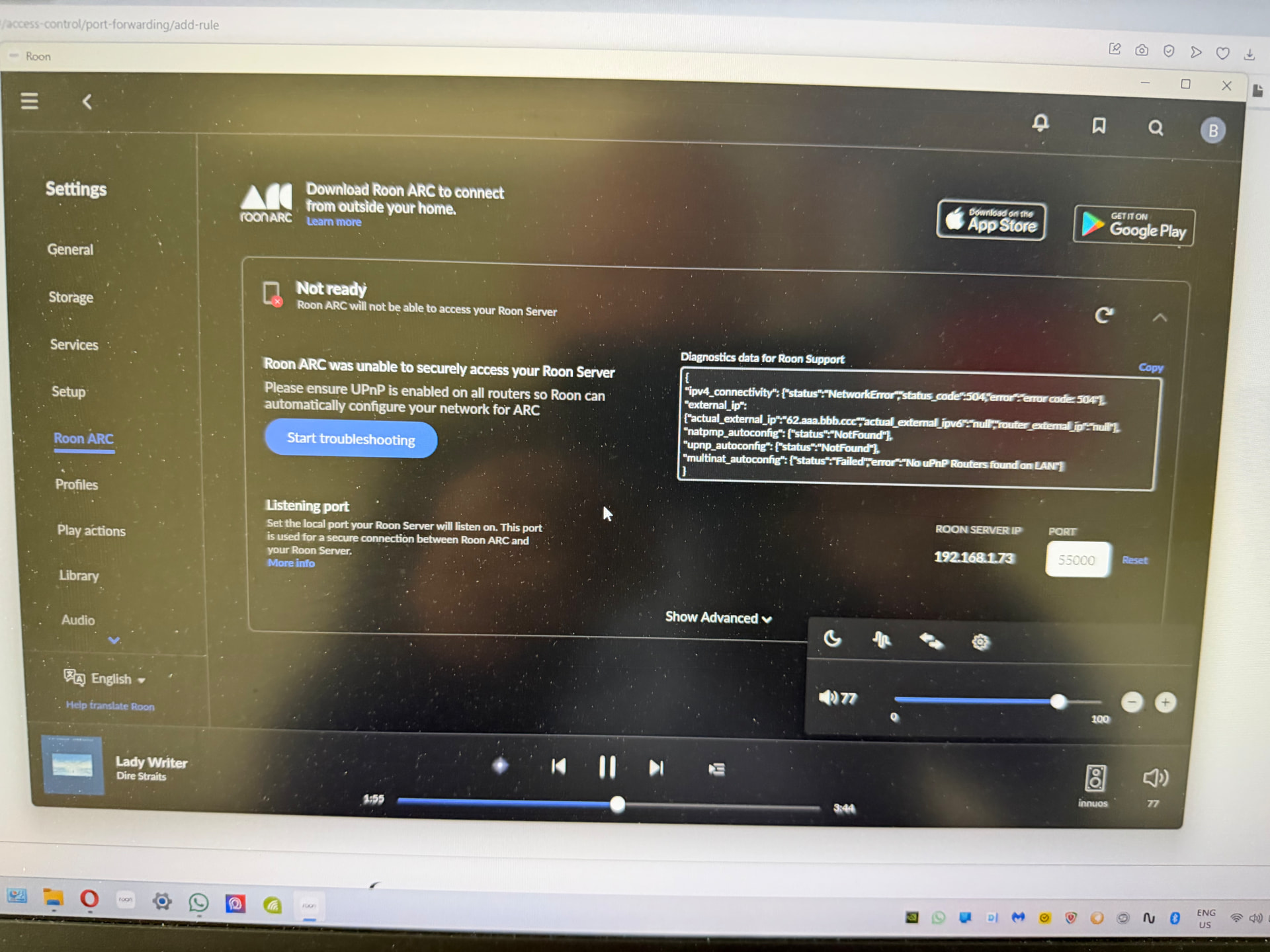
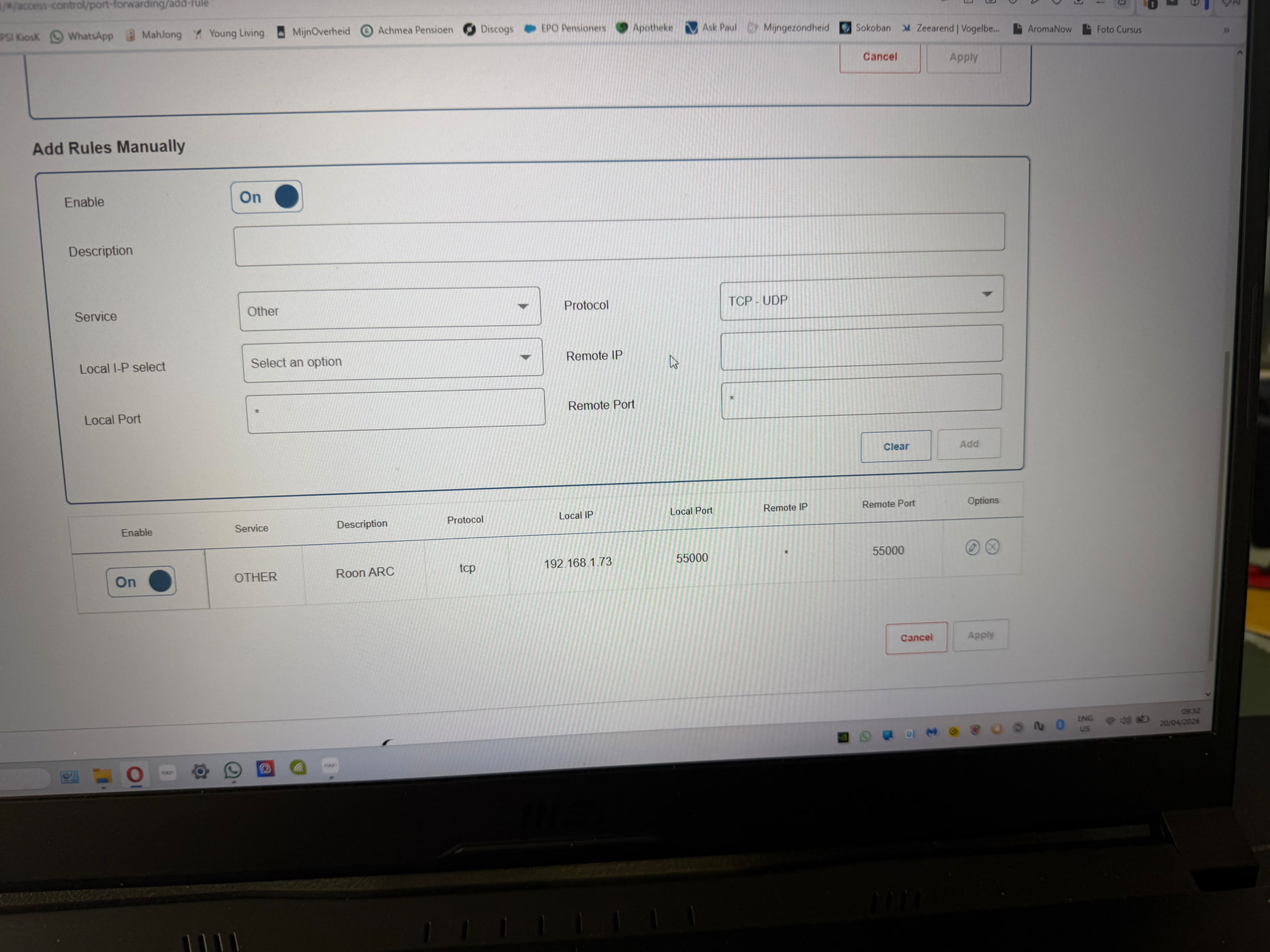
· I use my ISP's router alongside a personal router.
ARC Status
· ARC is *Not Ready*
Roon Error Code
· “Did not find UPnP service with WANIPConnection on network”
Have you successfully located and enabled the UPnP or NAT-PMP settings in your router's web UI?
· I've turned UPnP/ NAT-PMP on and ARC won't connect
Select the Diagnostic Keyword or Text String
· Something else
Don't give up yet.
· I'm stuck. I'd like to create a post to ask Roon Community for help.
Describe the issue
After moving I am not able to get roonarc running again. I use the same router with the same definitions
Describe your network setup
ISP is Delta, Nokia WiFi 7 router. Roon running on Innuos zen mini mk3 and is the server running on Linux iPhone and windows 11 pc running roon. iPhone 17 pro for arc
Was your ISP the same (Delta Fiber) at the previous location? They’ve commonly implemented carrier-grade NAT for residential accounts, so the blockage may be upstream of your account and not resolvable in router settings. This would require you to either contact Delta to set up a dedicated IPv4 address (even if you’d done at the old location) OR setup Tailscale with Roon.
In the meantime, let’s ensure that everything is configured on the local network. First, follow these steps to double-check that UPnP is enabled on the Nokia router and then refresh the ARC Status page in Roon Settings → ARC.
If that’s not working, create a manual port forwarding rule in the Nokia router settings that matches the port and IP address from Roon Settings → ARC.
Do you have a second router in this setup, like a gateway modem/router combination provided by the ISP? You’ll need to repeat both steps in that router, too: first trying UPnP, and then creating the same manual rule as a backup if that doesn’t work.
We haven’t seen a response to this thread yet, but ARC account diagnostics seem to show some connectivity failures in the last few days. Are you still having issues with port forwarding?
What do you see currently in Settings → ARC? Please share any diagnostic codes here.
This thread is now auto-closing due to lack of response. Please reach out here in a new tech support request if you require additional troubleshooting. Thank you!